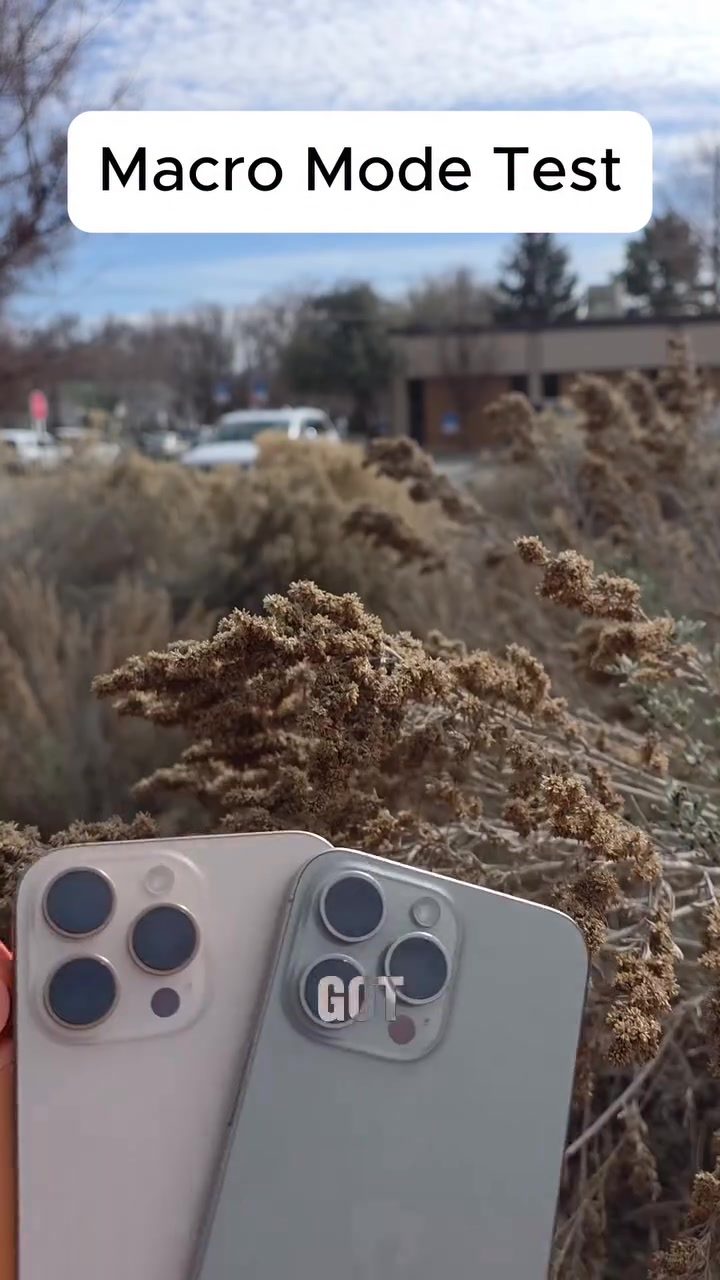
Ultimate iPhone Macro mode Camera Comparison
The macro mode feature in iPhones allows users to capture incredibly detailed close-up shots. This article explores the macro capabilities of the iPhone 15 Pro Max, iPhone 16 Pro Max, and iPhone 17 Pro Max, comparing their performance in macro photography.
Why Macro Mode Matters
Macro mode is a game-changer for photography enthusiasts. It enables smartphones to capture intricate details that are often missed by the naked eye. Whether you're photographing tiny insects, delicate flowers, or textured surfaces, macro mode brings a new level of precision to your shots. Understanding how different iPhone models perform in this mode can help you choose the right device for your photography needs.
Detailed Comparison of iPhone Macro Mode
iPhone 15 Pro Max Macro Mode
The iPhone 15 Pro Max kicks off the comparison with impressive results. When macro mode is enabled, the iPhone 15 Pro Max delivers incredibly sharp and detailed images. The close-up shots of dry grass reveal stunning textures and nuances, making it clear that the camera can handle fine details with ease. This model sets a high bar for the rest of the comparison, showcasing what Apple's macro technology can achieve.
iPhone 16 Pro Max Macro Mode
Next up is the iPhone 16 Pro Max. This model continues to impress with its macro capabilities. When macro mode is enabled, the iPhone 16 Pro Max produces images that are just as detailed as those from the iPhone 15 Pro Max. The depth of field and clarity are exceptional, allowing for a deeper focus on the subject matter. This model excels in capturing the intricate details of close-up subjects, making it a strong contender in the macro photography category.
iPhone 17 Pro Max Macro Mode
Finally, the iPhone 17 Pro Max takes the stage. This latest model in the lineup also delivers stunning macro images. The detail and sharpness in the images are remarkable, with the iPhone 17 Pro Max managing to go even deeper into the subject matter. The close-up shots are incredibly intricate, highlighting the technical advancements in Apple's camera technology. Whether it's the texture of dry grass or the intricate details of a flower, the iPhone 17 Pro Max captures every minute detail with precision.
Practical Tips for Macro Photography
To get the most out of your iPhone's macro mode, consider the following tips:
Stability is Key
When shooting in macro mode, even the slightest movement can blur your shot. Use a tripod or stabilize your phone on a flat surface to ensure sharp images.
Lighting Matters
Good lighting is crucial for macro photography. Natural light is often the best option, but if you're shooting indoors, use a softbox or diffuser to avoid harsh shadows.
Focus on Details
Macro mode is all about capturing small details. Experiment with different angles and distances to find the most interesting and detailed parts of your subject.
Experiment with Composition
Don't be afraid to get creative with your composition. Try different backgrounds, angles, and compositions to make your macro shots stand out.
Important Takeaways
Consistency Across Models
One of the standout features of the iPhone's macro mode is its consistency across different models. The iPhone 15 Pro Max, iPhone 16 Pro Max, and iPhone 17 Pro Max all deliver exceptional macro performance, making any of these models a great choice for macro photography enthusiasts.
Detail and Clarity
Each model excels in capturing intricate details, with the iPhone 17 Pro Max pushing the boundaries even further. The ability to go deeper into the subject matter sets these iPhones apart, making them ideal for capturing the finest details.
Versatility
The versatility of macro mode makes it a valuable feature for a wide range of photography needs. Whether you're capturing nature, still life, or even product shots, macro mode enhances the quality and detail of your images.
Conclusion
The iPhone's macro mode is a powerful tool for capturing detailed and intricate close-up shots. Whether you're using the iPhone 15 Pro Max, iPhone 16 Pro Max, or iPhone 17 Pro Max, you can expect exceptional performance in macro photography. Each model delivers stunning results, making any of these iPhones a great choice for photography enthusiasts. With the right techniques and a keen eye for detail, you can unlock the full potential of your iPhone's macro mode and capture truly remarkable images.
Questions readers ask
What is macro mode and why should I use it on my iPhone?
Macro mode on iPhones allows you to capture extremely close-up and detailed shots of small subjects. It's perfect for photographing tiny objects, textures, or intricate details that are usually hard to see with the naked eye. This feature is beneficial for those interested in detailed and precise photography.
Which iPhone model has the best macro performance among the iPhone 15, 16, and 17 Pro Max?
The iPhone 17 Pro Max generally offers the best macro performance due to its advanced camera technology and improved sensors. However, all three models—iPhone 15, 16, and 17 Pro Max—have strong macro capabilities, so the best choice depends on your specific needs and budget.
Can I use macro mode on all iPhone models?
Macro mode is available on iPhone 15, 16, and 17 Pro Max models. However, the performance and features vary slightly between the models. For the most advanced macro capabilities, the iPhone 17 Pro Max is recommended, but the iPhone 15 and 16 Pro Max also deliver impressive results.
What are the key differences between the macro modes of the iPhone 15, 16, and 17 Pro Max?
The primary differences lie in the lens quality, sensor technology, and software enhancements. The iPhone 17 Pro Max benefits from the latest advancements in Apple's camera technology, offering better detail, sharper images, and improved low-light performance in macro mode compared to the iPhone 15 and 16 Pro Max.
How close can I get to a subject using macro mode on these iPhone models?
With macro mode, you can get incredibly close to your subject, often within a few centimeters. The exact distance may vary slightly between the iPhone 15, 16, and 17 Pro Max, but all models allow for very close-up shots, capturing details that would otherwise be missed. The iPhone 17 Pro Max typically offers the closest focusing distance.
What accessories can enhance macro photography on my iPhone?
Several accessories can enhance your macro photography experience with an iPhone. Lens attachments, such as macro lenses, can provide even closer focusing distances and better detail. Additionally, tripods, ring lights, and external monitors can help stabilize your shots, improve lighting, and give you a better view of your subject.
How do I activate macro mode on my iPhone 15, 16, or 17 Pro Max?
Activating macro mode is straightforward. Simply open the Camera app, and when you get close to a subject, the macro mode will automatically activate. You can also manually select macro mode from the camera settings. The iPhone will indicate when it’s in macro mode, usually with an on-screen icon or notification.
Related deep dives
Similar reads based on topic and creator.




Recent articles
Fresh deep dives from the latest Reels we unpacked.




Comments
Be the first to comment.