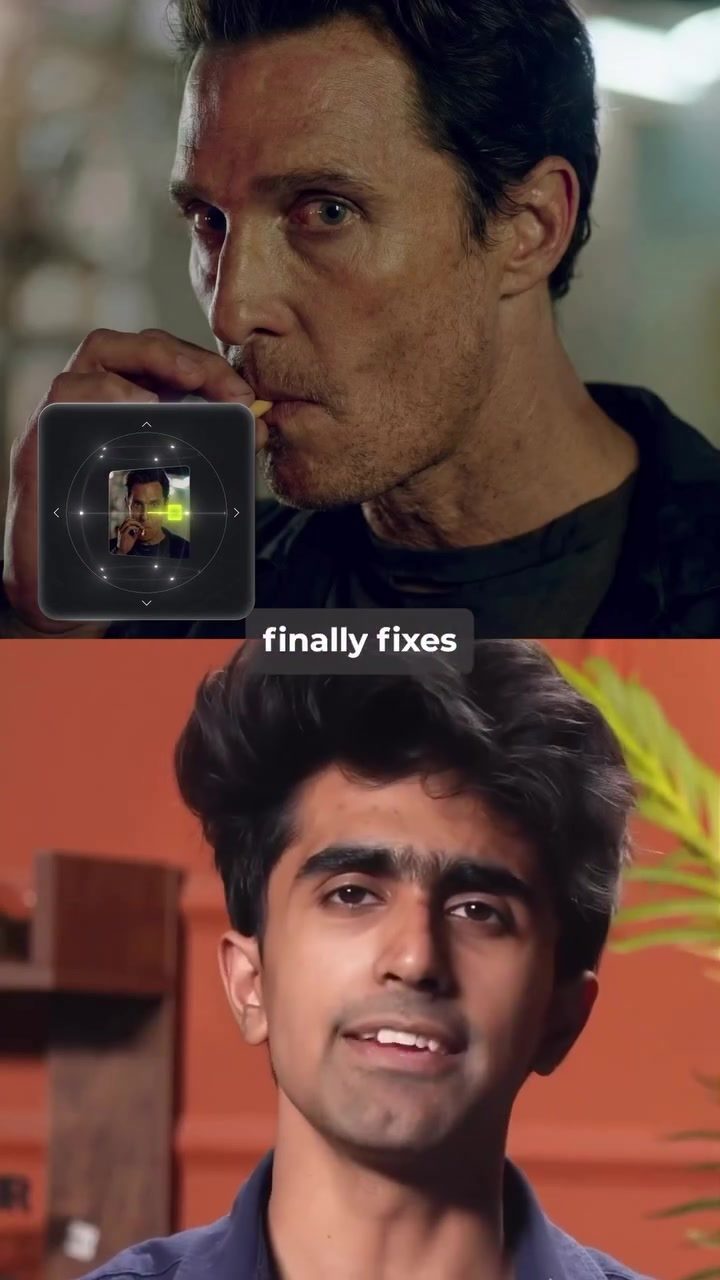
Angles V2: Transforming Photo Perspectives with AI
Have you ever taken a great photo only to be disappointed by the angle? Angles V2, a feature inside Higgs Field AI, is designed to solve this common frustration. With just one click, this tool can fix bad angles in your photos, making it an invaluable resource for creators.
Why This Matters
The angle of a photograph can significantly impact its quality and appeal. Sometimes, even the best images are discarded because the perspective feels off. Angles V2 addresses this issue by allowing users to adjust the camera perspective after the image has already been taken. This feature is particularly useful for creators who often rely on high-quality visuals to engage their audience.
Main Discussion
What is Angles V2?
Angles V2 is an AI-powered tool that enables users to correct the angles in their photos with ease. Unlike traditional editing tools, Angles V2 allows for post-capture adjustments, giving creators more control over the final output. This tool is integrated within the Higgs Field AI platform, making it accessible to a wide range of users.
How Does It Work?
The process of using Angles V2 is straightforward. Here's a step-by-step guide:
- Access the Platform: Start by logging into the Higgs Field AI platform.
- Choose Angles V2: Navigate to the Angles V2 feature within the platform.
- Upload Your Picture: Upload the image you want to edit.
- Adjust the View: Use the controls to adjust the zoom, tilt, and rotation of the image. This allows you to change the camera perspective to your liking.
- Save and Done: Once you're satisfied with the adjustments, save the changes and your new image is ready to use.
Key Features
Angles V2 stands out with several key features that make it a game-changer for photo editing:
- One-Click Fixes: Correct bad angles with just one click, saving time and effort.
- Post-Capture Adjustments: Change the camera perspective even after the image has been taken.
- User-Friendly Interface: The platform offers an intuitive interface that makes the editing process simple and efficient.
- Versatile Controls: Adjust zoom, tilt, and rotation to get the perfect perspective.
Practical Tips
To make the most out of Angles V2, consider the following tips:
- Experiment with Angles: Don’t be afraid to try different angles and perspectives. Sometimes, a slight change can make a big difference.
- Use High-Resolution Images: For the best results, make sure to upload high-resolution images. This will give you more flexibility in adjusting the view.
- Save Different Versions: Save multiple versions of your edited image. This way, you can compare different perspectives and choose the best one.
Important Takeaways
Angles V2 offers a simple yet powerful solution to a common photo editing challenge. By allowing users to change the camera perspective after the image is taken, this tool can save creators from discarding great photos due to poor angles. The feature's ease of use and versatility make it a valuable addition to the Higgs Field AI platform.
Conclusion
For anyone looking to elevate their photography game, Angles V2 is a must-try feature. Its ability to fix bad angles with just one click and its user-friendly interface make it a go-to tool for creators. By transforming your photo perspectives, Angles V2 can help you achieve the perfect shot every time. So, if you’re ready to take your photos to the next level, give Angles V2 a try and see the difference for yourself.
Questions readers ask
How does Angles V2 in Higgs Field AI improve photo quality?
Angles V2 enhances photo quality by automatically correcting poor angles and adjusting the camera perspective post-capture. This results in more visually appealing images without requiring manual editing, ensuring that your photos look their best.
Can Angles V2 fix photos taken at odd angles?
Yes, Angles V2 is specifically designed to fix photos taken at odd or unflattering angles. With a single click, the tool can adjust the perspective, making the image more balanced and aesthetically pleasing.
Is Angles V2 useful for users who are not skilled in photo editing?
Absolutely, Angles V2 is particularly beneficial for users who may not have advanced photo editing skills. The tool's one-click functionality makes it accessible for anyone to improve their photos, regardless of their technical expertise.
Does Angles V2 work on all types of photos?
Angles V2 is effective on a wide range of photos, including landscapes, portraits, and architectural shots. It excels at correcting perspective issues, making it versatile for various photography styles and subjects.
How does Angles V2 save time in the photo editing process?
Angles V2 saves time by providing an instant, automatic solution to correcting photo angles. Instead of spending hours manually adjusting the perspective, users can achieve a polished result with just one click, streamlining the entire process.
Related deep dives
Similar reads based on topic and creator.




Recent articles
Fresh deep dives from the latest Reels we unpacked.



Comments
Be the first to comment.