Xumiler's Wipe Coding Tool
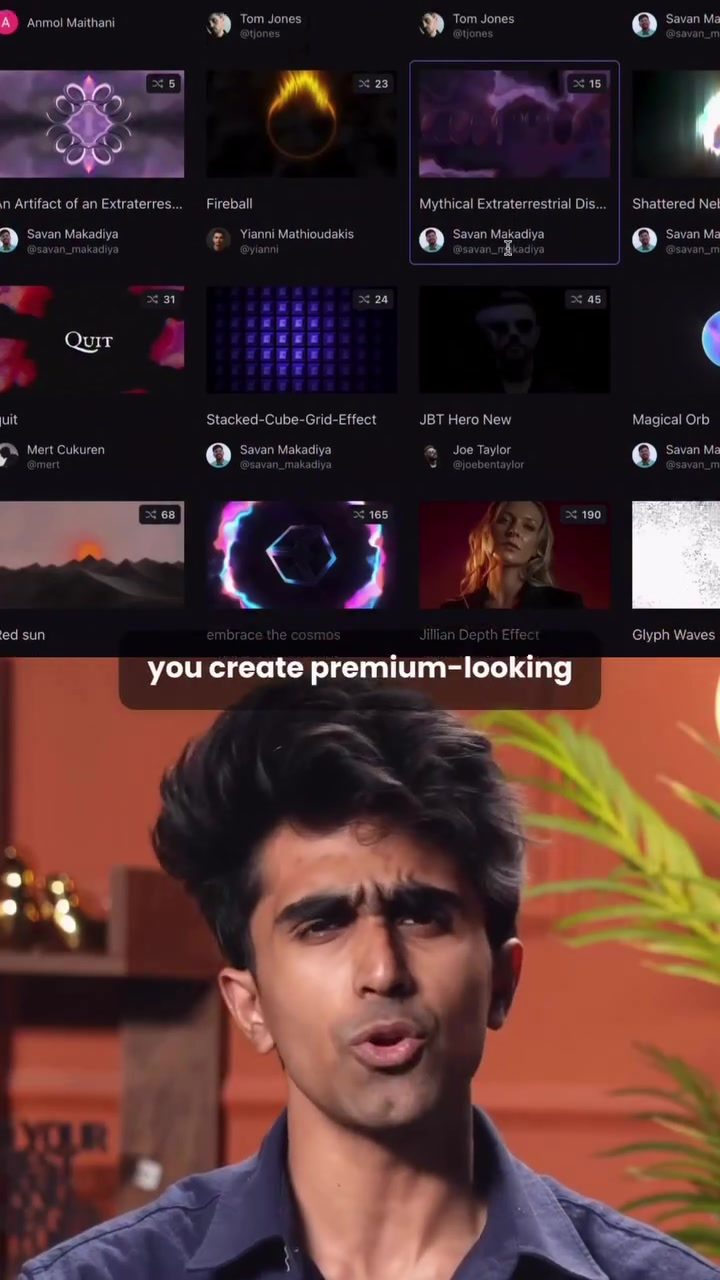
Xumiler's new wipe coding tool is designed to help you create visually stunning animated websites in just a few steps. It's essentially a community hub where the latest design ideas and premium UI/UX layouts are stored as ready-to-use templates. This makes it incredibly simple to copy and launch professional-looking websites.
Context / Why this matters
Video editing and web design are both crucial in the digital age. The ability to create high-quality, visually appealing content can significantly enhance user experience and engagement. However, mastering these skills often requires a steep learning curve and extensive time investment. Xumiler's tool addresses this by simplifying the process, allowing users to achieve professional results with minimal effort.
Main discussion
Understanding the Tool
The wipe coding tool from Xumiler is more than just a video editing feature; it's a comprehensive solution for creating dynamic, animated websites. The tool provides a variety of templates that users can choose from, ranging from premium animations to aesthetic designs. These templates are designed to be easily customizable, allowing users to tailor them to their specific needs.
How to Use the Wipe Coding Tool
The process of using Xumiler's wipe coding tool is straightforward. First, you need to choose the platform you want to build on. In the demo, the presenter chose v0.dev. Once you've selected your platform, follow these steps:
-
Select a Template: Head to the platform and click on the community section. Here, you'll find a wide range of templates. Choose one that fits your project's requirements. For the demo, the system monitor template was selected.
-
Remix and Export: Click on the template you like, hit 'remix project,' and then export the code.
-
Integrate the Code: Copy the embed code and jump back to your coding platform. Add your prompt, paste the code, and you're done. The demo showcased the creation of an AI Film Studio page with clean animations already in place.
Key Features
- Premium Templates: The tool offers a variety of high-quality, ready-to-use templates that can be easily customized.
- Easy Integration: The embed code can be seamlessly integrated into your existing projects, making the process smooth and efficient.
- Community Support: The platform has a community section where users can share and discover new templates, fostering a collaborative environment.
- Time-Saving: The tool significantly reduces the time and effort required to create visually appealing websites, making it ideal for professionals and beginners alike.
Platform Integration
The wipe coding tool is designed to work seamlessly with various platforms. For instance, the demo showcased its compatibility with v0.dev, a popular platform for developers. This integration allows users to leverage the tool's capabilities directly within their development environment, enhancing productivity and efficiency.
Practical Tips
Choose the Right Template
Selecting the right template is crucial for achieving the desired outcome. Spend some time exploring the community section to find a template that best fits your project's requirements. Consider the aesthetics, functionality, and customization options before making a choice.
Customize to Your Needs
Once you've chosen a template, take the time to customize it to your needs. The tool offers various customization options, allowing you to tailor the template to match your brand's identity and project goals. Don't hesitate to experiment with different settings and features to achieve the best results.
Utilize the Community
The community section is a valuable resource for discovering new templates and ideas. Engage with other users, share your work, and seek feedback to continuously improve your projects. The collaborative environment can provide inspiration and support, helping you stay up-to-date with the latest trends and best practices.
Important Takeaways
The wipe coding tool from Xumiler is a powerful solution for creating high-quality, visually appealing animated websites. Its ease of use, extensive template library, and seamless integration with popular platforms make it an invaluable tool for both professionals and beginners. By leveraging the tool's features, users can significantly enhance their productivity and efficiency, achieving professional results with minimal effort.
Conclusion
In the digital age, the ability to create visually stunning, high-quality content is crucial. Xumiler's wipe coding tool simplifies this process, making it accessible to everyone. Whether you're a seasoned professional or just starting out, this tool offers a comprehensive solution for creating dynamic, animated websites. By following the practical tips and leveraging the community resources, you can achieve exceptional results and elevate your projects to the next level.
Questions readers ask
What makes Xumiler's Wipe Coding Tool unique among other website design tools?
Xumiler's Wipe Coding Tool stands out due to its vast library of ready-to-use, customizable templates, which allows for the creation of animated, visually stunning websites with minimal effort. This tool is designed to simplify the web design process, making it accessible to users of all skill levels.
How does Xumiler's Wipe Coding Tool simplify the process of creating a professional website?
The tool simplifies website creation by providing a community hub where the latest design ideas and premium UI/UX layouts are stored as ready-to-use templates. Users can easily copy and launch these templates to create professional-looking websites without extensive design knowledge or time investment.
Can I customize the templates provided by Xumiler's Wipe Coding Tool?
Yes, the templates are fully customizable. This means you can tailor the design to fit your specific needs and branding, even if you have little to no design experience. The tool empowers users to make their website truly unique.
Is Xumiler's Wipe Coding Tool suitable for beginners in website design?
Absolutely. The tool is designed to be user-friendly, making it an excellent choice for beginners. With its ready-to-use templates and simple customization options, even those new to website design can create high-quality, professional-looking sites with ease.
What types of websites can I create using Xumiler's Wipe Coding Tool?
Xumiler's Wipe Coding Tool is versatile and can be used to create a wide range of websites, including but not limited to, portfolios, e-commerce sites, blogs, and business websites. The tool's animated features and premium layouts ensure that your website will stand out.
How does Xumiler's Wipe Coding Tool enhance user engagement on websites?
By offering templates that are not only visually appealing but also include animated features, Xumiler's Wipe Coding Tool helps create more engaging user experiences. This can lead to higher user engagement and satisfaction, as visitors are more likely to stay and interact with a visually stimulating website.
Related deep dives
Similar reads based on topic and creator.




Recent articles
Fresh deep dives from the latest Reels we unpacked.




Comments
Be the first to comment.