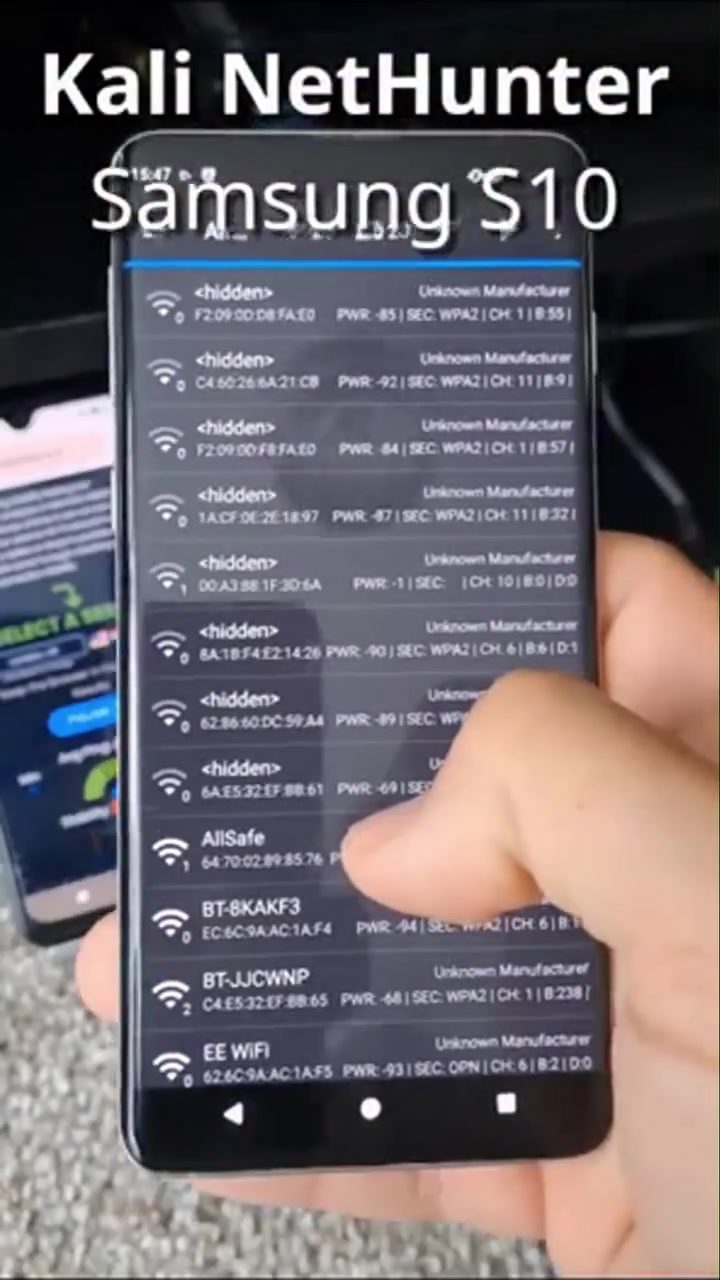
WiFi Hacking: Setting Up Hijacker on a Samsung Galaxy S10
WiFi hacking can be a controversial topic, but it's important to understand the basics and ensure that networks are secure. This article delves into WiFi hacking, specifically focusing on setting up the Hijacker app on a Samsung Galaxy S10 with wireless injection and cracking WPA2 handshakes. This guide will walk you through the process, provide context on why this matters, and offer practical tips.
Why This Matters
WiFi networks are ubiquitous, and understanding their vulnerabilities is crucial for both cybersecurity professionals and everyday users. WiFi hacking is often discussed in the context of cybersecurity to highlight the importance of securing networks. This isn't intended to promote illegal activities but to shed light on the methods used to crack networks.
Getting Started
Setting Up the Hijacker App
Setting up the Hijacker app on a Samsung Galaxy S10 involves several steps. The process begins with ensuring that your device is rooted and compatible with the Hijacker app. Rooting the phone is a critical step because it allows you to access the device's system files and install apps that require higher permissions.
Installing Kali NetHunter
Kali NetHunter is a popular tool among cybersecurity professionals for running Kali Linux on Android devices. It provides a comprehensive suite of tools for penetration testing and network analysis.
-
Download Kali NetHunter: Start by downloading the Kali NetHunter image from the official Kali Linux website. The installation process will vary depending on your device, but for a Samsung Galaxy S10, you typically need to use a compatible NetHunter image.
-
Install NetHunter: Follow the instructions specific to your device to install the NetHunter image. This usually involves using a custom recovery tool like TWRP (Team Win Recovery Project) to flash the image onto your device.
-
Configure NetHunter: After installing NetHunter, you'll need to configure it. This includes setting up the necessary permissions and installing any additional tools you might need, like the Hijacker app.
Using Wireless Injection
Wireless injection is a technique that allows you to inject packets into a wireless network. This is crucial for capturing WPA2 handshakes, which are the encrypted keys used to authenticate devices on a WiFi network. Wireless injection can be enabled using compatible devices and tools.
-
Enable Wireless Injection: Ensure your Samsung Galaxy S10 supports wireless injection. Some devices may require additional hardware, such as an external WiFi adapter like an Alpine AP650.
-
Install Necessary Drivers: Make sure the necessary drivers for your WiFi adapter are installed and working correctly. This is often a critical step that can be overlooked.
Capturing WPA2 Handshakes
Understanding the Process
Capturing WPA2 handshakes involves intercepting the authentication process between a client (e.g., a laptop or smartphone) and the access point (router). This handshake includes the encrypted key, which can be cracked using brute-force methods.
Using Kali NetHunter for Capturing
-
Scan for Networks: Use Kali NetHunter to scan for available WiFi networks. The NetHunter interface provides a list of networks, along with their MAC addresses and signal strengths.
-
Select a Network: Choose the network you want to target. Ensure it is a network you have permission to test, as unauthorized access is illegal.
-
Capture the Handshake: Initiate the capture process. This typically involves deauthenticating a client from the network to force a re-authentication, which captures the handshake. Kali NetHunter provides tools like Aircrack-ng to handle this process.
Cracking the Encrypted Handshake
Using a Wordlist
Cracking the encrypted handshake involves using a wordlist, which is a file containing a list of potential passwords. The process uses brute-force methods to try each password in the list until it finds a match.
-
Choose a Wordlist: Select a wordlist that is comprehensive and relevant to the network you are testing. The effectiveness of the wordlist can significantly impact the success of the cracking process.
-
Run the Cracking Tool: Use a tool like Aircrack-ng to run the wordlist against the captured handshake. This process can take a significant amount of time, depending on the complexity of the password and the size of the wordlist.
Technical Considerations
-
Processing Power: Cracking WPA2 handshakes requires substantial processing power. On a smartphone, this process can be slower compared to a dedicated computer. Using a more powerful device or leveraging cloud computing resources can speed up the process.
-
Legal and Ethical Considerations: It's essential to emphasize that attempting to access or crack WiFi networks without explicit permission is illegal. This guide is for informational purposes and should only be used in controlled, ethical hacking environments.
Practical Tips
Security Best Practices
To protect your own WiFi network, consider the following best practices:
-
Use Strong Passwords: Ensure your WiFi password is complex and not easily guessable. A combination of uppercase and lowercase letters, numbers, and special characters is recommended.
-
Update Firmware: Regularly update your router's firmware to patch known vulnerabilities.
-
Disable WPS: WiFi Protected Setup (WPS) is often a weak point in WiFi security. Disable it to enhance your network's security.
Testing Your Network
-
Regular Audits: Conduct regular network audits to identify and fix vulnerabilities.
-
Use Strong Encryption: Ensure your network uses strong encryption protocols, such as WPA3, if available.
Important Takeaways
-
Understanding the Process: WiFi hacking involves capturing and cracking WPA2 handshakes, which requires specific tools and techniques.
-
Legal and Ethical Considerations: Always ensure you have permission to test a network. Unauthorized access is illegal and unethical.
-
Security Best Practices: Implement strong security measures to protect your own network, including using strong passwords and regular firmware updates.
Conclusion
Setting up the Hijacker app on a Samsung Galaxy S10 with wireless injection and cracking WPA2 handshakes is a complex process that requires specific tools and knowledge. By understanding the process and implementing best practices, you can enhance your network security and be prepared to identify and mitigate potential vulnerabilities. Always remember the importance of ethical considerations and respect for privacy and legal boundaries.
Questions readers ask
What is the Hijacker app and why is it used in WiFi hacking on a Samsung Galaxy S10?
The Hijacker app is a tool designed for wireless penetration testing. It is used to perform wireless injection and to capture WPA2 handshakes, which are essential steps in assessing the security of WiFi networks. By using Hijacker on a Samsung Galaxy S10, users can gain insights into potential vulnerabilities in their network security.
Is it legal to use the Hijacker app for WiFi hacking?
The legality of using the Hijacker app depends on the context. It is illegal to use it to hack into networks without explicit permission from the network owner. However, with proper authorization, such as for penetration testing, it can be used to identify and fix security weaknesses. Always ensure you have the right to test the network before proceeding.
What are WPA2 handshakes and why are they important in WiFi security?
WPA2 handshakes are the process by which a device and a WiFi network establish a secure connection. Capturing these handshakes is a common technique in WiFi hacking because it allows attackers to potentially crack the network's password. Understanding how to capture and analyze WPA2 handshakes can help users secure their networks more effectively.
Can the Hijacker app be installed on any Android device, or is it specific to the Samsung Galaxy S10?
The Hijacker app can be used on other devices and not just the Samsung Galaxy S10, but it is often used with the Galaxy S10 because of its compatibility with the Kali Nethunter app. Kali Nethunter is a penetration testing platform for Android devices. For optimal performance, the Samsung Galaxy S10 is recommended.
What additional tools or software do I need to set up Hijacker on a Samsung Galaxy S10?
To set up Hijacker on a Samsung Galaxy S10, you will need to install the Kali Nethunter app first. Kali Nethunter provides the necessary environment for running various penetration testing tools, including Hijacker. Additionally, you may need a compatible WiFi adapter that supports wireless injection, such as the Alfa AWUS036NHA.
What is a wordlist, and how is it used in WiFi hacking with the Hijacker app?
A wordlist is a collection of potential passwords that can be used to brute-force a WiFi network. When using the Hijacker app, a wordlist is employed to try different combinations until the correct password is found. Having a comprehensive wordlist can significantly improve the efficiency of the password cracking process.
Related deep dives
Similar reads based on topic and creator.




Recent articles
Fresh deep dives from the latest Reels we unpacked.




Comments
Be the first to comment.