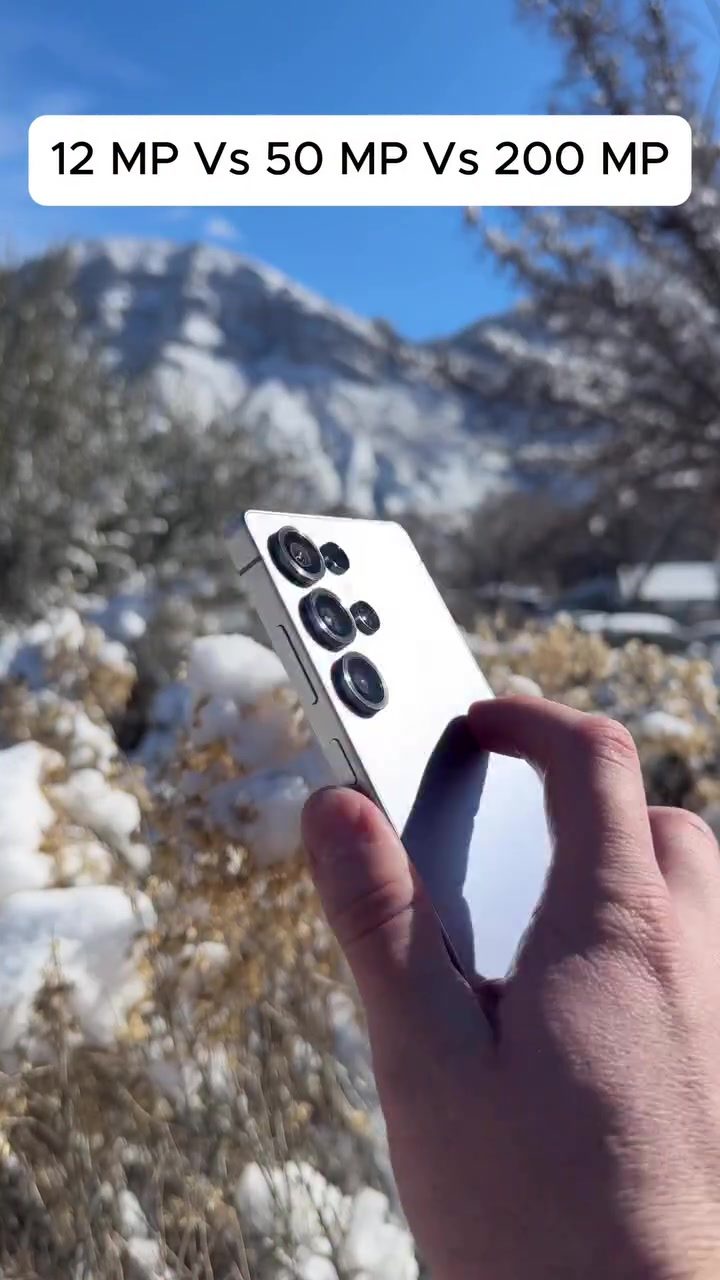
Smartphone Camera Megapixel Showdown: 12MP vs. 50MP vs. 200MP
Smartphone cameras have come a long way, and one of the most talked-about specs is the megapixel count. But what difference do those extra megapixels really make? Let's dive into a comparison of 12MP, 50MP, and 200MP camera settings on a smartphone to see how they stack up in real-world scenarios.
Why This Matters
For smartphone photographers, understanding the impact of megapixels can help in making informed decisions when purchasing a new device or adjusting camera settings. While more megapixels generally mean more detail, it's not the only factor affecting image quality. Let's explore the visual differences and practical implications of varying megapixel counts.
Megapixel Breakdown
12MP: The Standard
The 12MP setting is a common default for many smartphones. It strikes a balance between image quality and file size, making it suitable for everyday photography. At 12MP, images are detailed enough for social media sharing and printing at small to medium sizes. However, when zooming in or cropping, the limitations become apparent.
50MP: The Detail Booster
Moving up to 50MP, the leap in detail is noticeable. Images captured at this setting offer more clarity, especially in well-lit environments. This is ideal for landscape photography, where capturing intricate textures and fine details can significantly enhance the overall image quality. The additional megapixels also provide more flexibility for cropping and post-processing.
200MP: The Ultimate Detail
At 200MP, the level of detail is astonishing. Every tiny speck of snow, each blade of grass, and the subtlest nuances of color are captured with exceptional clarity. This setting is perfect for scenarios where you need to retain the utmost detail and plan on cropping or enlarging the image. However, it comes with trade-offs, such as larger file sizes and potential performance hits on the device.
Image Quality Differences
When comparing images side by side, the differences become clear. In the 12MP photo, the background—such as a snowy landscape—looks smooth and detailed enough for general use. As we move to 50MP, the texture of the snow and the foliage becomes more distinct. Finally, at 200MP, the image is incredibly sharp, with every detail vividly captured.
Practical Implications
File Sizes and Storage
Higher megapixel counts mean larger file sizes. This can quickly fill up your storage, especially if you're shooting in bursts or taking high-resolution videos. Always consider the trade-off between detail and available storage.
Performance
Shooting at 200MP can be demanding on your smartphone's processor and battery. Ensure your device can handle the increased processing power required for higher megapixel settings.
Best Use Cases
- 12MP: Ideal for everyday snapshots, casual photography, and quick sharing on social media.
- 50MP: Great for landscapes, architectural shots, and scenarios where you might want to crop or enlarge the image.
- 200MP: Perfect for professional-grade photography, detailed prints, and situations where every last detail is crucial.
Practical Tips
Know Your Settings
Familiarize yourself with your smartphone's camera settings. Most modern smartphones allow you to toggle between different megapixel settings, enabling you to experiment and find the best fit for your needs.
Optimize for Lighting
Higher megapixel counts require good lighting conditions to fully showcase their benefits. Make sure you're in a well-lit area or use additional lighting to get the best results.
Experiment with Cropping
With higher megapixel settings, you gain the flexibility to crop your images without significant loss in quality. Experiment with different crops to see the true potential of your camera.
Important Takeaways
- More megapixels mean more detail but also larger file sizes and potential performance hits.
- For everyday use, 12MP is often sufficient and practical.
- For detailed landscapes and professional work, 50MP and 200MP offer significant benefits.
- Always consider the trade-offs and optimize your settings based on the specific requirements of your shot.
Conclusion
Understanding the differences between 12MP, 50MP, and 200MP camera settings can help you make the most of your smartphone's camera capabilities. Whether you're an amateur photographer or a seasoned pro, choosing the right setting can enhance your photography experience and the quality of your images.
Questions readers ask
What are the visible differences between 12MP and 50MP images on a smartphone?
Images captured at 50MP will generally offer more detail and sharpness compared to 12MP. This is particularly noticeable when zooming in or cropping photos. However, the difference may be less apparent in smaller prints or on smaller screens.
How does a 200MP camera perform compared to 12MP and 50MP in low light?
In low light, the 200MP camera may struggle more with noise compared to 12MP and 50MP settings. Higher megapixel counts can sometimes introduce more noise in low-light conditions, as each pixel receives less light. The 12MP setting might offer better performance in such scenarios.
What are the advantages of using a 50MP camera over a 12MP camera?
A 50MP camera allows for more detailed images and better cropping flexibility. You can capture more intricate details and have more room to zoom in without losing quality. However, this comes at the cost of larger file sizes and potentially more demanding processing requirements.
How does the 200MP setting affect file size and device performance?
The 200MP setting will significantly increase file sizes, which can impact storage and processing power. This might lead to slower performance, especially on devices with limited resources. Additionally, larger files can be more challenging to transfer and share.
Is a 200MP camera always better for capturing landscapes?
While a 200MP camera can capture an immense amount of detail, it might not always be the best choice for landscapes. Factors like noise, dynamic range, and lens quality also play crucial roles. Sometimes, a 12MP or 50MP setting with better noise reduction and dynamic range might produce more pleasing landscape images.
What are the practical benefits of a 12MP camera setting on a smartphone?
A 12MP camera setting offers a good balance between detail and file size. It is less demanding on device resources, allowing for quicker processing and better battery life. Additionally, 12MP images are usually sufficient for most everyday photography needs, including sharing on social media or printing small to medium-sized photos.
Related deep dives
Similar reads based on topic and creator.


Recent articles
Fresh deep dives from the latest Reels we unpacked.




Comments
Be the first to comment.