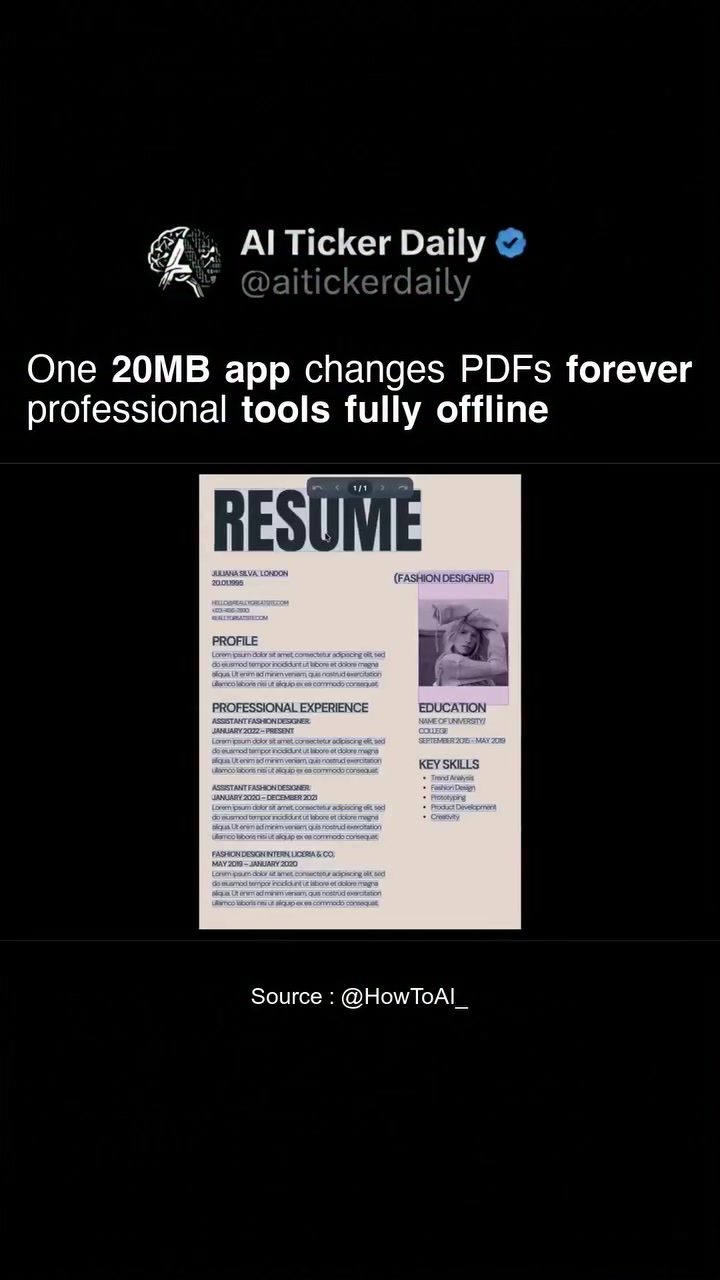
RevPDF: The Comprehensive Offline PDF Editor
In the digital age, handling PDF files efficiently is crucial. RevPDF, a robust offline PDF editor, offers a suite of professional tools designed to transform how you manage and edit your PDF documents. Whether you're on a desktop or mobile device, RevPDF provides a comprehensive set of features that cater to various needs, from simple edits to complex document manipulations.
Why This Matters
In a world where digital documents are ubiquitous, having a reliable PDF editor is essential. RevPDF stands out by offering a fully offline experience, ensuring that your data remains secure and private. With no need for cloud processing, you can edit, annotate, and convert PDFs without worrying about data breaches or privacy concerns. This makes RevPDF an excellent choice for professionals who handle sensitive information and need a reliable offline solution.
Key Features of RevPDF
In-Place Editing
One of the standout features of RevPDF is its ability to edit text and images directly within the PDF. This means you can make changes without altering the original document structure, ensuring that your edits are precise and professional. Whether you need to correct a typo, update an image, or add annotations, RevPDF handles it with ease.
Annotation and Redaction
RevPDF offers powerful annotation tools that allow you to highlight, underline, or add notes to your PDFs. This is particularly useful for collaborative work or when you need to provide feedback on a document. The redacting feature ensures that sensitive information can be permanently removed, making it ideal for legal or financial documents.
Signing and Compressing
For professionals who often need to sign documents, RevPDF provides a seamless signing process. You can add your signature directly to the PDF, making it official and ready for distribution. Additionally, the app's compression feature allows you to reduce the file size of your PDFs, making them easier to share and store.
Merging and Splitting
RevPDF enables you to merge multiple PDFs into a single document or split a large PDF into smaller, more manageable files. This functionality is invaluable for organizing large documents or combining related files.
Conversion Capabilities
RevPDF goes beyond basic editing by offering advanced conversion options. You can convert PDFs to images, making it easier to share or present visual information. The app also allows you to convert PDFs to Word documents, which is useful for editing text-heavy documents in a more flexible format. Another handy feature is the ability to convert pages within a PDF, allowing for more precise control over your document layout.
Practical Tips for Using RevPDF
Getting Started
To get started with RevPDF, you can download the app from the official website. The desktop version is available for Windows, macOS, and Linux, and the mobile app is available for both iOS and Android devices. The installation process is straightforward, and the app is ready to use right after download. No additional sign-up or subscription is required to access all the features.
Navigating the Interface
RevPDF has a user-friendly interface that makes it easy to navigate. The main dashboard includes sections for Workspace, Recent Files, and Quick PDF options. You can open PDFs directly for advanced editing or use the Quick View mode for fast reading and previewing. The workspace allows you to organize your files efficiently, making it easy to find and edit documents.
Advanced Editing Tips
For more advanced editing, RevPDF offers a range of tools that can be accessed directly within the app. You can use the PDF to Image feature to convert specific pages or the entire document into images. This is useful for presentations or when you need to share visual content. The Watermark PDF tool allows you to add text or image watermarks to your documents, providing an extra layer of security and professionalism.
Important Takeaways
Efficiency and Privacy
RevPDF's offline capabilities ensure that your data remains private and secure. With no cloud processing, you can work on your PDFs without worrying about data breaches or privacy issues. This is particularly important for professionals who handle sensitive information.
Versatility
RevPDF is a versatile tool that caters to a wide range of needs. Whether you need to edit text, images, or annotations, or convert files to different formats, RevPDF has you covered. The app's ability to compress, merge, and split PDFs adds to its versatility, making it a comprehensive solution for all your PDF editing needs.
User-Friendly Design
The app's user-friendly interface and intuitive design make it accessible for users of all skill levels. Whether you're a beginner or an experienced user, RevPDF's straightforward navigation and easy-to-use tools ensure a seamless editing experience.
Cost-Effective Solution
RevPDF offers a cost-effective solution with full features available for free. The desktop versions for Windows, macOS, and Linux are all free to download and use, with no hidden fees or subscriptions required. This makes it an affordable choice for individuals and businesses alike.
Conclusion
RevPDF is a powerful and versatile offline PDF editor that offers a comprehensive suite of tools for editing, annotating, and converting PDFs. Its offline capabilities ensure data privacy and security, making it an ideal choice for professionals who handle sensitive information. With a user-friendly interface and a range of advanced features, RevPDF is a must-have tool for anyone looking to streamline their PDF editing processes. Whether you're on a desktop or mobile device, RevPDF provides the tools you need to manage your PDFs efficiently and effectively.
Questions readers ask
What are the key features of RevPDF as an offline PDF editor?
RevPDF offers a comprehensive suite of tools, including in-place editing, annotation, redaction, and signing. It also provides PDF to Word conversion, file compression, merging, and image conversion, making it a versatile choice for managing PDFs without an internet connection.
Can RevPDF be used on both desktop and mobile devices?
Yes, RevPDF is designed to work on both desktop and mobile devices, ensuring that you can manage and edit your PDFs anytime, anywhere, even without an internet connection.
How does RevPDF ensure the security and privacy of my PDF files?
RevPDF operates entirely offline, which means your data never leaves your device. This eliminates the risk of data breaches or privacy concerns that can come with cloud-based processing.
What is in-place editing in RevPDF, and how does it work?
In-place editing in RevPDF allows you to make changes directly to the PDF content without creating a new file. This feature is useful for maintaining the original formatting and structure of the document while making necessary edits.
Does RevPDF support the conversion of PDFs to other formats, such as Word?
Yes, RevPDF includes a PDF to Word conversion tool, allowing you to transform your PDFs into editable Word documents. This feature is particularly useful for users who need to make significant changes to the content or formatting of a PDF.
Can I compress PDF files using RevPDF to reduce their size?
Yes, RevPDF offers a PDF file compression tool. This feature is helpful for reducing the size of large PDFs, making them easier to share and store without compromising the quality of the content.
Is RevPDF a good choice for those who need to redact sensitive information from PDFs?
Absolutely. RevPDF provides robust redaction tools, allowing you to permanently remove sensitive information from your PDFs. This ensures that confidential data is not visible or recoverable, making it a reliable choice for handling sensitive documents.
Related deep dives
Similar reads based on topic and creator.




Recent articles
Fresh deep dives from the latest Reels we unpacked.




Comments
Be the first to comment.