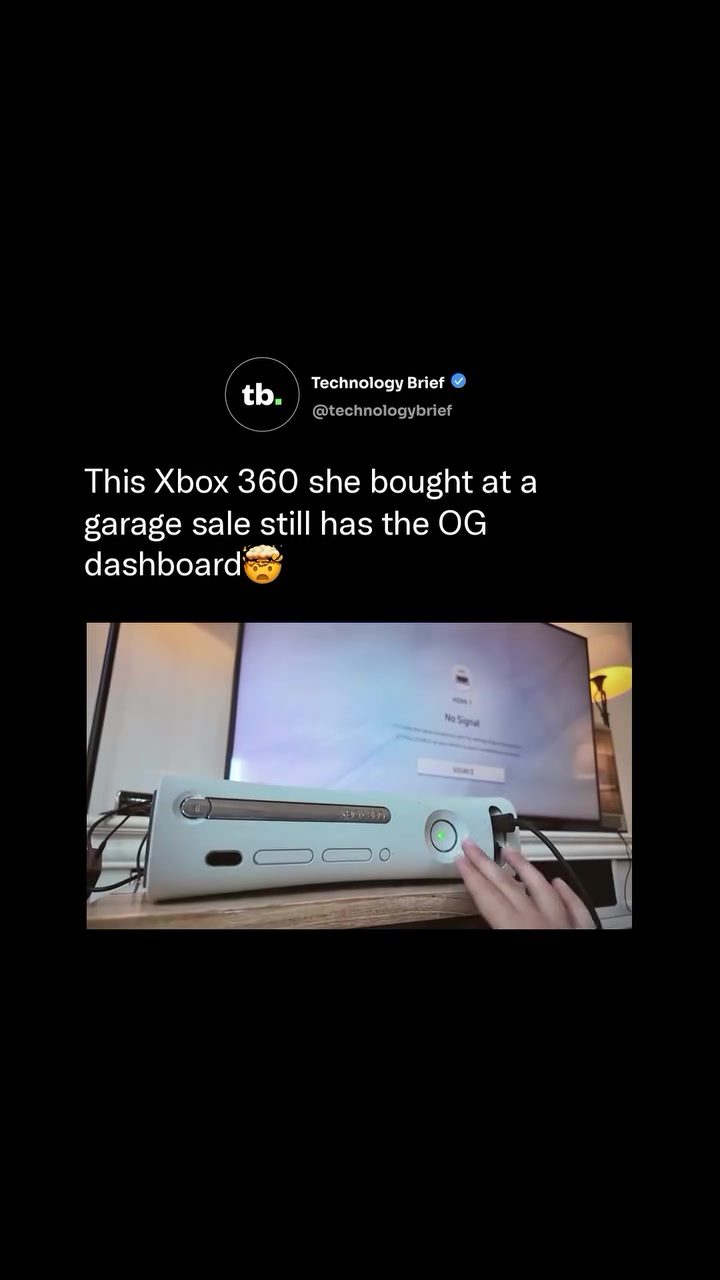
Xbox 360 Dashboard: A Journey Through Gaming History
The Xbox 360, launched in 2005, introduced a unique user interface known as the Blades dashboard. This horizontally scrollable interface was divided into tabs for Games, Media, System, and Xbox Live. The design was a significant departure from previous consoles, offering a sleek and intuitive navigation experience. However, in 2008, Microsoft overhauled the design, introducing 3D avatars and phasing out the Blades layout entirely. This shift left many Xbox 360 owners wondering what happened to the original interface and why it was replaced.
The Evolution of the Xbox 360 Dashboard
The Blades Dashboard
The Blades dashboard was a groundbreaking feature when the Xbox 360 was released. Its horizontally scrollable interface allowed users to easily access different sections of the console, making navigation straightforward and efficient. The layout was divided into four main tabs:
- Games: This section displayed all the games installed on the console, making it easy to launch titles quickly.
- Media: This tab provided access to various media options, including music, videos, and photos stored on the console or connected devices.
- System: The System tab offered settings and options for customizing the console's performance and features.
- Xbox Live: This section was dedicated to online gaming, allowing users to connect with friends, compete in multiplayer games, and access exclusive content.
The 2008 Overhaul
In 2008, Microsoft introduced a major update to the Xbox 360 dashboard, replacing the Blades layout with a new design. This overhaul included 3D avatars, which allowed users to create and customize their online personas. The new dashboard also offered improved navigation and additional features, but it came at the cost of the original Blades layout, which many users had grown fond of.
Why Finding an Original Xbox 360 Dashboard is Rare
Several factors contribute to the rarity of finding an Xbox 360 console with the original Blades dashboard. Firstly, the update was pushed automatically over Xbox Live, meaning most consoles received the update and lost the Blades dashboard. Secondly, hardware failures, such as the widespread Red Ring of Death issue, took a significant number of early Xbox 360 units out of circulation. These issues, combined with the automatic update, make finding a console with the original 2005 UI genuinely uncommon.
The Nostalgia Factor
The Blades dashboard holds a special place in the hearts of many gamers. Its design was not only functional but also aesthetically pleasing, and it was a key part of the original Xbox 360 experience. The nostalgia around the Blades design is so strong that Microsoft acknowledged it by releasing a free dynamic theme for Xbox Series X and Xbox One in 2024. This theme brings back the familiar look and feel of the original dashboard, allowing modern users to experience a piece of gaming history.
The Game Library
The game library visible on the original dashboard places the console squarely in the Xbox 360 launch window era. Titles like Guitar Hero II, Crackdown, and Oblivion were among the standout games released during this period. These games not only defined the early years of the Xbox 360 but also set the stage for future gaming innovations. The presence of these titles on the console highlights its historical significance and the nostalgia it evokes.
Practical Tips for Preserving Gaming History
If you're lucky enough to own an Xbox 360 with the original Blades dashboard, there are a few tips to help preserve this piece of gaming history:
-
Avoid Connecting to Xbox Live: The automatic update that replaces the Blades dashboard is pushed through Xbox Live. Keeping the console offline can help preserve the original interface.
-
Regular Maintenance: Regularly clean and maintain your console to prevent hardware issues like the Red Ring of Death. This can help extend the console's lifespan and keep it functional.
-
Backup Your Data: Regularly back up your game saves and settings to an external storage device. This ensures that you don't lose your progress if the console develops any issues.
-
Use Original Controllers: Using the original controllers, such as the OG Scuff, can enhance your gaming experience and keep the console in good condition.
Important Takeaways
The Xbox 360 Blades dashboard is a significant part of gaming history, and finding a console with the original interface is a rare and valuable experience. The evolution from the Blades dashboard to the 3D avatar-driven interface showcases the rapid advancements in gaming technology. The nostalgia and historical significance of the original dashboard make it a treasured piece of hardware for many gamers.
Conclusion
The Xbox 360 dashboard, with its Blades interface, remains an iconic piece of gaming history. Its unique design and the nostalgia it evokes make it a valuable find for any gaming enthusiast. Whether you're reliving memories or discovering this piece of history for the first time, the Xbox 360 Blades dashboard offers a glimpse into the evolution of gaming technology.
Questions readers ask
What made the Xbox 360 Blades Dashboard unique?
The Xbox 360 Blades Dashboard stood out due to its horizontally scrollable interface, which was a novel design at the time. This layout divided the dashboard into clear sections for Games, Media, System, and Xbox Live, making it intuitive and easy to navigate.
Why was the Xbox 360 Blades Dashboard replaced?
Microsoft replaced the Blades Dashboard in 2008 with the New Xbox Experience to incorporate 3D avatars and a new navigation menu. This update was part of a broader effort to enhance user interaction and provide a more modern interface.
What features did the Xbox 360 Blades Dashboard offer for media navigation?
The Blades Dashboard included a dedicated 'Media' section, allowing users to easily access and manage their music, videos, and photos. This section was designed to streamline media playback and offer a seamless experience when using the Xbox 360 as a home entertainment hub.
Can the original Xbox 360 Blades Dashboard be restored on modern consoles?
No, the original Blades Dashboard cannot be restored on modern consoles. Microsoft phased out the Blades layout entirely with the introduction of the New Xbox Experience, and there have been no official attempts to revive it. However, some users may be able to create a similar experience using custom dashboards.
What were some of the good features of the Xbox 360 Blades Dashboard?
The Blades Dashboard was praised for its clean, intuitive layout and quick access to key features. The horizontally scrollable menu allowed for easy navigation between different sections, and the clear organization made it simple to find and launch games, manage system settings, and access Xbox Live features.
Related deep dives
Similar reads based on topic and creator.




Recent articles
Fresh deep dives from the latest Reels we unpacked.




Comments
Be the first to comment.