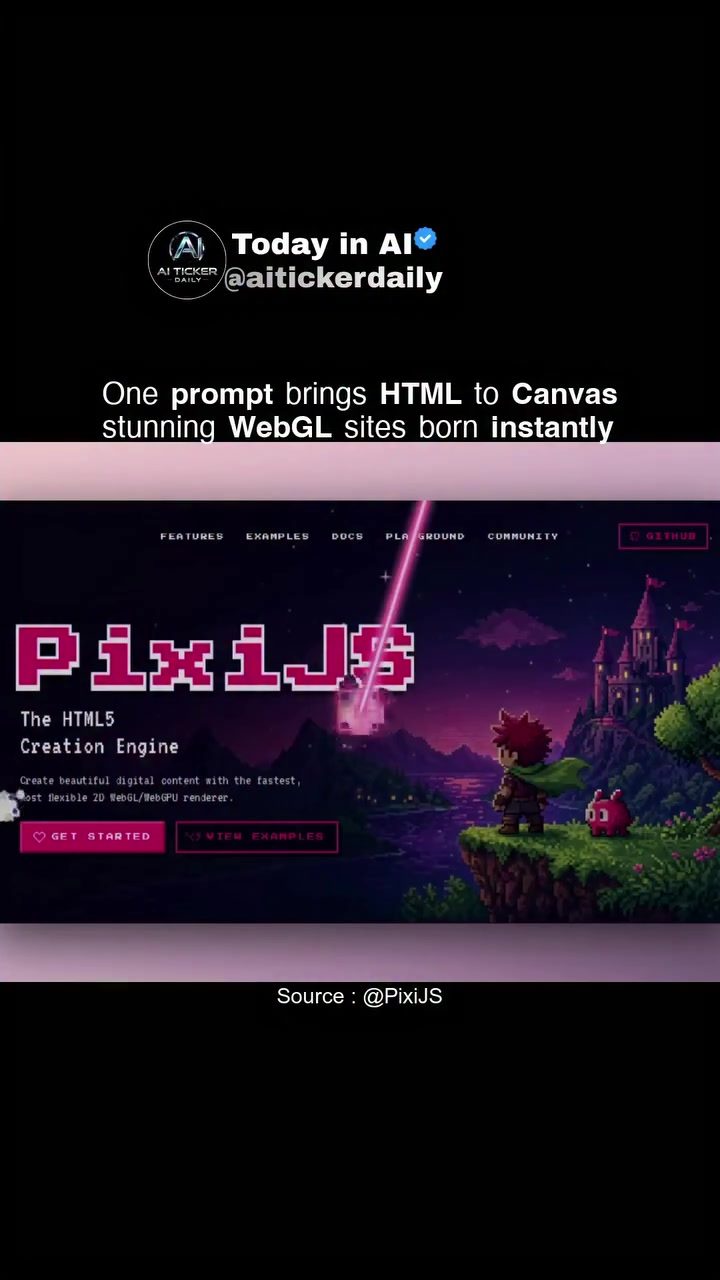
AI-Powered WebGL Site Generation with PixiJS
AI-powered tools are revolutionizing web development, and one of the most exciting advancements is the use of WebGL to create interactive and visually stunning websites. PixiJS, a fast and flexible 2D WebGL/WebGL2/GPU renderer, enables developers to transform simple HTML prompts into complex, interactive WebGL sites.
Why This Matters
Web development has evolved significantly over the years, but the integration of AI and WebGL is pushing the boundaries of what's possible. This technology allows for the creation of rich, interactive web experiences that go beyond static layouts. By leveraging PixiJS, developers can prototype sites quickly and efficiently, ensuring that their projects stand out in the competitive digital landscape.
Deep Dive into PixiJS
What is PixiJS?
PixiJS is an open-source rendering engine that uses WebGL to create fast, high-quality 2D graphics. It is designed to be flexible and efficient, making it a powerful tool for web developers who want to create visually stunning websites. PixiJS supports WebGL, WebGL2, and GPU rendering, ensuring that the graphics are smooth and performant across different devices and browsers.
Advancements with GSAP
The demo showcased in the visual materials combines PixiJS with GSAP (GreenSock Animation Platform), a popular animation library. This combination allows developers to prototype rich, interactive sites quickly. GSAP provides powerful animation capabilities, while PixiJS handles the rendering, resulting in a seamless and efficient development process.
HTML-in-Canvas Spec
One of the key advancements highlighted is the support for the HTML-in-Canvas specification. This specification allows developers to render HTML elements directly onto a canvas, creating a more dynamic and interactive web experience. With GPT-5.5 now understanding this spec, it works out of the box in both WebGL and WebGPU, making it a versatile tool for modern web development.
Practical Tips for Using PixiJS
Getting Started
To get started with PixiJS, you can visit the PixiJS website or explore their GitHub repository. The documentation provides a comprehensive guide on how to install, configure, and use PixiJS in your projects. Additionally, the community resources and examples available on their platform can be invaluable for beginners and experienced developers alike.
Creating Interactive Sites
Creating interactive sites with PixiJS involves a few key steps:
- Set Up Your Environment: Ensure you have a modern browser that supports WebGL. You can also use development tools like Node.js to set up your environment.
- Install PixiJS: You can install PixiJS via npm or include it directly in your HTML file.
- Write Your HTML Prompts: Define the HTML elements and prompts you want to convert into WebGL graphics.
- Render with PixiJS: Use PixiJS to render your HTML prompts onto a canvas, creating interactive and visually stunning web experiences.
- Enhance with GSAP: Integrate GSAP for smooth animations and transitions, making your site more dynamic and engaging.
Exploring Features and Examples
PixiJS comes with a variety of features that make it a powerful tool for web development. Some of the key features include:
- Fast Rendering: PixiJS is designed to be fast and efficient, ensuring that your graphics are smooth and performant.
- Flexible Rendering: Supports WebGL, WebGL2, and GPU rendering, making it versatile for different devices and browsers.
- Comprehensive Documentation: The official documentation provides detailed guides and examples to help you get started.
- Community Support: A thriving community of developers who contribute to the platform, providing support, resources, and examples.
The PixiJS playground is an excellent resource for experimenting with different features and examples. It allows you to see how different code snippets work in real-time, making it easier to understand and implement the various capabilities of PixiJS.
Important Takeaways
- Power of AI and WebGL: AI-powered tools like PixiJS are transforming web development by enabling the creation of rich, interactive web experiences.
- Efficiency and Flexibility: PixiJS is a fast and flexible 2D WebGL/WebGL2/GPU renderer, making it a powerful tool for modern web development.
- Comprehensive Resources: The official PixiJS website and GitHub repository provide comprehensive documentation, examples, and community resources to help you get started.
Conclusion
AI-powered WebGL site generation with PixiJS is revolutionizing the way we create and interact with web content. By leveraging the power of WebGL and AI, developers can create visually stunning, interactive sites that push the boundaries of what's possible. Whether you're a seasoned developer or just getting started, PixiJS offers the tools and resources you need to build impressive web experiences.
Questions readers ask
What is PixiJS and how does it relate to WebGL?
PixiJS is a high-performance 2D WebGL renderer that allows for the creation of interactive and visually appealing web content. It leverages the power of WebGL to render graphics, making it an excellent tool for developers looking to build dynamic, engaging web experiences from simple HTML prompts.
How does PixiJS facilitate the conversion of HTML to WebGL?
PixiJS enables the conversion of HTML to WebGL by using its rendering capabilities to transform HTML elements into interactive WebGL graphics. This process allows developers to create rich, dynamic web experiences from basic HTML structures, enhancing the overall user interaction.
What are some key features of PixiJS that make it stand out for web development?
PixiJS offers a range of features that make it a powerful tool for web development. These include fast rendering, support for both WebGL and WebGPU, a flexible API, and the ability to create complex, interactive graphics with ease. Its integration with AI tools further enhances its capabilities, allowing for efficient prototyping and development.
Can you provide examples of interactive WebGL sites created with PixiJS?
There are numerous examples of interactive WebGL sites created with PixiJS, showcasing its versatility and power. These range from games and animations to data visualizations and user interfaces. The PixiJS community and various online resources offer a wealth of examples and tutorials to inspire and guide developers.
How does PixiJS support the transition from WebGL to WebGPU?
PixiJS provides support for both WebGL and WebGPU, making it a future-proof choice for web development. As WebGPU gains traction, PixiJS allows developers to transition their projects smoothly, ensuring that their web applications can take advantage of the latest graphics technologies for improved performance and capabilities.
What tools and resources are available for learning and developing with PixiJS?
There are several tools and resources available for developers looking to learn and work with PixiJS. The official PixiJS documentation, community forums, and various online tutorials are excellent starting points. Additionally, AI-powered web development tools can be integrated with PixiJS to enhance the development process, making it more efficient and innovative.
Related deep dives
Similar reads based on topic and creator.




Recent articles
Fresh deep dives from the latest Reels we unpacked.




Comments
Be the first to comment.