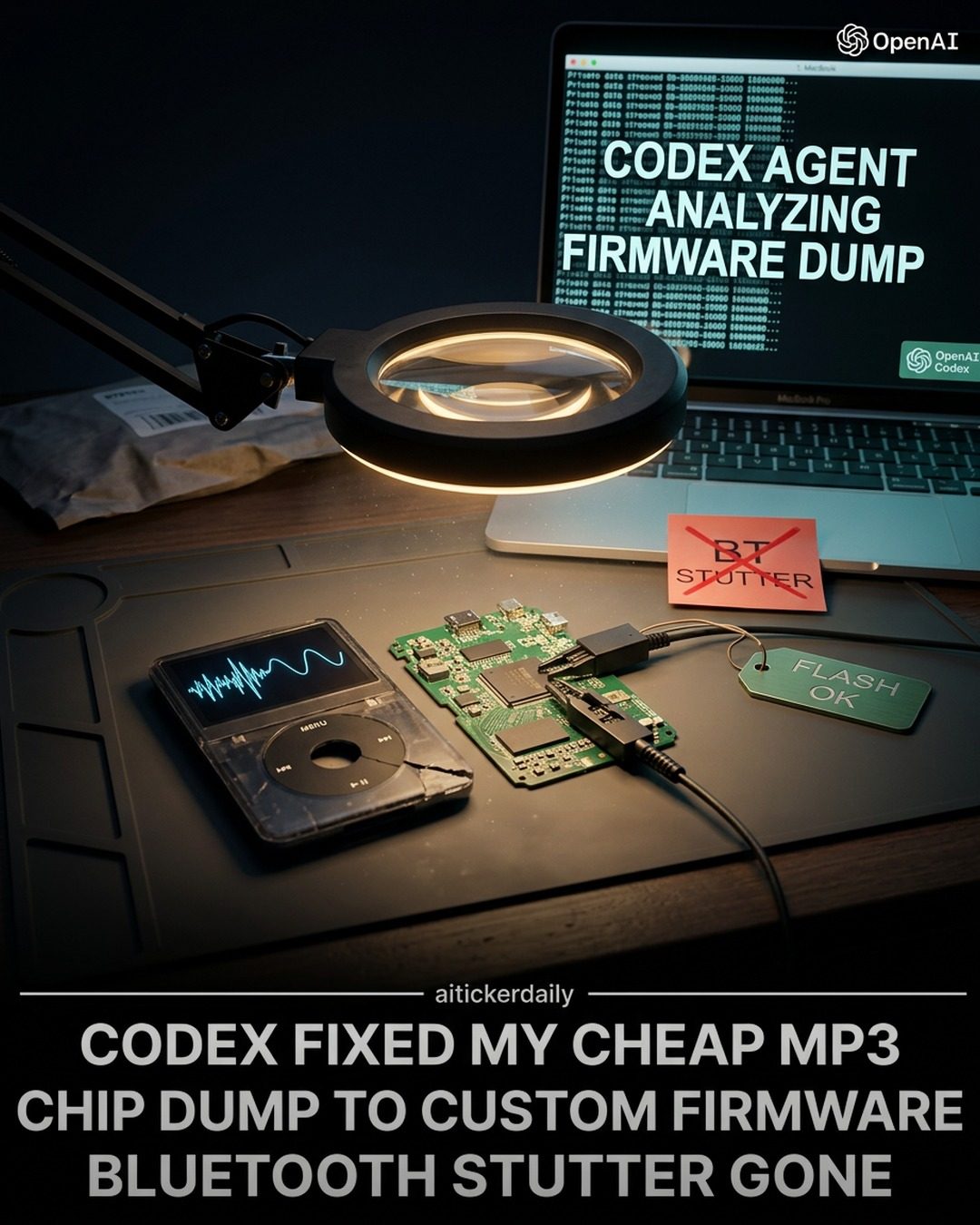
Firmware Modification of MP3 Players
Firmware modification, particularly of MP3 players, can significantly enhance their performance and usability. This process involves a series of technical steps, each crucial to the successful modification and optimization of the device. Understanding these steps can help users improve their MP3 players and address common issues, such as Bluetooth stutter and clunky menus.
Context / Why This Matters
MP3 players are a staple in portable audio devices, offering a convenient way to store and play music. However, many budget-friendly models come with firmware that is not optimized for performance. Issues such as Bluetooth stutter and unintuitive menus can severely impact the user experience. By modifying the firmware, users can address these issues and enhance the overall functionality of their MP3 players.
Main Discussion
Understanding Firmware
Firmware is the low-level software that provides the necessary instructions for a device to function. In the case of MP3 players, the firmware manages tasks such as audio playback, file management, and connectivity. By modifying the firmware, users can optimize these functions to better suit their needs.
The Process of Firmware Modification
- Teardown and Initial Analysis
The first step in firmware modification is to disassemble the MP3 player, revealing the internal components, particularly the chip. This step allows for a thorough examination of the hardware, including the identification of the chip responsible for managing the firmware. After obtaining the chip ID, the next step is to dump the firmware, which involves extracting the current firmware from the device. This is typically done using a computer and specialized software.
- Firmware Analysis
Once the firmware is dumped, the next step is to analyze it. This involves examining the binary code to understand its structure and functionality. Tools such as CODEX can be used to decode and analyze the firmware dump, providing insights into how the device operates. This analysis is crucial for identifying areas that need improvement, such as Bluetooth connectivity and menu navigation.
- Custom Firmware Creation
Based on the analysis, custom firmware is created. This involves writing new code or modifying existing code to address specific issues. For example, if the MP3 player has a Bluetooth stutter issue, the custom firmware can be designed to improve Bluetooth connectivity. Similarly, menu navigation can be enhanced to make it more intuitive and user-friendly.
- Flashing Custom Firmware
The final step in the process is to flash the custom firmware onto the MP3 player. This involves writing the new firmware to the device's memory, effectively replacing the original firmware. Flashing the firmware can be done using various methods, depending on the device and the tools available. After flashing, the MP3 player is rebooted, and the new firmware takes effect.
Common Issues Addressed
Bluetooth stutter and clunky menus are two of the most common issues addressed through firmware modification. By optimizing the firmware, users can eliminate Bluetooth stutter, ensuring smooth and uninterrupted audio playback. Additionally, enhancing the menu navigation can make the device more user-friendly, allowing for easier access to features and settings.
Tools and Techniques
Several tools and techniques are essential for firmware modification. These include:
- CODEX: A powerful tool for analyzing and modifying firmware.
- Mac OS Dump: A method for extracting firmware from the device.
- Binary Analysis: The process of examining the firmware's binary code to understand its structure and functionality.
Practical Tips
Choosing the Right Tools
Selecting the right tools is crucial for a successful firmware modification. Tools such as CODEX and specialized firmware analysis software can simplify the process and provide accurate results. Additionally, ensure that you have the necessary hardware, such as a magnifying glass and a laptop, to examine the MP3 player's components and analyze the firmware.
Safety Precautions
When modifying firmware, it is essential to take safety precautions to avoid damaging the device. This includes handling the components carefully and ensuring that the firmware flashing process is done correctly. Additionally, always back up the original firmware before making any modifications, allowing you to revert to the original state if necessary.
Testing and Verification
After flashing the custom firmware, thorough testing and verification are necessary to ensure that the modifications have been successful. This includes checking for any remaining issues and verifying that the desired improvements have been implemented. If any issues persist, further adjustments to the firmware may be required.
Important Takeaways
- Firmware modification can significantly enhance the performance and usability of MP3 players.
- The process involves disassembling the device, analyzing the firmware, creating custom firmware, and flashing it onto the device.
- Common issues such as Bluetooth stutter and clunky menus can be addressed through firmware modification.
- Using the right tools and taking safety precautions are essential for a successful firmware modification.
Conclusion
Firmware modification of MP3 players offers a practical way to enhance their performance and usability. By understanding the process and utilizing the right tools and techniques, users can address common issues and optimize their devices for better functionality. Whether you are a tech enthusiast or a casual user looking to improve your MP3 player, firmware modification can provide a significant upgrade to your listening experience.
Questions readers ask
What is MP3 player firmware and why does it need modification?
MP3 player firmware is the software that controls the hardware of the device. Modification is often necessary to address issues like Bluetooth stutter, improve performance, and enhance the overall user experience. Many budget MP3 players come with suboptimal firmware that can be significantly improved through modification.
What are the basic steps to modify MP3 player firmware?
Modifying MP3 player firmware involves several steps. First, you need to disassemble the MP3 player to access the chips. Then, you'll dump the existing firmware, analyze it, make the necessary modifications, and finally, flash the new firmware back onto the device. Each step requires precision and technical knowledge.
How do I fix Bluetooth stutter on my MP3 player through firmware modification?
To fix Bluetooth stutter, you need to identify the specific settings or code within the firmware that control Bluetooth functionality. By analyzing and modifying these sections, you can optimize the Bluetooth connection, reducing or eliminating the stuttering issues. This often involves tweaking audio buffer sizes and data transmission rates.
What tools do I need for an MP3 player teardown and firmware modification?
For an MP3 player teardown, you'll need a set of precision screwdrivers and possibly specialty tools to open the device without damaging it. For firmware modification, you'll need a programmer or a development board to dump and flash the firmware, along with software tools to analyze and modify the firmware code.
Can I create custom firmware for my MP3 player without any coding experience?
Creating custom firmware typically requires some level of coding experience, as it involves understanding and modifying low-level software. However, there are communities and forums where users share their custom firmware modifications. You might find pre-made custom firmware for your specific MP3 player model, but be cautious and ensure compatibility to avoid bricking your device.
What risks are involved in updating MP3 player firmware?
Updating MP3 player firmware carries risks such as bricking the device if the process is not done correctly. It's crucial to follow detailed instructions, use the right tools, and ensure that the new firmware is compatible with your specific MP3 player model. Always back up the original firmware before making any changes.
Related deep dives
Similar reads based on topic and creator.




Recent articles
Fresh deep dives from the latest Reels we unpacked.




Comments
Be the first to comment.