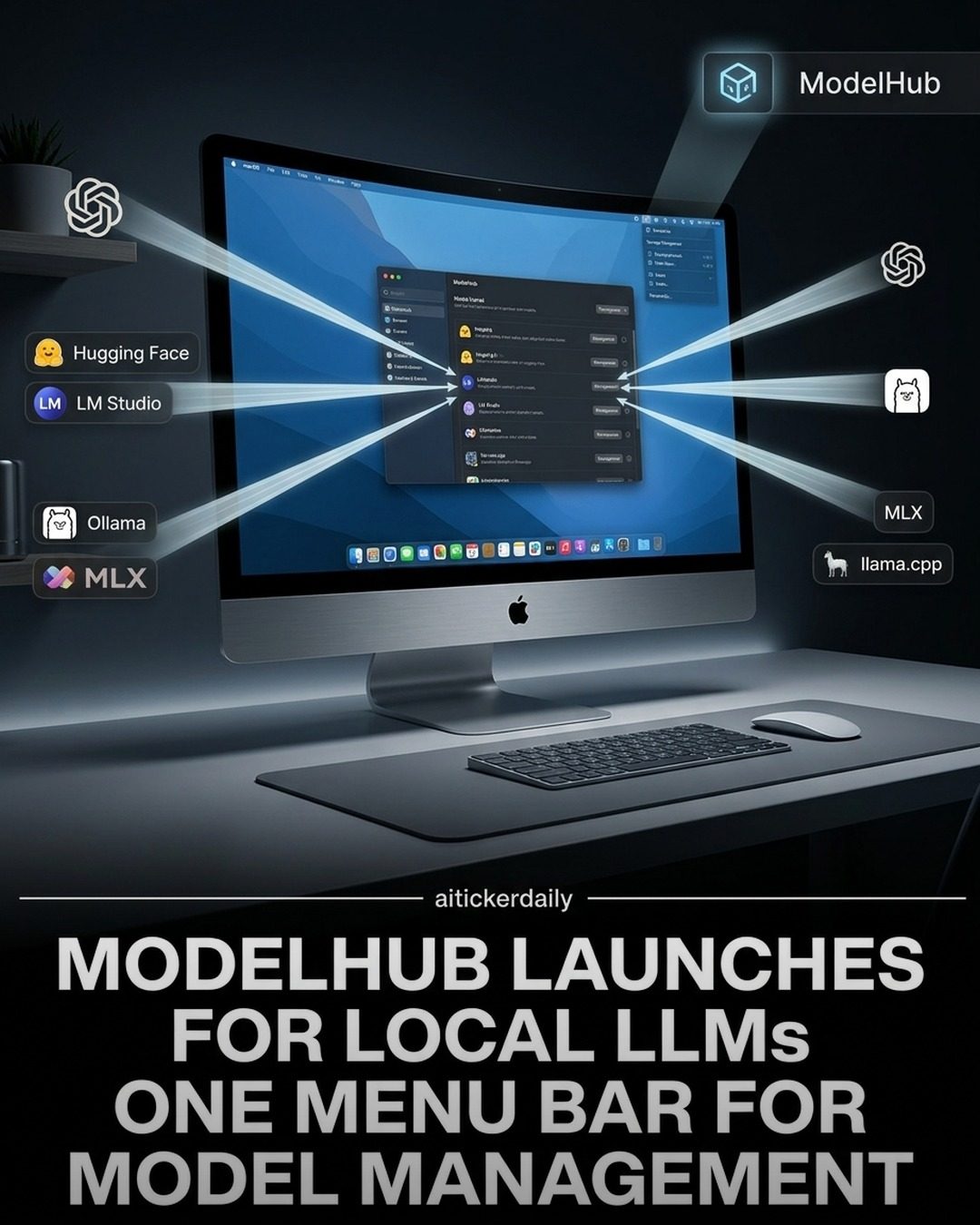
ModelHub: Streamlining Local LLM Management
ModelHub is a newly launched software designed to simplify the management of local Large Language Models (LLMs) on macOS. It consolidates model discovery, downloads, and cleanup into a single menu-bar application, making it an invaluable tool for professionals and enthusiasts juggling multiple LLM tools.
ModelHub positions itself as a unifying control plane for local model workflows, aiming to reduce the friction associated with managing downloads and storage across different toolchains. This centralized approach improves workflow efficiency by eliminating the hassle of navigating multiple applications and directories.
Why This Matters
The launch of ModelHub is timely, given the increasing complexity and diversity of LLM tools available. As the AI landscape evolves, users often find themselves managing a plethora of models and tools, each with its own set of requirements and quirks. This fragmentation can lead to inefficiencies and complications in workflows. ModelHub addresses these challenges by providing a single, cohesive platform for discovering, downloading, and managing local LLMs.
Main Discussion
Unifying Model Management
One of the standout features of ModelHub is its ability to unify the management of local models. Instead of switching between different applications and directories, users can now manage all their models from a single interface. This centralization not only simplifies the user experience but also enhances productivity.
ModelHub is compatible with a range of popular tools and frameworks, including Hugging Face, LM Studio, Ollama, MLX, and llama.cpp. This compatibility ensures that users can seamlessly integrate ModelHub into their existing workflows without the need for extensive reconfiguration or data migration.
Zero Lock-In: Compatibility and Flexibility
ModelHub's technical promise of zero lock-in is a significant advantage. This means that downloads and storage are managed using the standard Hugging Face cache layout. As a result, models remain compatible with existing runtimes and pipelines, ensuring that users can switch between different tools and frameworks without any issues. This flexibility is crucial for users who need to experiment with various models and tools, as it allows them to maintain continuity and avoid disruptions in their workflows.
Improved Workflow Ergonomics
By streamlining the process of discovering, downloading, and managing local LLMs, ModelHub significantly improves workflow ergonomics. The menu-bar app provides quick access to essential functions, allowing users to perform tasks efficiently without navigating through complex menus or interfaces. This user-centric design makes ModelHub an invaluable tool for professionals who need to manage multiple models and tools on a daily basis.
Central Hub for Model Discovery
ModelHub serves as a central hub for discovering and managing local LLMs. Users can explore a wide range of models and tools, making it easier to find the right model for their specific needs. This centralized approach not only saves time but also ensures that users have access to the latest and most relevant models, enhancing their ability to leverage AI in their projects.
Practical Tips
-
Explore Compatible Tools: Familiarize yourself with the range of tools and frameworks that ModelHub supports. Understanding the capabilities and limitations of each tool can help you make the most of ModelHub's features.
-
Leverage the Hugging Face Cache: Since ModelHub uses the standard Hugging Face cache layout, take advantage of this compatibility to ensure seamless integration with your existing workflows.
-
Experiment with Different Models: Use ModelHub's central hub to explore and experiment with different models. This can help you identify the best models for your specific needs and enhance your projects.
-
Stay Updated: Follow curatedai.net to stay updated with the latest developments in the world of AI. This can help you stay ahead of the curve and take advantage of new tools and models.
Important Takeaways
- Unified Management: ModelHub simplifies the management of local LLMs by providing a single, cohesive platform for discovering, downloading, and managing models.
- Compatibility and Flexibility: The use of the standard Hugging Face cache layout ensures compatibility with existing runtimes and pipelines, making it easy to switch between different tools and frameworks.
- Productivity and Efficiency: ModelHub's user-centric design and enhanced workflow ergonomics make it an invaluable tool for professionals who need to manage multiple models and tools.
- Central Hub for Discovery: The centralized hub for model discovery ensures that users have access to the latest and most relevant models, enhancing their ability to leverage AI in their projects.
Conclusion
ModelHub represents a significant step forward in the management of local LLMs. By unifying the most critical aspects of model management into a single, user-friendly application, it simplifies workflows, enhances productivity, and ensures compatibility with existing tools and frameworks. Whether you are a professional AI enthusiast or a seasoned developer, ModelHub offers a robust and flexible solution for managing local LLMs.
Questions readers ask
How does ModelHub simplify the management of Local Large Language Models (LLMs) on macOS?
ModelHub integrates model discovery, downloads, and cleanup into a single, convenient menu-bar application. This centralized approach allows users to efficiently manage multiple LLMs without the need to juggle various tools or directories, streamlining the overall workflow.
What are the key features of ModelHub for macOS users?
ModelHub offers a unified control plane for managing local LLM workflows. It includes tools for discovering new models, downloading them directly, and cleaning up unused files, all from one interface. This makes it easier to keep your LLM tools organized and up-to-date.
Who can benefit from using ModelHub on macOS?
ModelHub is designed for both professionals and enthusiasts who work with multiple LLM tools. It simplifies the process of managing local LLMs, making it an ideal solution for anyone looking to enhance their productivity and reduce the complexity of their workflow.
How does ModelHub improve the efficiency of managing LLM tools on macOS?
By consolidating all necessary tasks into a single application, ModelHub eliminates the need to navigate through multiple interfaces and directories. This not only saves time but also reduces the potential for errors, making the management of LLM tools more efficient and less frustrating.
Can ModelHub handle the discovery of new LLM models?
Yes, ModelHub includes a model discovery feature that allows users to easily find and access new LLM models. This feature is integrated into the main application, ensuring that users can stay updated with the latest models without leaving the platform.
Is ModelHub useful for those who need to frequently download and update LLM models?
Absolutely. ModelHub simplifies the process of downloading and updating LLM models with its centralized control plane. Users can manage their downloads efficiently, ensuring they have the latest models without the hassle of manual updates.
How does ModelHub assist in managing storage and cleanup of LLM models on macOS?
ModelHub includes a cleanup feature that helps users remove unused or outdated LLM models, freeing up storage space. This ensures that your system remains organized and that you are not wasting resources on models you no longer need, making it easier to maintain a clutter-free environment.
Related deep dives
Similar reads based on topic and creator.




Recent articles
Fresh deep dives from the latest Reels we unpacked.




Comments
Be the first to comment.