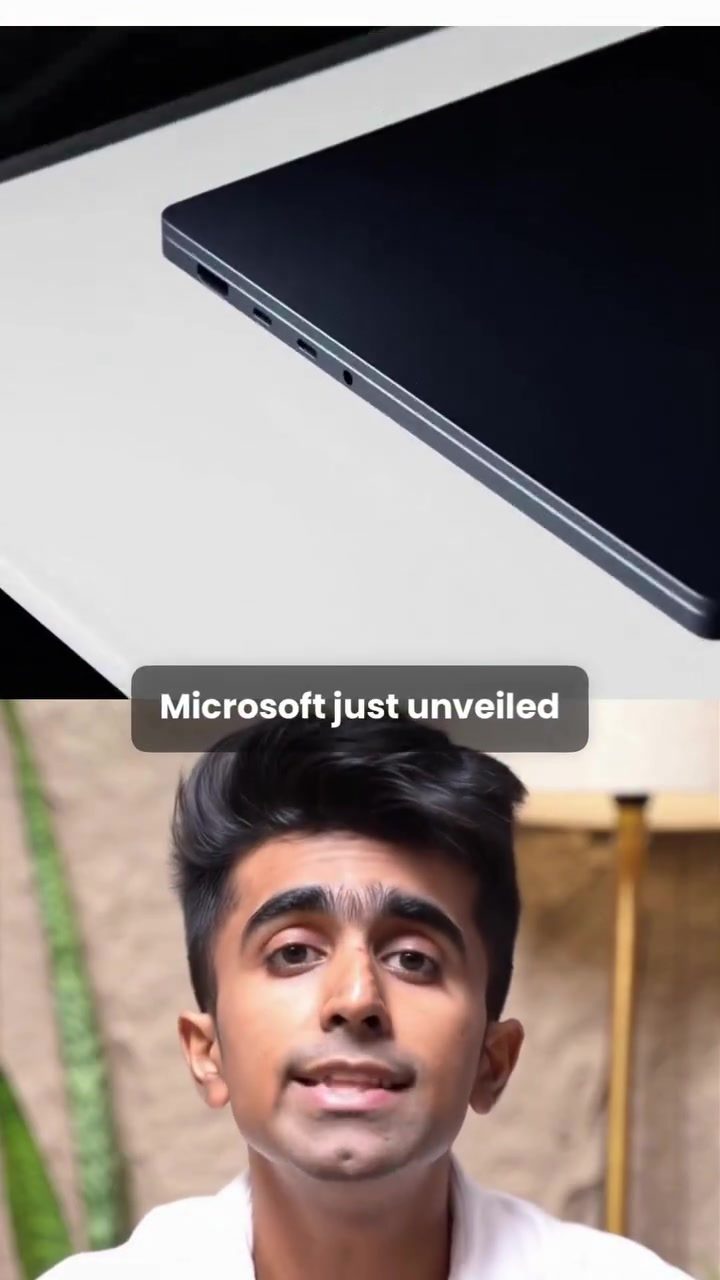
Microsoft Surface Laptop Studio
Microsoft has recently unveiled their latest innovation, the Surface Laptop Studio, a device that is quickly becoming the talk of the town. This new laptop is designed to push the boundaries of what a portable computer can do, especially in the realms of AI, creativity, development, and gaming. Let’s dive into the key features and capabilities that make the Surface Laptop Studio a standout in the tech world.
Context / Why this matters
High-performance laptops have always been at the forefront of technological advancements, catering to a diverse range of users from creatives to developers and gamers. The Surface Laptop Studio is positioned to deliver unprecedented performance, particularly in AI-related tasks, making it a versatile tool for a wide array of professional and personal uses. This laptop is not just about raw power; it's about efficiency and versatility, making it a compelling choice for those who need a device that can handle complex tasks without compromising on portability.
Main discussion
Unveiling the Surface Laptop Studio
The Surface Laptop Studio is built on NVIDIA's new RTX Spark platform, which pairs an efficient CPU with a powerful Blackwell RTX GPU. This combination is designed to handle AI tasks, creative workflows, large data sets, and even modern games with ease. Microsoft claims that the Surface Laptop Studio can deliver up to one petaflop of AI compute, a massive leap in processing power that opens up new possibilities for local AI agents and creative projects.
Key Features and Specifications
Hardware Specifications
The Surface Laptop Studio comes packed with impressive specifications. It features up to 128GB of unified memory and supports up to 120B parameters, ensuring smooth performance even with the most demanding applications. The mini LED PixelSense Ultra touchscreen offers a 3:2 aspect ratio with 262 ppi, providing sharp and vibrant visuals. The display also boasts up to 2000 nits of peak HDR brightness, making it perfect for content creation and media consumption.
Cooling and Connectivity
One of the standout features of the Surface Laptop Studio is its new thermal system, which offers up to 2.5 times more cooling capacity compared to previous models. This ensures that the laptop can handle intense tasks without overheating. In terms of connectivity, it includes USB-C, USB-A, HDMI, a headphone jack, and a full-size SD card reader, making it a versatile tool for various peripherals and accessories. The larger haptic touchpad adds to the overall user experience, providing a more intuitive and responsive interface.
The AI Age
The Surface Laptop Studio is designed with the AI age in mind, making it a powerful tool for developers and creators. Its advanced capabilities allow for the running of local AI agents, creative AI workflows, and large data sets, all from a single laptop. This makes it a powerful asset for developers working on AI projects, as well as creators who need a reliable and efficient machine for their work.
Display and Thermal Management
The mini LED PixelSense Ultra touchscreen is a highlight of the Surface Laptop Studio. With a 3:2 aspect ratio and 262 ppi, it offers a high-resolution display that is perfect for detailed work. The 2000 nits of peak HDR brightness ensure that visuals are clear and vibrant, even in brightly lit environments. The new thermal system, with up to 2.5 times more cooling capacity, ensures that the laptop can handle intense tasks without overheating, making it a reliable tool for prolonged use.
Practical tips
Choosing the Right Configuration
When selecting a Surface Laptop Studio, consider your specific needs. If you're a developer working with large data sets or AI projects, opting for the higher memory and parameter configurations will ensure smooth performance. Creatives and gamers will also benefit from the high-resolution display and powerful GPU.
Optimizing Performance
To get the most out of your Surface Laptop Studio, take advantage of its AI capabilities. Use local AI agents to automate repetitive tasks, and leverage the powerful GPU for rendering and other intensive creative workflows. Additionally, ensure that the thermal system is well-maintained to prevent overheating, especially during prolonged use.
Connectivity and Peripherals
The Surface Laptop Studio offers a range of connectivity options, including USB-C, USB-A, HDMI, and a headphone jack. Take advantage of these ports to connect various peripherals, such as external monitors, storage devices, and audio equipment. The full-size SD card reader is particularly useful for photographers and videographers who need to transfer large files quickly and easily.
Important takeaways
The Surface Laptop Studio is a powerful and versatile tool designed for the AI age. Its advanced hardware specifications, including up to 128GB of unified memory and a powerful Blackwell RTX GPU, make it capable of handling complex tasks with ease. The high-resolution display and advanced thermal management system ensure a smooth and efficient user experience, while the range of connectivity options make it a versatile tool for various peripherals and accessories.
Conclusion
The Surface Laptop Studio represents a significant leap in laptop technology, particularly in the realms of AI, creativity, and gaming. With its advanced hardware specifications, powerful GPU, and efficient cooling system, it is designed to handle even the most demanding tasks. Whether you're a developer, creator, or gamer, the Surface Laptop Studio offers a versatile and reliable tool for a wide range of applications. If you're in the market for a high-performance laptop, the Surface Laptop Studio is definitely worth considering.
Questions readers ask
What makes the Microsoft Surface Laptop Ultra ideal for AI tasks?
The Surface Laptop Ultra is equipped with a powerful RTX GPU and a robust CPU, which together provide the necessary computational power to handle complex AI tasks efficiently. This makes it a top choice for professionals who need to run AI models, perform data analysis, and execute machine learning algorithms.
How does the Surface Laptop Ultra support creative professionals?
The laptop features a mini-LED touchscreen, which offers vibrant colors and deep contrast, perfect for graphic designers, video editors, and other creatives. Additionally, the up to 128GB of RAM ensures smooth multitasking, allowing users to run multiple applications seamlessly.
What are the key specifications of the Surface Laptop Ultra?
The Surface Laptop Ultra boasts a high-performance RTX GPU, a powerful CPU, and up to 128GB of RAM. It also includes a mini-LED touchscreen, making it a versatile tool for both productivity and entertainment. These specs ensure that the laptop can handle high-demand tasks with ease.
How portable is the Microsoft Surface Laptop Ultra?
The Surface Laptop Ultra is designed with portability in mind, combining a sleek design with powerful hardware. This makes it easy to carry around for on-the-go use, whether you're a student, professional, or someone who needs a reliable device for both work and play.
Can the Surface Laptop Ultra be used for gaming?
Yes, the Surface Laptop Ultra's RTX GPU makes it a capable gaming machine. While it is primarily marketed for AI and creative tasks, its powerful graphics capabilities allow for smooth and immersive gaming experiences, especially for games that require high computational power.
What advantages does the mini-LED touchscreen offer?
The mini-LED touchscreen on the Surface Laptop Ultra provides excellent color accuracy and contrast, which is beneficial for tasks that require precise visual detail, such as photo editing or video production. The touchscreen functionality also adds an extra layer of interactivity, making it easier to navigate applications and software.
How does the Surface Laptop Ultra compare to other high-demand task laptops?
The Surface Laptop Ultra stands out due to its combination of a powerful RTX GPU, robust CPU, and ample RAM. This hardware setup allows it to excel in high-demand tasks, such as running AI models and handling resource-intensive creative projects, making it a competitive choice among high-performance laptops.
Related deep dives
Similar reads based on topic and creator.




Recent articles
Fresh deep dives from the latest Reels we unpacked.




Comments
Be the first to comment.