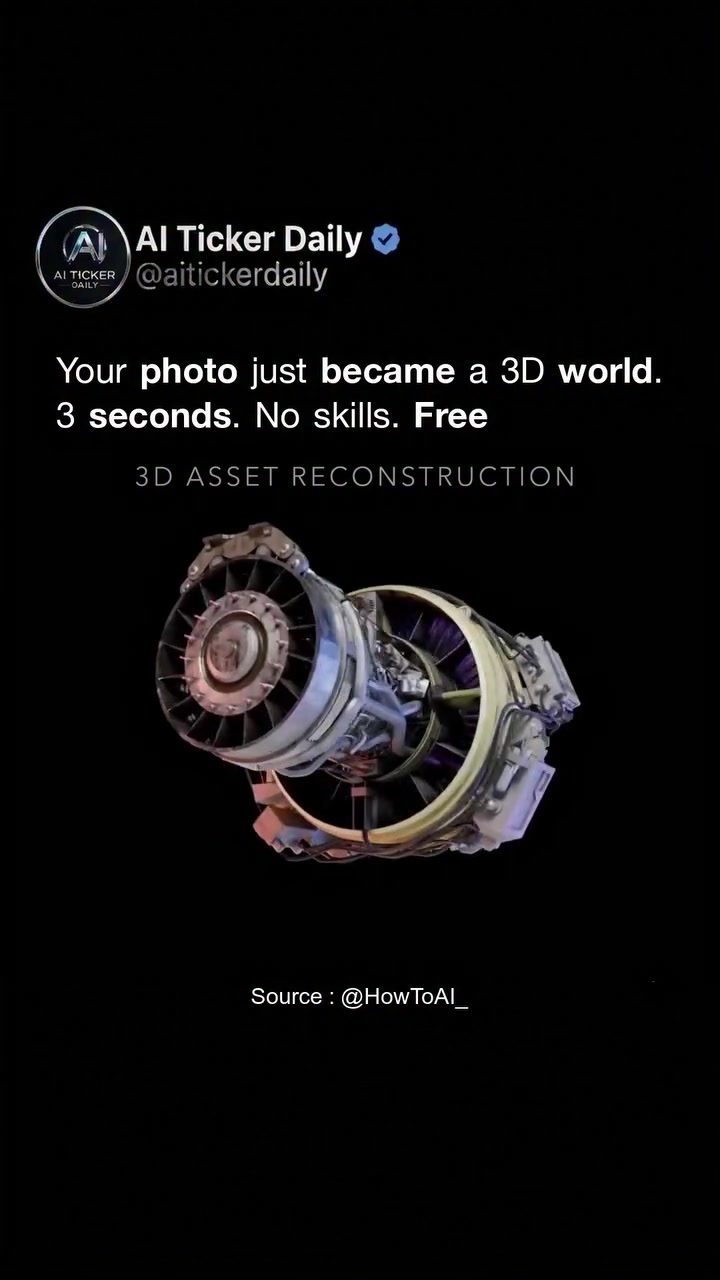
Transforming Photos into 3D Assets
The ability to convert a single photo into a professional-grade 3D model in just a few seconds is no longer a futuristic dream. Thanks to advancements in AI, this process is now accessible to anyone with a smartphone, making it easier than ever to create 3D assets.
Context / Why this Matters
3D modeling has traditionally been a time-consuming and skill-intensive process. Skilled 3D artists often spend hours to days creating detailed, textured 3D models for use in video games, films, and other digital media. The introduction of AI-driven 3D asset reconstruction changes the game, democratizing access to high-quality 3D content and enabling a wider range of creators to bring their ideas to life.
The new AI model leverages O-Voxel, a novel geometry format that processes images incredibly quickly. This advancement allows even non-experts to create professional-grade 3D models, making it a powerful tool for both hobbyists and professionals.
AI-Powered 3D Reconstruction
The Process
Transforming a 2D photo into a 3D model involves several steps, but with the right AI tools, the process is incredibly streamlined. Here’s how it works:
- Capture an Image: Start by taking a photo of the object you want to convert. This could be anything from a piece of furniture to a complex machine.
- Upload and Process: Upload the image to the AI tool. The AI then processes the image, converting it into a 3D model in under 100 milliseconds.
- Output: The result is a fully textured, rotatable 3D object ready for use in various 3D applications, including Blender, Unity, and Unreal Engine.
The Technology
The technology behind this process is built on a new geometry format called O-Voxel. This format allows for rapid processing and high-quality output, making it ideal for 3D modeling.
Speed and Efficiency
One of the most impressive aspects of this technology is its speed. What used to take a skilled 3D artist an entire day can now be done in just three seconds. This efficiency is a game-changer, enabling quicker turnaround times and the ability to rapidly iterate on digital designs.
Cost
The best part? This technology is free and open-source. Anyone can use it right now, making it a powerful tool for creators at all levels.
The Impact on Digital Content Creation
Accessibility
The barrier to entry for 3D content creation has significantly lowered. No longer do you need specialized skills or expensive software to create professional-grade 3D assets. With just a smartphone and an internet connection, anyone can turn their photos into 3D models.
Versatility
The applications for this technology are vast. Imagine transforming photos of your favorite pieces of furniture into 3D models for virtual interior design. Or perhaps you’re a gamer who wants to add custom assets to your world-building projects. This technology makes it possible.
Integration with Popular Platforms
The 3D models generated by this AI tool are compatible with popular platforms like Blender, Unity, and Unreal Engine. This means that the 3D assets you create can be easily integrated into a wide range of digital projects, from video games to animated films.
Practical Tips for Using AI 3D Asset Reconstruction
Choosing the Right Image
- Quality: Ensure that your images are high resolution and well-lit. The better the photo, the better the 3D model will be.
- Angle: Take photos from different angles if possible. This can help the AI generate a more accurate 3D model.
- Details: Capture as many details as possible. The AI tool will use these details to texturize the 3D model.
Optimizing the Output
- Post-Processing: Once you have your 3D model, you can use other tools to refine it further. Blender, for example, offers a wide range of post-processing options.
- Texturing: The AI tool outputs models with full PBR textures, but you can always add your own textures if you want to customize the look.
Using the Models
- Gaming: Integrate your 3D models into games using Unity or Unreal Engine.
- Filmmaking: Use the models in 3D animations or films.
- Design Projects: Incorporate them into virtual design projects for architecture, interior design, and more.
Important Takeaways
Ease of Use
The process of converting photos into 3D models is incredibly straightforward. You don’t need any special skills or expensive software. This makes it accessible to a wide range of users, from beginners to professionals.
Time Efficiency
The speed at which this technology operates is a significant advantage. Creating a 3D model that used to take hours or days can now be done in just a few seconds. This efficiency is ideal for projects with tight deadlines or for rapid prototyping.
Cost Benefits
The fact that this technology is free and open-source is a major plus. It allows anyone to create high-quality 3D models without any financial investment, making it an attractive option for both individual creators and businesses.
Real-World Applications
The potential applications for this technology are vast. Whether you’re a game developer, a filmmaker, or an interior designer, this tool can help bring your ideas to life in a digital format.
Conclusion
The ability to transform photos into 3D models using AI opens up a world of new possibilities. It’s a powerful tool that lowers the barriers to entry for 3D content creation, making it accessible to a wider audience. Whether you’re a hobbyist or a professional, this technology offers a quick, efficient, and cost-effective way to create high-quality 3D assets. With just a photo and a few seconds of processing, you can turn any object into a virtual 3D world, ready to be used in a variety of digital projects.
Questions readers ask
How does Microsoft's AI tool convert photos into 3D models?
Microsoft's AI tool uses advanced algorithms to analyze the 2D image data from a photo and reconstruct it into a 3D model. This process involves understanding the depth, texture, and lighting of the subject in the photo, and it only takes milliseconds to complete, making it incredibly fast and efficient.
Is Microsoft's 3D modeling tool free to use?
Yes, Microsoft's AI-powered 3D modeling tool is free to use. It is designed to make 3D modeling accessible to everyone, regardless of their technical skills or budget. You can start creating 3D assets directly from your photos without any initial cost.
What kind of photos can be converted into 3D models?
The tool can work with a variety of photos, but the best results are typically achieved with clear, well-lit images that have distinct features and textures. Photos of objects with simple shapes and minimal detail might be more challenging to convert accurately.
Can I use the 3D models created by this tool for commercial purposes?
The terms of use for the 3D models created with Microsoft's tool may vary. It's important to review the specific licensing agreements and terms provided by Microsoft regarding the commercial use of these 3D assets. Generally, user-created content from a free tool might have certain restrictions.
What are the benefits of using AI for 3D model creation?
AI simplifies the 3D modeling process by automating complex tasks, allowing anyone to create 3D models quickly and easily. It eliminates the need for advanced 3D modeling skills, reduces the time required to create detailed models, and makes the process more accessible to a broader audience.
Related deep dives
Similar reads based on topic and creator.




Recent articles
Fresh deep dives from the latest Reels we unpacked.




Comments
Be the first to comment.