Bluetooth Packet Analysis for Smartphones
Bluetooth, the ubiquitous wireless technology, enables seamless communication between devices, from smartphones to smart home gadgets. Monitoring and analyzing Bluetooth traffic can provide valuable insights into device-to-host communication and help identify potential security vulnerabilities. This process, known as Bluetooth packet analysis, involves capturing and interpreting the data packets exchanged between Bluetooth devices.
Why This Matters
Understanding Bluetooth packet analysis is crucial for cybersecurity professionals, developers, and enthusiasts alike. By analyzing Bluetooth traffic, you can:
- Identify potential security vulnerabilities in Bluetooth-enabled devices.
- Improve the security of your own Bluetooth devices.
- Gain a deeper understanding of how Bluetooth technology works.
Main Discussion
Bluetooth Technology Basics
Bluetooth is a wireless communication protocol that operates in the 2.4 GHz frequency band. It allows devices to connect and communicate over short distances. Bluetooth devices can either operate in the Basic Rate/Enhanced Data Rate (BR/EDR) mode or the Low Energy (BLE) mode. BR/EDR mode is used for high-speed data transfer, while BLE is designed for low-power, low-bandwidth applications.
Bluetooth Packet Analysis
Bluetooth packet analysis involves capturing and interpreting the data packets exchanged between Bluetooth devices. This process can help identify potential security vulnerabilities, such as unauthorized access, data leakage, or device spoofing.
Bluetooth packets typically contain a header, payload, and checksum. The header includes information such as the packet type, destination address, and sequence number. The payload contains the actual data being transmitted, while the checksum ensures the integrity of the packet.
Tools for Bluetooth Packet Analysis
Several tools can be used for Bluetooth packet analysis, including:
- Wireshark: A popular network protocol analyzer that can capture and analyze Bluetooth traffic. It supports both BR/EDR and BLE traffic.
- hcitool: A command-line tool for configuring and monitoring Bluetooth devices on Linux. It can be used to capture and display Bluetooth packets.
- Bluetooth Explorer: A Windows-based tool for analyzing Bluetooth traffic.
Performing Bluetooth Packet Analysis on a Smartphone
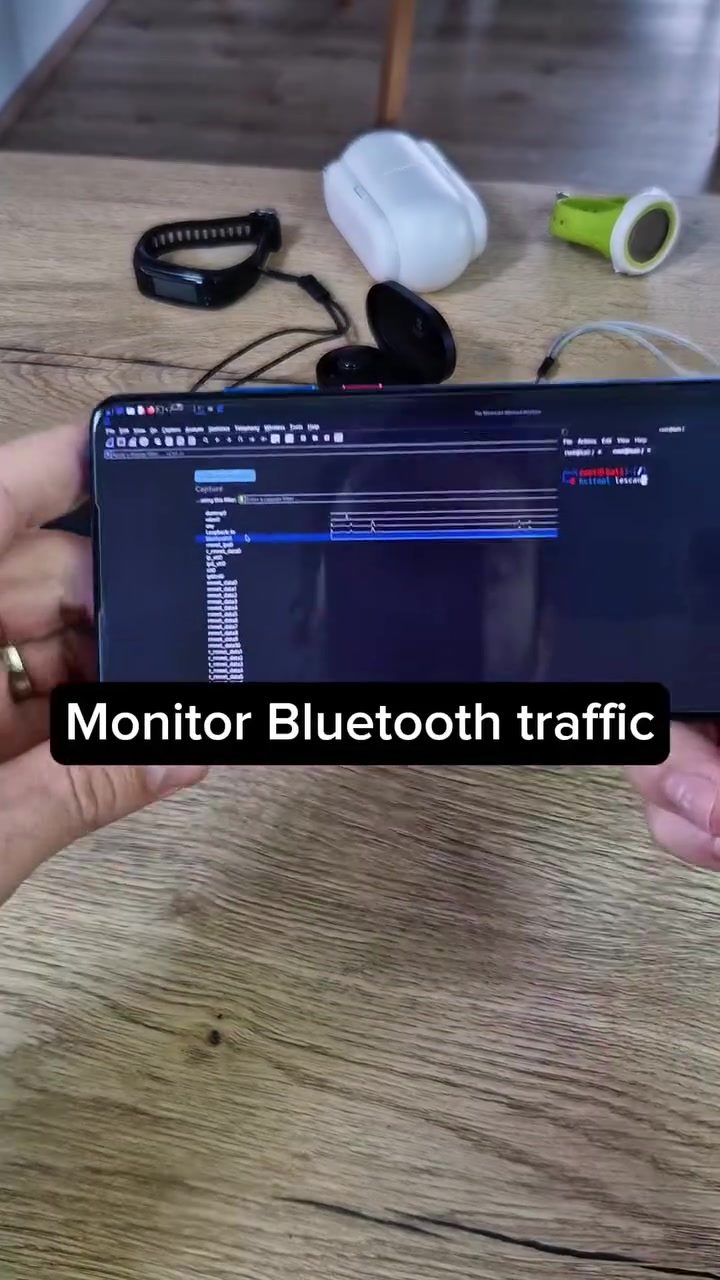
Smartphones, particularly Android devices, can be used for Bluetooth packet analysis. One effective method involves using a customized Android device with Wireshark installed. This tool allows you to monitor Bluetooth and BLE traffic in real-time, helping you understand device-to-host communication and spot potential security issues. Monitor Bluetooth traffic by capturing and analyzing the data packets exchanged between your smartphone and other Bluetooth devices, such as headphones or speakers.
Setting Up Wireshark on Android
- Root Your Device: While rooting can void your warranty, it enables deeper access to your device's operating system, allowing for more comprehensive monitoring.
- Install Wireshark: Download and install Wireshark from the Google Play Store or a trusted APK source.
- Capture Bluetooth Traffic: Open Wireshark and select the Bluetooth interface to start capturing data packets.
Simpler Methods
For those who prefer not to root their Android devices, there are simpler methods to sniff Bluetooth traffic. These methods often involve using preconfigured apps or tools that do not require root access. For example, you can use tools like Bluetooth Explorer for Windows or BlueSniper for Android, which provide a user-friendly interface for monitoring and analyzing Bluetooth traffic.
Practical Tips
Tips for Effective Bluetooth Packet Analysis
When performing Bluetooth packet analysis, keep the following tips in mind:
- Use Reliable Tools: Choose well-known and trusted tools for capturing and analyzing Bluetooth traffic. Wireshark and hcitool are excellent starting points.
- Understand Bluetooth Protocols: Familiarize yourself with the basics of Bluetooth protocols and packet structures. This knowledge will help you interpret the data more accurately.
- Monitor in Real-Time: Where possible, monitor Bluetooth traffic in real-time to capture all relevant data packets and identify potential issues promptly.
- Analyze Patterns: Look for patterns in the data packets that may indicate abnormal or suspicious activity.
- Document Findings: Keep detailed records of your findings, including timestamps, packet details, and any observed anomalies.
Important Takeaways
Monitoring and analyzing Bluetooth traffic can offer valuable insights into the communication between Bluetooth devices and help identify potential security vulnerabilities. By using tools like Wireshark and hcitool, you can effectively capture and analyze Bluetooth data packets on smartphones and other devices. Understanding the basics of Bluetooth protocols and packet structures is essential for accurate analysis. Additionally, there are simpler methods available for those who prefer not to root their Android devices, enabling more straightforward monitoring and analysis.
Conclusion
Bluetooth packet analysis is a valuable skill for anyone interested in cybersecurity or Bluetooth technology. By capturing and analyzing Bluetooth traffic, you can gain a deeper understanding of device-to-host communication and identify potential security issues. Whether you use Wireshark on a customized Android device or opt for simpler methods, there are plenty of tools and techniques available to enhance your Bluetooth packet analysis capabilities. Stay tuned for more insights into Bluetooth hacking and how to safeguard your devices effectively.
Questions readers ask
What is Bluetooth packet analysis and why is it important for Android devices?
Bluetooth packet analysis involves capturing and interpreting data packets exchanged between Bluetooth devices. For Android devices, this process is crucial for identifying security vulnerabilities, understanding device-to-host communication, and enhancing overall Bluetooth security.
Which tools can I use for Bluetooth packet analysis on an Android device?
Several tools can be used for Bluetooth packet analysis on Android devices. Some popular options include Wireshark, a versatile network protocol analyzer and Bluetooth monitoring tool. Additionally, you can use Android-specific applications designed for Bluetooth traffic analysis or custom scripts for detailed analysis.
How do I capture Bluetooth packets on an Android device?
To capture Bluetooth packets on an Android device, you typically need to use a Bluetooth monitoring tool that supports packet capture. You can use tools like Wireshark in conjunction with a Bluetooth dongle or a compatible Android app. Ensure your device has the necessary permissions and that Bluetooth is enabled.
What are the key components of a Bluetooth data packet?
A Bluetooth data packet consists of several key components, including the access code, header, and payload. The access code identifies the packet type and device address, the header contains control information, and the payload carries the actual data being transmitted.
Can Bluetooth packet analysis help prevent Bluetooth hacking?
Yes, Bluetooth packet analysis can significantly help in preventing Bluetooth hacking. By monitoring and analyzing Bluetooth traffic, you can detect unusual or malicious activity, identify vulnerabilities, and implement stronger security measures to protect your devices from potential threats.
What are some common Bluetooth security vulnerabilities?
Common Bluetooth security vulnerabilities include man-in-the-middle attacks, where an attacker intercepts and potentially alters the communication between two devices. Additionally, issues like weak encryption, improper pairing, and device spoofing can expose Bluetooth devices to security risks. Regular packet analysis can help identify and mitigate these vulnerabilities.
Related deep dives
Similar reads based on topic and creator.




Recent articles
Fresh deep dives from the latest Reels we unpacked.




Comments
Be the first to comment.