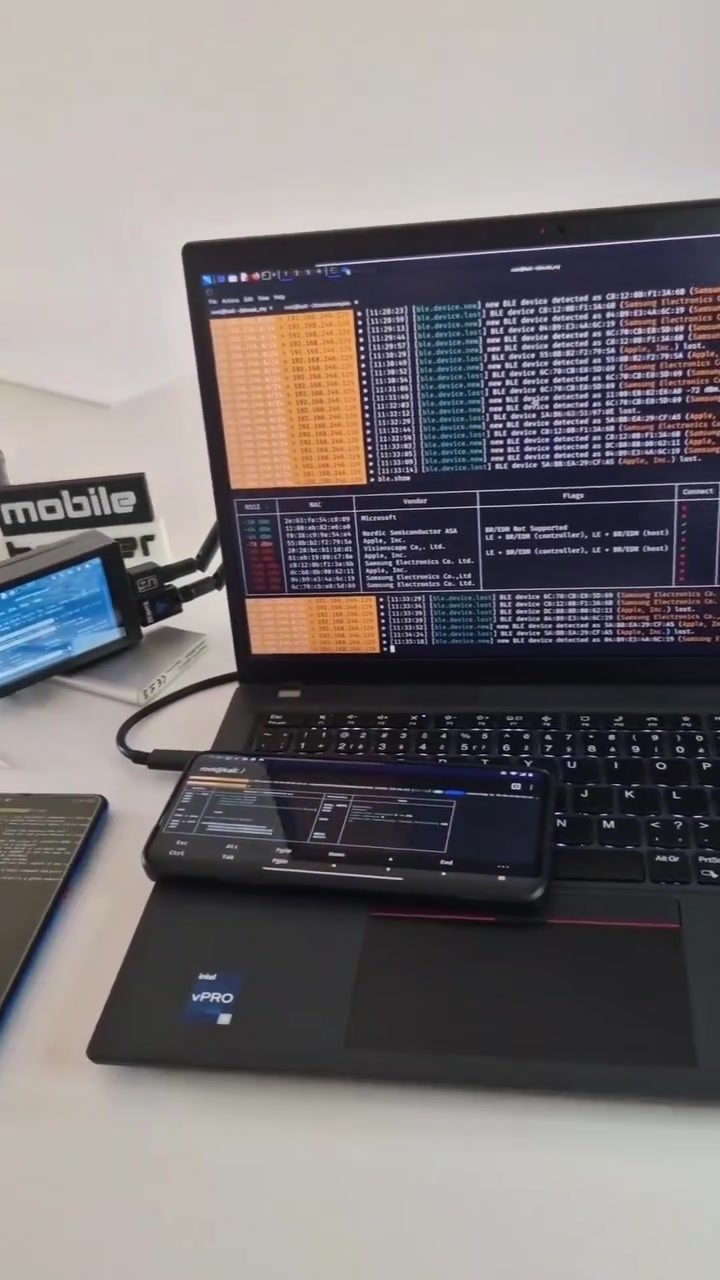
# Hacking with Bettercap on Android
Penetration testing and network hacking tools are essential for cybersecurity professionals and enthusiasts. Bettercap is a popular, flexible tool for network attacks and security assessments. This article delves into using Bettercap on Android, focusing on its capabilities and practical applications.
Context / Why this matters
Network security is a critical aspect of modern technology. Understanding how to use tools like Bettercap can help identify vulnerabilities in network infrastructure. This knowledge is valuable for security professionals, ethical hackers, and anyone looking to enhance their cybersecurity skills. Bettercap's versatility and wide range of features make it a go-to tool for many in the field.
Main discussion
What is Bettercap?
Bettercap is an open-source tool designed for network attacks and security assessments. It supports a variety of protocols, including ARP, DHCP, DNS, and HTTP. It is particularly useful for penetration testing, as it allows users to perform man-in-the-middle attacks, network reconnaissance, and more. Bettercap's flexibility means it can be used on multiple platforms, including Android, making it accessible to a broader audience.
Bettercap on Android
Using Bettercap on Android brings a unique set of advantages. The portability of a mobile device allows for on-the-go hacking and security assessments. It is particularly useful for penetration testers who need to assess network security in various environments. The tool can be run on Android devices using Termux, a terminal emulator for Android.
Setting Up Bettercap on Android
Running Bettercap on an Android device involves a few key steps:
-
Install Termux: Termux is a powerful terminal emulator that allows you to run a Linux environment on an Android device. It is available on the Google Play Store.
-
Update and Install Dependencies: Once Termux is installed, update the package list and install necessary dependencies. This includes tools like
wget,curl, andpkg. -
Download and Install Bettercap: Bettercap can be downloaded directly from its GitHub repository. Use the
wgetcommand to download the latest version and install it. -
Configure Bettercap: After installation, configure Bettercap by setting up scripts and modules. This can include custom scripts for network scanning, password cracking, and more.
Using Bettercap for Network Scanning
One of the primary uses of Bettercap is network scanning. This involves identifying devices on a network and assessing their security. On Android, the bettercap command can be used to perform various network scans.
bettercap -script /sdcard/detectAll/lights.js
This command runs a script that scans for devices on a network and controls lights. In the context of the video, it demonstrates how Bettercap can be used to control network-connected devices, highlighting the tool's versatility.
Controlling Network Devices
Another practical application of Bettercap is controlling network devices. Using Bettercap, you can send commands to devices on a network, such as turning lights on or off. This is particularly useful for assessing the security of IoT devices and smart home systems. The command bettercap -script /sdcard/detectAll/lights.js demonstrates this capability, showcasing the tool's ability to interact with network-connected devices.
Ethical Considerations
While Bettercap is a powerful tool, it is essential to use it ethically. Unauthorized access to networks and devices is illegal and unethical. Always obtain proper authorization before performing any security assessments. Use Bettercap responsibly to enhance network security and protect against potential threats.
Practical tips
-
Learn the Basics: Before diving into advanced techniques, familiarize yourself with the basics of network security and penetration testing. This will provide a solid foundation for using Bettercap effectively.
-
Practice in a Controlled Environment: Set up a controlled environment, such as a home lab, to practice using Bettercap. This allows you to experiment with different techniques and understand the tool's capabilities without risking unauthorized access.
-
Stay Updated: Bettercap is regularly updated with new features and improvements. Stay updated with the latest version and read the documentation to make the most of new features.
-
Join Communities: Engage with online communities and forums focused on cybersecurity and penetration testing. This will provide valuable insights, tips, and support from experienced professionals.
-
Use Scripts: Bettercap supports a wide range of scripts for various tasks, from network scanning to password cracking. Utilize these scripts to streamline your workflow and enhance your capabilities.
Important takeaways
Using Bettercap on Android opens up new possibilities for network security assessments. Its portability and versatility make it a valuable tool for penetration testers and security professionals. By setting up and configuring Bettercap on an Android device, you can perform on-the-go network scans and control network devices, enhancing your ability to identify and mitigate potential security threats.
Conclusion
Bettercap is a powerful and versatile tool for network security assessments. Running it on an Android device using Termux provides a portable and flexible solution for penetration testing. Whether you are a seasoned professional or a beginner, understanding how to use Bettercap can significantly enhance your cybersecurity skills. Always remember to use it responsibly and ethically, focusing on improving network security and protecting against potential threats.
Questions readers ask
What is Bettercap and why is it useful for Android devices?
Bettercap is an open-source tool designed for network attacks and security assessments. It's particularly useful for Android devices due to their portability, allowing penetration testers to assess network security remotely and efficiently.
Can Bettercap be used for network security assessments on Android?
Yes, Bettercap is highly effective for network security assessments on Android. Its wide range of features allows users to identify vulnerabilities and test the robustness of network infrastructures, making it a valuable tool for security professionals.
What are some practical applications of Bettercap on Android?
Bettercap can be used for various practical applications on Android, including network mapping, password sniffing, and man-in-the-middle attacks. These capabilities make it an essential tool for penetration testers and ethical hackers.
How does Bettercap help in enhancing cybersecurity skills?
By using Bettercap, individuals can gain hands-on experience with network hacking techniques. This practical knowledge is crucial for security professionals and enthusiasts who want to stay updated with the latest security measures and vulnerabilities.
Are there any specific tutorials available for Bettercap on Android?
Yes, there are several tutorials and resources available that guide users through the process of using Bettercap on Android. These tutorials cover installation, basic usage, and advanced techniques, making it accessible for both beginners and experienced users.
What are some examples of scripts that can be used with Bettercap?
Bettercap supports a variety of scripts that can automate tasks and enhance its functionality. Some examples include scripts for password sniffer, man in the middle attacks and host discovery. These scripts can be customized to fit specific needs and scenarios.
Is Bettercap suitable for beginners in network security?
While Bettercap is a powerful tool, it may have a learning curve for beginners. However, with the right resources and practice, newcomers can quickly grasp its functionalities. Starting with basic tutorials and gradually moving to more complex tasks can help beginners become proficient in using Bettercap.
Related deep dives
Similar reads based on topic and creator.




Recent articles
Fresh deep dives from the latest Reels we unpacked.




Comments
Be the first to comment.