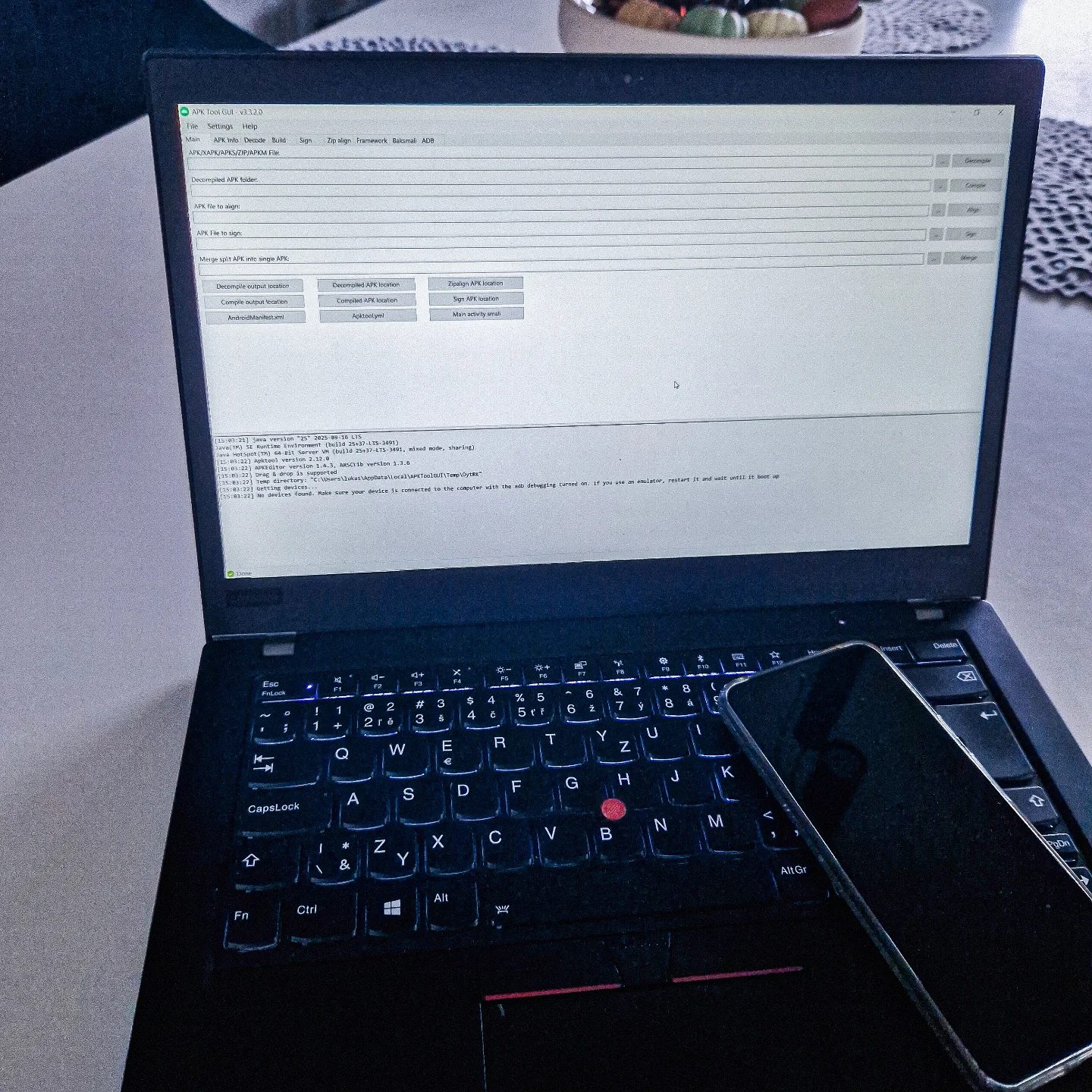
APK Tool GUI: A Comprehensive Tool for Android Application Development
APK Tool GUI is a powerful software designed to streamline the process of Android application development. This software provides a graphical user interface (GUI) for several essential utilities, including APKTool, signapk, zipalign, and baksmali. It simplifies the complexities involved in decompiling, signing, and aligning Android application packages (APKs), making it an indispensable tool for developers.
Why This Matters
In the ever-evolving landscape of Android development, having the right tools can significantly enhance productivity and efficiency. APK Tool GUI is one such tool that bridges the gap between command-line utilities and user-friendly interfaces. By offering a GUI for apktool, signapk, zipalign, and baksmali, it allows developers to focus more on coding and less on the intricacies of these utilities.
Main Discussion
Understanding APK Tool GUI
APK Tool GUI is a versatile software that integrates multiple utilities into a single interface. It provides a user-friendly way to manage various aspects of the APK build process, including decompiling, compiling, signing, and aligning APK files. This makes it an essential tool for anyone involved in Android application development.
Key Features
Decompiling and Compiling APK Files
One of the core features of APK Tool GUI is its ability to decompile and compile APK files. Decompiling APK files allows developers to dissect the code, modify it, and then recompile it. This process is crucial for reverse engineering, debugging, and customizing applications. The software provides options for specifying the decompile output location and the compiled APK location, making it easy to manage the build process.
Signing APK Files
Signing APK files is a critical step in the Android development process. It ensures the integrity and authenticity of the application. APK Tool GUI includes a built-in utility for signing APK files, allowing developers to generate signed APKs directly from the interface. This feature simplifies the process and ensures that the APK is properly signed before distribution.
Aligning APK Files
Aligning APK files is essential for optimizing the performance of Android applications. APK Tool GUI includes a zipalign utility that optimizes the APK file by aligning its contents to a specific boundary. This process reduces the memory footprint and improves the loading speed of the application. The software provides an option to specify the zipalign APK location, making it easy to manage the alignment process.
Managing APK Build Process
APK Tool GUI provides a comprehensive interface for managing the APK build process. It includes various options and locations for handling different aspects of the build, such as decompiled APK location, compiled APK location, and sign APK location. This makes it easy to keep track of the build process and ensure that all steps are completed correctly.
Additional Utilities
In addition to the core features, APK Tool GUI includes several other utilities that enhance its functionality. These include:
- ADB (Android Debug Bridge): A versatile command-line tool that allows developers to communicate with an Android device. It can be used for a variety of tasks, including installing and debugging applications.
- Baksmali: A tool that disassembles Dalvik bytecode into smali code, making it easier to understand and modify the code.
- Framework: The core framework that powers the APK Tool GUI, providing a stable and reliable environment for development.
Practical Tips
Navigating the Interface
The APK Tool GUI interface is designed to be user-friendly, with clear options and locations for managing the APK build process. Here are some tips for navigating the interface:
- Starting a New Project: When you start a new project, specify the APK/XAPK/APKS/ZIP/APKM file location. This will be the source file for decompilation.
- Decompile Output Location: Choose a location for the decompiled output. This is where the decompiled code will be saved.
- Compile Output Location: Specify the location for the compiled APK. This is where the final APK will be saved after compilation.
- Sign APK Location: Choose a location for the signed APK. This is where the signed APK will be saved after signing.
Optimizing APK Files
Optimizing APK files is crucial for ensuring the best performance of your application. Here are some tips for optimizing APK files using APK Tool GUI:
- Zipalign APK Location: Use the zipalign utility to optimize the APK file. Specify the zipalign APK location to ensure that the APK is properly aligned.
- Main Activity Small: Ensure that the main activity of your application is optimized. The "Main activity small" option allows you to adjust the main activity settings for better performance.
Important Takeaways
APK Tool GUI is a comprehensive tool that simplifies the process of Android application development. It provides a user-friendly interface for managing various aspects of the APK build process, including decompiling, compiling, signing, and aligning APK files. By integrating multiple utilities into a single interface, it allows developers to focus more on coding and less on the intricacies of these utilities.
Conclusion
APK Tool GUI is an essential tool for anyone involved in Android application development. Its comprehensive features and user-friendly interface make it a valuable asset for developers looking to streamline their workflow. Whether you're decompiling, compiling, signing, or aligning APK files, APK Tool GUI provides the tools you need to get the job done efficiently.
Questions readers ask
What is APK Tool GUI and what are its primary functions?
APK Tool GUI is a software designed to simplify Android development by offering a graphical user interface for essential tools like apktool, signapk, zipalign, and baksmali. Its primary functions include decompiling, compiling, and signing APK files, making these tasks more accessible and efficient for developers.
How does APK Tool GUI simplify the process of APK decompiling and compiling?
APK Tool GUI simplifies APK decompiling and compiling by providing an intuitive interface that eliminates the need for complex command-line operations. Users can easily decompile APK files to analyze their contents and recompile them with modifications, all through a user-friendly GUI.
What is the significance of the signapk and zipalign tools in APK Tool GUI?
The signapk tool in APK Tool GUI is used for signing APK files, which is a crucial step in making an app ready for distribution. The zipalign tool optimizes the APK files for better performance and reduced memory usage. Both tools ensure that the final APK is secure, optimized, and compliant with Google Play Store requirements.
Can APK Tool GUI be used for managing multiple APK files simultaneously?
Yes, APK Tool GUI supports batch processing, allowing developers to manage multiple APK files simultaneously. This feature is particularly useful for projects that involve handling several APKs, as it saves time and improves overall efficiency.
Is APK Tool GUI suitable for both beginners and experienced developers?
Absolutely. APK Tool GUI is designed to be user-friendly, making it accessible for beginners who are new to Android development. However, it also offers advanced features and customization options that experienced developers can utilize to enhance their workflow.
What are the benefits of using APK Tool GUI for Android development?
APK Tool GUI enhances productivity by streamlining complex tasks such as decompiling, compiling, and signing APK files. It reduces the time spent on technical intricacies, allowing developers to focus more on coding and improving the quality of their applications.
How does APK Tool GUI handle the security aspects of APK files?
APK Tool GUI includes tools like signapk, which ensures that APK files are properly signed, a necessary step for securing the app and ensuring its integrity. Additionally, the GUI simplifies the process of managing and applying security certificates, making it easier to maintain the security of Android applications.
Related deep dives
Similar reads based on topic and creator.




Recent articles
Fresh deep dives from the latest Reels we unpacked.




Comments
Be the first to comment.