Running Kali or Windows on Android: Blending In or Standing Out?
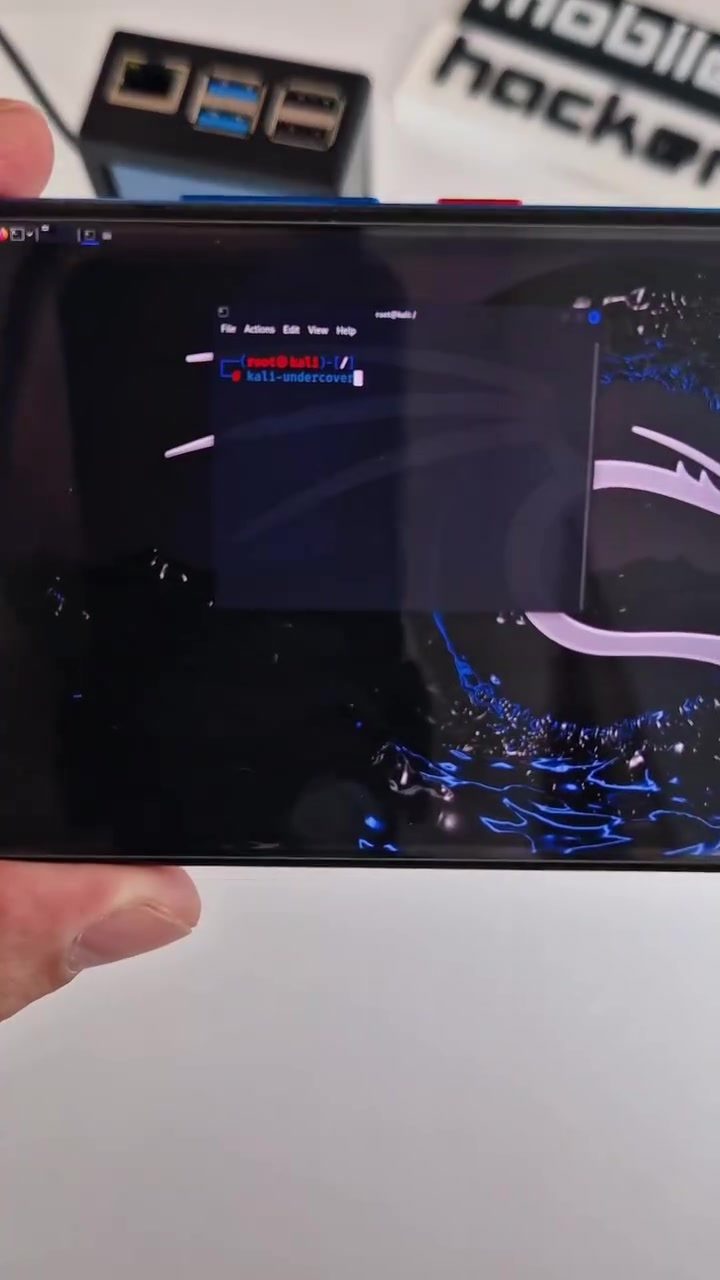
The mobile hacker has sparked a debate about running Kali or Windows on Android, particularly when using Kali NetHunter. The discussion focuses on public perception and the effectiveness of Kali Undercover Mode, a feature designed to make the device appear as if it's running Windows.
The Capabilities of Portable Hacking Devices
Portable hacking devices, like the one showcased, often run Kali Linux, a distribution tailored for penetration testing and digital forensics. These devices are typically compact and can be connected to smartphones, allowing users to perform various command-line operations and access a graphical interface.
Kali Linux is known for its extensive suite of tools designed for cybersecurity professionals. Running Kali Linux on a portable device connected to a smartphone can provide the same level of functionality. This setup is particularly useful for penetration testing in the field, where portability and discretion are crucial.
Understanding Kali Undercover Mode
Kali Undercover Mode is a feature within Kali NetHunter designed to alter the appearance of the device. When activated, the device mimics the look of a Windows interface, making it less conspicuous in public settings. This feature is intended to help users blend in and avoid drawing unwanted attention. However, the effectiveness of this approach is up for debate.
Some argue that running Kali NetHunter in public already attracts glances, and activating Kali Undercover Mode might make the device even more conspicuous. Others believe that the mode can help users stay unnoticed, especially in environments where Windows devices are more common.
The Privacy and Security Implications
The decision to run Kali or Windows on an Android device has implications for both privacy and security. Running Kali NetHunter can be more discreet in environments where the device is easily hidden or less noticeable. However, the visibility of the device can be a concern, especially in public settings where it might attract unwanted attention.
On the other hand, running Windows on an Android device, particularly with Kali Undercover Mode, can make the device less conspicuous in environments where Windows devices are more common. This can be beneficial for users who want to blend in, but it may also raise curiosity and suspicion.
Command-Line and Graphical Interface
When using a portable hacking device, understanding the command-line and graphical interface is crucial. The command-line interface allows users to execute complex operations and commands. These operations can range from network scanning to exploit deployment. The graphical interface, on the other hand, provides a more user-friendly approach, making it easier to navigate and manage tasks visually.
The Use of Kali Linux in Penetration Testing
Kali Linux is a powerful tool in the cybersecurity arsenal. It is widely used for penetration testing, ethical hacking, and digital forensics. The ability to run Kali Linux on a portable device connected to a smartphone offers significant advantages. It allows users to perform tasks on the go, making it an invaluable tool for professionals who need to conduct tests in various environments.
Practical Tips for Using Portable Hacking Devices
Choosing the Right Interface
Selecting the right interface depends on the task at hand. For quick, straightforward operations, a graphical interface might be more efficient. For complex, multi-step tasks, a command-line interface can provide more control and precision.
Utilizing Kali Undercover Mode
If you're planning to use your device in a public setting, consider activating Kali Undercover Mode to mimic a Windows interface. This can help you blend in and avoid drawing unwanted attention. Keep in mind that the effectiveness of this mode can vary, and it may attract curiosity in some environments.
Staying Discreet
Regardless of the interface or mode you choose, it's essential to stay discreet. Avoid performing tasks that might draw attention, and be mindful of your surroundings. Choose environments where your device is less likely to stand out, and always be prepared to explain your actions if questioned.
Important Takeaways
Running Kali or Windows on an Android device, particularly for penetration testing, comes with its own set of challenges and advantages. The effectiveness of Kali Undercover Mode is subjective and depends on the environment and individual perception. Utilizing a portable hacking device can provide significant advantages in the field, but it's crucial to stay discreet and be mindful of public perception.
Conclusion
Deciding whether to run Kali or Windows on an Android device involves weighing the benefits and drawbacks of each approach. Whether you choose to blend in with Kali Undercover Mode or stand out with the distinctive look of Kali NetHunter, understanding the capabilities and implications of your device is key. By staying informed and discreet, you can make the most of your portable hacking tool.
Questions readers ask
What is Kali Linux Undercover Mode and how does it work?
Kali Linux Undercover Mode is a feature designed to make a device running Kali Linux appear as if it is running Windows. This is achieved through a Windows-like interface on Android devices, allowing users to blend in more discreetly in public settings. The mode is integrated into the Kali NetHunter app, which is specifically designed for Android devices.
Can I run Kali Linux on any Android device?
Kali Linux can be run on compatible Android devices through the Kali NetHunter project, but not all Android devices will support it. NetHunter is designed to work with specific models, typically those that are rooted. It's important to check the compatibility list provided by the Kali project before attempting to install it on your Android device.
Does using Kali Linux on an Android device make it look like a hacker device?
Running Kali Linux on an Android device does not necessarily make it look like a hacker device. In fact, using Kali Linux Undercover Mode can help it blend in by mimicking the look of a regular Windows device, making it less conspicuous in public. However, the perception can vary depending on how the device is used and the actions of the user.
What are the benefits of using Kali Linux Undercover Mode?
The primary benefit of using Kali Linux Undercover Mode is the ability to operate discreetly in public places. By making the device appear to run Windows, it can help avoid unwanted attention. This is particularly useful for cybersecurity professionals who need to conduct assessments or tests in environments where a Kali Linux device might attract unwanted scrutiny.
How does Kali Linux Undercover Mode affect performance?
Kali Linux Undercover Mode is designed to be lightweight and should not significantly impact the performance of a compatible Android device. The mode primarily changes the interface to mimic Windows, so the performance impact is minimal. However, as with any software, individual experiences may vary based on the device's specifications and the tasks being performed.
What are the limitations of Kali Linux on Android?
While Kali Linux on Android provides a range of powerful tools, it does have limitations. Some tools may not function as seamlessly as they do on a full desktop environment due to hardware constraints. Additionally, not all Android devices are compatible with Kali NetHunter, and rooting the device is often required, which can void warranties and pose security risks if not done correctly.
Related deep dives
Similar reads based on topic and creator.




Recent articles
Fresh deep dives from the latest Reels we unpacked.




Comments
Be the first to comment.