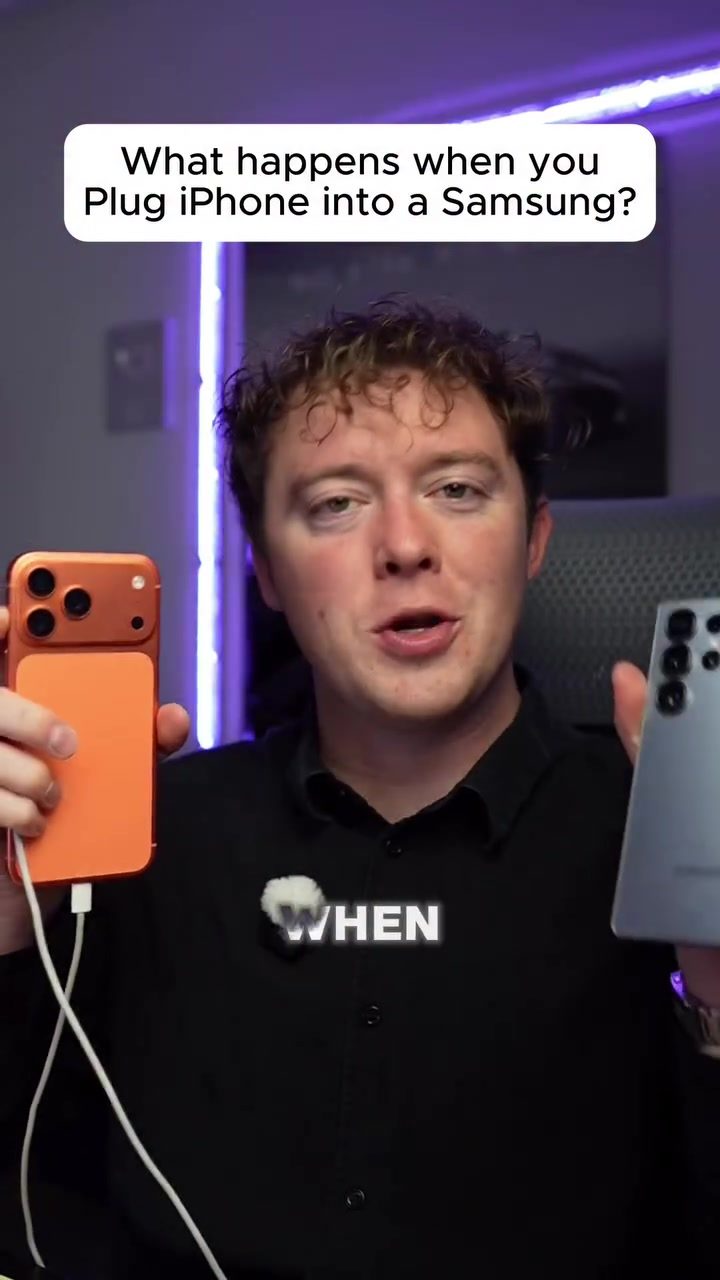
What Happens When You Plug an iPhone Into a Samsung Phone?
The advent of USB-C ports on both iPhones and Samsung smartphones has opened up new possibilities for connectivity. One intriguing question that arises is: what happens when you plug an iPhone directly into a Samsung phone using a USB-C cable? This experiment explores the outcomes and reveals some surprising findings.
Context / Why this matters
The ability to connect devices directly via USB-C opens up a range of possibilities for power sharing, data transfer, and even charging. Understanding how different brands interact in such scenarios can be beneficial for users who own multiple devices from different manufacturers.
Main discussion
The Experiment
To address the curiosity, an experiment was conducted where an iPhone was connected to a Samsung Galaxy S25 Ultra using a double-sided USB-C cable. The goal was to see if the Samsung phone could charge the iPhone or if any other interesting interactions would occur.
Reverse Wireless Power Sharing
One of the key features discussed is Samsung's reverse wireless power sharing. This feature allows Samsung devices to wirelessly charge other devices, such as another phone or even wireless earbuds, by placing them on the back of the phone. This capability was demonstrated by placing a Samsung phone on a wireless charger, which successfully charged another device.
Direct Connection via USB-C
Given that both the iPhone and Samsung Galaxy S25 Ultra have USB-C ports, it was intriguing to see if a direct connection via a USB-C cable would yield similar results. The first attempt involved plugging the Samsung phone into the USB-C cable first, followed by the iPhone. Surprisingly, the Samsung phone initiated a charging session, indicating that it was attempting to charge the iPhone.
Testing Different Scenarios
To further explore the capabilities, the experiment was repeated with different sequences. The iPhone was plugged into the USB-C cable first, and then the Samsung phone was connected. Despite the Samsung phone having a lower battery percentage (around 73%), it still managed to charge the iPhone. This behavior was consistent, suggesting that the Samsung phone has a more robust power-sharing feature compared to the iPhone.
Power Dynamics
One of the interesting observations was the power dynamics between the two devices. Even when the Samsung phone had a lower battery percentage, it was still able to charge the iPhone. This raised a question about whether Samsung's power-sharing capabilities are inherently more dominant or if there are specific protocols in place that prioritize power sharing from the Samsung device.
Practical tips
Using USB-C Cables for Connectivity
The experiment highlights the versatility of USB-C cables. Beyond just charging, these cables can facilitate a range of connections, including data transfer and power sharing. Investing in high-quality, double-sided USB-C cables can enhance the compatibility and functionality of your devices.
Exploring Wireless Charging
Wireless charging is another useful feature, especially for users who own multiple devices. Samsung's reverse wireless power sharing allows you to charge other devices wirelessly, which can be a convenient solution for those who need to charge multiple gadgets on the go.
Understanding Power Sharing Capabilities
Knowing the power-sharing capabilities of your devices can help you manage your battery life more effectively. For instance, if you own a Samsung device and an iPhone, understanding that the Samsung device can charge the iPhone even when it has a lower battery percentage can be beneficial in emergencies.
Important takeaways
- USB-C Connectivity: Modern smartphones with USB-C ports can be connected directly to each other, facilitating power sharing and data transfer.
- Power Sharing: Samsung devices, particularly the Galaxy S25 Ultra, have robust power-sharing features that allow them to charge other devices, including iPhones, even when their own battery levels are lower.
- Wireless Charging: Samsung's reverse wireless power sharing is a convenient feature that can wirelessly charge other devices, providing flexibility in charging solutions.
Conclusion
The experiment of plugging an iPhone into a Samsung phone using a USB-C cable revealed some fascinating insights into the power-sharing capabilities of modern smartphones. While Samsung devices appear to have a more dominant power-sharing feature, the ability to connect and charge different devices directly can be a game-changer for users who own multiple gadgets. Understanding these capabilities can help users optimize their charging solutions and make the most of their devices.
Questions readers ask
Can I charge my iPhone using a Samsung phone's USB-C port?
Yes, you can charge your iPhone using a Samsung phone with a USB-C port. By connecting the iPhone to the Samsung device via a USB-C to USB-C cable, the Samsung phone can act as a power bank, sharing its battery charge with the iPhone. The charging speed may vary depending on the Samsung model and its battery capacity.
Is it possible to transfer data directly from an iPhone to a Samsung phone using a USB-C cable?
Direct data transfer between an iPhone and a Samsung phone using a USB-C cable is not supported. Apple's iOS and Samsung's Android operate on different systems, and direct file transfer is not built into the system. Instead, use cloud services or third-party apps for data exchange.
What types of data can be transferred between an iPhone and a Samsung phone?
While direct USB-C data transfer isn't supported, you can still transfer files between an iPhone and a Samsung phone using alternative methods. Photos, videos, and documents can be shared via cloud services like Google Drive or Apple's iCloud, or through email, messaging apps, or third-party file-sharing platforms.
Do all iPhones and Samsung phones support USB-C connections?
Not all iPhones support USB-C connections. Older iPhone models use a Lightning port, so you might need an adapter to connect to a Samsung phone. Some newer iPhone models, such as the iPhone 15 series, have a USB-C port, allowing for direct connections to Samsung phones with USB-C ports.
Can I use my iPhone as a power bank for a Samsung phone?
Yes, you can use your iPhone as a power bank for a Samsung phone. With the appropriate USB-C cable, your iPhone can share its charge with a Samsung device. Keep in mind that the charging speed and efficiency may depend on the iPhone model and the remaining battery capacity.
What are the benefits of connecting an iPhone to a Samsung phone via USB-C?
Connecting an iPhone to a Samsung phone via USB-C allows for convenient power sharing and data transfer. You can charge one device using the other, reducing the need for additional power sources. However, data sharing may require third-party apps or cloud services.
What should I do if my devices don't recognize each other when connected via USB-C?
If your iPhone and Samsung phone don't recognize each other when connected via USB-C, ensure you are using a high-quality, compatible USB-C cable. Check that both devices have USB-C ports and that the connection is secure. If issues persist, try restarting both devices or using a different cable.
Related deep dives
Similar reads based on topic and creator.




Recent articles
Fresh deep dives from the latest Reels we unpacked.




Comments
Be the first to comment.