Low Battery Photo
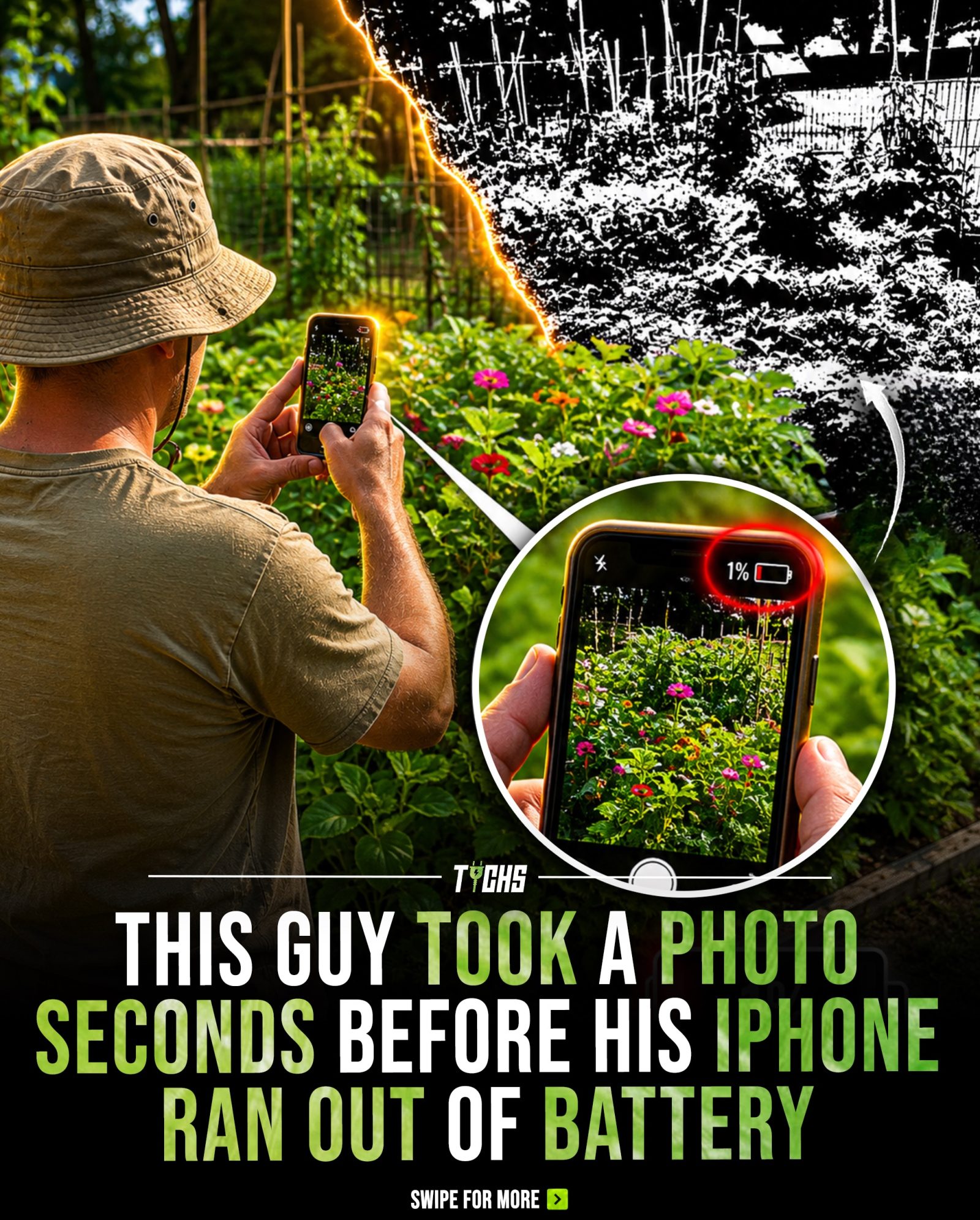
Taking a photo with a critically low battery can be a nerve-racking experience, especially when you're relying on your iPhone to capture that perfect moment. Imagine the luck of a man who managed to snap a photo just as his iPhone's battery reached 1%. The result was a viral image that showcased the fascinating mechanics of how smartphones handle data processing, even in the most unlikely circumstances.
Why This Matters
In a world where smartphones are an extension of our lives, understanding how they function, even in moments of technological stress, can provide valuable insights into their capabilities. The iPhone, in particular, has become a staple in many people's daily routines, and knowing how it captures and saves images can help users better navigate its features and limitations.
Main Discussion
How JPEG Photos Are Processed and Saved
When you take a photo with an iPhone, the device doesn't immediately save it as a complete image file. Instead, JPEG photos are stored in compressed data blocks. This means that when the phone is in the process of saving an image, it breaks down the visual information into smaller, manageable parts. If the battery dies during this process, the phone may successfully save some parts of the image while losing others, resulting in a partially corrupted but still recognizable photo.
The viral photo in question is a perfect example of this phenomenon. The iPhone captured the image successfully but ran out of power before it could finish saving the entire file. The result was an image with some corrupt parts, such as missing color data, textures, or visual information. Despite the corruption, the photo retained enough integrity to be an identifiable and viral image.
The Mechanics of Data Processing
To understand why the photo turned out the way it did, it's essential to grasp the basics of data processing in smartphones. When you take a photo, the image file is broken down into compressed blocks. These blocks are saved sequentially, meaning the phone saves one part of the image at a time. If the power is interrupted during this process, the partially saved image might retain some visual integrity.
In the case of the viral photo, the iPhone managed to save enough of the image file to make it discernible, even though some parts were lost. This is why corrupted images often appear strangely artistic rather than completely broken. The remaining data provides enough visual context to hint at the original scene, even if certain details are missing.
What Happens When a Smartphone Dies Mid-Save
When a smartphone like an iPhone dies while saving a photo, the outcomes can vary. The phone might successfully save the image, but the file could be corrupted. This corruption can manifest in different ways, such as missing parts of the image, distorted colors, or incomplete textures. The same can happen with other types of files, like videos or documents, if the device loses power while saving them.
The key point is that the iPhone can still capture an image successfully, even under extreme conditions. The viral photo is a testament to this capability. The phone's ability to handle data blocks efficiently means that even if it loses power, it can still save partially completed images.
Why Some Corrupted Images Look Artistic
The artistic appearance of some corrupted images is a result of the way data blocks are saved. When an image file is partially saved, the remaining data can create visually interesting patterns. These patterns are often more appealing to the eye than a completely broken or blank image. This phenomenon is another reason why some corrupted images gain traction on social media.
In the context of the viral photo, the partially saved image retained enough visual information to be recognizable, but the missing parts added an intriguing, almost artistic quality. This blend of recognizable and abstract elements contributed to its viral popularity.
Practical Tips
Preventing Corruption
To minimize the risk of image corruption, it's crucial to ensure your iPhone has a sufficient battery charge before taking photos, especially during important moments. Keeping your phone charged and carrying a portable charger can also help avoid such situations.
Checking Battery Levels
Always check your battery level before taking important photos. This simple practice can save you from the frustration of a corrupted image. Many smartphones, including the iPhone, offer low battery alerts, but it's always a good idea to double-check manually.
Understanding File Saving
While it's helpful to know that your iPhone can still capture and save a partially corrupted image, it's best to rely on the device's full capabilities for the best results. Understanding how your smartphone processes and saves images can help you make better decisions about when to take photos and how to manage your battery more effectively.
Important Takeaways
- Data Blocks: JPEG photos are saved in compressed data blocks, which means that if the battery dies during the saving process, some parts of the image may finish correctly while others lose data.
- Corrupted but Recognizable: Corrupted images often appear strangely artistic due to the way data blocks are saved, making them more visually interesting than completely broken images.
- Technological Capabilities: The viral photo highlights the iPhone's ability to capture and save an image successfully, even with a critically low battery.
- Preventive Measures: Checking your battery level and keeping your phone charged can help prevent image corruption.
Conclusion
The viral photo captured at 1% battery serves as a fascinating glimpse into the intricate mechanics of smartphone data processing. It showcases the iPhone's ability to handle data efficiently, even under unlikely circumstances. While the partially corrupted image was a stroke of luck, it also underscores the importance of keeping your device charged and understanding how your smartphone processes and saves images. Whether you're an avid photographer or just someone who relies on their smartphone for everyday tasks, knowing these details can enhance your experience and help you get the most out of your device.
Questions readers ask
Can an iPhone still capture a photo when the battery is at 1%?
Yes, an iPhone can still capture a photo when the battery is at 1%. This is because the device prioritizes essential functions, like taking a photo, over other processes to ensure the most critical tasks are completed. The iPhone saves the data from the image capture and allows the user to view the image even at such a low battery percentage.
How does an iPhone handle data processing when the battery is critically low?
When an iPhone's battery is critically low, the device conserves power by minimizing non-essential processes. During this time, the iPhone prioritizes necessary functions, such as capturing and saving photos. The device uses a reserved power buffer to ensure that the image data is stored correctly, even though the screen may turn off immediately after.
What happens if an iPhone's battery dies while taking a photo?
If an iPhone's battery dies while taking a photo, the device may still be able to save the image. The iPhone uses a buffer to temporarily store data while processing it. When the battery is critically low, the phone will prioritize completing the photo capture and save the image to its storage before shutting down.
Why did the iPhone save a photo at 1 percent battery?
The iPhone saves a photo at 1% battery because it has a built-in mechanism to prioritize essential functions, such as data processing and image saving, when the battery is critically low. This ensures that the image data is not lost and can be viewed once the phone is powered back on.
Can low battery affect the quality of a photo taken by an iPhone?
Low battery should not affect the quality of a photo taken by an iPhone. The device prioritizes the capture and saving of the image data, ensuring that the photo is saved correctly. However, if the battery dies immediately after taking the photo, the image might not be saved if the data hasn't been written to storage.
Related deep dives
Similar reads based on topic and creator.




Recent articles
Fresh deep dives from the latest Reels we unpacked.




Comments
Be the first to comment.