QR Code File Transfer
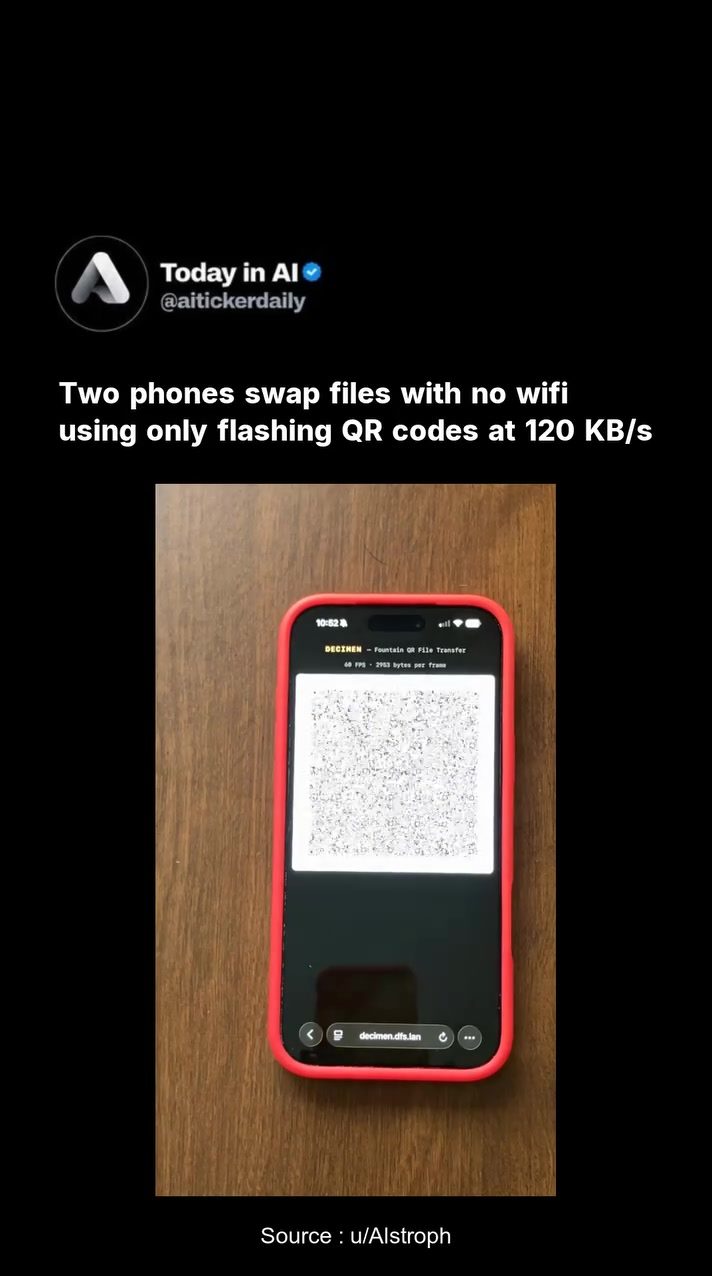
Transferring files between smartphones typically requires a shared network, whether it's WiFi, Bluetooth, or a mobile data connection. However, a recent development has shown how to bypass these conventional methods. By using flashing QR codes, one can transfer files from one phone to another without needing any shared network.
Context / Why this matters
In situations where traditional file transfer methods are unavailable or impractical, such as in areas with no network coverage, this QR code file transfer technique offers a viable alternative. It can also be useful in scenarios where connectivity is restricted or completely offline. For example, the ability to transfer files between air-gapped devices—devices that are completely isolated from any network connections—can be beneficial for ensuring data security in sensitive environments.
Main discussion
How it works
The process involves utilizing QR codes to encode and transfer data. One phone displays a rapidly flashing sequence of QR codes on its screen, which are then read by the camera of the receiving phone. The receiving phone decrypts and reassembles the data from the QR codes to retrieve the original file. This method leverages a technique known as "fountain coding," which allows for the gradual reconstruction of the file as more QR codes are decoded.
Fountain coding works by breaking the file into small chunks and then encoding these chunks in a way that allows the receiving device to reconstruct the original file from any subset of the received chunks. This makes the transfer process robust and less susceptible to errors, as the system can tolerate some data loss without compromising the file integrity.
The technology behind the transfer
The developer, who built this proof of concept, created a software tool called DECIMEN for this purpose. DECIMEN leverages the principles of fountain coding and QR code generation to facilitate the file transfer. The encoding and decoding process is handled by the software, which effectively translates the file into a sequence of QR codes that can be flashed on the screen of the transmitting phone.
The speed of the transfer is approximately 120 KB/s. In a demonstration, a file of 365 KB was successfully transferred in just 2.6 seconds. This speed is achieved through the efficient encoding and decoding algorithms, which ensure that the data is transferred as quickly as possible without sacrificing reliability.
Applications in different scenarios
One of the key benefits of this QR code file transfer method is its applicability in various scenarios where traditional network-based transfers are not possible:
-
Offline Environments: In locations with no internet or cellular connectivity, this method allows for file transfers between devices. This can be particularly useful in remote areas, during natural disasters, or in situations where network infrastructure is limited.
-
Air-Gapped Devices: For devices that are completely isolated from any network for security reasons, this method can facilitate file transfers while maintaining isolation. This is particularly useful in high-security environments, such as government facilities, hospitals, and financial institutions, where data security is paramount.
-
Resource-Constrained Environments: In settings where WiFi or Bluetooth may be unavailable or unreliable, such as in certain military operations or field research, this method provides a reliable and efficient way to share data.
Practical tips
While the concept of transferring files via QR codes is innovative, there are a few practical considerations to keep in mind:
Requirements
-
Computational Resources: Both the transmitting and receiving devices need to be capable of generating and decoding QR codes, respectively. This generally means that both devices should have a decent processor and camera with sufficient resolution.
-
Lighting Conditions: Ensure that the lighting conditions are optimal for the camera to read the QR codes effectively. Poor lighting can lead to errors in decoding and may slow down the transfer speed.
-
Screen Quality: The quality of the screen on the transmitting device is crucial. A high-resolution screen will make it easier for the camera to read the QR codes accurately.
Steps to use
-
Install DECIMEN: Download and install the DECIMEN application on both the transmitting and receiving smartphones.
-
Prepare the File: On the transmitting device, open the DECIMEN application and select the file you want to transfer.
-
Inititate the Transfer: Start the transfer process. The application will begin displaying a sequence of QR codes on the screen. Hold the receiving phone's camera in front of the transmitting screen. The application will automatically read the QR codes and start reassembling the file.
-
Receive the File: Once the transfer is complete, the receiving phone will notify you that the file has been successfully received and stored.
Important takeaways
- QR code file transfers offer a unique and innovative way to share data between smartphones without relying on traditional network methods.
- This method is particularly useful in scenarios with limited or no connectivity, such as remote areas, disasters, and high-security environments.
- The transfer speed of approximately 120 KB/s makes it a practical option for small to moderately sized files.
- The DECIMEN application simplifies the process, making it accessible for users to implement this technique.
Conclusion
The development of QR code file transfers represents a significant advancement in data sharing technology. By leveraging fountain coding and QR code generation, this method provides a reliable and efficient way to transfer files between smartphones in the absence of traditional network connectivity. Whether used in remote locations, high-security environments, or during emergencies, this innovative technique offers a practical solution for file sharing. As technology evolves, we can expect to see more applications of this method, further enhancing our ability to transfer data in various challenging scenarios.
Questions readers ask
How does transferring files using QR codes work?
QR code file transfer involves generating a QR code representing the file to be sent. The receiving device then scans this QR code, which decodes the data and reconstructs the file. The whole process happens offline, eliminating the need for any shared network.
Can I transfer any type of file using QR codes?
Most types of files can be transferred using QR codes, but there are limitations. Large files may not be suitable due to the limited data capacity of QR codes. Typically, text, contact information, and small media files work best. For larger files, consider compressing them before generating a QR code.
What if the QR code is too complex or blurry to scan?
If the QR code is too complex or blurry, the receiving device may have difficulty scanning it. To mitigate this, ensure the QR code is generated at a high enough resolution and is clearly visible. Avoid using overly complex or large files, as these can lead to intricate QR codes that are hard to scan.
Is this method secure for sensitive data?
QR code file transfer can be secure for sensitive data, as the process does not rely on any shared network and the data is not transmitted over the internet. However, for enhanced security, ensure that the QR code is generated and scanned in a secure, private environment to prevent unauthorized access.
Do both phones need a special app to transfer files using QR codes?
Yes, both the sending and receiving devices typically need a QR code file transfer app to facilitate the process. These apps are designed to generate QR codes from files on the sending device and scan them on the receiving device. There are several apps available on app stores that support this functionality.
Can this method be used to transfer files between different operating systems?
Yes, QR code file transfer is generally compatible with different operating systems. As long as both devices have a compatible QR code file transfer app, you can transfer files between iOS and Android devices, or any other combination of operating systems. This cross-platform compatibility is one of the advantages of using QR codes for file sharing.
What if I need to transfer files to multiple devices?
If you need to transfer files to multiple devices, you would need to generate and scan a new QR code for each device. Unfortunately, QR code file transfer is typically a one-to-one process. For transferring files to multiple devices, consider using other methods that support group sharing, like cloud services or file-sharing apps.
Related deep dives
Similar reads based on topic and creator.




Recent articles
Fresh deep dives from the latest Reels we unpacked.




Comments
Be the first to comment.