Gaming GPU Optimization
Gaming GPUs: The Evolution of Performance and Optimization
Why this matters
Gaming GPUs have significantly evolved over the years, and understanding their history and current capabilities can help gamers make informed decisions about their hardware. From the days of 3 GB of VRAM to the modern era of ray tracing, the optimization of games for various GPUs has been a key factor in delivering immersive gaming experiences. This discussion delves into the past, present, and future of gaming GPUs, focusing on how games have adapted to different hardware capabilities.
The Past: Optimization for Lower-End GPUs
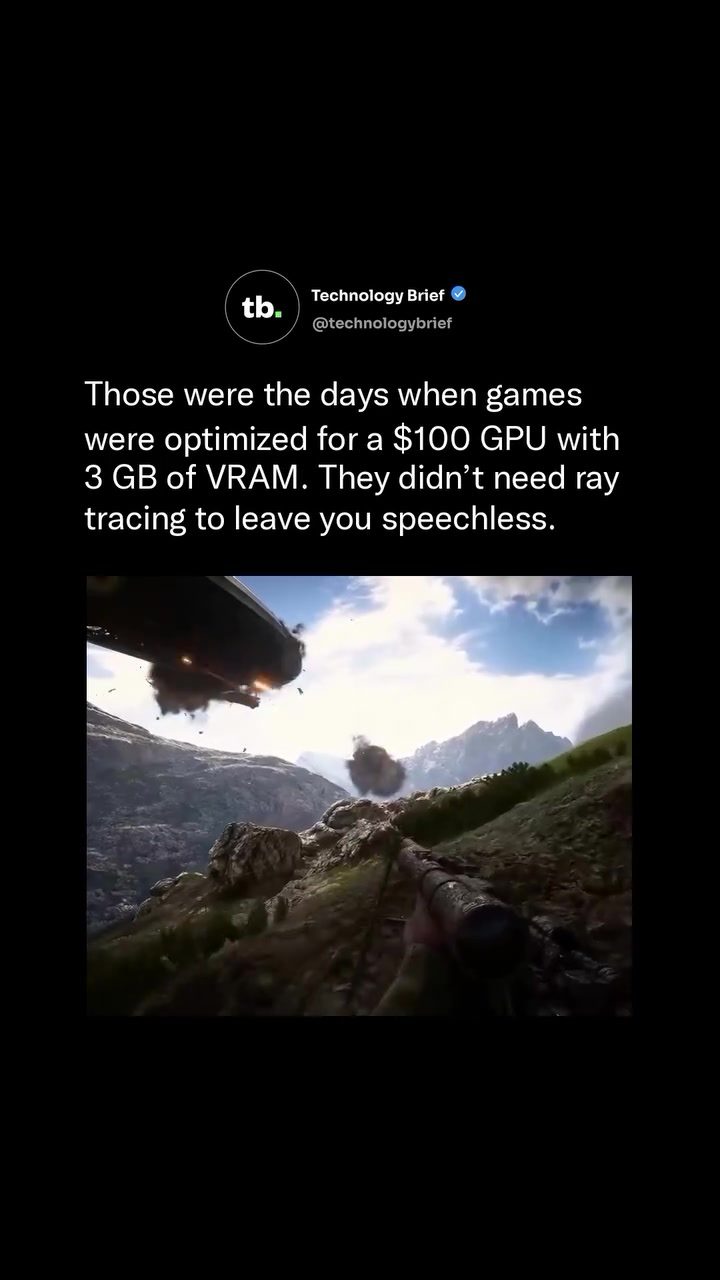
Games from the past were often optimized for lower-end GPUs, making them accessible to a wider audience. For instance, the 2016 release Battlefield 1 featured an airship destruction sequence that ran smoothly on hardware with as little as 3 GB of VRAM. This level of optimization allowed gamers with modest GPUs to enjoy high-quality graphics and gameplay. The game’s use of the C-Class Airship as a giant flying war machine showcased how developers could create visually stunning sequences without requiring top-tier hardware.
The Present: The Rise of Ray Tracing
Modern gaming graphics have introduced ray tracing, a technology that significantly enhances visual fidelity by simulating the way light interacts with objects in a scene. This advancement, however, requires more powerful hardware to run smoothly. GPUs with 3 GB of VRAM, which were once considered adequate, are now often insufficient for handling the demands of ray tracing. As a result, the industry has shifted towards producing GPUs with higher VRAM and more advanced architectures to support these new graphical capabilities.
The Future: Balancing Visuals and Performance
As gaming technology continues to advance, the future of GPU optimization lies in finding a balance between visual quality and performance. Developers are now focusing on creating games that can run smoothly on a variety of hardware, from entry-level to high-end GPUs. This balancing act ensures that gamers with different budgets and hardware capabilities can still enjoy the latest titles without sacrificing performance.
Practical Tips for Optimizing Your Gaming Experience
Choosing the Right GPU
When selecting a GPU, consider your gaming preferences and the current and future demands of the games you plan to play. If you enjoy games with advanced graphics features like ray tracing, investing in a newer GPU with higher VRAM and a more powerful architecture is a good idea. However, if you prefer older titles or play games that don’t require the latest graphical features, a mid-range GPU with 3 GB of VRAM might suffice.
Adjusting In-Game Settings
Adjusting in-game settings can significantly impact performance without compromising the overall gaming experience. Lowering settings such as texture quality, shadow resolution, and anti-aliasing can help improve frame rates, especially on older or less powerful GPUs. Experimenting with these settings can help you find the optimal balance between visual quality and performance.
Keeping Your GPU Updated
Regularly updating your GPU drivers is essential for maintaining optimal performance. Manufacturers release driver updates that often include performance improvements, bug fixes, and support for the latest games. Staying up-to-date with these updates can enhance your gaming experience and ensure compatibility with new titles.
Important Takeaways
The Evolution of Gaming GPUs
Gaming GPUs have come a long way, from being optimized for 3 GB of VRAM to requiring more advanced hardware for ray tracing. This evolution highlights the industry’s emphasis on delivering high-quality graphics while adapting to various hardware capabilities.
The Need for Continuous Optimization
Developers continuously optimize games to ensure they run smoothly on a wide range of hardware. This ongoing process ensures that gamers with different budgets and hardware capabilities can enjoy the latest titles without sacrificing performance.
Balancing Visuals and Performance
Finding the right balance between visual quality and performance is crucial for an immersive gaming experience. By choosing the right GPU, adjusting in-game settings, and keeping drivers updated, gamers can optimize their setup for their specific needs and preferences.
Conclusion
Understanding the evolution of gaming GPUs and how games have been optimized for different hardware capabilities is essential for gamers looking to get the most out of their setup. By considering the past, present, and future of GPU optimization, gamers can make informed decisions about their hardware and enjoy a seamless gaming experience. Whether you’re a casual gamer or a hardcore enthusiast, staying updated on the latest trends and technologies in gaming GPUs will ensure you’re always at the top of your game.
Questions readers ask
What was the significance of 3GB VRAM in gaming GPUs?
In the past, 3GB VRAM was considered a benchmark for gaming GPUs, offering enough memory to handle high-resolution textures and complex game environments. Games were typically optimized for GPUs with this amount of VRAM, ensuring smooth performance and visual quality for many players.
How does ray tracing improve game performance and visuals?
Ray tracing significantly enhances game visuals by simulating the way light interacts with objects in real-time, creating more realistic reflections, shadows, and lighting. However, it also places higher demands on GPU performance, requiring more advanced and powerful hardware to maintain smooth frame rates.
What should I consider when upgrading my gaming GPU in 2023?
When upgrading your gaming GPU in 2023, consider factors such as ray tracing support, VRAM capacity, and overall GPU performance. Look for GPUs that offer a good balance of these features to ensure you can run modern games smoothly and with high-quality visuals.
What are the best GPUs for ray tracing currently available?
As of now, top GPUs for ray tracing include NVIDIA's GeForce RTX 40 series and AMD's Radeon RX 7000 series. These GPUs are designed with dedicated ray tracing cores, delivering impressive visual quality and performance for games that support this technology.
How does VRAM affect gaming performance?
VRAM directly impacts gaming performance by determining how much visual data the GPU can handle at once. More VRAM allows for higher texture resolutions, better anti-aliasing, and smoother gameplay, especially in demanding games with complex environments.
What are some key factors in optimizing a GPU for gaming?
Optimizing a GPU for gaming involves ensuring the GPU drivers are up-to-date, adjusting in-game graphics settings to match your hardware capabilities, and maintaining good system cooling. Regularly monitoring and managing GPU usage can also help maintain optimal performance.
Why is understanding GPU evolution important for gamers?
Understanding the evolution of gaming GPUs helps gamers make informed decisions when purchasing or upgrading hardware. It provides insight into how games have adapted to different GPU capabilities, enabling gamers to choose the best GPUs for their specific needs and budgets.
Related deep dives
Similar reads based on topic and creator.




Recent articles
Fresh deep dives from the latest Reels we unpacked.




Comments
Be the first to comment.