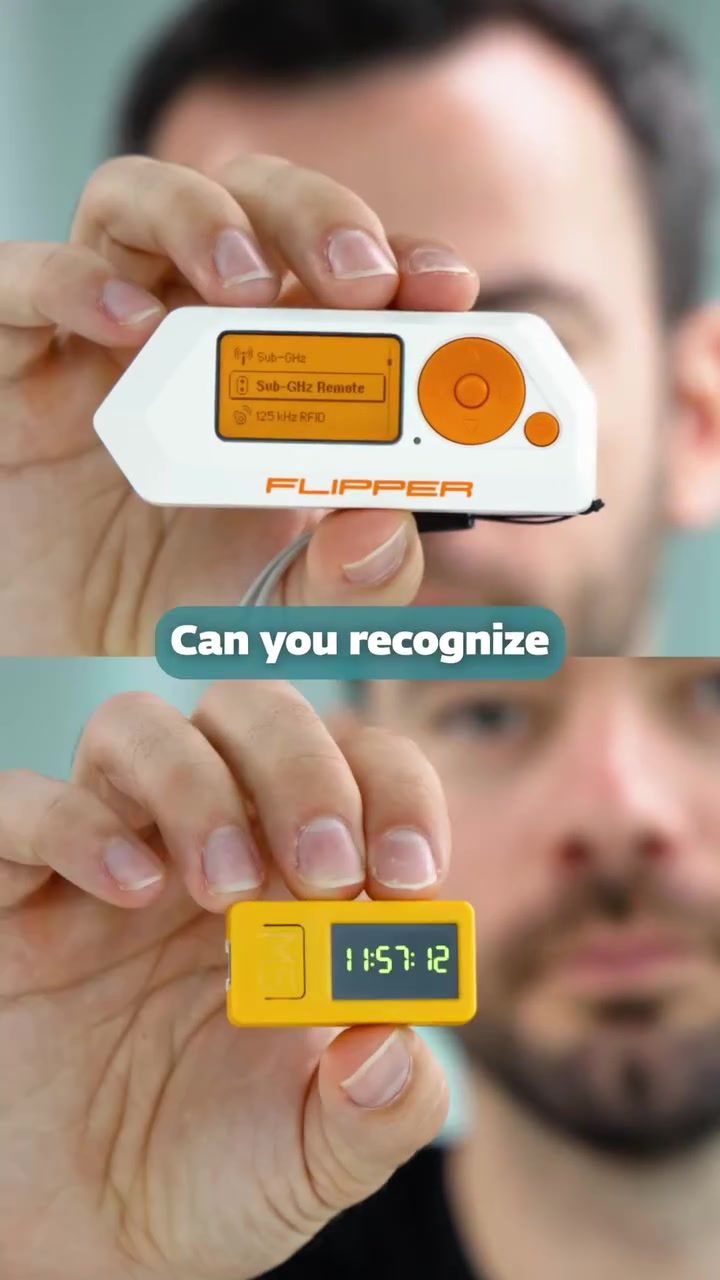
Android Threats and the Flipper Remote Control
Android devices have become ubiquitous in our daily lives, serving as integral tools for communication, entertainment, and productivity. However, as their usage has increased, so has the threat landscape targeting these devices. Understanding the potential vulnerabilities and the tools threat actors might use is crucial for both users and cybersecurity professionals.
Why This Matters
Android threats are a growing concern, as smartphones and tablets handle an increasing amount of sensitive data. This makes them attractive targets for hackers. By understanding the types of threats and the tools that can be used to exploit these vulnerabilities, users and security experts can better protect themselves and their devices.
The Role of the FLIPPER Remote Control
One of the notable devices mentioned in the discussion is the FLIPPER remote control. This gadget is capable of detecting and analyzing sub-GHz signals, which are commonly used in various remote control systems. While this technology can be incredibly useful for legitimate purposes, such as home automation and device control, it also opens up new avenues for exploitation by malicious actors.
Understanding Sub-GHz Signals
Sub-GHz signals are low-frequency radio signals that are used in a variety of remote control applications, from garage door openers to key fobs for vehicles. These signals are generally less secure than higher-frequency signals because they are easier to intercept and replicate. The FLIPPER device can capture and analyze these signals, making it a powerful tool in the hands of both cybersecurity researchers and potential attackers.
Potential Misuse by Threat Actors
Threat actors can misuse the FLIPPER device to intercept and manipulate sub-GHz signals, potentially allowing them to take control of various devices. For example, they could potentially gain unauthorized access to a garage door, a vehicle, or even certain types of smart home devices. This underscores the importance of understanding the capabilities of such tools and implementing robust security measures to protect against their misuse.
The Unlocked 403 Podcast
The discussion around Android threats is prominently featured in the 'Unlocked 403' podcast. Hosted by Lukasz Stefanko, an Android Malware Researcher at ESET, and Bex, this episode delves deep into the world of Android malware research. It covers a range of topics, from identifying and mitigating malware threats to live demonstrations of various attacks.
Live Demos and Practical Insights
One of the highlights of the podcast is the live demos of three different attacks. These demonstrations provide practical insights into the methods used by threat actors and the potential impact on Android devices. By watching these demos, listeners can gain a better understanding of the real-world implications of these threats and the steps they can take to protect their devices.
Practical Tips for Protecting Your Android Device
Given the evolving threat landscape, it's essential to take proactive measures to secure your Android device. Here are some practical tips to enhance your device's security:
Keep Your Software Up-to-Date
Regularly updating your device's operating system and apps is one of the simplest yet most effective ways to protect against vulnerabilities. Manufacturers often release security patches to address known issues, so staying current is crucial.
Use Reputable Security Apps
Installing a reputable security app can provide an additional layer of protection. These apps can detect and remove malware, block malicious websites, and monitor for suspicious activity.
Be Cautious with Third-Party Apps
Downloading apps from unofficial sources can expose your device to malware. Stick to trusted app stores like Google Play and carefully review app permissions before installing.
Enable Two-Factor Authentication
Two-factor authentication (2FA) adds an extra layer of security by requiring a second form of verification, such as a fingerprint or a code sent to your email. This makes it much harder for unauthorized users to gain access to your accounts.
Avoid Public Wi-Fi for Sensitive Activities
Public Wi-Fi networks can be a breeding ground for hackers. Avoid using them for sensitive activities like online banking or accessing personal information. If you must use public Wi-Fi, consider using a VPN to encrypt your data.
Regularly Monitor for Unusual Activity
Keep an eye out for any unusual activity on your device, such as unexpected app installations, data usage spikes, or device performance issues. If you notice anything suspicious, take immediate action to investigate and resolve the issue.
Important Takeaways
The conversation around Android threats and the use of devices like the FLIPPER remote control highlights the importance of staying informed and proactive in protecting your devices. By understanding the potential risks and taking practical steps to mitigate them, you can significantly enhance your device's security.
Conclusion
The evolving nature of Android threats requires continuous vigilance and adaptation. By staying informed about the latest threats and tools, such as the FLIPPER remote control, and implementing robust security measures, users and professionals can better protect themselves and their devices. The insights shared in the 'Unlocked 403' podcast serve as a valuable resource for understanding and mitigating these threats, making it an essential listen for anyone interested in Android security.
Questions readers ask
What types of threats do Android devices commonly face?
Android devices are susceptible to various threats, including malware, phishing attacks, and unauthorized access. With the increasing amount of sensitive data stored on these devices, users must be vigilant about potential vulnerabilities that can be exploited by threat actors.
What is the Flipper device and how does it work?
The Flipper device is a remote control tool designed to detect and analyze sub-GHz signals. It can be used to interact with various devices and systems that operate on these frequencies, potentially exposing security weaknesses in smartphone infrastructure and other connected technologies.
How can the Flipper device impact Android security?
The Flipper device's ability to detect and manipulate sub-GHz signals makes it a potential tool for threat actors. By exploiting these signals, attackers could potentially gain unauthorized access to Android devices or other connected systems, underscoring the importance of robust security measures.
What are some tips for enhancing Android device security?
To improve Android device security, users should keep their software up-to-date, use strong and unique passwords, be cautious of suspicious links and downloads, and consider using reputable security apps. Regularly reviewing app permissions and disabling unused features can also help mitigate risks.
Why is it important to listen to cybersecurity podcasts like ESET's?
Cybersecurity podcasts provide valuable insights into the latest threats and trends, offering practical advice on how to protect devices. By staying informed, users and professionals can better understand the evolving landscape of Android threats and take proactive measures to safeguard their data.
What are sub-GHz signals and why are they relevant to Android security?
Sub-GHz signals are wireless communications that operate at frequencies below 1 GHz. They are relevant to Android security because many IoT devices, including some smartphones, use these signals for communication. The Flipper device's capability to detect and analyze these signals highlights potential vulnerabilities in the broader ecosystem of connected devices.
How can users protect themselves from Flipper device-related threats?
To protect against threats related to the Flipper device, users should ensure their devices are updated with the latest security patches and use additional security measures, such as encrypted communications and secure authentication methods. Being aware of the device's capabilities and the potential risks it poses can help users take proactive steps to safeguard their data.
Related deep dives
Similar reads based on topic and creator.




Recent articles
Fresh deep dives from the latest Reels we unpacked.




Comments
Be the first to comment.