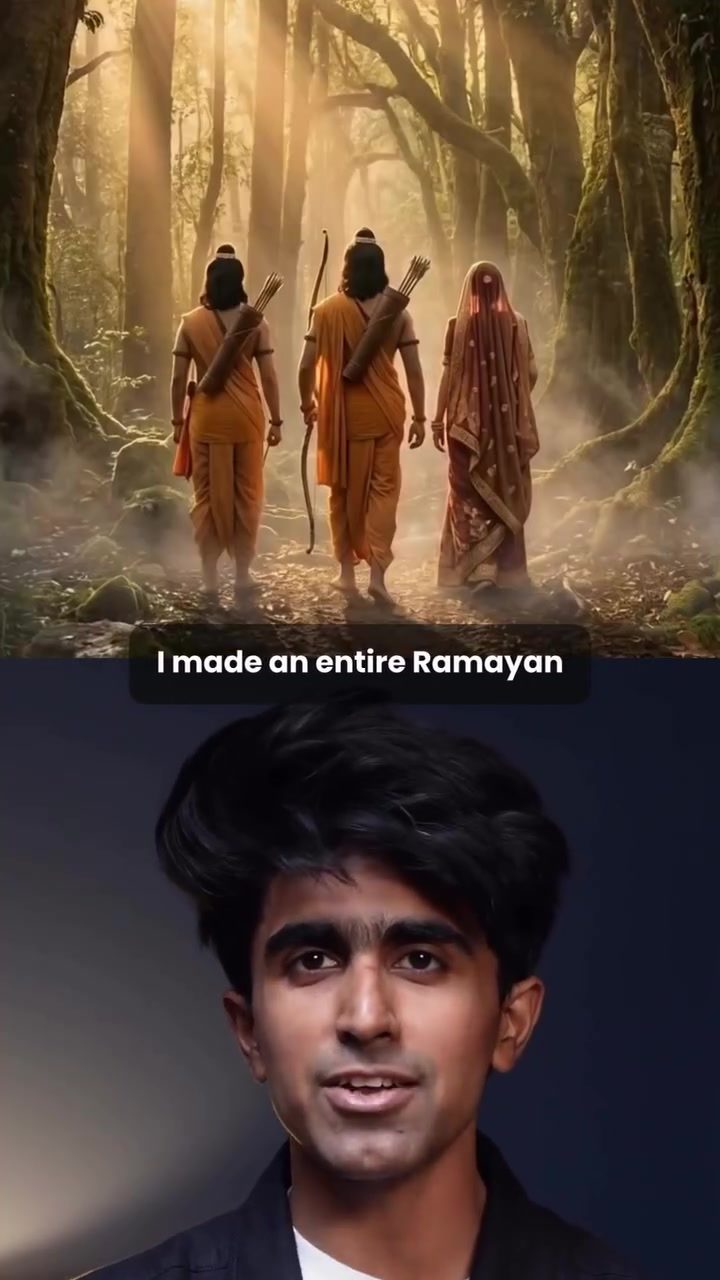
Creating Ramayana Trailer with AI Film Platform
Creating a compelling film trailer, especially one based on an epic like the Ramayana, can be a daunting task. But with the right tools, the process can be streamlined and even enjoyable. The key to this efficiency lies in leveraging advanced AI filmmaking platforms, such as Morphic, which offer a suite of features designed to simplify the creative process.
Why this Matters
The Ramayana is more than just a epic story; it's a cultural heritage that resonates deeply with millions of people around the world. Crafting a trailer that captures the essence of this tale requires a blend of artistic vision and technical prowess. Using AI-driven software, creators can focus more on the creative aspects, letting the technology handle the heavy lifting of scene generation, character consistency, and post-production. This democratizes filmmaking, allowing even those without extensive resources or technical expertise to produce high-quality content.
Storyline and Shot Creation
The first step in creating a Ramayana trailer using Morphic involves meticulous planning and research. Start by identifying the key moments and scenes from the Ramayana that you want to include in your trailer. Once you have a clear outline, head to the co-pilot feature within Morphic's interface. This tool helps you break down these key moments into cinematic shots with detailed prompts.
The co-pilot feature is particularly useful because it generates multiple shot ideas complete with ready-to-use prompts. This not only saves time but also sparks creativity by offering various perspectives and angles. Once you have your shots planned, the next step is to start generating images. Copy the prompts into Morphic's prompt bar, choose a realistic style, and select the appropriate aspect ratio.
Image to Video
After generating the images, the next step is to transform these static visuals into dynamic video clips. Morphic offers a variety of tools to enhance these images, making them more suitable for a cinematic experience. For instance, you can add simple action prompts like "burning the city" or "walking through fire" to bring life to your shots. The platform also allows you to adjust the background, ensuring that every scene aligns with the desired aesthetic.
The process of converting images to video is seamless with Morphic. Once the initial images are generated, you can refine them further by adding action prompts and adjusting the background. For example, you might want to change the background to a forest setting or add specific elements like water splashes or fire. This level of customization ensures that each shot is tailored to fit the overall narrative.
Music, SFX, and Narration
Music, sound effects (SFX), and narration play a crucial role in setting the mood and enhancing the storytelling experience. With Morphic, adding these elements is straightforward. After filling your canvas with videos, navigate to the prompt bar and select the audio section. Here, you can generate intense Indian mythological thriller music by simply typing the desired vibe.
For SFX, click on each shot’s "Add SFX" icon and type in specific sounds like thunder, water splashes, or fire crackles. This layer of audio effects brings depth to the visuals, making the scenes more immersive. For narration, use the speech feature in the audio section to add your voiceovers. Place these narrations exactly where needed to complement the visuals and music, creating a cohesive and engaging trailer.
Editing
The final step in creating your Ramayana trailer is editing. Morphic’s editing tools allow you to compose all your clips, arranging them seamlessly with the music, SFX, and narration. This step ensures that the trailer flows smoothly and tells a cohesive story. By using Morphic, what typically takes months can be completed in just a few hours, making the process efficient and enjoyable.
Practical Tips
Here are a few practical tips to make the most out of Morphic:
- Research Thoroughly: Before diving into the creation process, thoroughly research the key scenes and moments of the Ramayana. This will give you a solid foundation to build your trailer.
- Experiment with Prompts: Don't be afraid to experiment with different prompts to see what works best. The co-pilot feature in Morphic is a powerful tool that can generate a variety of shot ideas.
- Refine Your Images: Take time to refine your images with detailed prompts and customizations. This will ensure that each shot is visually appealing and consistent with the overall theme.
- Utilize Audio Features: Music, SFX, and narration are essential elements of any trailer. Use Morphic’s audio tools to enhance the emotional impact and storytelling of your trailer.
- Edit Seamlessly: Take advantage of Morphic's editing tools to arrange your clips, music, and narration in a way that tells a cohesive and engaging story.
Important Takeaways
- Efficiency: AI filmmaking platforms like Morphic significantly reduce the time and effort required to create high-quality film trailers.
- Consistency: These tools ensure character and scene consistency, making the editing process smoother.
- Customization: With a variety of prompts and customization options, you can tailor your trailer to fit the desired aesthetic and narrative.
- User-Friendly: Even those without extensive technical knowledge can create professional-looking trailers with these platforms.
Conclusion
Creating a Ramayana trailer using an AI filmmaking platform like Morphic is a streamlined and enjoyable process. By breaking down the project into clear steps—from storylining and shot creation to image-to-video conversion, audio enhancement, and editing—you can produce a high-quality trailer that captures the essence of the Ramayana. This not only saves time but also allows creators to focus on the artistic aspects, making filmmaking more accessible and efficient.
Questions readers ask
What is Morphic and how does it aid in creating a Ramayana trailer?
Morphic is an advanced AI filmmaking platform designed to simplify the trailer creation process. It offers tools for planning scenes, generating dynamic video clips, and even creating special effects, making it easier to bring the epic Ramayana story to life. You can use it to create Ramayana character creation to AI SFX generation, narration for trailers and more.
Can AI really help in creating a compelling trailer for a complex story like the Ramayana?
Absolutely. AI can handle technical aspects like video generation, sound effects and narration, allowing creators to focus on the narrative and creative direction. This ensures that the trailer not only looks impressive but also effectively captures the essence of the Ramayana.
What are the key steps involved in using AI for trailer creation with Morphic
The process typically involves planning your scenes, utilizing AI-generated video clips, and incorporating special effects. Morphic provides tools for each of these steps, guiding you through the creation process from start to finish.
How can AI assist in creating captivating visuals for a Ramayana trailer?
AI can generate dynamic video clips and special effects that bring the epic battles, mythical creatures, and grand landscapes of the Ramayana to life. These tools help in creating visually stunning scenes that align with the narrative, making the trailer more engaging.
Is prior filmmaking experience necessary to create a Ramayana trailer with AI?
While prior experience can be helpful, it is not strictly necessary. AI filmmaking platforms like Morphic are designed to be user-friendly, offering intuitive tools that guide users through the trailer creation process, from planning to final output.
Can AI be used to generate narration for a Ramayana trailer?
Yes, AI can generate narration that fits the tone and style of the Ramayana. This includes voiceovers that can be customized to match the characters and the narrative, ensuring that the trailer's voice aligns with the epic's rich storytelling tradition.
Related deep dives
Similar reads based on topic and creator.




Recent articles
Fresh deep dives from the latest Reels we unpacked.




Comments
Be the first to comment.