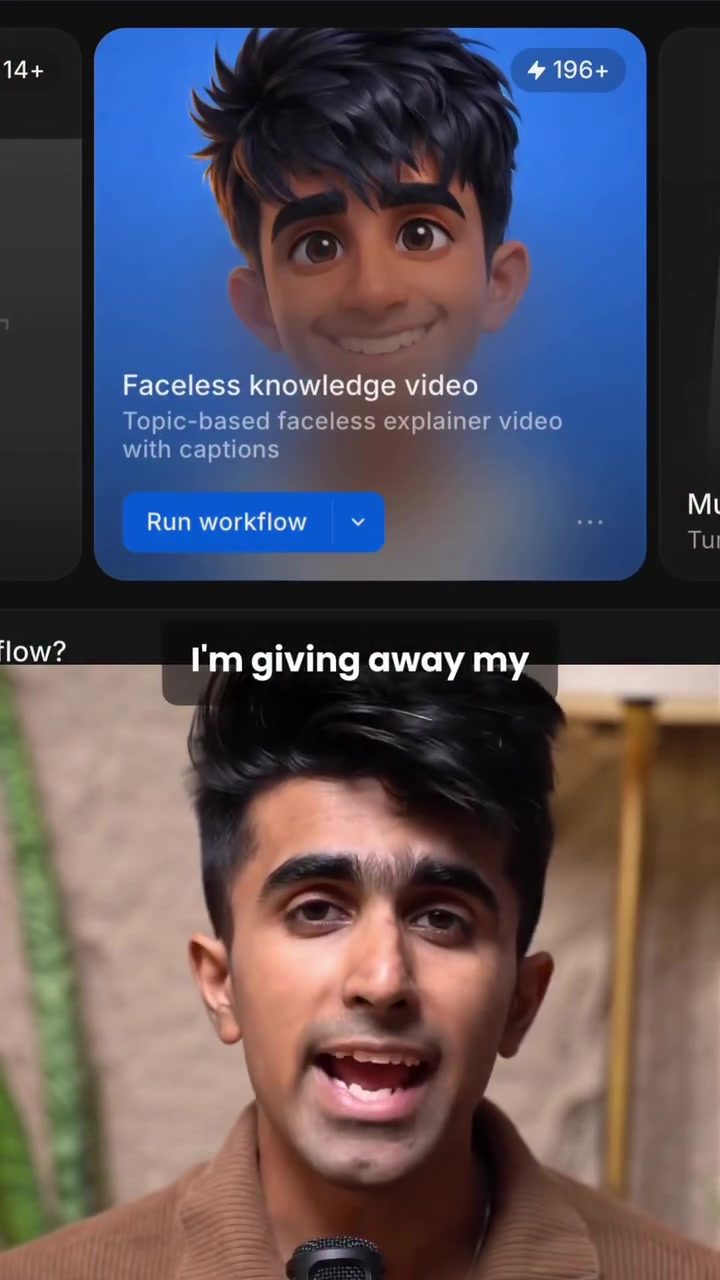
Faceless Video Creation Workflow with Morphic
By harnessing AI, video content creators can effectively streamline the production process for faceless explainer videos. This is particularly useful in scenarios where a narrator's image or identity doesn't need to be made visible. Faceless videos can be used for educational content, tutorials, or any situation where the focus should be on the information being conveyed, rather than the person presenting it.
Why This Matters
There are many compelling reasons to use faceless videos. They can help maintain privacy, focus on the content, and even save time by eliminating the need for extensive on-camera presence and editing. This makes them especially useful for content creators who want to produce high-quality videos consistently, without the distraction of their own image.
Main Discussion
What is Morphic?
Morphic is a cutting-edge AI-powered video creation tool. It offers a range of workflows that make it incredibly easy to produce professional faceless videos. The platform's new feature, Morphic workflows, allows users to combine multiple creative tools, such as image generation, video editing, and voiceover creation, into a single, streamlined process.
What Can You Do with Morphic Workflows?
With Morphic workflows, users can:
- Generate Images: Start by specifying the topic and style for your video. The platform generates images that fit those parameters, ensuring the visual content is both relevant and high-quality.
- Convert Images to Videos: Once the images are approved, Morphic automatically converts them into a video format. This includes adding transitions, effects, and even voiceovers to create a cohesive and engaging video.
- Commercial Use: All the content generated through Morphic workflows is yours to use commercially, allowing you to monetize your videos without any restrictions.
How to Use the Faceless Video Creation Workflow
The faceless video creation workflow is straightforward and doesn't require any prior AI experience. Here’s a step-by-step guide:
- Specify Your Topic and Style: Begin by typing in the topic you want to create a video about, followed by the specific style you prefer. This could be anything from a modern, sleek design to a more traditional look.
- Review and Approve: Review the generated images and approve them. This step ensures that the visual content meets your expectations and aligns with your vision for the video.
- Automatic Conversion: Once approved, the images are automatically converted into a video format. This includes adding voiceovers and other necessary elements to make the video complete.
- Post and Grow: Your video is now ready to post. You can use these videos to grow your channel and reach a wider audience.
This process is not only efficient but also allows for a high level of customization, ensuring that each video is tailored to the specific needs and preferences of the creator.
Practical Tips
- Experiment with Styles: Don’t be afraid to experiment with different styles and themes. This can help you find a unique aesthetic that sets your content apart.
- Use High-Quality Voiceovers: Since the focus is on the content and not the presenter, investing in high-quality voiceovers can significantly enhance the viewing experience.
- Optimize for SEO: Ensure your videos are optimized for search engines by including relevant keywords in the title, description, and tags. This will help increase visibility and attract more viewers.
Important Takeaways
Faceless video creation with Morphic workflows is a game-changer for content creators. Its ease of use and powerful features make it an invaluable tool for producing high-quality, engaging content. Whether you’re a seasoned creator or just starting, this platform can help you take your video content to the next level.
Conclusion
For anyone looking to create faceless explainer videos, the Morphic workflows feature is an excellent solution. It simplifies the creation process, allowing you to focus on the content rather than the technicalities. By leveraging AI, you can produce professional videos efficiently and grow your channel without the need for extensive editing or on-camera presence.
Questions readers ask
What is a faceless video and why would I want to create one?
A faceless video is a type of video content that does not feature a visible presenter. Instead, it focuses solely on the information being conveyed, often using text, images, and voiceovers. Creators might choose to produce faceless videos to maintain privacy, emphasize content, or save time by avoiding extensive on-camera presence and editing.
How does Morphic's AI workflow simplify faceless video creation?
Morphic's AI workflow streamlines faceless video creation by offering tools to generate images, add voiceovers, and create videos in a single, efficient process. This allows creators to produce high-quality content without the need for complex video editing skills or extensive equipment.
Can I use Morphic to create videos without any on-screen text?
While Morphic's AI workflow is designed to create videos with text and visuals, you can customize the content to minimize on-screen text if desired. The focus of Morphic's toolset is on generating engaging visuals and voiceovers to support the narrative.
What types of content are best suited for faceless videos?
Faceless videos are ideal for a variety of content types where the focus should be on the information rather than the presenter. This includes tutorials, explainer videos, how-to guides, and any content where visuals and voiceovers can clearly convey the message.
Do I need any special equipment to create faceless videos with Morphic?
No, one of the key benefits of using Morphic for faceless video creation is that it requires minimal equipment. Since there is no on-screen presenter, you won't need cameras or lighting setups. All you need is a computer and access to Morphic's AI tools.
Can Morphic help with voiceovers for my faceless videos?
Yes, Morphic's AI workflow includes tools to add voiceovers to your videos. This allows you to narrate your content clearly and professionally, enhancing the overall quality of your faceless video without the need for extensive audio recording equipment or skills.
What are the steps to create a faceless video using Morphic's AI workflow?
The process typically involves generating any necessary images or visuals, adding a voiceover to narrate the content, and then using Morphic's tools to compile these elements into a cohesive video. The specific steps will be guided by Morphic's user-friendly interface, ensuring a smooth and efficient creation process.
Related deep dives
Similar reads based on topic and creator.




Recent articles
Fresh deep dives from the latest Reels we unpacked.




Comments
Be the first to comment.