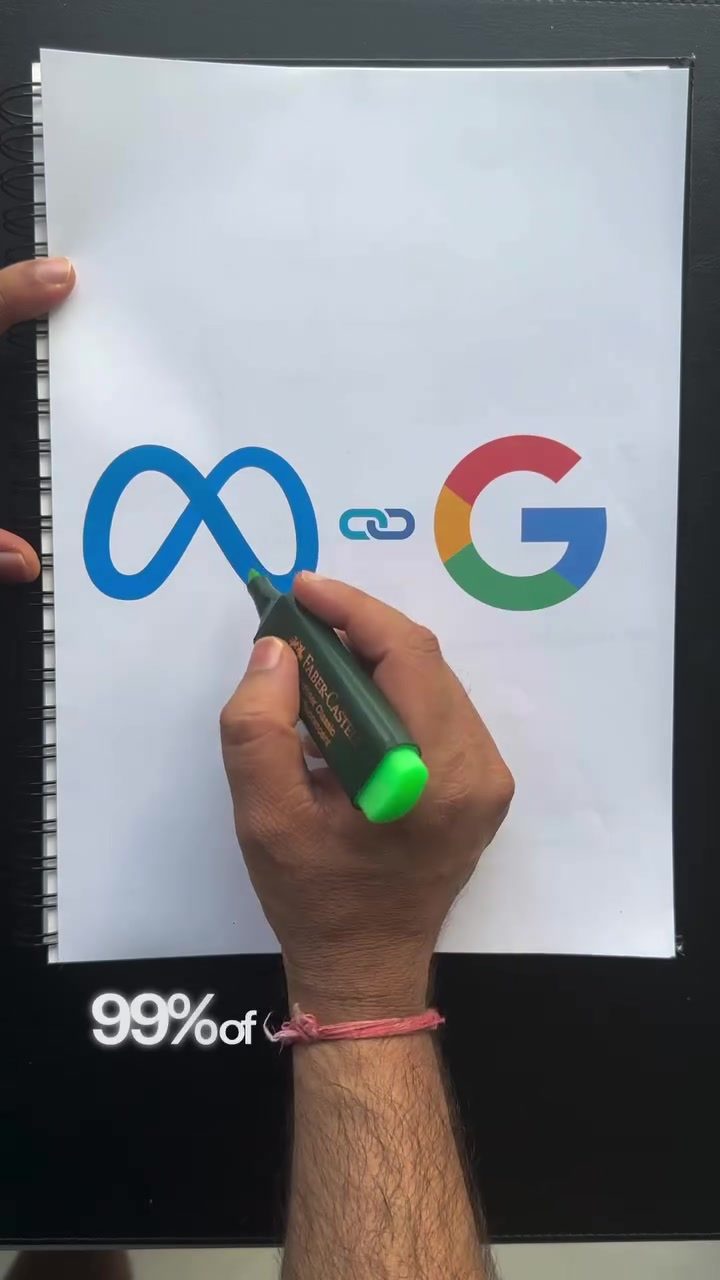
Connecting Google Ads and Meta Ads
Cross-connecting advertising platforms is a powerful strategy in performance marketing. By connecting Google Ads and Meta Ads, you can retarget users who visited your website from Google Ads on Meta platforms, thereby enhancing your advertising efficiency. This approach is particularly effective for businesses with significant traffic but may not be suitable for smaller enterprises. Here’s a step-by-step guide to help you understand and implement this strategy.
Why This Matters
In the competitive world of digital advertising, maximizing the effectiveness of your ad spend is crucial. By cross-connecting Google Ads and Meta Ads, you can create a seamless user journey that increases the likelihood of conversions. This strategy allows you to retarget users who have shown interest in your products or services but did not make a purchase, giving you a second chance to convert them.
Understanding the Process
The User Journey
Imagine a user searches for "organic lipstick" on Google. They see your ad, click on it, and are directed to your website. Here, they browse through various lipstick options but leave without making a purchase. This is where the cross-connection between Google Ads and Meta Ads comes into play.
Setting Up the Connection
To ensure this connection works effectively, you need to install the Meta Pixel on your website. This pixel tracks user behavior and allows you to create custom audiences based on their actions. Additionally, make sure that you are using Google Ads UTM parameters in your search ads. This helps in tracking the source of the traffic and understanding user behavior.
Creating Custom Audiences
Once users drop off without making a purchase, you can create a custom audience of these website visitors on Meta Ads Manager. This audience consists of users who came to your website from Google Ads but did not convert. You can then use this audience in your remarketing campaigns on Meta, targeting them with tailored ads to encourage them to return and complete their purchase.
Utilizing Remarketing
The key to successful remarketing is to understand the user's journey and tailor your ads accordingly. By creating a cohort of audiences who came to your website from Google Ads, you can design more effective remarketing campaigns. This approach ensures that your ads are shown to users who have already shown interest in your products, increasing the likelihood of conversion.
Avoiding Common Pitfalls
While this strategy is effective, there are a few loopholes to avoid:
-
Ensure Pixel is Firing Properly: Make sure that the Meta Pixel is correctly installed and functioning on your website. A malfunctioning pixel can lead to inaccurate data and ineffective remarketing.
-
Use Correct UTMs: Always use UTMs and ensure they are correctly set up. Incorrect UTMs can lead to misattribution of traffic sources and ineffective targeting.
-
Exclude Converters: Make sure to exclude users who have already made a purchase from your custom audience. This prevents unnecessary ad spend on users who have already converted.
-
Avoid Low Volume: Ensure that the custom audience you create has a sufficient volume. A low-volume audience may not be statistically significant and could lead to ineffective targeting.
Practical Tips
For Beginners
If you are new to cross-connecting Google Ads and Meta Ads, start by familiarizing yourself with the tools. Learn how to install the Meta Pixel and set up UTM parameters. Experiment with small campaigns to understand the user journey and optimize your remarketing efforts.
For Advanced Users
For those who are already experienced, consider using advanced targeting options. Create multiple custom audiences based on different user behaviors, such as time spent on the website, pages visited, and products viewed. This granular approach allows for more personalized and effective remarketing campaigns.
Important Takeaways
-
Install Meta Pixel: Ensure the Meta Pixel is correctly installed on your website to track user behavior accurately.
-
Use UTMs: Always use Google Ads UTM parameters to track the source of your traffic effectively.
-
Create Custom Audiences: Utilize Meta Ads Manager to create custom audiences of website visitors who did not convert.
-
Remarketing Campaigns: Use these custom audiences in your remarketing campaigns on Meta to retarget users and increase conversion rates.
-
Avoid Common Mistakes: Ensure your pixel is firing properly, use correct UTMs, exclude converters, and avoid low-volume audiences.
Conclusion
Cross-connecting Google Ads and Meta Ads is a powerful strategy for enhancing your performance marketing efforts. By understanding the user journey, setting up the connection correctly, and avoiding common pitfalls, you can create effective remarketing campaigns that drive conversions. This approach is particularly beneficial for businesses with significant traffic, providing a second chance to convert users who have shown interest in your products.
Questions readers ask
What are the first steps to connect Google Ads to Meta Ads for remarketing?
To begin, ensure you have admin access to both your Google Ads and Meta Ads accounts. Next, set up the Meta Pixel on your website to track user behavior. This will allow you to create audiences based on specific actions, such as page visits or purchases, which can then be used for retargeting campaigns on Meta platforms.
How does cross-platform advertising benefit my remarketing strategy?
Cross-platform advertising allows you to reach users who have interacted with your brand on Google but may not have converted immediately. By retargeting these users on Meta, you increase the chances of capturing their interest and driving conversions. This holistic approach ensures that your marketing efforts are not siloed, leading to a more cohesive and effective strategy.
Can I use Google Ads and Meta Ads together if I have a small business with low website traffic?
While connecting Google Ads and Meta Ads can be beneficial, it may not be the most cost-effective strategy for small businesses with low website traffic. The effectiveness of remarketing relies on having a sufficient audience to retarget. For smaller enterprises, it might be more practical to focus on a single platform or explore other targeted advertising methods.
What is the role of the Meta Pixel in connecting Google Ads and Meta Ads?
The Meta Pixel is a critical tool for tracking user interactions on your website. By installing the Meta Pixel, you can create custom audiences based on user behavior, such as visiting specific pages or adding items to a cart. These audiences can then be used to retarget users on Meta platforms, ensuring that your ads are shown to those who are most likely to convert.
How can I improve conversion rates by connecting Google Ads and Meta Ads?
By retargeting users who have visited your website from Google Ads on Meta platforms, you can create a seamless and continuous ad experience which can increase the likelihood of conversions. This approach ensures that users are reminded of your brand across different platforms, reinforcing their interest and guiding them back to your website to complete a purchase or take a desired action.
What are the key considerations for maximizing ad spend when using both Google Ads and Meta Ads?
To maximize your ad spend, focus on creating highly targeted audiences and using compelling ad creatives. Regularly analyze the performance of your campaigns on both platforms and adjust your bidding strategies accordingly. Consider using automated bidding options if you have the necessary budget and resources, which can help optimize your ad spend for better results.
How do I set up retargeting campaigns on Meta using data from Google Ads?
Once you have connected Google Ads and Meta Ads, you can set up retargeting campaigns on Meta by using the custom audiences created from Google Ads data. In Meta Ads Manager, navigate to the Audiences section and create a custom audience based on your Google Ads data. Then, create a new ad campaign and select the custom audience you created, ensuring that your ads are shown to users who have previously engaged with your brand on Google.
Related deep dives
Similar reads based on topic and creator.




Recent articles
Fresh deep dives from the latest Reels we unpacked.




Comments
Be the first to comment.