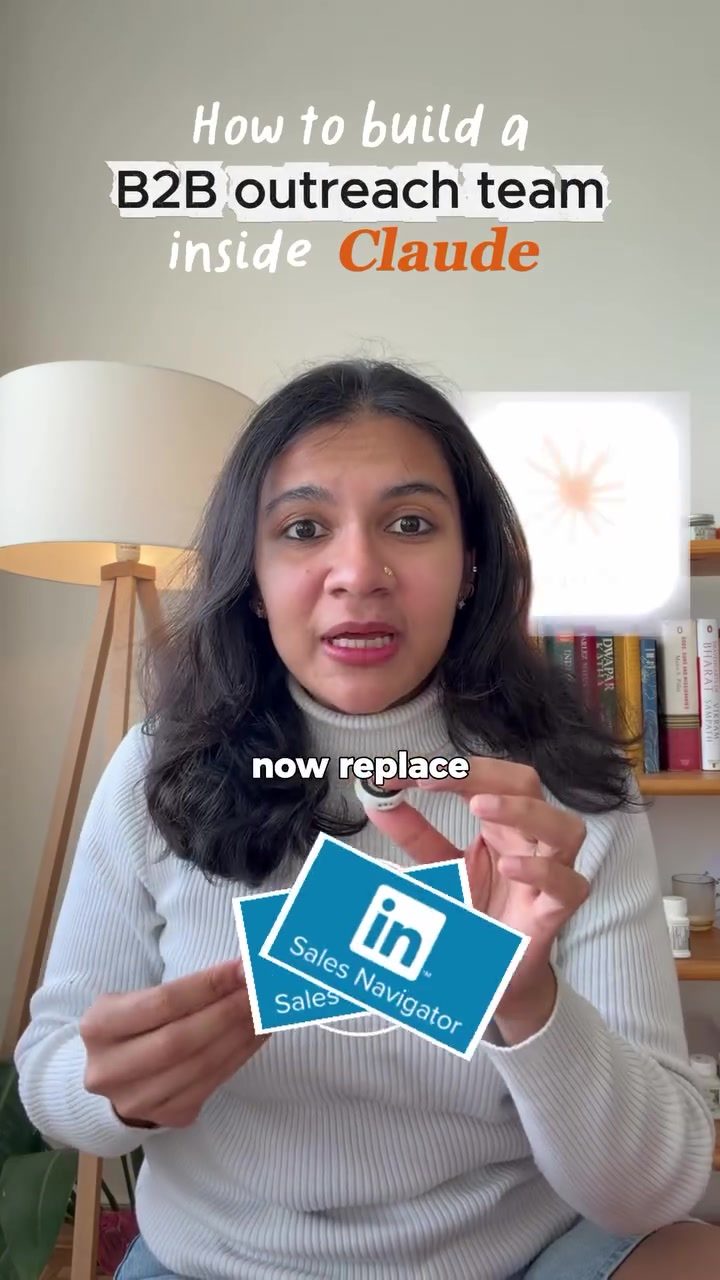
AI-Powered B2B Sales Navigator
Claude is an AI-powered B2B sales software designed to replace your expensive subscription of LinkedIn Sales Navigator. The software offers a suite of features that can streamline the B2B sales process. If you’re ready to elevate your sales outreach, this guide will walk you through the essential tools and techniques to use with Claude.
Why This Matters
In the competitive landscape of B2B sales, having the right tools can make a significant difference. Claude provides a comprehensive solution that can automate many of the time-consuming tasks involved in sales outreach. By leveraging AI, Claude can help you identify ideal prospects, gather detailed company information, and even craft personalized outreach emails. This makes it easier to focus on building relationships and closing deals, rather than getting bogged down in data entry and research.
Main Discussion
Setting Up Your Sales Pipeline
To get started with Claude, you need to set up your sales pipeline. Here's a step-by-step guide to help you through the process:
-
Connect Your Tools: Ensure that Apollo, IOT, and Gmail are connected to Claude. These connections allow Claude to gather data from multiple sources, giving you a more comprehensive view of your prospects.
-
Create a New Project: Set up a new project in Claude and name it "Sales Pipeline." This will serve as your centralized hub for all sales activities.
-
Project Instructions: Paste in a file as project instructions. This file will train Claude to act as your B2B sales assistant, tailoring its actions to your specific needs.
Finding Ideal Prospects
One of the standout features of Claude is its ability to find ideal prospects. Here’s how it works:
-
ICP Builder Skill: Use the ICP (Ideal Customer Profile) builder skill to define your target persona. Claude will generate custom Apollo search filters based on this profile, ensuring that you are targeting the right audience.
-
Prospect Finder Skill: Run the prospect finder skill with a custom prompt. This will help Claude identify 50 prospects that match your ideal customer profile, providing you with a list of names, roles, companies, verified emails, and even phone numbers.
Researching Companies
Before reaching out to potential clients, it’s crucial to gather as much information as possible. Claude’s company spy feature can help with this:
- Company Spy: Replace the Account IQ feature with a custom prompt and skill. This allows Claude to research every aspect of the company, from their products and services to their recent growth signals like hiring, funding, or launches. It even provides a BANT (Budget, Authority, Needs, Timeline) score, which helps you determine if the company is a good fit for your pitch.
Crafting Personalized Emails
Claude can also help you write highly personalized emails, which is essential for successful outreach:
-
Message Crafter: Use the message crafter to generate emails tailored to each prospect. Claude will consider the information gathered from the company spy feature to create compelling and personalized messages.
-
Follow-Up Sequencer: This feature helps Claude craft the next five emails in the sequence. These emails will be automatically pasted as drafts in your Gmail, allowing you to review and send them with just a few clicks. This ensures that your follow-up process is consistent and efficient.
Practical Tips
Maximizing Claude’s Potential
To get the most out of Claude, consider the following tips:
-
Regular Updates: Keep your project instructions up-to-date to ensure that Claude is always working with the most relevant information. Regularly update your ICP and prospect lists to reflect any changes in your target market.
-
Custom Prompts: Experiment with different custom prompts to see which ones yield the best results. Tailor your prompts to fit the specific needs of your sales process.
-
Integration: Ensure that all relevant tools and platforms are connected to Claude. This will give you a more comprehensive view of your prospects and make your workflow more efficient.
Leverage the Pipeline Board
Claude’s pipeline board is a powerful tool for monitoring your sales workflow. Here’s how you can make the most of it:
-
Visual Tracking: The pipeline board provides a visual representation of your sales pipeline, making it easy to track the progress of each deal.
-
Clickable Links: All items on the pipeline board are clickable, allowing you to quickly access detailed information about each prospect.
-
Monitoring: Use the pipeline board to monitor your entire sales workflow, from initial contact to closing the deal. This helps you stay organized and focused on what matters most.
Important Takeaways
Here are the key points to remember when using Claude for your B2B sales outreach:
-
Comprehensive Tool: Claude offers a wide range of features, including lead finding, company research, and outreach generation, making it a comprehensive solution for B2B sales.
-
Customizability: Custom prompts and skills allow you to tailor Claude’s actions to your specific needs, ensuring that it works effectively for your sales process.
-
Efficiency: By automating many of the time-consuming tasks involved in sales outreach, Claude helps you focus on building relationships and closing deals.
-
Integration: Connecting all relevant tools and platforms to Claude ensures that you have a comprehensive view of your prospects and can streamline your workflow.
Conclusion
Claude is a powerful AI-powered B2B sales tool that can help you streamline your sales outreach process. By leveraging features like the ICP builder, prospect finder, company spy, and message crafter, you can automate many of the time-consuming tasks involved in B2B sales. This allows you to focus on building relationships and closing deals, ultimately driving your business forward. If you’re ready to take your B2B sales to the next level, consider integrating Claude into your sales strategy.
Questions readers ask
How does Claude AI help in automating sales outreach tasks?
Claude AI automates B2B sales outreach by identifying ideal prospects, crafting personalized outreach emails, and gathering detailed company information. This allows sales professionals to focus more on building relationships and closing deals, rather than spending time on repetitive tasks.
What are the key features that make Claude AI a strong alternative to LinkedIn Sales Navigator?
Claude AI offers a suite of features including AI-powered prospecting, personalized outreach email creation, and detailed company information gathering. These features make it a comprehensive tool for automating time-consuming tasks, similar to what you might expect from LinkedIn Sales Navigator, but with a focus on AI-driven efficiency.
How does Claude AI assist in B2B sales prospecting?
Claude AI uses advanced algorithms to identify and qualify potential prospects, providing a list of ideal leads for sales teams. This process involves analyzing data points to ensure that the prospects are a good fit for the company’s offerings, saving time and resources in the prospecting phase.
Can Claude AI be integrated with other sales tools and platforms?
Yes, Claude AI is designed to integrate seamlessly with other sales tools and platforms, enhancing its overall functionality. This integration capability allows users to maintain their existing workflows while benefiting from Claude AI's advanced automation features, ensuring a smooth transition and improved efficiency.
How does Claude AI compare to Apollo.io in terms of B2B sales automation?
Both Claude AI and Apollo.io offer robust B2B sales automation features, but Claude AI stands out with its AI-driven prospecting and personalized outreach capabilities. While Apollo.io is known for its comprehensive sales engagement platform, Claude AI focuses more on leveraging AI to automate and streamline the sales process from start to finish.
What kind of information can Claude AI gather about potential prospects?
Claude AI can gather a wide range of detailed information about potential prospects, including company size, industry, and key decision-makers. This information is crucial for crafting personalized outreach messages and tailoring sales strategies to better meet the needs of each prospect.
Related deep dives
Similar reads based on topic and creator.




Recent articles
Fresh deep dives from the latest Reels we unpacked.




Comments
Be the first to comment.