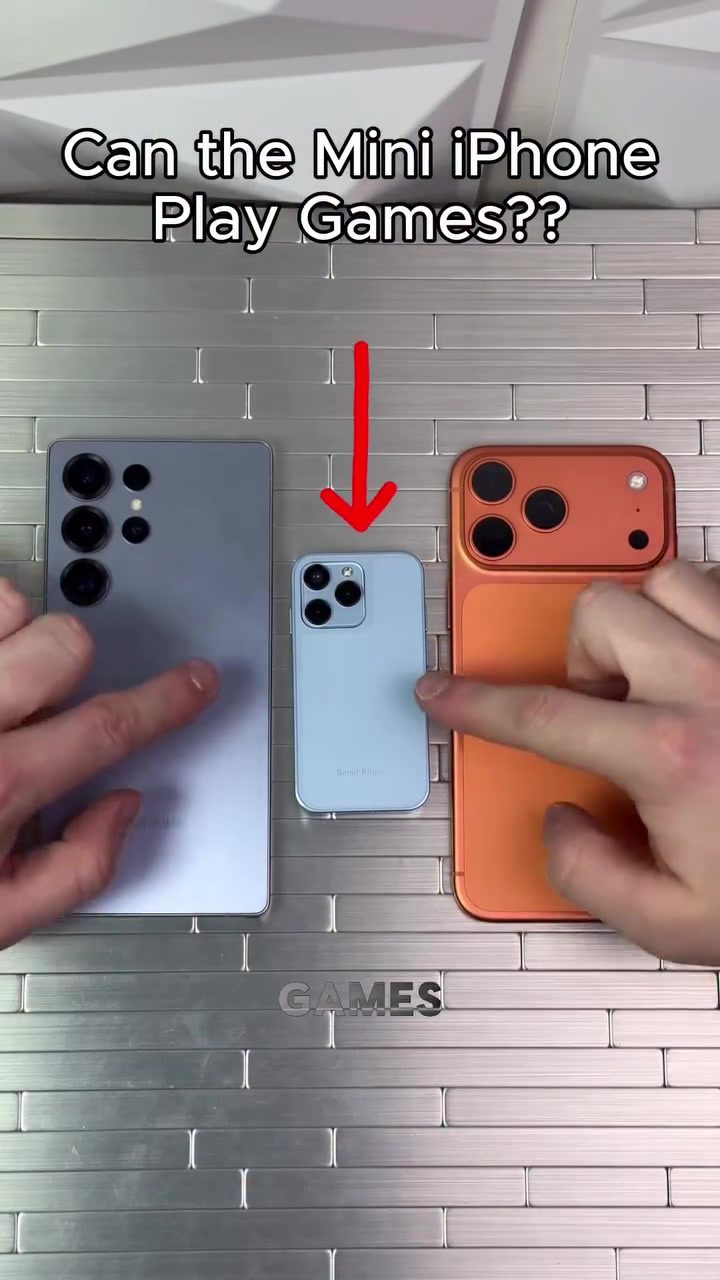
The Mini iPhone: Gaming on a Tiny Screen
Mobile gaming has evolved significantly over the years, and with the release of smaller smartphones like the Mini iPhone, questions arise about their gaming capabilities. The Mini iPhone, roughly a third of the size of a standard iPhone, poses an intriguing challenge: can it handle modern mobile games effectively?
Why This Matters
The Mini iPhone's compact size offers portability and convenience, but these benefits come with trade-offs, particularly in gaming. The smaller screen and potentially less powerful hardware could impact gameplay performance. Understanding how well the Mini iPhone performs in gaming scenarios can help potential buyers make informed decisions about whether to opt for a larger smartphone or embrace the convenience of a smaller device.
Exploring Gaming on the Mini iPhone
Benchmarking Performance
To gauge the Mini iPhone's gaming capabilities, let's start with a simple comparison. The Mini iPhone, while smaller, is equipped with powerful enough hardware to run the basics, though obviously not as smoothly as a flagship model. Subway Surfers, a popular endless runner game, loads quickly on the Mini iPhone, but the gameplay experience is noticeably less smooth compared to larger devices. The graphics and controls lag slightly, particularly in faster game modes, which can affect the overall enjoyment of the game.
Real-World Gaming
For a more comprehensive test, let's look at a more demanding game: Free Fire. Free Fire is a battle royale game that requires quick reflexes and precise controls. On the Mini iPhone, the game runs, but the smaller screen size presents a significant challenge. The controls are less responsive, and the game's fast-paced action can be harder to navigate. Players with smaller thumbs might find it easier to control, but for those with larger hands, the Mini iPhone's screen feels cramped. Despite these challenges, it is still possible to play and even achieve notable gameplay moments, such as scoring kills, but the experience is far from ideal.
Control and Navigation
One of the standout issues with gaming on the Mini iPhone is the control mechanism. The smaller screen means that on-screen buttons are also smaller, making precise movements more challenging. Games like Free Fire, where timing and accuracy are crucial, suffer the most. The limited screen real estate forces players to frequently adjust their grip, adding an extra layer of difficulty to the gameplay. This can be frustrating for players who are used to the larger, more responsive screens of standard smartphones.
Practical Tips for Gaming on a Mini iPhone
If you decide to game on a Mini iPhone, here are some tips to enhance your experience:
- Adjust Sensitivity Settings: Most games allow you to adjust the sensitivity of controls. Lowering the sensitivity can help improve accuracy, making the smaller screen feel more manageable.
- Use External Controllers: If possible, use a Bluetooth controller for games that support external inputs. This can significantly improve your control and responsiveness.
- Play Games with Simple Controls: Opt for games with simpler control schemes that don't require as much precision. Puzzle games, turn-based RPGs, and other casual games are good choices.
- Optimize Screen Settings: Adjust the display settings to reduce eye strain and improve visibility. Increasing the brightness and contrast can make the on-screen elements stand out more clearly.
Important Takeaways
While the Mini iPhone can technically run games, the experience is far from optimal. The smaller screen and potentially less powerful hardware make it less suitable for fast-paced, action-packed games. However, for casual gaming and less demanding titles, the Mini iPhone can still offer a fun and portable gaming experience. The key is to manage expectations and choose games that are well-suited to the device's capabilities.
Conclusion
The Mini iPhone's compact size and portability make it an attractive option for many users, but those prioritizing mobile gaming might find it lacking. The smaller screen and less responsive controls can significantly impact gameplay, especially in fast-paced games. However, with the right adjustments and game choices, the Mini iPhone can still offer a satisfying gaming experience. Ultimately, the decision to game on a Mini iPhone comes down to personal preferences and the types of games you enjoy playing.
Questions readers ask
Can the iPhone Mini run the latest mobile games smoothly?
The iPhone Mini can run many of the latest mobile games, but its performance may vary depending on the game's complexity. While it can handle simpler games effectively, demanding titles may face frame rate issues or slower load times due to its smaller screen and potentially less powerful hardware.
How does the iPhone Mini's screen size affect gameplay?
The iPhone Mini's smaller screen size can make it challenging to enjoy games that require precise controls or have intricate details. Text and UI elements may appear smaller, which could potentially impact visibility and usability. However, the compact size makes it more portable and easier to handle for quick gaming sessions.
What are the benefits of using an iPhone Mini for gaming?
The iPhone Mini's compact size makes it highly portable, allowing gamers to easily take their games on the go. It is also a great option for those who prefer to play games with one hand or who have smaller hands. The smaller screen can also help reduce eye strain during extended gaming sessions.
Are there any specific game genres that work better on the iPhone Mini?
Casual games, puzzles, and strategy games with simple controls tend to work well on the iPhone Mini. These genres do not typically require precise movements or quick reflexes, making them more suitable for the smaller screen. Action games that require quick reflexes or detailed visuals may not be as enjoyable.
Can the iPhone Mini be used for cloud gaming services?
Yes, the iPhone Mini can be used with cloud gaming services like Xbox Cloud Gaming, NVIDIA GeForce NOW, and Apple Arcade. These services allow you to stream games from remote servers, minimizing the reliance on the device's local hardware. However, a stable and strong internet connection is essential for a smooth gaming experience.
How does the iPhone Mini compare to larger iPhones for gaming?
Larger iPhones generally offer better gaming performance due to their more powerful processors and larger screens, which provide more immersive gameplay and better visibility. However, the iPhone Mini's compact size and portability make it a more convenient choice for quick gaming sessions on the go.
What are some tips for enhancing the gaming experience on the iPhone Mini?
To improve the gaming experience on the iPhone Mini, consider adjusting the screen brightness and contrast for better visibility. Additionally, using a Bluetooth controller can enhance control for games that support it. Ensuring your device is running the latest iOS version can also help optimize performance for gaming.
Related deep dives
Similar reads based on topic and creator.




Recent articles
Fresh deep dives from the latest Reels we unpacked.




Comments
Be the first to comment.