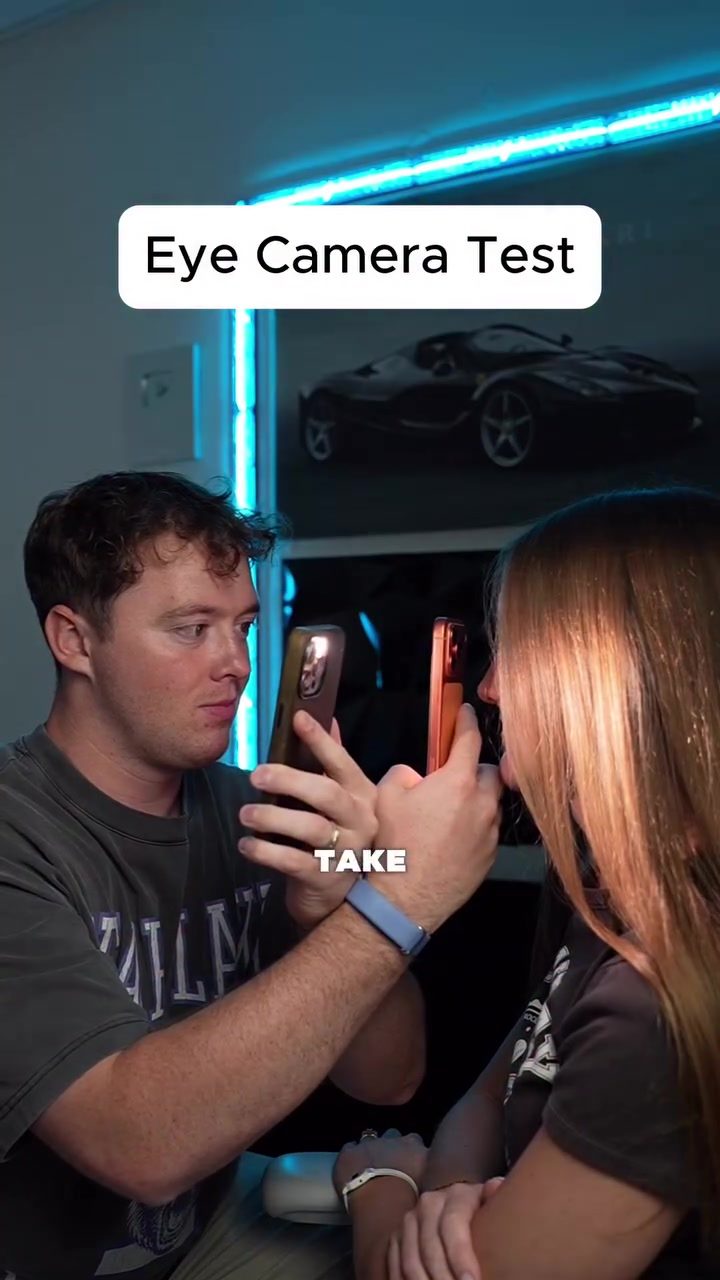
Smartphone Cameras: A Closer Look
Smartphones have become such a major part of our daily lives; we all carry at least one phone with us, and we all depend on these devices for a variety of tasks. One of the most used features on smartphones is the camera. Over the past few years, smartphone manufacturers have significantly improved their camera technology, making it possible for users to capture stunning images even in the most challenging conditions.
This improvement in camera quality has led to many users trying to take macro photography and fine detail shots, such as close-ups of an eye. However, the quality of eye photographs can vary greatly depending on the smartphone model. Therefore, conducting a camera test to determine the best smartphone for capturing high-quality eye photographs is essential.
Why This Matters
Understanding the capabilities of a smartphone's camera can help users make informed decisions when purchasing a new device. Whether you're a photography enthusiast or just someone who enjoys capturing memories, knowing which smartphone offers the best camera performance can significantly enhance your photography experience. Moreover, for those interested in macro photography, the ability to capture fine details and textures is crucial.
The Smartphone Camera Test
The Setup
Smartphone manufacturers are constantly pushing the boundaries of mobile photography. Let's dive into the results of a recent test. The test involved several high-end smartphones, including the Apple iPhone 17 Pro Max, Google Pixel 10 Pro XL, OPPO Find X9 Ultra, Vivo X300 Ultra, and other popular models. The goal is to determine which smartphone can capture the best picture of an eyeball.
The Process
Each smartphone was used to take close-up photographs of the eye. A light source was used to ensure proper illumination. The iPhone 17 Pro Max was the first to be tested. The results were surprisingly good, with the iPhone capturing clear details of the iris and surrounding eye area. The Google Pixel 10 Pro XL followed, which also performed well, capturing sharp and detailed images. The OPPO Find X9 Ultra was next and did a commendable job. It captured a crisp image, though it had some difficulty focusing. The Vivo X300 Ultra was the final contestant. It performed exceptionally well.
The Results
After comparing the images from each smartphone, it was clear that the Vivo X300 Ultra offered the best performance in capturing detailed close-up photographs of an eyeball. The level of detail in the iris and surrounding areas was impressive, with fine textures and colors clearly visible.
The Samsung Galaxy S26 Ultra was also a strong contender, providing clear and detailed images. However, it did not quite match the level of detail captured by the Vivo X300 Ultra. The Pixel 10 Pro XL and OPPO Find X9 Ultra both performed well, capturing sharp and detailed images, though the Pixel 10 Pro XL had a slight edge in terms of overall image quality.
The iPhone 17 Pro Max, while capturing good images, did not quite reach the level of detail achieved by the other smartphones. The iPhone's results were still impressive, but it fell short in capturing the intricate details of the eye.
Practical Tips
Choosing the Right Smartphone
When selecting a smartphone for macro photography, consider models known for their high-quality cameras. The Vivo X300 Ultra, Pixel 10 Pro XL, and OPPO Find X9 Ultra are excellent choices for capturing detailed close-up images. If you're looking for a more budget-friendly option, the Samsung Galaxy S26 Ultra and iPhone 17 Pro Max are also reliable choices.
Optimizing Camera Settings
To get the best results, adjust the camera settings to optimize for macro photography. Use a tripod or stable surface to minimize camera shake. Utilize the available lighting to ensure that the subject is well-lit. Experiment with different modes and settings to find the best combination for your specific needs.
Post-Processing
Post-processing can enhance the quality of your images. Use editing software to adjust brightness, contrast, and sharpness. Additionally, you can apply filters and effects to make your images stand out. However, be careful not to over-edit, as this can sometimes detract from the natural beauty of the photograph.
Important Takeaways
This camera test highlights the advancements in smartphone camera technology, particularly in capturing detailed close-up images. The Vivo X300 Ultra, Pixel 10 Pro XL, and OPPO Find X9 Ultra emerged as top performers, offering exceptional image quality. The Samsung Galaxy S26 Ultra and iPhone 17 Pro Max also provided good results, though they did not quite match the level of detail captured by the top contenders.
Conclusion
Smartphones have revolutionized the way we capture and share moments. With the advancements in camera technology, it's possible to achieve stunning results, even with a device that fits in your pocket. Whether you're a photography enthusiast or just someone who enjoys capturing memories, choosing the right smartphone with a high-quality camera can significantly enhance your photography experience.
Questions readers ask
Which smartphones are best for capturing eye shots in macro photography?
Several smartphones excel in macro photography, particularly for capturing eye shots. The iPhone 14 Pro and Google Pixel 7 offer excellent detail and sharpness. On the Android side, the Oppo Reno series and Samsung Galaxy S23 Ultra are also strong contenders, with advanced camera systems designed for close-up shots.
How does the iPhone camera compare to Android cameras for eye macro photography?
The iPhone camera, especially in the latest models, is renowned for its consistency and high-quality images. However, Android cameras like the Google Pixel and Samsung Galaxy series often provide more customization options and better low-light performance, which can be beneficial for eye macro photography in various lighting conditions.
What are some tips for ultra-wide macro photography with a smartphone?
To achieve the best results in ultra-wide macro photography, ensure your smartphone is steady by using a tripod or stabilizing surface. Utilize the ultra-wide lens for capturing a broader field of view, and adjust the focus to ensure the eye is sharp. Also, experiment with different angles and lighting to enhance the overall image.
Why do different smartphone models produce varying results in eye photography?
The variance in results comes down to differences in camera hardware and software. Factors such as sensor size, lens quality, and image processing algorithms significantly impact the detail and sharpness of eye shots. Higher-end models typically offer better macro capabilities with features like improved autofocus and optical zoom.
Can I take professional-quality eye shots with a smartphone?
Yes, many smartphones today are capable of producing professional-quality eye shots. Models with advanced camera systems and macro capabilities, such as the iPhone 14 Pro and Google Pixel 7, can capture intricate details and sharp images. Using techniques like manual focus and adjusting settings can further enhance the quality of your eye photographs.
What are some smartphone features to look for in macro photography?
When looking for a smartphone for macro photography, focus on models with dedicated macro lenses, high-resolution sensors, and advanced image processing capabilities. Features like optical image stabilization and manual focus control can also greatly improve the quality of your eye shots.
How can I improve the quality of my smartphone eye photos?
To improve the quality of your smartphone eye photos, ensure your subject is well-lit but avoid harsh shadows. Use the macro mode or ultra-wide lens for detailed shots, and stabilize your phone with a tripod. Additionally, adjust the focus and settings to capture the fine details of the eye, and consider using editing apps to enhance the final image.
Related deep dives
Similar reads based on topic and creator.




Recent articles
Fresh deep dives from the latest Reels we unpacked.




Comments
Be the first to comment.