Automating Sales Enablement with AI Tools
Sales enablement is a critical aspect of any sales process, and with the advent of AI, it has become more efficient and cost-effective. Traditional sales enablement tools can be expensive, costing thousands of dollars annually. However, AI-powered solutions like Otter.ai and others are revolutionizing the way sales teams operate by automating document creation, personalizing client collateral, and streamlining workflows.
Why This Matters
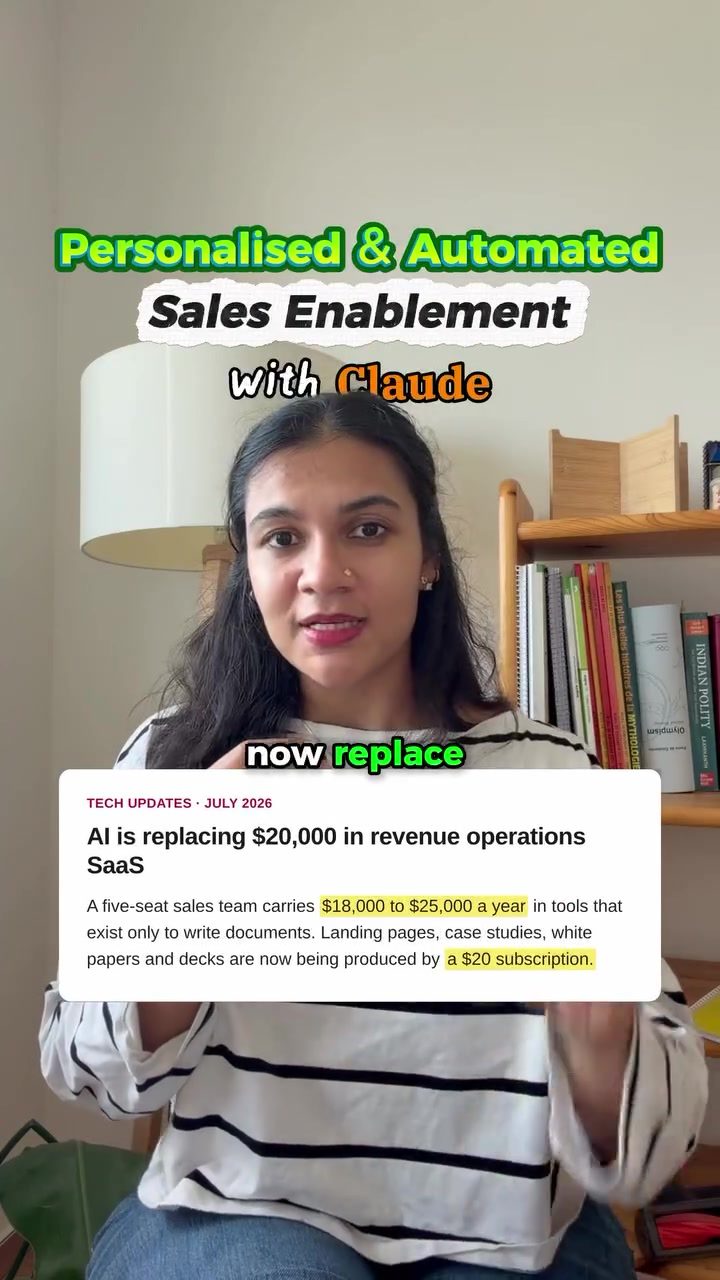
AI tools are transforming the sales landscape by offering automated solutions that significantly reduce costs and increase efficiency. For instance, a five-seat sales team might spend $18,000 to $25,000 a year on traditional tools that are primarily used for document creation. With AI, these same tasks can be accomplished using subscriptions that cost a fraction of that amount.
Setting Up an AI-Powered Sales Enablement System
Setting up an AI-powered sales enablement system involves integrating various tools and automating processes. Here’s a step-by-step guide to getting started:
Step 1: Choose the Right Note-Taking Tool
The first step is to select a note-taking tool that has a native MCP (Model Context Protocol) for Claude or ChatGPT. Tools like Otter.ai, Fireflies, and Granola are examples of note-taking tools that can be integrated with AI models. These tools allow you to paste links to your transcripts, which Claude or ChatGPT can then understand and process.
Step 2: Set Up the Factory
The factory is the core of the system, where the magic happens. This is where the AI maps out the client’s goals and objections and builds custom assets. These assets can include a landing page, a case study, a white paper, and a sales deck, all tailored to the specific needs of the client. To make this process even more efficient, you can drop your logos and brand guidelines into the project folder. The system will then create all the necessary documents in a subfolder named after the client.
Step 3: Integrate with Email
Finally, run the closer as a skill. This feature generates email drafts that you can review, attach the right asset, and send. The Gmail connector drops these drafts directly into your Gmail inbox, making it easy to review and send the emails without any additional effort.
Enhancing Efficiency with Additional Tools
To further enhance the efficiency of the system, consider the following tips:
- Humaniser for Follow-Up Emails: Use a tool like Humaniser to draft follow-up emails that sound more natural and engaging.
- Proof Folder: Create a /proof folder that holds the only numbers Claude or ChatGPT is allowed to use. This ensures that anything missing in the data is flagged as [NEEDS PROOF] instead of being invented.
- First-Party Document Skills: Use first-party docx, pptx, and pdf skills from Anthropics/skills. Skip third-party document MCPs, as the popular ones are often archived and may not be as reliable.
- Brand Tokens: Incorporate brand tokens into your project folder to ensure consistency in branding across all documents.
Practical Tips for Maximizing AI in Sales
- Automate Transcript Analysis: Use tools like Otter.ai to automatically transcribe meetings and analyze the content. This saves time and ensures that no important details are missed.
- Personalize Client Collateral: Tailor landing pages, case studies, white papers, and sales decks to each client’s specific needs. This personalization can significantly enhance the client’s experience and increase the likelihood of a successful sale.
- Standardize Document Creation: Use templates and brand guidelines to standardize the creation of documents. This ensures consistency and professionalism across all client interactions.
- Integrate with Email: Use the Gmail connector to automatically draft and send emails. This streamlines the communication process and ensures that follow-up emails are sent promptly.
Important Takeaways
- Cost Savings: AI tools can replace expensive revenue intelligence subscriptions, saving thousands of dollars annually.
- Efficiency: Automation eliminates manual document creation, freeing up time for more critical tasks.
- Personalization: AI can create personalized collateral for each client, enhancing the client experience and increasing the likelihood of success.
- Integration: Integrating AI tools with existing systems like Otter.ai, Fireflies, and Grain can streamline workflows and improve efficiency.
Conclusion
AI-powered sales enablement tools are revolutionizing the way sales teams operate. By automating document creation, personalizing client collateral, and streamlining workflows, these tools can significantly reduce costs and increase efficiency. Whether you’re a small business or a large corporation, integrating AI into your sales enablement process can provide a competitive edge.
Questions readers ask
What are some examples of tasks AI can automate in sales enablement?
AI can automate a variety of tasks in sales enablement, including document creation, personalizing client collateral such as proposals or presentations, and streamlining workflows. This automation helps sales teams focus more on closing deals and less on administrative tasks.
How much can a sales team save by switching to AI tools?
A sales team can save thousands of dollars annually by replacing traditional tools with AI-powered solutions. For example, a five-seat sales team might save between $18,000 to $25,000 a year by using AI tools for tasks like document creation and personalizing client materials.
What are some AI tools that can be used for sales enablement?
Tools like Otter.ai can be used for sales enablement. Otter.ai is an AI-powered app that transcribes speech into text, and can be used to streamline the sales process, by summarizing calls, taking notes, and creating sales documents.
What is sales enablement and how does AI improve it?
Sales enablement involves providing sales teams with the information, resources, and tools they need to sell effectively. AI improves sales enablement by automating tasks, personalizing client materials, and increasing overall efficiency, which helps sales teams close more deals.
How can AI help in creating personalized client materials?
AI can analyze client data to understand their needs and preferences, then use this information to create personalized client materials. This personalization can include tailored proposals, presentations, and other collateral that are more likely to resonate with the client and increase the chances of closing a deal.
What is an example of an AI-powered sales enablement case study?
Fathom AI is an example of an AI-powered sales enablement tool. Fathom AI helps sales teams to leverage AI to automate sales tasks, personalize client content and streamline workflows. By using Fathom AI, sales teams can save time and money, and increase their efficiency.
How can AI help streamline sales workflows?
AI can streamline sales workflows by automating repetitive tasks, such as data entry and document creation. This automation allows sales teams to focus on high-value activities, such as building relationships with clients and closing deals, rather than spending time on administrative tasks.
Related deep dives
Similar reads based on topic and creator.




Recent articles
Fresh deep dives from the latest Reels we unpacked.




Comments
Be the first to comment.