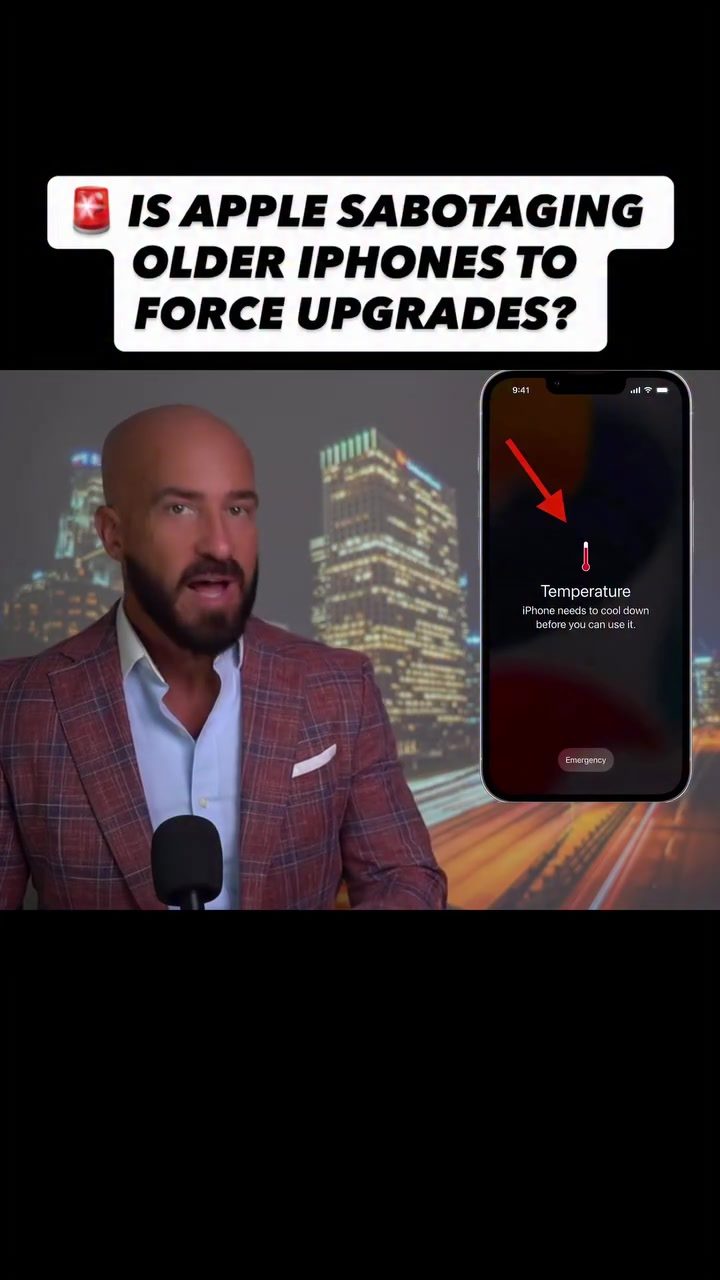
iPhone Temperature Throttling
iPhone users worldwide are reporting a puzzling issue: their phones are running hotter, their battery life is draining faster, and performance has noticeably slowed down. Many are questioning whether Apple is intentionally slowing down older iPhone models. This is not just a matter of speculation—users are reporting concrete symptoms. Let's delve into the details and consider the broader implications.
Why This Matters
This issue goes beyond individual inconvenience. It touches on user trust, product lifecycle, and the ethical responsibilities of tech companies. Understanding the potential causes and implications can help users make informed decisions about their devices and hold companies accountable.
Main Discussion
Performance Issues and Battery Drain
Users have reported several issues with their iPhones after recent updates:
- Increased Temperature: Many users have noticed their phones getting hotter more often, even during routine tasks.
- Battery Life: Phones that used to last two days on a single charge are now struggling to make it through a single day.
- Performance Decline: Devices are working harder to perform tasks that were previously handled smoothly, leading to a noticeable drop in overall performance.
Potential Causes
Several factors could contribute to these issues:
- Software Updates: Recent iOS updates might be causing compatibility issues with older hardware, leading to increased demand on the battery and processor.
- Aging Hardware: As iPhones age, their components can degrade, leading to reduced efficiency and increased heat generation.
- Background Processes: New features or background processes in recent updates might be consuming more resources, causing the phone to run hotter and drain the battery faster.
Planned Obsolescence: Fact or Fiction
Planned obsolescence is the strategic practice of designing products with a limited useful life to stimulate demand for new purchases. Many users are wondering if Apple is employing this strategy with their iPhones. Let's examine the evidence:
- Timing of Issues: The performance decline and battery drain issues coincide with the upcoming release of the iPhone 18, leading some to suspect a deliberate strategy to force users to upgrade.
- Limited Downgrade Options: Apple makes it difficult to downgrade to previous iOS versions, which could be seen as a way to lock users into the latest updates.
- User Experience: Users report that their phones, even the latest models, are experiencing significant battery drain and performance slowdowns, suggesting that the issue might not be merely due to aging hardware.
Practical Tips
If you're experiencing these issues, here are some steps you can take:
Check for Software Updates
Ensure your iPhone is running the latest version of iOS. Sometimes, performance issues can be resolved with updates that optimize software performance.
Monitor Battery Usage
Use the Battery Health feature in your iPhone settings to monitor battery performance. This can help you determine if the issue is hardware-related or if there are specific apps draining your battery.
Manage Background Processes
Close unnecessary background apps and disable features that consume a lot of resources, such as background app refresh and location services for non-essential apps.
Use Optimized Charging
Optimized Charging can help prolong the life of your battery by reducing the time your phone spends fully charged. This feature learns from your daily charging routine and works to reduce the amount of time your phone spends at 100% charge.
Consider External Cooling
If your phone is running hot, consider using a cooling case or removing the case to improve airflow. Avoid using your phone while it's charging to prevent further heating.
Seek Professional Help
If the issue persists, consider contacting Apple Support or visiting an authorized service provider. There might be a hardware issue that needs professional attention.
Important Takeaways
- iPhone performance issues are widespread: Many users are experiencing significant battery drain and performance slowdowns.
- Software updates may be a factor: Recent updates might be causing compatibility issues with older hardware.
- Planned obsolescence is a concern: Users are questioning whether Apple is deliberately slowing down older iPhones to force upgrades.
- Monitor your iPhone’s health: Regularly check your phone's performance and battery health to stay informed about potential issues.
Conclusion
Users worldwide are encountering a range of performance and battery issues with their iPhones. While the exact causes are still up for debate, it's clear that these issues are affecting a significant number of people. Whether it's due to software updates, aging hardware, or strategic planning, addressing these concerns is crucial for maintaining user trust and satisfaction.
Questions readers ask
Why are my older iPhone models running hot and draining battery life faster?
Several factors can contribute to this, including software updates that may not be optimized for older hardware. Additionally, as batteries age, they hold less charge and may cause the device to throttle performance to prevent unexpected shutdowns, leading to heat generation.
Does Apple intentionally slow down older iPhones?
Apple has admitted to implementing performance throttling on older iPhones to manage battery performance and prevent unexpected shutdowns. However, this is not necessarily a deliberate attempt to slow down the devices for profit, but rather a response to aging batteries.
How can I check if my iPhone is being throttled?
You can use the built-in Battery Health feature in the Settings app to see if your iPhone is experiencing significant battery degradation. If it is, your device might be throttling performance to manage battery life more effectively.
What can I do if my iPhone is running hot and slowing down?
First, ensure your iPhone's software is up to date. You can also try resetting your iPhone's settings or performing a factory reset to help alleviate performance issues. If the problem persists, consider contacting Apple Support for further assistance.
Why do iOS updates sometimes slow down older iPhones?
iOS updates can sometimes slow down older iPhones because newer software may not be fully optimized for the older hardware. Additionally, updates often introduce new features and improvements that can consume more resources and affect performance.
How does Apple's battery throttling affect my iPhone's performance?
Apple's battery throttling can lead to a noticeable slowdown in performance, especially in tasks that require significant processing power. This is because the iPhone reduces the maximum performance of the CPU to prevent unexpected shutdowns and prolong battery life.
Is there a way to stop Apple from slowing down my iPhone?
If you are comfortable with the risks, you can choose to disable performance throttling by turning off the 'Optimized Battery Charging' feature in the Settings app. However, this could lead to more frequent shutdowns due to battery issues. Alternatively, consider replacing the battery with a new one.
Related deep dives
Similar reads based on topic and creator.




Recent articles
Fresh deep dives from the latest Reels we unpacked.




Comments
Be the first to comment.