AI Visibility Audit: Ensuring Your Website is Readable by AI
In the rapidly evolving digital landscape, it's crucial to understand how AI platforms like ChatGPT, Claude, and Perplexity interact with your website. These AI systems do not run JavaScript and instead read the raw HTML file sent by your server. This means that if your menu, offers, or product grid are built after the page loads, they may not be visible to AI. As a result, while a human visitor sees a fully loaded page, an AI might see a half-empty one. This discrepancy can significantly impact how AI-driven tools and search engines understand and present your content.
Why This Matters
Understanding the differences between how humans and AI read your website is essential for optimizing your online presence. AI platforms play a crucial role in search engine optimization (SEO), content discovery, and user engagement. If these platforms cannot read your content effectively, your site's visibility and performance can suffer. This is particularly important for e-commerce sites, where navigation and offers are critical for driving sales.
Main Discussion
How Humans and AI See Your Website Differently
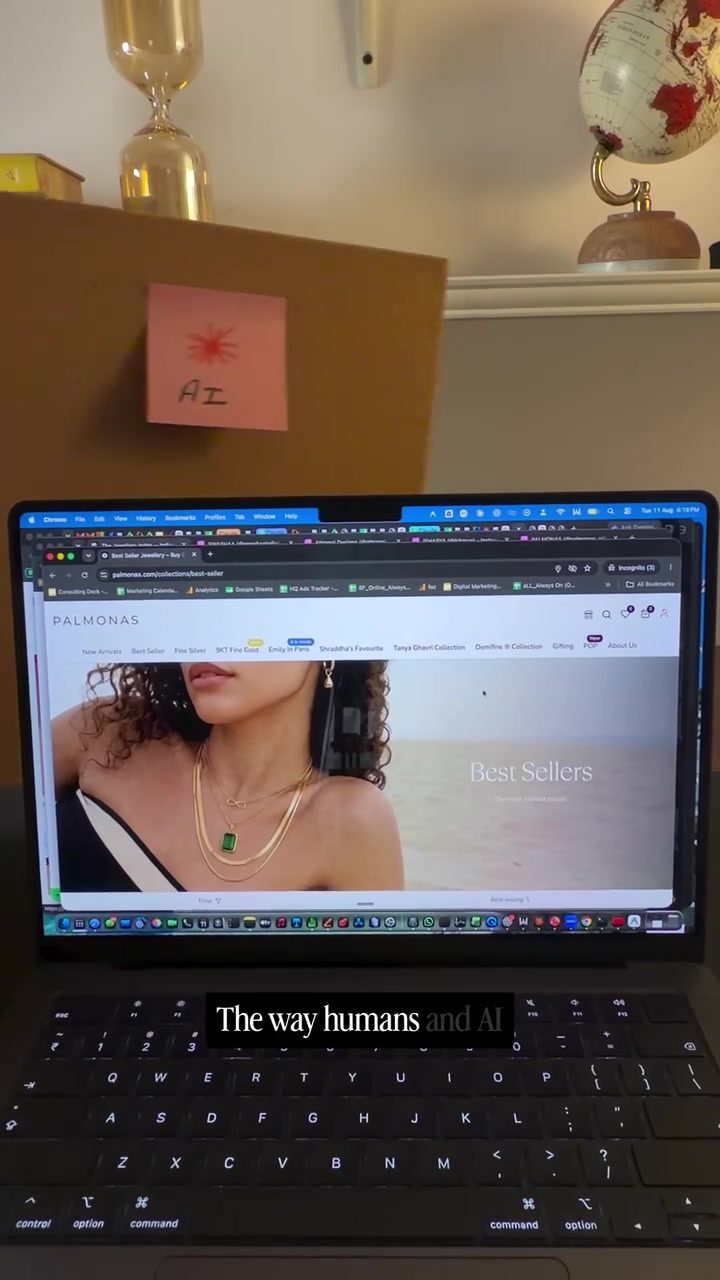
The way humans and AI interpret webpages is fundamentally different. Humans interact with a webpage dynamically, seeing the final rendered version with all images, menus, and interactive elements. In contrast, AI platforms read the raw HTML code sent by the server. This means that any content generated by JavaScript after the initial page load may not be visible to AI.
To see what humans perceive, right-click on the webpage, select "Inspect," and then right-click on the highlighted HTML code to copy the outer HTML. This code represents what a human user sees. To understand what AI platforms see, right-click on the page and select "View Page Source." This raw HTML is what AI interprets.
Conducting an AI Visibility Audit
Performing an AI visibility audit involves comparing how humans and AI see your website. Here’s a step-by-step guide to conduct this audit:
- Copy the HTML Code for Humans: Right-click on the webpage, go to "Inspect," and copy the outer HTML.
- Copy the Raw HTML Code for AI: Right-click on the page and select "View Page Source."
- Use an AI Visibility Tool: Upload both sets of HTML code to a tool like the one featured in the demo. This tool compares the two versions and generates a report showcasing the differences.
For example, the demo showed how a shopper sees a fully loaded webpage, while AI sees a version lacking navigation and other critical elements. This discrepancy highlights the importance of ensuring your website is fully readable by AI.
The Palmonas AI Visibility Audit Tool
Palmonas offers a tool to perform an AI visibility audit. This tool generates a report that compares how humans and AI see your website. By identifying discrepancies, you can make necessary adjustments to ensure AI platforms can fully interpret your content.
This tool is designed to be used on any AI platform, whether locally or in the cloud. To access the tool, comment "VISIBILITY" and follow the instructions provided. This tool is a valuable resource for anyone looking to optimize their website for AI readability.
Practical Tips
Optimizing Your Website for AI Readability
-
Ensure Critical Content is in the Initial HTML Load: Place essential information, such as menus, offers, and product grids, directly in the HTML code rather than relying on JavaScript to load them after the initial page load. This ensures that AI platforms can read and interpret this information.
-
Use Semantic HTML: Utilize semantic HTML elements like
<header>,<nav>,<main>, and<footer>to structure your content. This not only improves accessibility but also helps AI platforms understand the context and hierarchy of your content. -
Test Regularly: Conduct regular AI visibility audits to ensure your website remains optimized for AI readability. Changes to your site’s structure or content can impact how AI interprets it, so regular testing is crucial.
-
Optimize for Mobile and Desktop: Ensure that both mobile and desktop versions of your website are equally readable by AI. Mobile-first design principles can help, but it's essential to verify that AI can interpret both versions effectively.
-
Use Alt Text and Descriptions: Provide descriptive alt text for images and other non-text content. This helps AI understand the context and purpose of these elements, improving overall readability.
Important Takeaways
The Necessity of AI Readability
Ensuring your website is fully readable by AI is not just about SEO; it's about providing a seamless experience for all users, including those interacting with your site through AI-driven tools. By understanding and addressing the differences between how humans and AI see your website, you can optimize your content for better visibility and engagement.
The Role of AI in Modern Web Design
AI platforms are increasingly integral to how users discover and interact with content online. By making your website AI-friendly, you enhance its visibility and ensure that all users, regardless of how they access your site, have a positive experience.
The Advantages of Regular Audits
Regular AI visibility audits help you stay ahead of potential issues and ensure your website remains optimized. Tools like the one offered by Palmonas make this process straightforward and effective, providing actionable insights to improve your site’s readability.
Conclusion
In the digital age, ensuring your website is readable by AI is essential for optimizing online presence and user experience. By understanding the differences between how humans and AI see your website, and using tools to conduct regular audits, you can make necessary adjustments to enhance AI readability. This not only improves your site’s visibility but also ensures a seamless experience for all users, regardless of how they interact with your content.
Questions readers ask
How does AI like ChatGPT interact with a website's content?
AI platforms such as ChatGPT do not execute JavaScript and rely on the raw HTML content sent by the server. This means they may not see elements that load dynamically after the initial page load, such as menus, product grids, or offers.
What is an AI visibility audit and why is it important?
An AI visibility audit is a process that ensures AI platforms can effectively read and interpret your website's content. This is important for accurate indexing and improved visibility in AI-driven search results, which can increase traffic to your site.
Why is it essential to understand the differences between human and AI perception of web content?
Human visitors and AI platforms interact with websites differently. While humans can see fully loaded pages, AI might see a half-empty one due to the lack of JavaScript execution. Understanding these differences can help you optimize your content for better AI accessibility and visibility.
How can I ensure my website is AI-friendly?
To make your website AI-friendly, prioritize clear and descriptive HTML content. Avoid relying on JavaScript for critical information. Make sure your content is structured logically with appropriate headings and metadata, and consider conducting an AI visibility audit to identify and address any issues.
What are some common issues that can affect AI visibility on a website?
Common issues include content that relies on JavaScript to load, poor HTML structure, lack of descriptive metadata, and hidden text. Ensuring your website is well-structured and accessible without JavaScript can significantly improve AI visibility.
How do AI platforms handle dynamically loaded content?
AI platforms like ChatGPT and Claude do not execute JavaScript, so they may not see content that is loaded dynamically after the page has finished loading. This means that important information or elements that depend on JavaScript might be overlooked by these AI systems.
Can improving AI visibility on my website boost my search engine rankings?
Yes, improving AI visibility on your website can indirectly enhance your search engine rankings. AI-driven search engines and tools will better understand and index your content, making it more accessible to a broader audience and potentially increasing organic traffic.
Related deep dives
Similar reads based on topic and creator.




Recent articles
Fresh deep dives from the latest Reels we unpacked.




Comments
Be the first to comment.