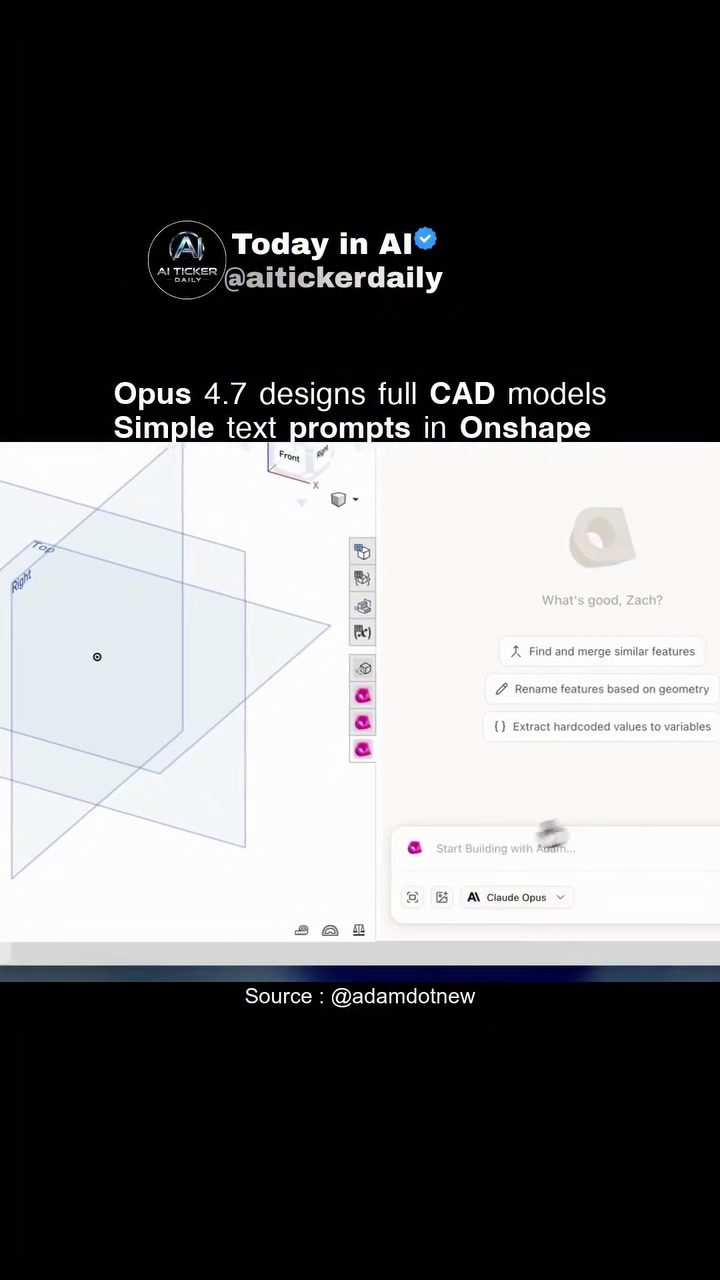
AI-Powered CAD Design with Onshape
AI integration in CAD software is transforming the way designers approach complex 3D models. Onshape, a leading CAD software, has introduced an AI-powered feature that allows designers to create intricate models using simple text prompts. This innovative approach accelerates the design process, making it more efficient and intuitive.
Why This Matters
Onshape's AI-powered CAD capabilities mark a significant shift in the design landscape. Traditional CAD workflows often involve intricate manual steps, which can be time-consuming and prone to errors. By leveraging AI, Onshape streamlines the design process, enabling faster iterations and more accurate outcomes. This is particularly beneficial for industries where precision and speed are critical, such as aerospace, automotive, and manufacturing.
How AI Enhances CAD Design
Natural-Language Instructions
One of the most revolutionary aspects of Onshape's AI-powered CAD is the use of natural-language instructions. Instead of manually inputting complex commands, designers can input simple, intuitive text prompts to generate 3D models. For instance, designing a Raspberry Pi case becomes straightforward with prompts that guide the creation of specific features and components. This capability significantly reduces the learning curve, making CAD design more accessible to a broader audience.
FeatureScript and Generative Design
Onshape employs FeatureScript, a programming language that allows designers to define and execute design features. When combined with AI, FeatureScript can generate complex geometries with ease. The AI interprets the natural-language prompts and translates them into FeatureScript commands, automating the creation of intricate design elements. This integration ensures that the design process remains within the CAD environment, preserving the integrity and accuracy of the final model.
Faster Iteration and Improved Accuracy
AI enhances the CAD design process by enabling faster iteration from concept to geometry. This means that designers can explore multiple design variations quickly, making adjustments and refinements in real-time. This rapid prototyping capability is invaluable for iterative design processes, allowing for more iterative and precise development.
Practical Tips for Leveraging AI in CAD Design
Start with Simple Prompts
When beginning with AI-powered CAD, start with straightforward prompts to familiarize yourself with the system. Gradually increase the complexity of your prompts as you become more comfortable with the capabilities. This iterative approach will help you understand how the AI interprets and executes your instructions.
Utilize FeatureScript
FeatureScript is a powerful tool for defining and executing design features. Spend time learning the basics of FeatureScript to fully leverage its capabilities within the AI-powered CAD environment. Understanding how to write and execute FeatureScript commands will give you more control over the design process.
Experiment with Different Design Prompts
AI-powered CAD allows for a high degree of flexibility in design prompts. Experiment with different phrasing and complexity to see how the AI interprets and executes your instructions. This experimentation will help you refine your prompts for optimal results and better understanding.
Important Takeaways
AI integration in CAD software like Onshape is revolutionizing the design process. By utilizing natural-language instructions and FeatureScript, designers can create complex 3D models more efficiently and accurately. This capability is particularly beneficial for industries that require precision and speed in their design workflows.
Conclusion
AI-powered CAD design is transforming the way designers approach complex 3D models. Onshape's innovative use of natural-language instructions and FeatureScript makes the design process more intuitive and efficient. By leveraging these capabilities, designers can achieve faster iterations, improved accuracy, and ultimately, more innovative and precise designs. Embrace the future of CAD design with AI-powered tools and experience the benefits of streamlined, efficient design workflows.
Questions readers ask
How does Onshape's text-to-model design feature work?
Onshape's text to 3D model design works by allowing users to input simple text prompts to generate complex 3D models. This feature leverages advanced AI to interpret and translate text-based instructions into precise 3D designs, making the process more accessible and faster.
What are the benefits of using AI for CAD design in industries like aerospace and automotive?
AI in CAD industry, particularly in fields like aerospace and automotive, provides significant advantages. It allows for quick iterations, ensuring that designs can be refined rapidly and accurately. This speed and precision are crucial for meeting tight deadlines and high-quality standards in these sectors.
Can Onshape's AI design tools be used by beginners?
Yes, Onshape's AI design tools, including the text-to-model feature, are designed to be intuitive and user-friendly. While they offer advanced capabilities, they are also accessible to beginners, as they simplify the process of creating complex 3D models with just text prompts.
What is Featurescript and how does it relate to Onshape's AI capabilities?
Featurescript is a programming language developed by Onshape, which allows users to create custom features and automate tasks within the design software. It complements Onshape's AI capabilities by enabling more personalized and automated design processes, further enhancing efficiency and creativity.
How does AI integration in CAD software benefit the overall design process?
AI integration in CAD software, such as Onshape, streamlines the design process by reducing the need for intricate manual steps. This leads to faster iterations, fewer errors, and more accurate outcomes, making the design workflow more efficient and effective. This is particularly beneficial for industries where precision and speed are critical.
Related deep dives
Similar reads based on topic and creator.




Recent articles
Fresh deep dives from the latest Reels we unpacked.




Comments
Be the first to comment.