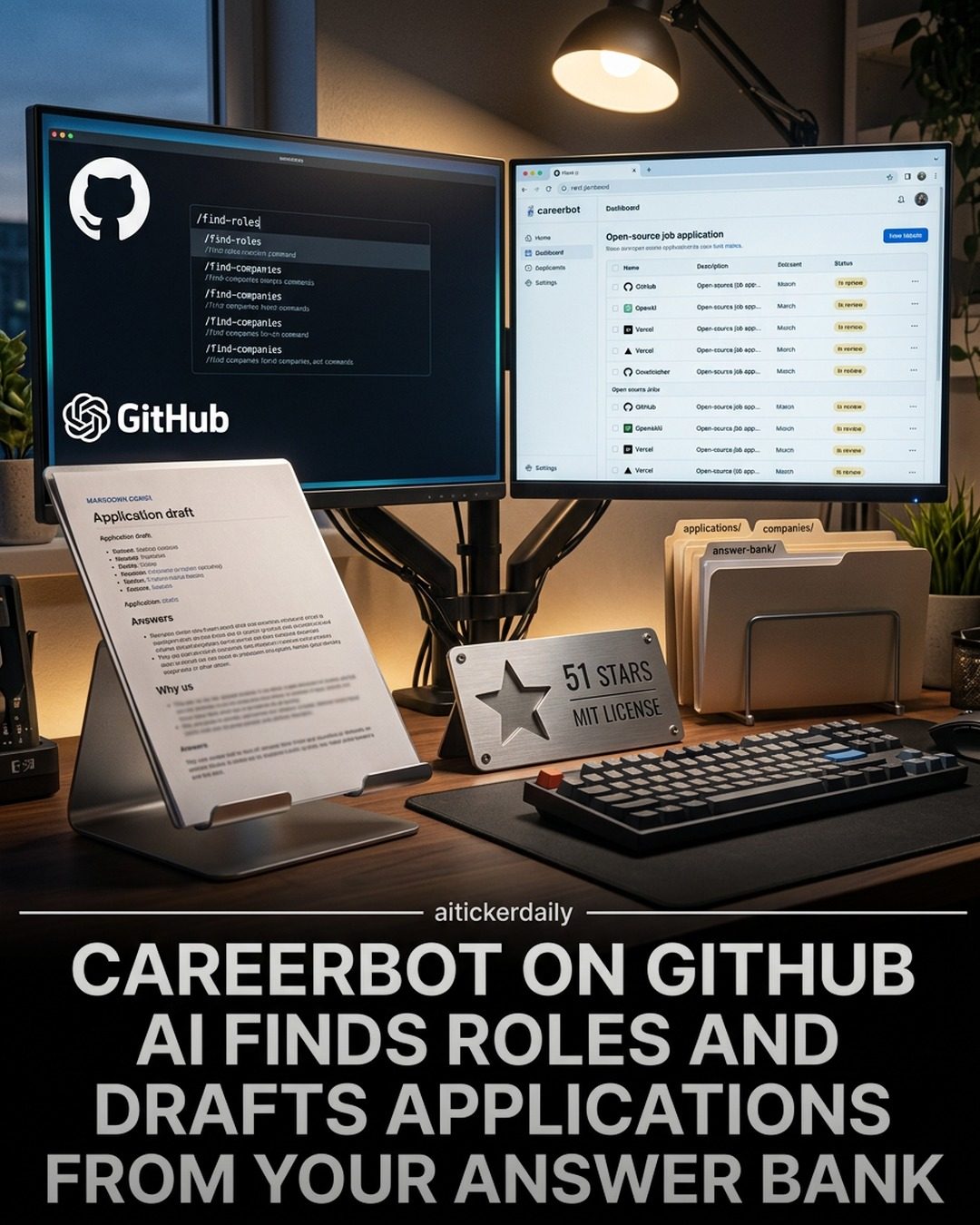
Careerbot: AI-Powered Career Application Drafting
Careerbot is an innovative open-source software solution that leverages artificial intelligence to streamline the job application process. This tool is designed to help job seekers by automating the tedious tasks associated with applying for multiple roles, such as researching companies and drafting personalized application content.
Why this Matters
In today's competitive job market, the application process can be incredibly time-consuming. Crafting tailored cover letters and essays for each role can feel like a never-ending task. Careerbot addresses this issue by using AI to find relevant job roles and draft application content from a user's Answer Bank, a reusable collection of responses stored in markdown. This not only saves time but also ensures that applications are consistent and tailored to the specific requirements of each role.
Main Discussion
What is Careerbot?
Careerbot is a software stack designed to make the job hunting process more efficient. It operates by researching companies, finding relevant roles, and drafting application answers using a reusable Answer Bank. This Answer Bank is stored locally as markdown files, making it easy to update and reuse for multiple applications.
Key Features of Careerbot
Onboarding and Initial Setup
The initial setup of Careerbot involves running the command /ONBOARD to set up the environment and install necessary dependencies. This command walks users through the process of configuring the software to meet their specific needs, ensuring a smooth start.
Finding Roles
One of the standout features of Careerbot is its ability to find job roles. By using the command /find-roles, users can search for roles within companies they are interested in. This feature helps in identifying opportunities that match their skills and experience.
Answer Bank and Content Reuse
A significant advantage of Careerbot is the Answer Bank, which stores responses in markdown format. This allows users to reuse answers for different applications, saving time and ensuring consistency. The Answer Bank can be updated with new responses, making it a versatile tool for job seekers.
Adding Applications
The command /add-application allows users to add new applications to their pipeline. This feature helps in managing multiple applications efficiently, ensuring that no detail is missed.
Using Careerbot Efficiently
One of the key decisions users need to make when using Careerbot is whether to run /find-roles on tracked companies first or to seed their Answer Bank with pre-written responses before pasting the next job URL. This decision can impact the efficiency of the job search process and the quality of the applications.
Running find-roles On Tracked Companies
Running /find-roles on tracked companies can help users identify new opportunities more quickly. This approach is beneficial for those who have a clear idea of the companies they are interested in and want to stay updated on new job postings.
Seeding the Answer Bank
Seeding the Answer Bank with pre-written responses can help users ensure that their applications are consistent and tailored to their skills and experience. This approach is beneficial for those who want to save time by reusing content across multiple applications.
Practical Tips
Optimizing Your Answer Bank
To make the most of Careerbot, it's essential to optimize your Answer Bank. This involves:
- Regular Updates: Keep your Answer Bank updated with new responses and tailored answers.
- Consistency: Ensure that your answers are consistent and tailored to your skills and experience.
- Reusability: Focus on creating answers that can be reused across multiple applications.
Efficient Role Search
To make the most of the /find-roles feature, consider the following:
- Tracked Companies: Regularly update the list of tracked companies to stay informed about new opportunities.
- Role Filters: Use filters to narrow down the roles based on your skills, experience, and preferences.
Managing Multiple Applications
Efficiently managing multiple applications requires attention to detail. Use the /add-application command to:
- Track Progress: Keep track of the progress of each application.
- Deadlines: Set reminders for application deadlines and follow-ups.
- Customization: Customize each application to meet the specific requirements of the role.
Important Takeaways
Careerbot is a powerful tool for job seekers looking to streamline their application process. By leveraging AI, it helps users find relevant roles and draft personalized application content, saving time and ensuring consistency. The ability to reuse content from an Answer Bank stored in markdown format makes it a versatile tool for managing multiple applications.
The decision to run /find-roles on tracked companies first or to seed the Answer Bank with pre-written responses can impact the efficiency of the job search process. By optimizing the Answer Bank and using the role search effectively, users can make the most of Careerbot and improve their chances of landing their dream job.
Conclusion
Careerbot's AI-powered features offer a unique solution to the challenges of job hunting, particularly the repetitive task of drafting application content. Its ability to find roles and draft applications from an Answer Bank makes it a valuable tool for anyone navigating the job market. Whether you're a seasoned job seeker or just starting, Careerbot can help streamline your process and increase your efficiency.
Questions readers ask
What is Careerbot and how does it assist in job hunting?
Careerbot is an open-source AI software designed to simplify the job hunting process. It automates tasks like researching companies and drafting personalized application content, making it easier to apply for multiple roles. By using AI, it saves time and ensures consistency across applications, making job hunting more efficient.
How does Careerbot automate the job search process?
Careerbot automates the job search process by using AI to find relevant job roles and draft application content. It pulls from a user's Answer Bank, a reusable collection of responses, to create personalized applications. This reduces the manual effort required in crafting tailored cover letters and essays for each job application.
What is the Answer Bank and how is it used by Careerbot?
The Answer Bank is a feature within Careerbot where users store a collection of reusable responses in markdown. Careerbot accesses this bank to draft personalized application content. By using the Answer Bank, users can ensure their applications are consistent and tailored to each role, enhancing their job search efficiency.
Is Careerbot open-source and how can I access it?
Yes, Careerbot is open-source. You can access it by visiting the Careerbot Github repository. From there, you can download the software, review its setup guide, and start using it to streamline your job search process. It's a first job search tool that utilizes AI for job hunting, making it a valuable resource for job seekers.
Can Careerbot help with drafting personalized job applications?
Absolutely, Careerbot excels at drafting personalized job applications. It uses AI to tailor application content from the user's Answer Bank, ensuring that each application is unique and relevant to the specific role. This personalization helps job seekers stand out in a competitive market, making the job hunting process more effective.
Related deep dives
Similar reads based on topic and creator.




Recent articles
Fresh deep dives from the latest Reels we unpacked.




Comments
Be the first to comment.