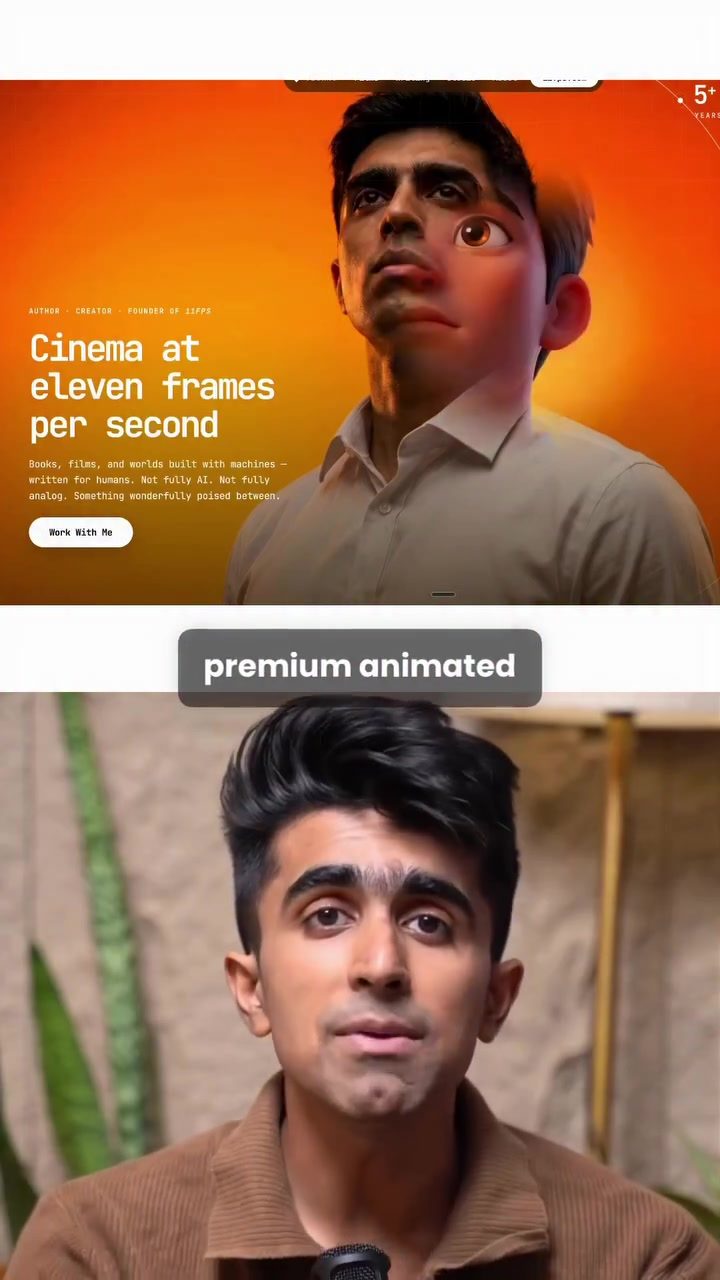
AI-Powered Presentation Software: Create Animated Landing Pages in Minutes
Creating engaging, animated landing pages can be a time-consuming process. However, with the advent of AI-powered software, the task has become more efficient and accessible. One such tool is the new Claude software, which allows users to generate premium animated landing pages with just a few simple steps.
Why This Matters
In today's fast-paced digital world, capturing an audience's attention quickly is crucial. Animated landing pages can make a significant difference in user engagement and conversion rates. The ability to create these pages quickly and efficiently can give businesses a competitive edge. This is where AI-powered tools like Claude come into play, making design more accessible and less time-consuming.
Creating Animated Landing Pages with Claude
Step 1: Gather and Prepare Your Images
The first step in creating an animated landing page using Claude is to gather your images. You need two images in the same style. This ensures consistency in the final output. For this, you can use any image platform, such as Higgsfield.
- Choose Your Images: Select images that fit the vibe or theme of your landing page. These images will be the foundation of your design, so they should be visually appealing and relevant to your content.
- Generate Images: Use the platform's tools to generate your two images. Once generated, open each image in a new tab and copy the URLs. These URLs will be crucial in the next step.
Step 2: Utilize Claude Design
Once you have your image URLs, the next step is to utilize Claude Design.
- Create a New Project: Open Claude Design and select the option to create a new project. This will initiate the design process.
- Select the Model: Choose the new model, Fable 5. This model is specifically designed for creating high-quality, animated landing pages.
- Add Image Links: Paste the two image URLs into the prompt provided. Claude will then ask a few questions regarding the context of your landing page. Fill these in as accurately as possible to ensure the best results.
- Generation: In just a few minutes, Claude will generate your complete animated landing page. You can then publish this header as is, or extend it into a fully functional landing page.
Practical Tips for Using Claude
While Claude makes the process of creating animated landing pages straightforward, there are a few tips to keep in mind for optimal results:
- Consistency in Style: Ensure that the two images you choose are in the same style. This will help maintain a consistent look and feel throughout your landing page.
- Clear Prompts: Be as specific as possible when filling in the context questions. Clear and detailed prompts will result in a more accurate and polished final product.
- Customization: While Claude provides a quick solution, don't hesitate to customize the generated landing page further. Adding personal touches can make your page stand out even more.
Important Takeaways
- Efficiency: Claude significantly reduces the time and effort required to create high-quality animated landing pages.
- User-Friendly: The software is designed to be intuitive, making it accessible even to those without extensive design experience.
- Customization: While the tool provides a base, there is ample room for customization to tailor the landing page to your specific needs.
Conclusion
AI-powered software like Claude is revolutionizing the way we create digital content. By simplifying the process of generating animated landing pages, it allows businesses to focus more on their core activities while still maintaining a high standard of design. With just two images and a few steps, anyone can create a professional-looking, engaging landing page. This tool is not just about saving time; it's about elevating the quality of digital presentations and ensuring that your content stands out in the crowded online landscape.
Questions readers ask
What is Claude and how does it help in creating landing pages?
Claude is an AI-powered software designed to streamline the creation of animated landing pages. It enables users to generate high-quality, engaging landing pages in just two minutes by automating the design process.
How does AI enhance the process of landing page design?
AI enhances landing page design by automating the creation process. It allows for quick generation of engaging, animated pages, saving time and effort. AI can also analyze user behavior to create more effective designs.
What are the benefits of using AI-powered tools like Claude for landing page creation?
Using AI-powered tools like Claude for landing page creation offers several benefits. It speeds up the design process, ensures consistency in branding, and can help improve user engagement and conversion rates.
Can I customize the landing pages generated by Claude?
Yes, while Claude generates the initial design, many AI tools offer customization options. Users can typically adjust elements such as colors, fonts, and content to better match their brand and messaging.
How does Claude ensure the quality of the landing pages it generates?
Claude ensures the quality of landing pages through advanced algorithms that are trained on a variety of successful designs. The software focuses on best practices in web design to create pages that are not only visually appealing but also effective in driving user engagement.
Is Claude suitable for users with no design experience?
Yes, Claude is particularly beneficial for users with no design experience. Its AI-driven capabilities make it easy to create professional-looking landing pages quickly, without needing any prior design skills.
What kind of businesses can benefit from using Claude for landing page design?
Any business looking to improve its online presence and engagement can benefit from using Claude. This includes e-commerce sites, digital marketing agencies, startups, and any company needing to create landing pages for campaigns or promotions.
Related deep dives
Similar reads based on topic and creator.




Recent articles
Fresh deep dives from the latest Reels we unpacked.




Comments
Be the first to comment.