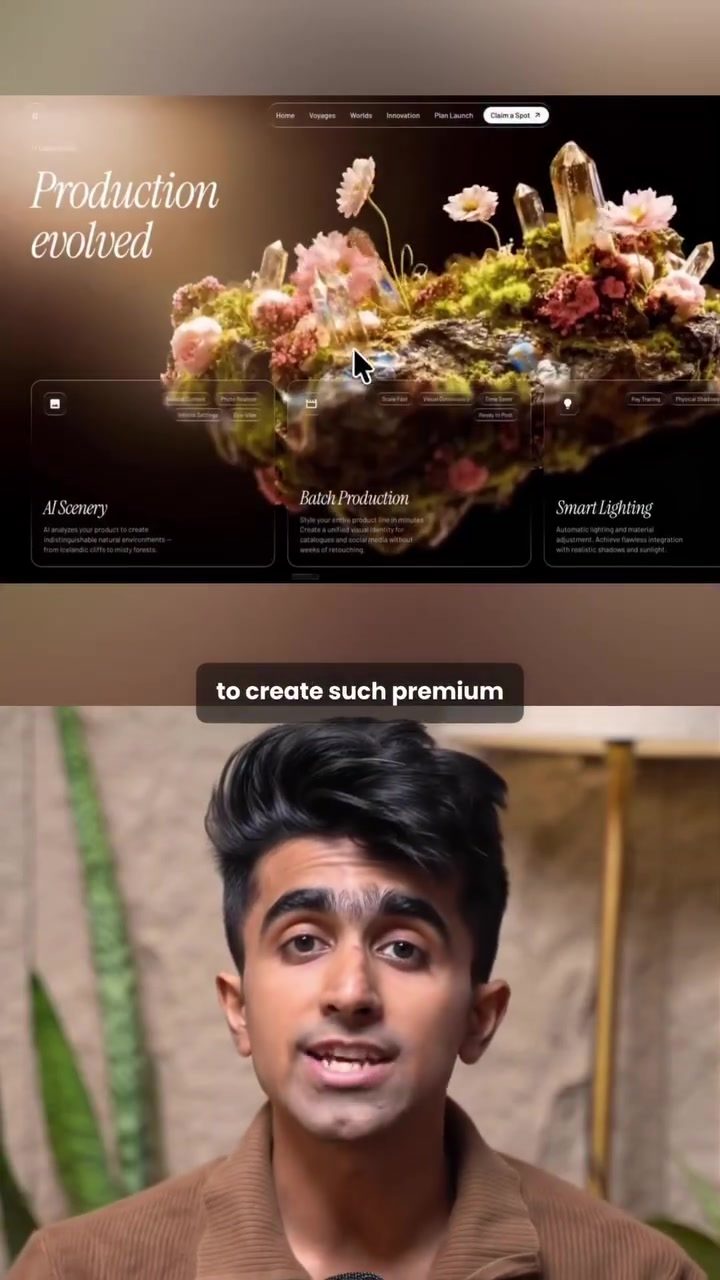
Creating Premium Animated Websites with AI Design Tools
Designing a premium animated website can be a daunting task, but with the right tools and a step-by-step approach, even beginners can achieve professional results. Here’s a detailed guide on how to create a premium animated website using Claude Design and other AI-powered software.
Why This Matters
In today's digital landscape, having a visually appealing and engaging website is crucial. Animated websites can capture attention, convey messages more effectively, and enhance user experience. AI design tools have made this process more accessible, allowing users to create high-quality websites without needing extensive coding or design skills.
Main Discussion
Step 1: Pick Your Template
The first step in creating a premium animated website is to choose a suitable template. One of the best places to find high-quality templates is motionsites.ai. This platform offers a variety of hero templates that are available for free.
Selecting a Template
- Go to the templates section on motionsites.ai.
- Browse through the free and paid options.
- Pick a template that best fits your vision. For this example, a free design was chosen, and its prompt was copied for use in the next steps.
Step 2: Bring It Into Claude Design
Once you have your template, the next step is to bring it into an AI design tool like Claude Design. This tool allows you to customize and build out your website quickly and efficiently.
Customizing Your Template
- Open Claude Design and start a new project.
- Paste the copied prompt from the template into the project.
- Replace the placeholder content with your specific content. For instance, if you're creating a website for an AI device, input all the relevant details and design elements.
Building the Website
- Claude Design will then generate the full website for you based on the prompt and customizations. This process is streamlined and efficient, allowing you to see a complete website in just one go.
Step 3: Make It Animated
To make your website stand out, adding animations can significantly enhance its appeal. This is where tools like Whisk come into play.
Animating the Background
- Go to Whisk and use features like Nano Banana and Veo.
- Upload a reference image or video.
- Generate two images using the tool.
- Click on the animate feature to create a video.
- Once the video is ready, download it and return to Claude Design.
- Replace the background of your website with the animated video. This will make the hero section of your website dynamic and engaging.
Finishing the Page
- After animating the background, ask Claude Design to keep the same style and finish the rest of the page. The tool will build out the remaining sections, ensuring a cohesive and premium look throughout the website.
Practical Tips
Choosing the Right Tools
When selecting tools for your website creation, consider the following:
- Ease of Use: Ensure the tools are user-friendly and offer intuitive interfaces.
- Customization Options: Look for tools that offer a high degree of customization, allowing you to tailor the design to your specific needs.
- Integration: Check if the tools can integrate seamlessly with other platforms and services you might be using.
Enhancing User Experience
To create a premium animated website, focus on enhancing the user experience:
- Visual Appeal: Use high-quality images, animations, and design elements to make your website visually appealing.
- Interactive Elements: Incorporate interactive features like hover effects, scroll animations, and clickable elements to engage users.
- Responsive Design: Ensure your website is responsive and looks good on all devices, including desktops, tablets, and smartphones.
Deploying Your Website
After creating your website, the final step is to deploy it. Use a reliable hosting service like Cloud Code to ensure your website is accessible to your audience.
Important Takeaways
- Accessibility: AI design tools have made website creation accessible to everyone, regardless of their design or coding skills.
- Efficiency: The process of creating a premium animated website can be streamlined using the right tools, saving time and effort.
- Quality: With the right tools and techniques, even beginners can create high-quality, professional-looking websites.
Conclusion
Creating a premium animated website is now more achievable than ever, thanks to AI-powered design tools. By following the steps outlined—picking a template, customizing it with Claude Design, and adding animations with Whisk—you can build a visually stunning and engaging website. Don't underestimate the power of these tools to elevate your online presence and captivate your audience.
Questions readers ask
What is Claude Design and how does it help in creating animated websites?
Claude Design is an AI-powered design tool that assists in creating animated websites. It offers a variety of templates and customization options, making it easy to build professional-looking websites with motion effects, even for those without extensive design experience.
Can I use Claude Design if I have no coding experience?
Absolutely! Claude Design is designed to be user-friendly, allowing even beginners to create stunning animated websites. The platform provides intuitive tools and templates, so you don't need to know how to code to build a premium website.
What is Whisk and how does it integrate with Claude Design?
Whisk is a software tool designed for web design that integrates seamlessly with Claude Design. Together, they allow you to create, customize, and animate your website with ease, providing a comprehensive solution for building high-quality, engaging web pages.
What are the benefits of using AI-powered tools for website creation?
AI-powered tools like Claude Design and Whisk offer several benefits, including time efficiency, ease of use, and the ability to create professional-looking websites with animations. These tools can also help ensure your website is modern, visually appealing, and optimized for user engagement.
How can animated websites enhance user experience?
Animated websites can significantly enhance user experience by making the site more engaging and interactive. Animations can guide users through the content, highlight important information, and create a more immersive browsing experience, which can lead to higher user satisfaction and retention.
Can I customize Claude Design templates to match my brand's style?
Yes, Claude Design templates are fully customizable. You can modify colors, fonts, and other design elements to align with your brand's style. This ensures that your animated website not only looks professional but also reflects your unique brand identity.
What types of websites can I create with Claude Design and Whisk?
With Claude Design and Whisk, you can create a wide range of websites, including portfolios, landing pages, e-commerce sites, and more. The tools support various design needs, from simple informational sites to complex, interactive platforms, making them versatile for different projects.
Related deep dives
Similar reads based on topic and creator.




Recent articles
Fresh deep dives from the latest Reels we unpacked.




Comments
Be the first to comment.