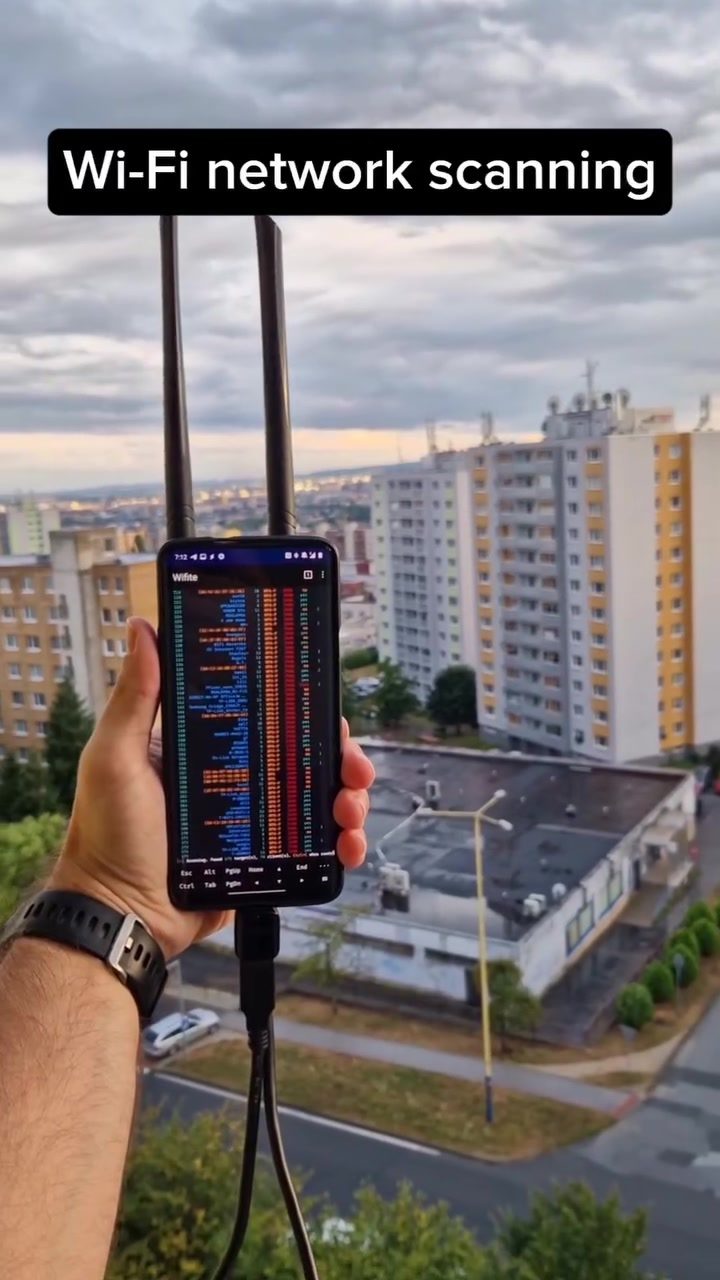
Wi-Fi network scanning is a critical tool for assessing the security and performance of wireless networks. Whether you're a cybersecurity enthusiast or a concerned homeowner, understanding the fundamentals of Wi-Fi scanning can help you identify potential vulnerabilities and ensure that your network is well-protected. This discussion will delve into the methods and tools used for Wi-Fi scanning, as well as the security implications and practical tips for securing your home networks.
Context
The increasing reliance on wireless connectivity in homes and businesses makes Wi-Fi security a paramount concern. Wi-Fi network scanning involves using specialized tools to detect and analyze wireless access points and connected devices, which can reveal network vulnerabilities and potential points of attack. By understanding how these scans work, network administrators and users can take proactive measures to protect their networks from unauthorized access and cyber threats.
The Importance of Regular Scans
Regular Wi-Fi network scans are essential for identifying potential security risks. During a scan, devices with specialized antennas can detect numerous access points and connected devices within a short period. For instance, using a customized smartphone or a dedicated Wi-Fi scanner, one can easily discover dozens of Wi-Fi networks and their connected devices in just a few minutes. This capability underscores the importance of regular assessments to detect unauthorized access points and compromised devices.
One of the primary concerns with network scanning is the potential for attackers to exploit vulnerabilities. By capturing a 4-way handshake, attackers can attempt to obtain the Wi-Fi password for a specific network and use it to gain unauthorized access.
Main discussion
Passive and Active Scanning
Network scanning can be passive or active. Passive scanning involves monitoring the network without actively probing devices or networks, whereas active scanning involves sending requests to devices in order to gather more detailed information. Both methods have their uses, but passive scanning is often preferred when the goal is to detect networks without alerting potential attackers.
Capturing the 4-Way Handshake
During the initial connection process, a 4-way handshake occurs between a client device and an access point. This handshake involves the exchange of encryption keys, and capturing this exchange can provide attackers with the information necessary to decrypt network traffic and crack the Wi-Fi password. For this reason, it’s crucial to monitor network activity and ensure the encryption protocols in place are strong and up-to-date.
WPS and Its Vulnerabilities
Wi-Fi Protected Setup (WPS) is a feature designed to simplify the process of connecting devices to a Wi-Fi network. However, WPS has known vulnerabilities that can be exploited by attackers. One example is the WPS pin, which can be used to disconnect users from a network and trick them into connecting to an evil twin, a fake network designed to capture sensitive information.
Practical Tips
Securing your Wi-Fi network starts with understanding potential vulnerabilities and implementing best practices. Here are some practical tips to enhance your network's security:
Use Strong Encryption
Ensure that your Wi-Fi network uses the latest and strongest encryption protocols, such as WPA3. Older protocols like WPA and WPA2 are more susceptible to attacks, so upgrading to the latest standards can significantly enhance your network’s security.
Disable WPS
Disabling WPS can help mitigate the risk of attacks that target this feature. While WPS is intended to simplify the connectivity process, its vulnerabilities make it a prime target for hackers.
Regularly Update Firmware
Firmware updates often include security patches that address known vulnerabilities. Regularly updating the firmware of your router and other network devices can help safeguard against potential threats.
Use Strong Passwords
A strong, unique password for your Wi-Fi network is a basic but essential step in securing your network. Ensure that your password is complex and not easily guessable, and avoid using default passwords supplied by manufacturers.
Monitor Network Activity
Regularly monitor your network for suspicious activity. Many router interfaces offer features that allow you to see connected devices and their network usage. This can help you identify unauthorized devices and potential breaches.
Segment Your Network
Consider segmenting your network to isolate sensitive devices and data from less secure devices. For example, create separate networks for smart home devices and personal computers to limit the potential impact of a security breach.
Use a VPN
A Virtual Private Network (VPN) can add an extra layer of security by encrypting your internet traffic. This ensures that even if your Wi-Fi network is compromised, your data remains protected.
Increase Signal Strength
Disabling Legacy Protocols and increasing the signal strength of your router can reduce the risk of attacks. By ensuring that your devices connect to the strongest signal, you can minimize the chances of a rogue access point being used for malicious purposes.
Important Takeaways
The Reality of Wi-Fi Scanning
While Wi-Fi network scanning can be a powerful tool for network administrators, it also poses significant risks for homeowners and businesses. The ease with which attackers can scan and exploit networks highlights the need for robust security measures.
Standard Response to Scanning
Being proactive about network security is key. Regularly scan your network and implement best practices to protect it. This includes using strong encryption, disabling vulnerable features, and monitoring network activity.
The Need for Awareness
Network security is not just a concern for IT professionals. Homeowners and small businesses also need to understand the basics of Wi-Fi scanning and take steps to protect their networks. By being aware of the risks and taking proactive measures, you can significantly enhance your network's security.
Conclusion
Wi-Fi network scanning is a vital aspect of ensuring the security and integrity of wireless networks. By understanding the methods and tools used for scanning, as well as the potential vulnerabilities, network administrators and users can take proactive steps to protect their networks. Whether you’re a cybersecurity enthusiast or a concerned homeowner, implementing best practices and regularly assessing your network’s security can help safeguard against potential threats. Stay vigilant, stay informed, and stay safe on your home network.
Questions readers ask
What is Wi-Fi network scanning and why is it important for home network security?
Wi-Fi network scanning involves using tools to detect and analyze wireless networks and devices. It is crucial for identifying vulnerabilities in your network, such as unsecured access points or unauthorized devices, which could otherwise be exploited by malicious actors. Regular scanning helps you understand your network's layout and ensure that all connected devices are secure.
What are some popular tools for performing Wi-Fi network scanning?
There are several tools available for Wi-Fi network scanning. Some popular options include Wi-Fi Analyzer, NetSpot, and inSSIDer. These tools provide detailed information about nearby access points, signal strength, and connected devices, making it easier to identify potential security risks.
How can I secure my Wi-Fi access points after performing a network scan?
After identifying vulnerabilities through a network scan, you should change default login credentials, update firmware, and enable encryption methods such as WPA3. Additionally, disable WPS (Wi-Fi Protected Setup) to prevent unauthorized access. Regularly updating your router’s security features will further enhance your Wi-Fi access points' security.
What are the steps to check for and remove unauthorized devices from my network?
To check for unauthorized devices, perform a network scan using a reliable tool. Look for any unfamiliar devices or unknown IP addresses. Remove unauthorized devices by blocking their MAC addresses through your router’s settings or by changing your network’s password to a strong, unique one. Regularly monitoring your network can help catch unauthorized access early.
How frequently should I perform Wi-Fi network scanning to boost security?
The frequency of Wi-Fi network scanning depends on your network's activity and the level of risk. For home networks, scanning once a month is generally sufficient. For businesses or networks with sensitive data, consider scanning every week or even daily to ensure ongoing security. Regular scans help catch new vulnerabilities and unauthorized access promptly.
What are some practical tips for securing my wireless network beyond scanning?
Beyond regular scanning, enhance your Wi-Fi security by using strong, unique passwords, enabling network encryption, and updating your router's firmware regularly. Consider using a guest network for visitors to isolate personal devices from your main network. Additionally, monitor your network traffic for any unusual activity that might indicate a security breach.
Recent articles
Fresh deep dives from the latest Reels we unpacked.




Comments
Be the first to comment.