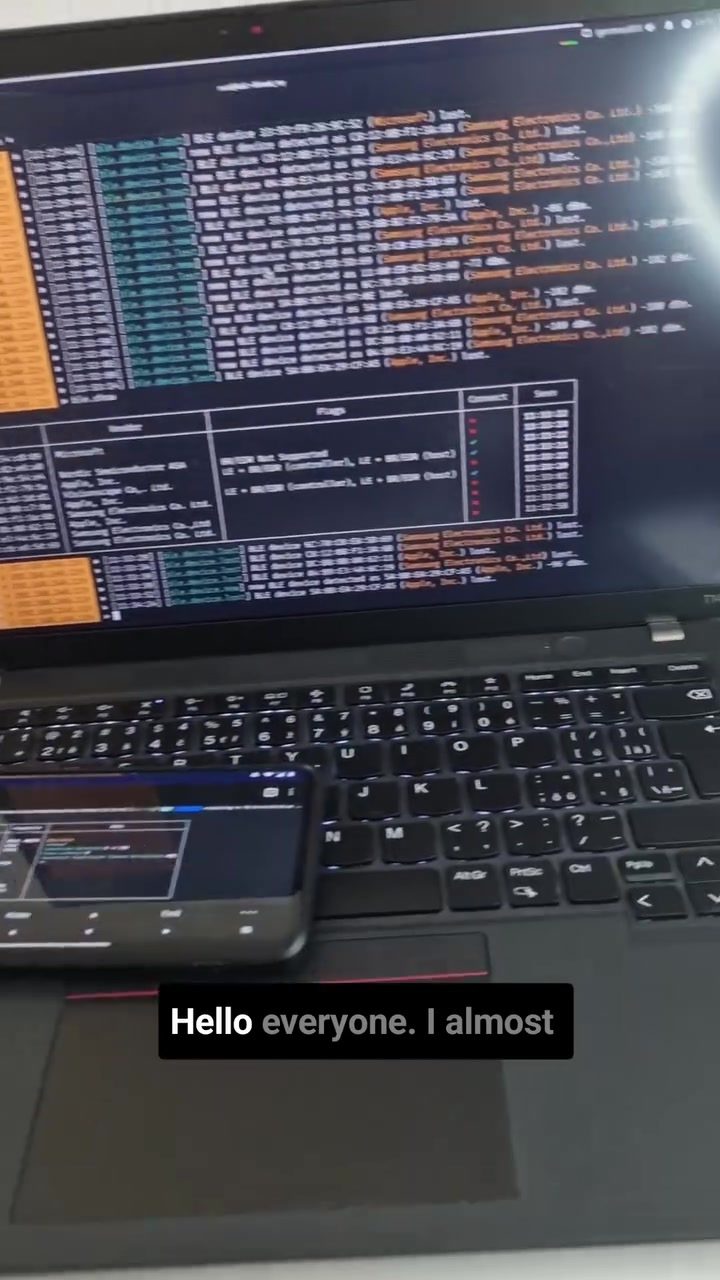
Bettercap on Android: A Comprehensive Guide for Mobile Pentesters
Bettercap is a powerful and versatile tool used by penetration testers for a variety of network testing and hacking tasks. It is particularly useful for mobile pentesters who need to perform network reconnaissance, test MitM (Man-in-the-Middle) attacks, ARP spoofing, DNS spoofing, BLE (Bluetooth Low Energy) recon, and WiFi hacking using an Android smartphone. This guide delves into the installation and use of Bettercap on Android, focusing on two popular environments: Termux and NetHunter.
Context / Why this matters
Pentesting on mobile devices has become increasingly important as more sensitive information is accessed and stored on smartphones and tablets. Bettercap, with its extensive capabilities, allows for deep and nuanced network analysis, making it an essential tool for any security professional.
Setting up the Environment
Before diving into the technical details, it's crucial to set up the right environment. The two most common environments for running Bettercap on Android are Termux and NetHunter.
Termux
Termux is an Android terminal emulator and Linux environment app that works directly with no rooting or set up required. It provides a robust command-line interface and supports various Linux tools, making it an excellent choice for running Bettercap.
NetHunter
NetHunter is a popular suite of penetration testing tools for Android, based on the Kali Linux distribution. It comes pre-installed with many essential tools, including Bettercap, making it a powerful option for advanced users. However, NetHunter typically requires rooting the device, which can be a complex process and may void the device's warranty.
Installing and Using Bettercap
Installation in Termux
Installing Bettercap in Termux involves several steps, but the process is straightforward. Here's a high-level overview:
-
Update and Upgrade Packages: Start by ensuring that all packages are up-to-date.
pkg update && pkg upgrade -
Install Dependencies: Bettercap requires several dependencies to function correctly. Install them using the following command:
pkg install golang -
Download and Install Bettercap: Use the
gocommand to install Bettercap from source.go get -u github.com/bettercap/bettercap -
Configure Bettercap: After installation, you can configure Bettercap by editing its configuration files, typically located in the
~/.bettercapdirectory.
Installation in NetHunter
Installing Bettercap in NetHunter is much simpler since it comes pre-installed. However, you may need to update it to the latest version. Here's how:
-
Update NetHunter: Ensure that your NetHunter environment is up-to-date.
apt update && apt upgrade -
Install Bettercap: If Bettercap is not already installed, you can install it using the following command:
apt install bettercap -
Run Bettercap: Once installed, you can start Bettercap by simply typing:
bettercap
Key Features of Bettercap
Bettercap is a universal tool that offers a wide range of features for network reconnaissance and penetration testing. Here are some of the key features:
Network Reconnaissance
Bettercap allows for extensive network reconnaissance, including scanning for available networks, identifying connected devices, and analyzing network traffic. This is particularly useful for identifying potential vulnerabilities and understanding the network topology.
MitM (Man-in-the-Middle) Attacks
Bettercap can be used to test MitM attacks, which involve intercepting and potentially altering communications between two parties. This is a critical aspect of penetration testing, as it helps identify weaknesses in network security.
ARP Spoofing
ARP spoofing is a technique used to send fake ARP (Address Resolution Protocol) messages over a local network, allowing an attacker to associate their MAC address with the IP address of another device. Bettercap can be used to perform and test ARP spoofing attacks.
DNS Spoofing
DNS spoofing involves redirecting traffic from a legitimate website to a malicious one by manipulating DNS records. Bettercap provides tools to perform DNS spoofing, making it a valuable asset for testing the security of DNS configurations.
BLE Recon
Bluetooth Low Energy (BLE) recon involves scanning for and interacting with BLE devices. Bettercap can be used to perform BLE recon, helping identify and assess the security of BLE-enabled devices.
WiFi Hacking
Bettercap supports WiFi hacking techniques, including deauthentication attacks and WPA/WPA2 handshake capture. This makes it a powerful tool for testing the security of wireless networks.
Practical Tips
Ensuring a Secure Environment
When setting up and using Bettercap, it's essential to ensure that your environment is secure. This includes:
- Using a Virtual Private Network (VPN): Always use a VPN when performing penetration testing to protect your own security and privacy.
- Rooting the Device: If using NetHunter, be aware that rooting your device can void the warranty and potentially expose you to security risks. Ensure you understand the implications before proceeding.
- Keeping Software Updated: Regularly update all software and dependencies to protect against known vulnerabilities.
Ethical Considerations
It's crucial to remember that using Bettercap or any other penetration testing tool should only be done with explicit permission. Unauthorized use of these tools can be illegal and unethical. Always ensure you have the proper authorizations before conducting any tests.
Additional Resources
For a more detailed guide, including screenshots and examples, refer to the comprehensive 60-page blog available at mobilehacker.com. This blog provides over 9,000 words, more than 50 figures, pictures, and screenshots, making it an invaluable resource for anyone looking to enhance their mobile penetration testing skills.
Important Takeaways
- Versatility: Bettercap is a versatile tool that can be used in various environments, including Termux and NetHunter.
- Comprehensive Features: It offers a wide range of features for network reconnaissance, MitM attacks, ARP spoofing, DNS spoofing, BLE recon, and WiFi hacking.
- Detailed Guide: A comprehensive 60-page guide is available to help users set up and use Bettercap effectively.
Conclusion
Bettercap is a powerful tool for mobile penetration testers, offering a wide range of features for network reconnaissance and testing. Whether you're using Termux or NetHunter, setting up and using Bettercap can significantly enhance your mobile penetration testing skills. By following the steps and tips outlined in this guide, you can effectively use Bettercap to identify and assess network vulnerabilities, ensuring better security for your clients and organizations.
Questions readers ask
What is Bettercap and why is it useful for mobile pentesting?
Bettercap is a versatile tool for penetration testing, particularly valuable for mobile devices. It allows users to conduct tasks like network reconnaissance, Man-in-the-Middle (MitM) attacks, ARP spoofing, DNS spoofing, BLE recon, and WiFi hacking directly from an Android device, making it an essential tool for mobile pentesters.
Can Bettercap be installed on any Android device?
Bettercap can be installed on most Android devices, but it is optimally used with environments like Termux and NetHunter. For those unfamiliar with these environments, Termux is a powerful terminal emulator for Android, while NetHunter is a penetration testing platform based on the Kali Linux distribution.
What are the steps to install Bettercap on Termux?
To install Bettercap on Termux, first, ensure Termux is installed on your Android device. Then, update the package list and install the necessary dependencies. Next, you can install Bettercap by cloning the GitHub repository and following the instructions provided in the guide.
How does Bettercap facilitate network reconnaissance on Android devices?
Bettercap provides several modules for network reconnaissance, including WiFi network scanning, ARP scanning, and BLE device discovery. These features allow mobile pentesters to gather detailed information about the network and connected devices, helping them identify potential vulnerabilities.
Is it possible to perform MitM attacks using Bettercap on Android?
Yes, Bettercap supports various MitM attack techniques, including ARP spoofing and DNS spoofing. These attacks can intercept and manipulate data passing through a network, allowing pentesters to assess the security of network communications and identify weak points.
What are the advantages of using NetHunter for Bettercap installation?
NetHunter is specifically designed for penetration testing and offers a more seamless experience for running Bettercap. It includes pre-configured tools and a custom kernel that supports more advanced features, making it a preferred choice for users who require a comprehensive pentesting environment on their Android devices.
Are there any prerequisites for using Bettercap on Android?
Before using Bettercap, ensure your Android device is rooted, as root access is often required for various pentesting tasks. Additionally, familiarity with command-line interfaces and basic networking concepts will be beneficial for effectively utilizing Bettercap's features.
Recent articles
Fresh deep dives from the latest Reels we unpacked.




Comments
Be the first to comment.