Phone Repair
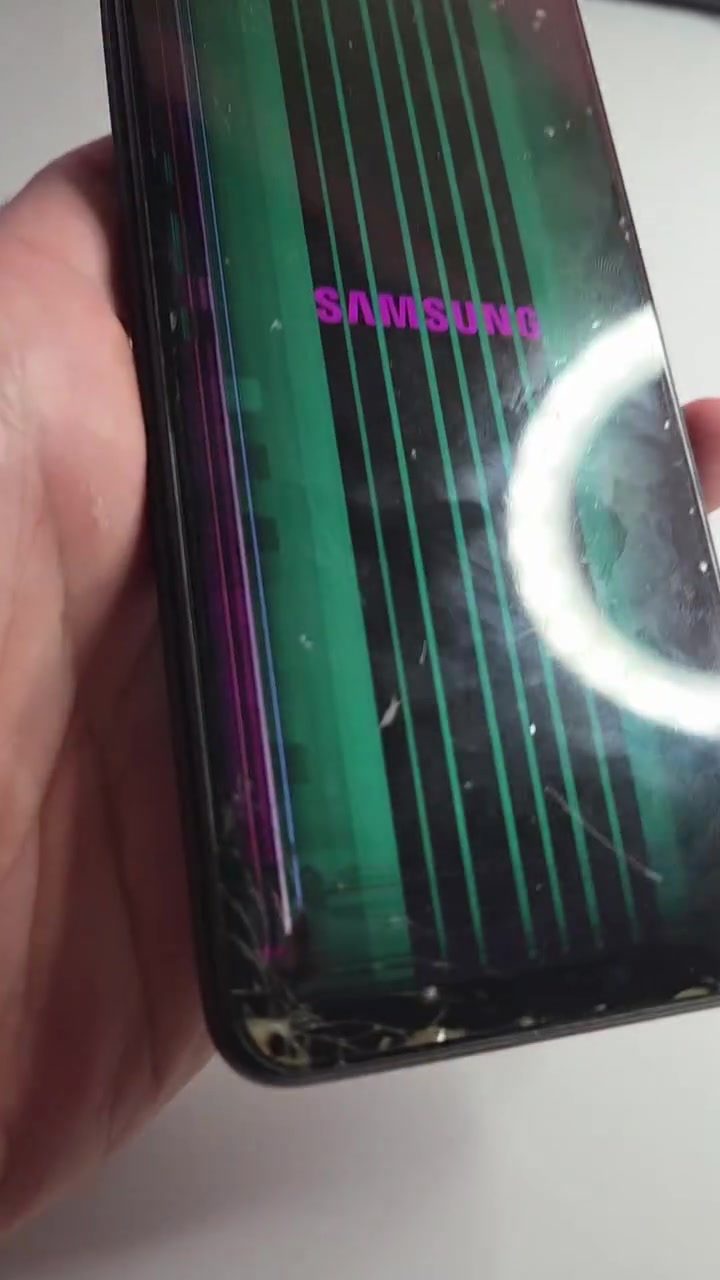
When dealing with a cracked smartphone screen, a repair isn't always the first thing that comes to mind. However, it is possible to fix a broken screen with the right tools and know-how — and the right attitude. Whether your Samsung smartphone has a severely damaged screen with distracting lines, or a more manageable crack, there are steps you can take to restore it.
Why This Matters
We rely on our smartphones for everything from communication to entertainment. A damaged screen can significantly disrupt daily life, making it difficult to use essential apps and features. Instead of immediately replacing the phone, repairing the screen can be a cost-effective and environmentally friendly solution.
The Repair Process
Assessing the Damage
The first step in repairing a damaged smartphone screen is to assess the extent of the damage. If the screen has green lines or other visual distortions, it might be more than just a superficial crack. A thorough inspection is necessary to determine whether the problem lies with the screen itself or with the internal components.
Disassembling the Phone
Before making any repairs, the phone must be disassembled to access the internal components. This process requires a steady hand and the right tools, such as a screw driver, pentalobe driver, and a suction cup or spudger. The exact tools you need will depend on the specific model of the phone being repaired. The screw should be removed, and the panel carefully detached. Be cautious, as forcing the panel can damage the phone.
Inspecting the Circuit Board
Once the phone is disassembled, the circuit board will be visible. This board contains various components and markings that are crucial for the phone's functionality. Inspecting the circuit board can help identify any underlying issues that may have caused the screen damage.
Replacing the Screen
After assessing and repairing any necessary components, the next step is to replace the broken screen. This involves installing a new screen panel and reconnecting all the necessary cables and connectors. The new screen should fit perfectly and align with the phone's frame. After the replacement, the phone should be reassembled, carefully ensuring that all screws and panels are properly secured.
Practical Tips
Gather the Right Tools
Before attempting any repair, make sure you have all the necessary tools. For most smartphones, you will need a pentalobe and Phillips screw drivers, a suction cup or spudger, and a replacement screen. Having the right tools will make the repair process smoother and reduce the risk of further damage.
Work in a Well-Lit Area
A well-lit workspace is essential when repairing a smartphone. Good lighting will help you see the small components and connections clearly, making it easier to disassemble and reassemble the phone.
Follow a Reliable Guide
There are many online resources and tutorials available that can guide you through the repair process. Following a reliable guide specific to your phone model will ensure that you do not miss any steps or damage other components.
Test the Phone
After completing the repair, test the phone thoroughly. Check for any remaining issues with the screen and ensure that all functions, including the camera, touch sensitivity, and display, are working properly. If you encounter any problems, you may need to disassemble the phone again and inspect the connections.
Important Takeaways
Patience is Key
Repairing a smartphone screen requires patience and attention to detail. Rushing through the process can lead to further damage and complications.
Replacement Can Be Cost-Effective
While the initial cost of a replacement screen and tools may seem high, repairing your phone can be more cost-effective in the long run compared to buying a new one. Plus, you'll have the satisfaction of learning a valuable skill.
Conclusion
Repairing a damaged smartphone screen is a manageable task with the right tools, knowledge, and patience. By carefully disassembling the phone, inspecting the circuit board, and replacing the screen, you can restore your device to its original functionality. Whether you're fixing a cracked screen or dealing with more extensive damage, following these steps and tips will help you successfully repair your smartphone.
Questions readers ask
Can I fix my Samsung smartphone's cracked screen at home?
Yes, you can fix a cracked Samsung smartphone screen at home with the right tools and know-how. There are many tutorials and videos available online that guide you through the repair process step-by-step. However, ensure you have the necessary tools and a compatible replacement screen.
What tools do I need to replace a cracked Samsung smartphone screen?
To replace a cracked Samsung smartphone screen, you'll typically need a repair kit that includes a pry tool, suction cup, screwdriver, and tweezers. You may also need a heat gun or hairdryer to soften the adhesive, and a replacement screen specific to your Samsung model.
How do I find a replacement screen for my Samsung smartphone?
You can find a replacement screen for your Samsung smartphone from various online retailers or specialized repair shops. Make sure to search for a screen that is compatible with your specific Samsung model. It's crucial to get the correct size and type to ensure a proper fit and functionality.
What should I do if I'm not comfortable fixing the screen myself?
If you're not comfortable fixing the screen yourself, consider taking your Samsung smartphone to a professional repair service. They have the expertise and tools to handle the repair safely and efficiently. You can also check if your phone is still under warranty, as the manufacturer might cover the repair.
How can I prevent my Samsung smartphone screen from cracking again?
To prevent your Samsung smartphone screen from cracking again, consider using a high-quality screen protector. Additionally, use a sturdy case that provides good grip and shock absorption. Avoid dropping your phone, and be cautious when handling it, especially in situations where it might get knocked or hit.
Will a cracked Samsung smartphone screen affect its performance?
A cracked screen itself may not directly affect the performance of your Samsung smartphone, but it can lead to other issues. The crack can cause the screen to be unresponsive in certain areas, or it can allow dust and moisture to enter the device, potentially leading to further damage.
Is there a Samsung screen repair tutorial available for beginners?
Yes, there are numerous Samsung screen repair tutorials available online for beginners. These guides break down the repair process into simple steps, often including detailed visuals and instructions. Look for tutorials from reputable sources and ensure they match your specific Samsung model.
Recent articles
Fresh deep dives from the latest Reels we unpacked.




Comments
Be the first to comment.