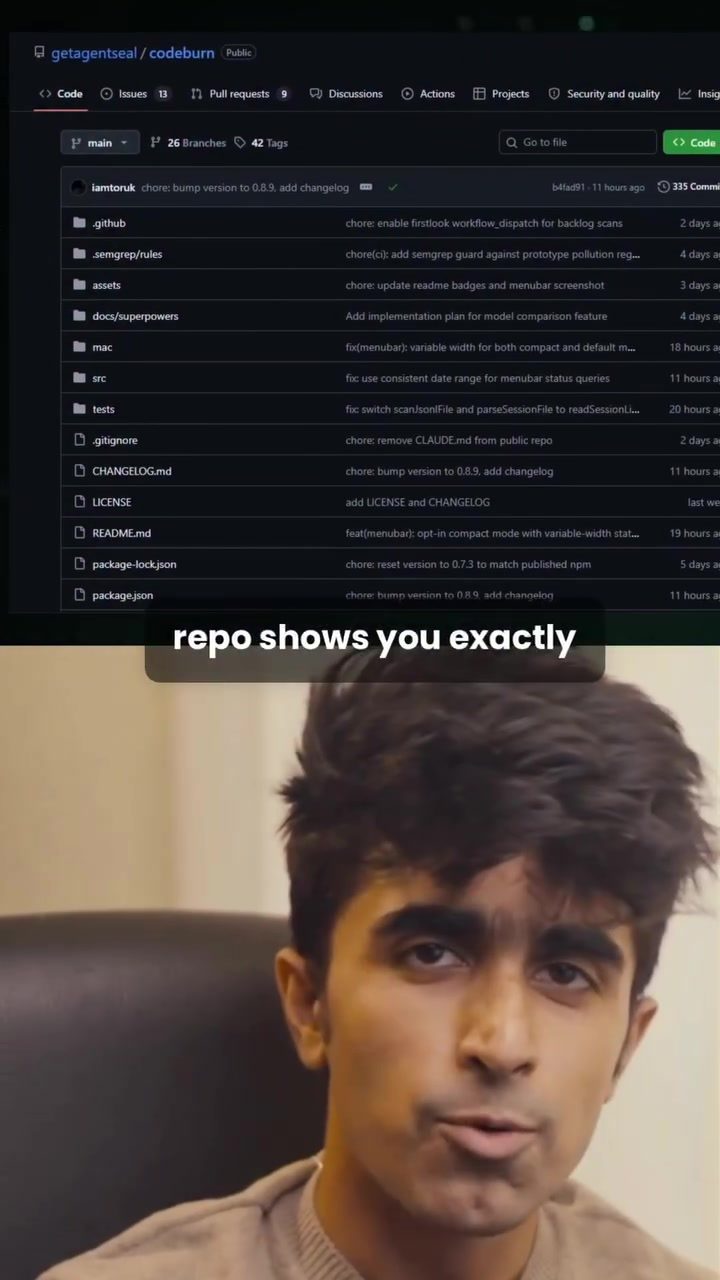
CodeBurn: What Is It and How Can It Optimize Your AI Coding Workflow
CodeBurn is an open-source software tool designed to help developers optimize their use of AI coding tools. Specifically, it focuses on tracking and analyzing AI token usage, providing insights into how and where tokens are being consumed. This can be particularly useful for developers who use AI-powered coding assistants or platforms like Cloud Code.
Why This Matters
As AI coding tools become more integrated into the development process, understanding how these tools are utilizing resources is crucial. Tokens, which represent the units of text processed by AI models, can quickly add up, leading to unexpected costs. CodeBurn addresses this by offering a clear, localizable dashboard that provides a comprehensive report on AI coding usage. This transparency can help developers make more informed decisions about their coding practices and resource management.
Main Discussion
How CodeBurn Works
CodeBurn operates by reading AI coding session data directly from your local machine. This ensures that your data remains private and secure. The software then generates a detailed report that includes:
- Token Usage by Project: Identifies which projects are consuming the most tokens.
- Model Cost Analysis: Shows which AI models are the most expensive to use.
- Task Type Breakdown: Categorizes token consumption based on the type of work being done, such as code generation, debugging, or code completion.
Key Features
Local Data Processing
One of the standout features of CodeBurn is its ability to process data locally. This means that your coding session data never leaves your machine, ensuring that your work remains confidential. This is particularly important for developers working on sensitive projects or proprietary code.
One-Shot Rate
The One-Shot Rate feature is one of the most innovative aspects of CodeBurn. This metric measures how often the AI gets a task right on the first attempt. For example, if you ask an AI coding assistant to fix a bug and it succeeds on the first try, that's a high One-Shot Rate. This feature is invaluable for assessing the efficiency of your AI coding tools and identifying areas where improvements can be made.
How to Get Started with CodeBurn
Getting started with CodeBurn is straightforward. Here’s a step-by-step guide:
- Access the Repository: The CodeBurn repository is available on GitHub. You can find it by searching for "getagentseal / codeburn."
- Run the Command: Simply run a single command in your terminal to open the dashboard. This command will pull in your AI coding session data and generate a report.
- Interpret the Results: The dashboard provides a clear, user-friendly interface that displays your token usage, One-Shot Rate, and other relevant metrics. Use this information to optimize your coding workflow and reduce unnecessary token consumption.
Practical Tips
Optimizing Token Usage
- Monitor Regularly: Regularly check your token usage to identify any unexpected spikes or patterns.
- Adjust Model Settings: Use the model cost analysis to understand which AI models are the most efficient for your tasks. Adjust your settings accordingly.
- Task Categorization: Use the task type breakdown to identify which types of work are consuming the most tokens. This can help you optimize your coding practices and reduce token consumption.
Improving Efficiency
- Improve One-Shot Rate: Focus on improving the One-Shot Rate of your AI coding tools. This can be done by refining your prompts and ensuring that the AI has all the necessary information to complete a task in one attempt.
- Evaluate AI Tools: Periodically evaluate the AI tools and models you are using. Replace or update them if they are not performing as expected.
- Local Testing: Take advantage of CodeBurn's local data processing feature to test new AI tools and models in a safe and secure environment.
Important Takeaways
- Transparency: CodeBurn provides a transparent view of your AI coding usage, allowing you to make informed decisions about your coding practices.
- Efficiency: By using CodeBurn, you can improve the efficiency of your AI coding tools, reducing token consumption and potentially lowering costs.
- Security: CodeBurn's local data processing ensures that your coding session data remains private and secure.
Conclusion
CodeBurn is a valuable tool for any developer looking to optimize their AI coding workflow. Its ability to provide a detailed report of AI coding usage, along with features like the One-Shot Rate, makes it an essential addition to any developer's toolkit. Whether you're a seasoned developer or just starting out, CodeBurn can help you understand and manage your AI coding resources more effectively.
Questions readers ask
What is CodeBurn and how does it help developers?
CodeBurn is an open-source tool that assists developers in monitoring and optimizing their use of AI coding tokens. It provides a local, secure way to track token consumption, helping developers understand usage patterns and manage costs effectively.
How does CodeBurn optimize AI tokens?
CodeBurn optimizes AI tokens by offering insights into token usage patterns. It helps developers identify areas where token consumption is high and provides actionable data to make informed decisions about resource allocation. This leads to more efficient use of AI coding tools.
Is CodeBurn open source? Where can I find it?
Yes, CodeBurn is an open-source tool. You can find it on GitHub. The source code and additional resources are available there for anyone to use, modify, and contribute to.
Can CodeBurn track tokens used in cloud-based AI coding platforms?
CodeBurn is designed for local token tracking, which means it monitors token usage directly on your local machine. However, it can provide insights that are relevant to cloud-based AI coding platforms by helping you understand your overall token consumption patterns.
How does CodeBurn ensure secure AI token management?
CodeBurn ensures secure AI token management by tracking token consumption locally. This means that all data related to token usage is stored on your own machine, providing a private and secure way to manage your AI resources.
What kind of insights does CodeBurn provide about AI token usage?
CodeBurn offers a comprehensive view of AI token usage, including detailed reports on token consumption patterns. It helps developers identify which parts of their code or workflow are consuming the most tokens, allowing them to make data-driven decisions to optimize their AI coding efficiency.
Related deep dives
Similar reads based on topic and creator.


Recent articles
Fresh deep dives from the latest Reels we unpacked.




Comments
Be the first to comment.