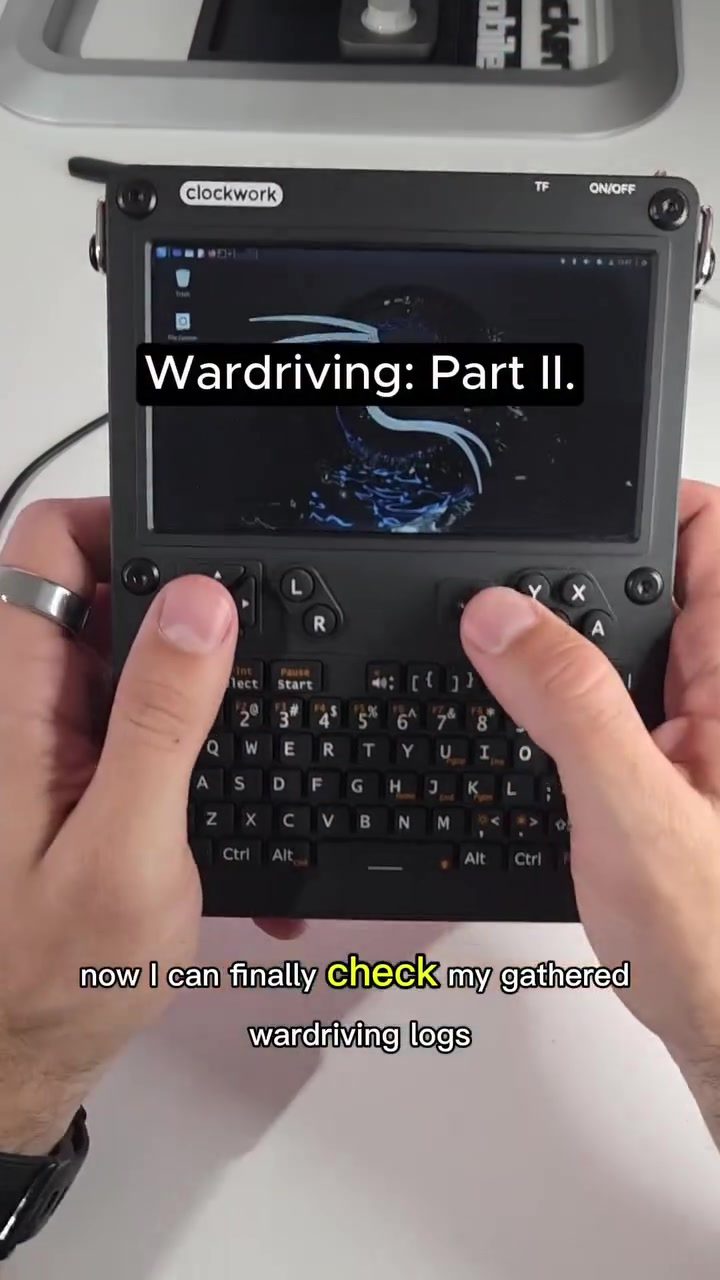
Wardriving Log Analysis
Wardriving is the practice of searching for Wi-Fi networks and Bluetooth devices by moving through different areas, often from a vehicle. This process involves gathering data about wireless networks, including device names, encryption types, and MAC addresses.
Why This Matters
With the proliferation of wireless devices, understanding how to analyze wardriving logs is crucial. It lets you see what data is being broadcast and how it might be exploited. The analysis can help identify vulnerabilities in personal or corporate networks, enabling users to take necessary precautions.
Tools and Techniques
For wardriving, various tools can be used, each serving a specific purpose. Some of the tools mentioned include:
- Flipper Zero: A portable multi-tool capable of interacting with various devices. It interacts with wireless networks, making it a valuable tool for wardriving.
- Marauder: An application running on portable computers, specifically designed for wardriving.
- UConsole: A versatile management console that can be used on both PCs and smartphones. Enabling the use of a QFlipper app, it allows users to manage and analyze data collected by Flipper Zero.
The Wardriving Process
The wardriving process typically involves the following steps:
- Collection: Using a device like the Flipper Zero, data is collected from various wireless networks and Bluetooth devices in a specific area.
- Storage: The collected data is stored in log files. These log files contain detailed information about each device, including MAC addresses, device names, encryption types, and GPS locations.
- Analysis: The log files are then analyzed to extract useful information. This can be done using tools like UConsole and Viggo, which allow for visualization and further analysis of the data.
Analyzing the Logs
Once the wardriving logs are collected, they can be analyzed to gain insights into the wireless networks in an area. The analysis process involves several steps:
- Opening the Logs: The logs are opened using a text editor or a specialized tool like UConsole. This allows for a detailed examination of the data.
- Visualizing the Data: The data can be visualized in various ways. For example, it can be uploaded to Viggo or converted into formats that can be displayed on Google Maps. This helps in understanding the geographical distribution of the devices.
- Identifying Patterns: By analyzing the data, patterns can be identified. For instance, open Wi-Fi networks can be spotted, and encrypted ones can be analyzed for potential vulnerabilities.
Potential Risks and Mitigation
The information gathered during wardriving can be sensitive, especially if it includes data from personal or corporate networks. Here are some potential risks and mitigation strategies:
- Privacy Concerns: The logs contain detailed information about devices, including GPS locations and device names. To protect privacy, users should change the default names of their smart devices or disable them when not in use.
- Security Vulnerabilities: The detailed information can be used to identify vulnerabilities in networks. For example, it can help in finding open Wi-Fi networks or encrypted ones where crowdsource apps might reveal passwords. To mitigate these risks, users should ensure that their networks are properly secured.
Practical Tips for Wardriving
- Use the Right Tools: Ensure you have the right tools for the job. Tools like Flipper Zero and Marauder are specifically designed for wardriving and can make the process more efficient.
- Collect and Analyze Data: Collect as much data as possible and analyze it thoroughly. Look for patterns and identify potential vulnerabilities.
- Visualize the Data: Use visualization tools to get a better understanding of the data. This can help in identifying patterns and potential risks.
- Protect Your Privacy: Change device names and disable unnecessary devices to protect your privacy.
Important Takeaways
- Wardriving is a valuable technique for gathering information about wireless networks and Bluetooth devices.
- Tools like Flipper Zero, Marauder, and UConsole can be used for wardriving and analyzing the collected data.
- The logs contain detailed information about devices, including GPS locations and device names. This information can be used to identify vulnerabilities in networks.
- To protect privacy, users should change the default names of their smart devices or disable them when not in use.
- Proper analysis and visualization of the data can help in identifying patterns and potential risks.
Conclusion
Wardriving is a fascinating and informative process that can provide valuable insights into wireless networks. By understanding how to collect, analyze, and visualize wardriving logs, users can better protect their privacy and security. Whether you're a hobbyist or a professional, the tools and techniques outlined here can help you get the most out of your wardriving efforts.
Questions readers ask
What is wardriving and why is it important for network security?
Wardriving involves searching for and logging wireless networks and Bluetooth devices to identify potential vulnerabilities. It is important for network security because it helps to understand what data is being broadcast and how it might be exploited, enabling users to take necessary precautions to secure their personal and corporate networks.
What kinds of data can be gathered through wardriving?
Through wardriving, you can gather a variety of data, including device names, encryption types, MAC addresses, and SSIDs (network names). This data can be used to identify security risks and improve network configurations.
What is the Flipper Zero and how is it used in wardriving?
The Flipper Zero is a portable multi-tool that can be used for various tasks, including wardriving. It helps in scanning and analyzing wireless networks and Bluetooth devices, making it a useful tool for identifying potential vulnerabilities in network security.
How can analyzing wardriving logs help in securing networks?
Analyzing wardriving logs provides insights into the security of wireless networks. By examining the captured data, you can identify open wireless networks, weak encryption methods, and other vulnerabilities, allowing you to implement stronger security measures and reduce risks.
Which tools are commonly used for wardriving and analyzing network security logs?
Several tools are commonly used for wardriving, including Flipper Zero, Marauder, and UConsole. These tools help in scanning, logging, and analyzing wireless networks and Bluetooth devices, making them essential for identifying and addressing network security issues.
What are the steps to analyze wardriving logs effectively?
To analyze wardriving logs effectively, you should first gather data using tools like Flipper Zero. Next, examine the logs for open networks, weak encryption, and other vulnerabilities. Finally, use this information to implement necessary security measures and monitor networks regularly.
Recent articles
Fresh deep dives from the latest Reels we unpacked.




Comments
Be the first to comment.