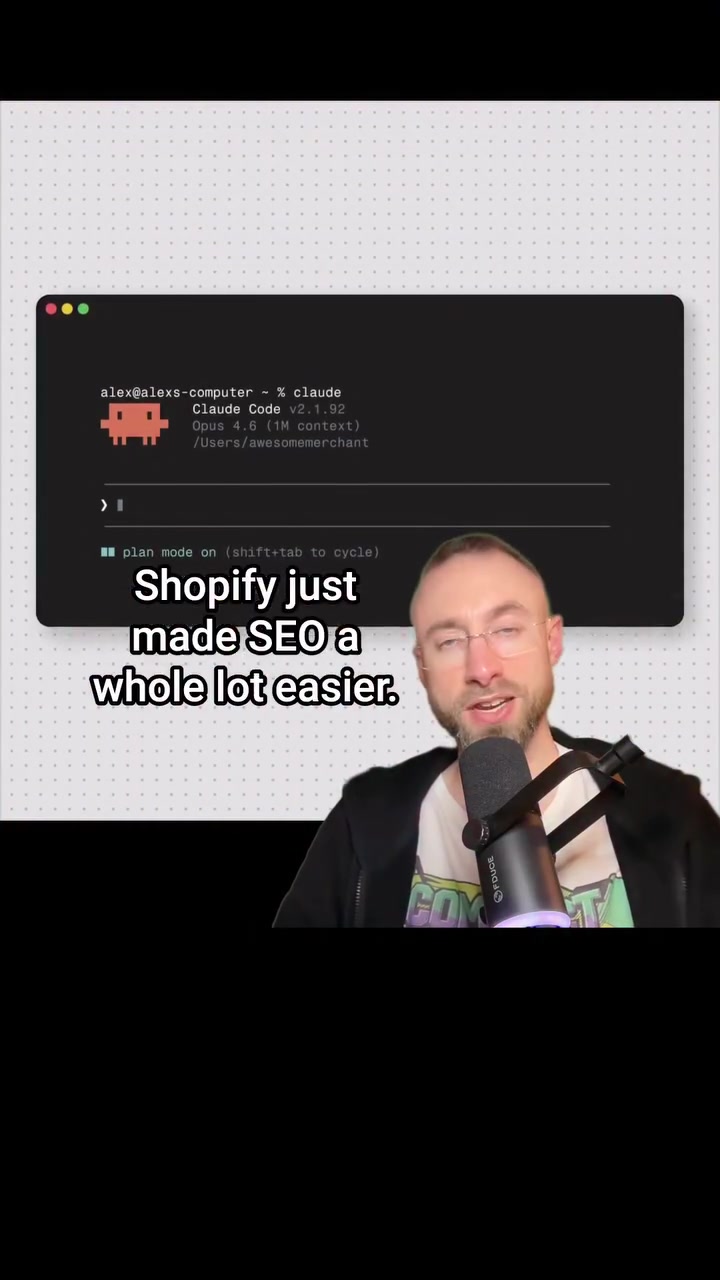
Shopify’s latest integration could revolutionize how online merchants handle their Search Engine Optimization (SEO). The e-commerce giant has added an AI toolkit to its platform, allowing merchants to “optimize all my products for SEO.” It’s a shift away from the painstaking, manual process of tweaking details for every product listing; the tool streamlines the task with efficiency and precision. In 58 seconds, 32 product listings were optimized, including rewritten alt text and meta descriptions.
The AI Toolkit
The Shopify AI Toolkit steps in to automate the tedious and time-consuming SEO tasks that many merchants dread. With the toolkit, merchants can issue a single prompt, such as “optimize all my products for SEO.” The tool then adds or rewrites all necessary text and meta descriptions. This efficiency is a boon, especially for merchants with hundreds of inventory items who previously had to navigate this task individually. The toolkit’s agent undertakes these tasks, verifying each change with one prompt. Thinking point: The AI toolkit stands out for its capacity to manage and optimize hundreds of SKUs at once, making it a powerful addition to any merchant’s toolkit. It’s an upgrade from going through each product manually and adds AI-powered efficiency to SEO processes. The agent handles tasks like editing alt text and meta descriptions in bulk, while simultaneously checking every alteration for consistency. Additionally, the toolkit can interconnect with Shopify’s interface in order to cut down the need for freelancers, subscriptions, and agencies. The toolkit is a response to the need for modern, scalable solutions as SEO becomes harder to manage due to the increasing complexity of data analysis.
The Expanding Role of AI in E-Commerce
The Shopify AI Toolkit comes at a time when the e-commerce landscape is increasingly crowded. Merchants need a competitive edge to stand out, and SEO is a critical component of that. The rise of AI tools like this one is a testament to how technology is evolving to meet the demands of online businesses. It’s not just about selling more; it’s about selling smarter. Before integrating it, merchants are likely to be concerned about how to keep the toolkit useful and safe..
A manual alternative to SEO outsourcing
It lets online merchants streamline their SEO efforts, particularly for those with an extensive inventory. Instead of relying on freelancers, monthly app subscriptions, or agency retainers, which can be costly and time-consuming, merchants can use the toolkit to handle SEO in-house. This shift could lead to significant cost savings and increased agility, as merchants can make real-time adjustments to their SEO strategies without waiting for external input.
The risks of AI experimentation
If you are using this tool, just make sure you have a backup of your store before turning AI loose on it. As Gustavo put it, "Founders with no tech knowledge can prompt Claude into a mess." The toolkit, despite its advantages, isn’t foolproof. Users must be cautious and ensure they have a backup before making significant changes. Some users have found that a single prompt can delete all products and collections.
Projecting a clear path for potentially chaotic integrators
These concerns highlight the need for clear guidelines and best practices when using AI tools for SEO. This prompts the user to "learn how to find purchase intent product keywords, and target these keywords with a special kind of SEO product page. Learn it all at compactkeywords.com." This could mean creating targeted content that addresses specific search queries, optimizing product listings with relevant keywords, and using analytics to track and adjust SEO strategies.
The verdict from social media
The toolkit’s potential is clear, but so are its risks. It’s a double-edged sword, offering significant benefits but requiring careful handling to avoid potential pitfalls. As Thomas put it, “Congrats, you just made sure I have a full year of fixing people's websites after they effed it up with your half-baked tool,” It’s a reminder that while AI can streamline processes, it also demands a level of expertise and caution. On the other hand, someone else chimed in “Good stuff, for people who know what they’re doing.” This is an indicator that larger considerations for integrating the toolkit and realizing its full potential must be considered.
The process of a single prompt
One user’s point of view highlights the power of a single prompt functionality. They describeing how "one person: “This, my friends, is how you delete all of your products and collections in a single prompt.” Somebody else: “Founders with no tech knowledge can prompt Claude into a mess that they won’t understand, let alone know how to fix.” It’s a reminder that while the toolkit offers powerful capabilities, it also requires a deep understanding of its features and limitations. This risk coupled with the potential of the toolkit begs the question: how should online sellers assess if this tool is right for them?
Shopping around for your SEO toolkit
- Evaluate Your Needs: Before integrating the Shopify AI Toolkit, merchants should assess their specific SEO requirements and consider whether the toolkit aligns with their goals. If you have a large inventory and need to manage SEO efficiently, the toolkit could be a valuable addition.
- Backup Your Data: Always maintain a backup of your store’s data before making significant changes. This safeguards against potential issues and ensures that you can restore your site if necessary.
- Test the Toolkit: Conduct small-scale tests to understand the toolkit’s capabilities and limitations. This will help you make informed decisions and avoid potential pitfalls.
- Learn from Others: Engage with the community and learn from others’ experiences. This can provide valuable insights and help you navigate the toolkit more effectively. Ask Shopify and other experts about the process of integrating this toolkit into your site. In a more general sense, use these tips as a way to shape your integration of the toolkit. Be patient, and informed, and mindful of the nuances of the toolkit to make sure that it fits with your business goals.
Questions readers ask
How does the Shopify AI Toolkit optimize product listings for SEO?
The Shopify AI Toolkit optimizes product listings by automating the process of rewriting alt text and meta descriptions. With a single prompt, like “optimize all my products for SEO,” the toolkit can handle multiple listings simultaneously, ensuring that each change is consistent and verified.
Can the Shopify AI Toolkit really optimize 32 product listings in under a minute?
Yes, the toolkit demonstrated this capability by optimizing 32 product listings in just 58 seconds. This speed is a significant improvement over the manual process, which could take hours, especially for merchants with a large inventory.
What kind of tasks can the Shopify AI Toolkit perform?
The toolkit can perform a variety of SEO-related tasks, including editing alt text, rewriting meta descriptions, and ensuring consistency across all product listings. It interconnects with Shopify’s interface to make these changes efficiently.
How does the Shopify AI Toolkit help merchants save costs?
By automating SEO tasks, the toolkit reduces the need for external help such as freelancers, monthly app subscriptions, or agency retainers. This in-house solution allows merchants to make real-time adjustments to their SEO strategies, leading to significant cost savings and increased agility.
What precautions should merchants take before using the Shopify AI Toolkit?
Merchants should ensure they have a backup of their store before using the toolkit. Users have reported instances where a single prompt could potentially cause issues, such as deleting products. It's crucial to be cautious and verify changes to avoid any unintended consequences.
What are the potential risks of using the Shopify AI Toolkit?
While the toolkit offers significant benefits, it's not without risks. Users must be mindful of the potential for errors, especially if they are not tech-savvy. Some users have found that a single prompt could lead to significant issues, like deleting products, so caution and backups are essential.
Is the Shopify AI Toolkit suitable for merchants with a small inventory?
The toolkit is particularly beneficial for merchants with a large inventory, as it can optimize hundreds of SKUs at once. However, even merchants with a smaller inventory can benefit from the time-saving and efficiency aspects of the toolkit, making it a versatile addition for any e-commerce business.
Related deep dives
Similar reads based on topic and creator.




Recent articles
Fresh deep dives from the latest Reels we unpacked.

Comments
Be the first to comment.