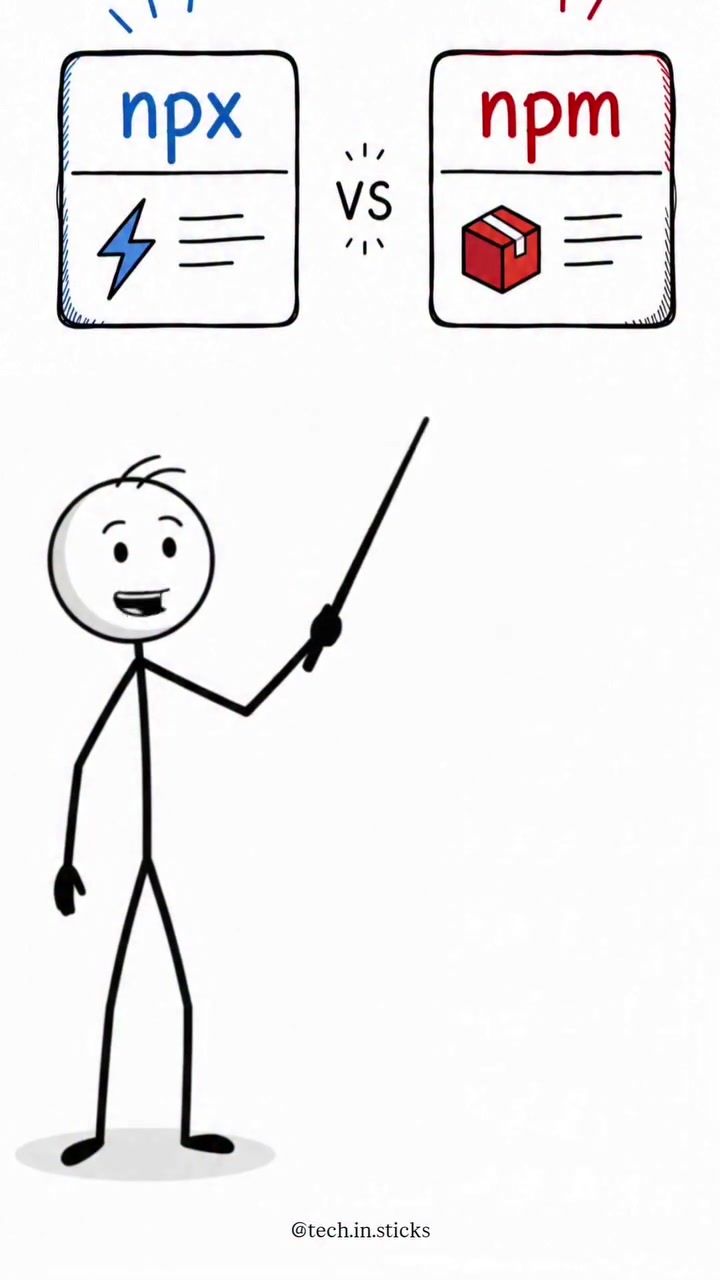
The Hidden Forces of NPM and NPX
For developers in the Node.js ecosystem, two tools have emerged as essential: NPM and NPX. Unlike mainstream apps, these are purely functional, yet crucial for modern coding workflows. Together, the two tools pack for some serious flexibility.
NPM and NPX: Package Managers with Personality
In the world of JavaScript, Node Package Manager (NPM) is the classic tool for managing software projects' dependencies. When you create a Node.js project, NPM becomes your command center. It helps you download and manage libraries from the Node Package Registry, making sure your project has everything it needs to run. Think of NPM as a toolbox — it keeps the tools you need for your project, ready for when you need them, which helps keep the development flow smooth. But what about NPX? It's often confused with NPM, but do not confuse the two. NPX is more of a quick tool for developers. While NPM installs and maintains packages in your project, NPX allows you to run command-line tools directly from the registry on the fly. Trying to install Create React App to create a new project locally? NPX lets you launch it without any installation hassle, making it thoroughly convenient.
The Era of Point-and-Click Development
The rise of NPM and NPX reflects a larger trend in software development: the shift towards convenience and streamlined workflows. NPM has evolved from a simple package manager to a fully-fledged ecosystem, holding over a million packages and facilitating easy collaboration among developers worldwide. Because everything is online, it becomes simpler for developers to bring packages to their codes, which can be managed so seamlessly. In the past, developers often relied on manual installations and custom scripts to manage dependencies. This approach was time-consuming and error-prone, often leading to inconsistencies between different environments. With NPM and NPX, developers can now focus more on writing code and less on managing tools and dependencies.
Deep Dive into the Node Ecosystem
The Dual Role of npm and npX
For any Node.js installation, NPM is already available. Its primary functions include managing dependencies and workflows. You can install the tools you need directly from the command line. Just run npm install package-name to add, update, or remove a package from your project.
One of the most significant aspects of npm is its package.json file. This file is a manifest that holds various metadata relevant to the project and is used to give the essential information about your project. This makes the entire system more understandable and simple.
On the other hand, NPX does not interfere with your actual project setup. Instead, it creates a temporary environment for running the commands, ensuring your Node environment remains untouched. If you plan to run Create React App or even test a tool temporarily, NPX allows for the quick execution of the command without clogging up your system. NPX does not leave any trace of the tool after you have finished your tasks.
The Conjunction of npx
Another significant aspect of NPX is its compatibility with both NPM and Yarn. Even if your project uses Yarn for managing its dependencies, NPX will still work seamlessly. This bi-directional compatibility ensures that developers can run commands without worrying about their package manager. Therefore if the package base version of the tool is different in NPX and NPM, NPX will use it over the installed version in the project.
Real-World Use Cases
Take a project like Vue CLI This command-line interface uses NPM and NPX to create and maintain Vue.js projects. As it is a highly modular system, it can be customized through its plugins. When installing the Vue CLI, it will be added to the system as a global dependency, letting you use its commands from any directory.
However, if you want to try out the Vue CLI for a specific project, you can use NPX to create a new project without installing it globally. To do this, you would simply run npx @vue/cli and it will create a new Vue project in the current directory. When you run the npx command, NPX will create a temporary copy of the Vue CLI, execute it, and then remove it, leaving your project clean and free of clutter.
The Differences in Structure
The typical Node.js project structure involves a few key directories and files. The node_modules directory, for instance, contains all the installed dependencies for your project. The package.json file lists these dependencies and provides metadata about your project. NPM generates and manages this file as it installs and updates packages. When you install a package, NPM adds it to the node_modules directory and updates the package.json file accordingly.
Making Sense of NPM and NPX
The Developer's Guide to npm Commands
When using NPM, it's essential to understand its most frequent commands. Here are a few to remember:
Command: npm install package-name
Usage: Add a package to your project
Command: npm update package-name
Usage: Update an installed package
Command: npm remove package-name
Usage: Remove a package from your project
Command: npm install --save-dev package-name
Usage: Installing dev package
The Developer's Guide to NPX
Command: npx package-name
Usage: Run a package without installing it globally.
Command: npx create-<project-name>
Usage: Create a new project using a specific template or generator.
Parting Thought
For developers, understanding the roles of NPM and NPX can significantly enhance their workflow. While NPM serves as the backbone for managing and installing packages, NPX offers the flexibility to run commands and tools on the fly. Both tools are indispensable for any modern Node.js project, providing a seamless and efficient development experience. By leveraging these tools, developers can focus more on writing code and less on managing dependencies, ultimately leading to more productive and enjoyable coding experiences.
Questions readers ask
What exactly is NPX and how does it differ from NPM?
NPX is a tool that allows you to run command-line tools directly from the Node Package Registry without installing them permanently. Unlike NPM, which manages and maintains packages in your project, NPX provides a temporary environment for executing commands. This makes NPX incredibly convenient for quick tasks or testing tools without altering your project setup.
Can I use NPX to create a new React project without installing Create React App globally?
Yes, you can! NPX lets you run Create React App directly from the registry without needing to install it globally. Just use the command `npx create-react-app my-new-app` and you're good to go. This way, you avoid cluttering your system with tools you might not need in the future.
Do I need to install NPX separately, or does it come with Node.js?
NPX comes pre-installed with Node.js version 5.2.0 and later. So, if you have a recent version of Node.js, you already have NPX ready to use. There's no need for a separate installation.
How does NPX handle dependencies for the commands it runs?
NPX creates a temporary environment for each command it runs, which includes all the necessary dependencies. This means that the dependencies are isolated from your project's dependencies, ensuring that your project environment remains untouched. Once the command is finished, the temporary environment is discarded.
Is there a difference in performance between using NPX and installing a package globally with NPM?
Using NPX might be slightly slower than using a globally installed package because NPX needs to download and set up the temporary environment each time you run a command. However, the convenience and isolation benefits often outweigh this minor performance hit, especially for one-off tasks or testing.
How do I know if a command is available to run with NPX?
Any command that is available as a package in the Node Package Registry can be run with NPX. To check if a specific command is available, you can try running it with NPX. If the package exists, NPX will download and execute it. If not, you'll get an error message indicating that the package was not found.
Can NPX be used for tasks other than running command-line tools?
NPX is primarily designed for running command-line tools, but its use can extend to any executable script or binary that is available as a package in the Node Package Registry. This includes scripts for linters, formatters, and other development utilities. If it's available in the registry, NPX can run it.
Related deep dives
Similar reads based on topic and creator.

Recent articles
Fresh deep dives from the latest Reels we unpacked.

Comments
Be the first to comment.