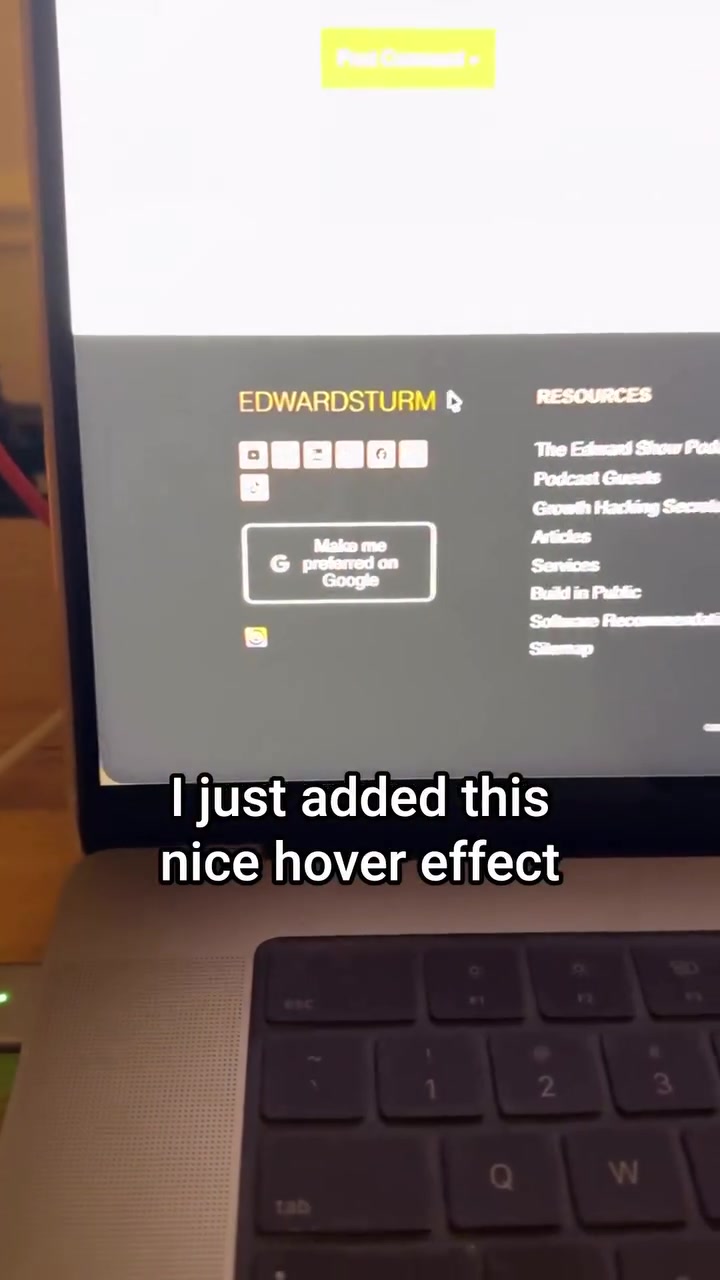
Edward Sturm, a tech savvy professional, recently highlighted a new feature from Google called Preferred Sources. This feature allows users to prioritize the content they see from specific websites in various Google platforms. For Sturm, it was a quick five-minute setup — adding a hover effect to Google’s preferred button — that led to enhanced visibility across AI overviews, top stories, Google Discover, and AI Mode.
Google Preferred Sources: A new way for readers to recalibrate their feed
Preferred Sources is a new feature from Google that allows users to customize their content feeds with a few simple clicks. Through this feature, website's can offer users — who have a preference for their content — the opportunity to elevate the visibility of that website within Google platforms. The result? More tailored content feeds that align with users' interests. The new feature is easy to implement and can significantly improve a site's visibility. It can be added to a user's web footer as a "preferred sources badge." Within Google’s platform, users will then be able to choose the creators whose content they wish to see more prominently displayed. Implementing this feature means adding a code snippet from Google Search Central to your site. This process allows personalization in Google’s AI overviews, AI mode, top stories, and Google Discover.
The broader impact of content customization
Google Preferred Sources is part of a wider trend in content personalization, where users are increasingly seeking control over what they see online. By enabling readers to choose which websites they prioritize, Google makes it easier for them to navigate the vast amount of information available online. As platforms become more crowded, tools that help users filter and prioritize content are gaining traction. This feature also aligns with Google’s broader focus on leveraging AI to enhance user experience. By allowing users to customize their content feeds, Google is making strides in creating a more personalized search environment. This shift could lead to a more engaging and relevant online experience for users, ultimately benefiting both creators and consumers.
How to set up Preferred Sources
Implementation: adding Google’s mark up
Setting up Preferred Sources on a website is straightforward. The feature can be installed by incorporating a code snippet provided by Google. This code snippet ensures that your site is marked up correctly and that the button appears on your site. Vocalized by Edward Sturm the process of implementation is broken down in four vital steps:
- Sign Up and Scaffold: First, website owners need to generate the short code that Google provides for their site.
- Page Embedding: Afterward, the code is added to the site’s footer allowing easy access for your users.
- Hover Effect: Lastly, personalization can be further optimized through the addition of a hover effect, a small but impactful addition. In doing so, users are more likely to see the badge and customize their feed.
Customization: Branding and User Experience
With the feature’s visibility, website owners can customize the appearance of the badge to better align with their brand identity. This customization can include changing the color, size, and overall design of the button. By tailoring the button to match their site's aesthetics, creators can enhance the user experience and make the badge more likely to be noticed and used by visitors.
Ranking signals: beyond button clicks
One of the lesser-known benefits of this feature is that enough preferred source selections can act as a global ranking signal, enhancing the site's visibility beyond just those who clicked the button. This means more visibility, traffic, and visibility because of user preference and an official ranking signal. This dual benefit sets this feature apart from many others on the market.
The Practical Step-by-step Guide
Here's how to set up Preferred Sources on your site, according to Edward Sturm:
- Step 1: Visit the central hub for Google search preferences and explore the documentation.
- Step 2: Take the snippet of code provided and paste it into your favorite AI. Allow the AI to generate the appropriate code.
- Step 3: Add the snippet to your website's footer and customize the badge to align with your branding.
- Step 4: And lastly, feel confident that your website now has the preferred sources button and is Amazon configured for more visibility and traffic. The ability to customize one’s digital experience has become a crucial aspect of online interaction. With the implementation of Google Preferred Sources, users can now personalize their content feeds in a way. By letting Google know which creators they prefer, users can ensure that the content they see is more relevant and aligned with their interests. In doing so, users can pave the way for tailored content experiences.
Questions readers ask
What exactly is Google Preferred Sources and how does it work?
Google Preferred Sources is a new feature that allows users to prioritize content from their favorite websites across various Google platforms. It works by adding a code snippet to a website’s footer, which then displays a 'preferred sources badge.' Users can then select this badge to see more content from that site in their Google feeds, which makes their browsing experience more tailored to their interests.
How can website owners implement Google Preferred Sources on their site?
To implement Google Preferred Sources, website owners need to add a code snippet provided by Google to their site’s footer. This involves signing up, getting the code, embedding it, and optionally adding a hover effect. This small change allows users to see a badge on the site, which they can select to prioritize the site’s content in their Google feeds.
What platforms within Google will show the customized content feeds?
The customized content feeds will be visible across several Google platforms, including AI overviews, AI mode, top stories, and Google Discover. This means users will see more content from their preferred sources in these sections, enhancing their overall browsing experience.
Can Google Preferred Sources help increase a website’s visibility?
Yes, by allowing users to prioritize a website’s content, Google Preferred Sources can significantly boost its visibility. When users select a site as a preferred source, they are more likely to engage with its content, which can lead to increased traffic and better search engine rankings over time.
What are the benefits of using Google Preferred Sources for both users and website owners?
For users, Google Preferred Sources offers a more personalized and tailored browsing experience, making it easier to find content from their favorite websites. For website owners, it enhances visibility and engagement, potentially leading to more traffic and a stronger online presence.
Are there any potential downsides or considerations for website owners using this feature?
While Google Preferred Sources can boost visibility, website owners should be aware that it requires a bit of technical setup. Additionally, users must actively select a site as a preferred source for the feature to have an effect, so it’s not a guaranteed increase in traffic. It’s also important to ensure that the site provides high-quality content to keep users engaged once they've chosen it as a preferred source.
Related deep dives
Similar reads based on topic and creator.




Recent articles
Fresh deep dives from the latest Reels we unpacked.



Comments
Be the first to comment.