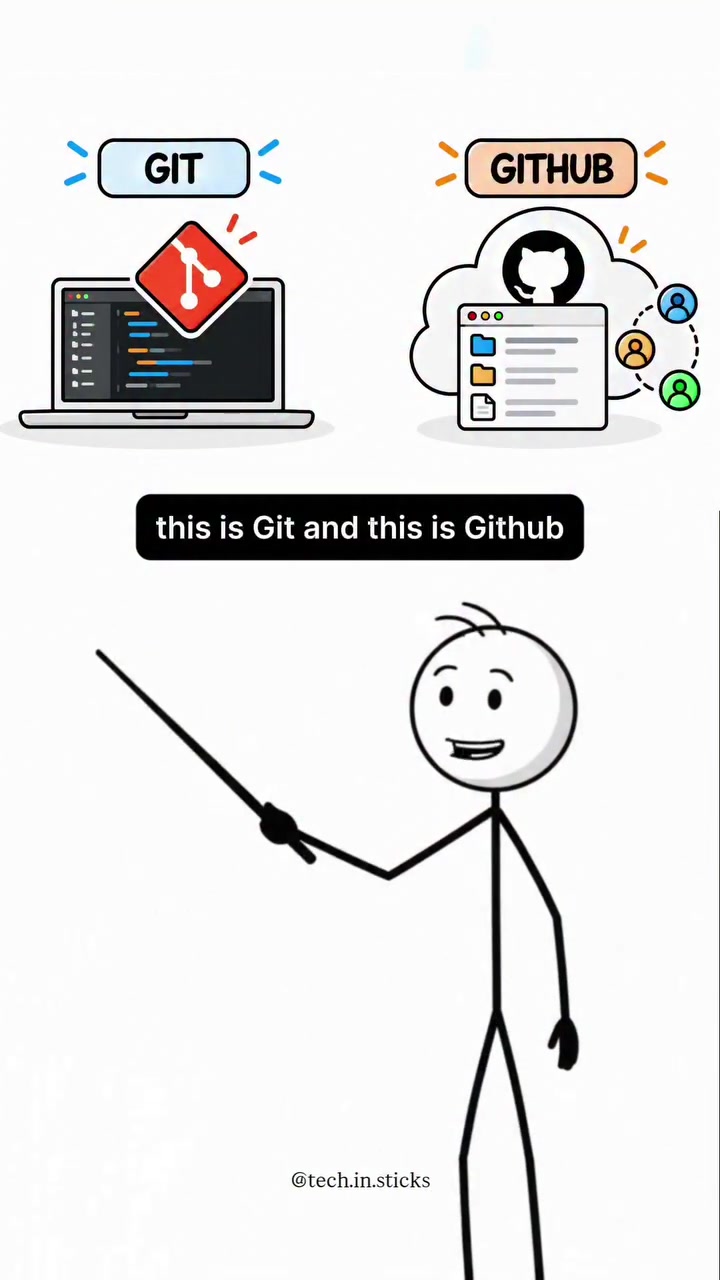
Whats the Difference Between Git and Github?
When developers talk about tracking code changes, two names consistently come up: Git and GitHub. But what exactly are these tools, and how do they help manage software projects? Git is a version control system that tracks changes in code and allows developers to revert to previous versions. GitHub, on the other hand, is an online platform where developers can store, share, and manage their Git repositories and collaborate with others.
The Evolution of Code Collaboration
Collaboration on software projects has changed significantly over the years. Git, developed by Linus Torvalds in 2005, revolutionized how developers manage their code. Before version control systems, developers often worked on code without a structured way to track changes, leading to chaos and lost work. Git introduced a systematic approach to version control, allowing developers to keep a history of changes, track who made them, and revert to previous versions if needed.
Untangling the Workflow
Git: The Core Version Control
Git operates locally on a developer's computer. It tracks changes in the codebase, allowing developers to commit changes, create branches for different features or fixes, and merge those branches back into the main codebase. This local tracking lets developers experiment with code changes without affecting the main project until they are ready to integrate them.
GitHub: The Cloud-Based Collaborator
Once developers have changes ready to share, GitHub comes into play. GitHub is an online platform where developers can push their local Git repositories. This process makes the code accessible to other developers, enabling collaboration on the same project. GitHub supports features like pull requests, issue tracking, and code reviews, making it easier for teams to work together.
The Push and Pull of Collaboration
The workflow between Git and GitHub is seamless. Developers can push their local commits to a remote GitHub repository, making their code available to the team. Other developers can then pull those changes, review them, and merge them into the main codebase. This push-pull mechanism facilitates real-time collaboration, ensuring that everyone is working with the most up-to-date code.
The Security Advantage of GitHub
GitHub offers additional layers of security and control. By hosting repositories online, developers can protect their code from local hardware failures. GitHub also provides access controls, allowing developers to set permissions for who can view or modify the code. This is crucial for open-source projects, where contributions come from a global community. GitHub's tracking and review features make it easier to manage and verify contributions, ensuring the integrity of the codebase.
Practical Guidelines for Getting Started
Getting started with Git and GitHub can be straightforward with the right steps:
- Install Git: Download and install Git from the official website. Follow the installation instructions for your operating system.
- Create a GitHub Account: Sign up for a GitHub account to access the platform’s features. GitHub offers both free and paid plans, depending on your needs.
- Initialize a Local Repository: Open your terminal or command prompt, navigate to your project directory, and run
git initto create a new Git repository. Then, rungit add .to stage your files andgit commit -m "Initial commit"to make your first commit. - Push to GitHub: Create a new repository on GitHub and then run
git remote add origin [your-repo-url]to link your local repository to GitHub. Finally, push your code withgit push -u origin master. - Collaborate with Others: Invite collaborators to your GitHub repository. They can clone the repository, make changes, and submit pull requests for review.
The Future of Code Management
As software development continues to evolve, tools like Git and GitHub will remain essential. Their integration allows developers to focus on writing code while ensuring that their work is secure, tracked, and accessible to their team. Collaborative development on an unprecedented scale is now possible, thanks to the robust foundations laid by Git and GitHub.
Questions readers ask
What exactly is Git and how does it help in managing code?
Git is a version control system that operates locally on a developer's computer. It tracks changes in the code, allowing developers to commit changes, create branches for different features or fixes, and merge those branches back into the main codebase. This helps in managing code by keeping a history of changes, tracking who made them, and allowing developers to revert to previous versions if needed.
How does GitHub differ from Git in terms of functionality?
GitHub is an online platform that complements Git by providing a space to store, share, and manage Git repositories. While Git handles the version control locally, GitHub enhances collaboration with features like pull requests, issue tracking, and code reviews, making it easier for teams to work together on the same project.
Can I use Git without GitHub and if so, how?
Yes, you can use Git without GitHub. Git operates independently on your local machine, allowing you to track changes, create branches, and merge code. However, without GitHub or another hosting service, you won't have the benefits of remote storage, collaboration features, or the ability to share your code with others.
What are the advantages of using GitHub for code collaboration?
GitHub offers several advantages for code collaboration, including real-time updates through the push-pull mechanism, enhanced security with access controls, and collaboration features like pull requests and code reviews. These features make it easier to manage contributions, especially in open-source projects, and ensure the integrity of the codebase.
Is it possible to set up GitHub without using Git?
No, GitHub is designed to work with Git repositories. GitHub is a platform for hosting and collaborating on Git repositories. Without Git, you wouldn't have the version control system needed to track changes and manage your code effectively.
Related deep dives
Similar reads based on topic and creator.

Recent articles
Fresh deep dives from the latest Reels we unpacked.

Comments
Be the first to comment.