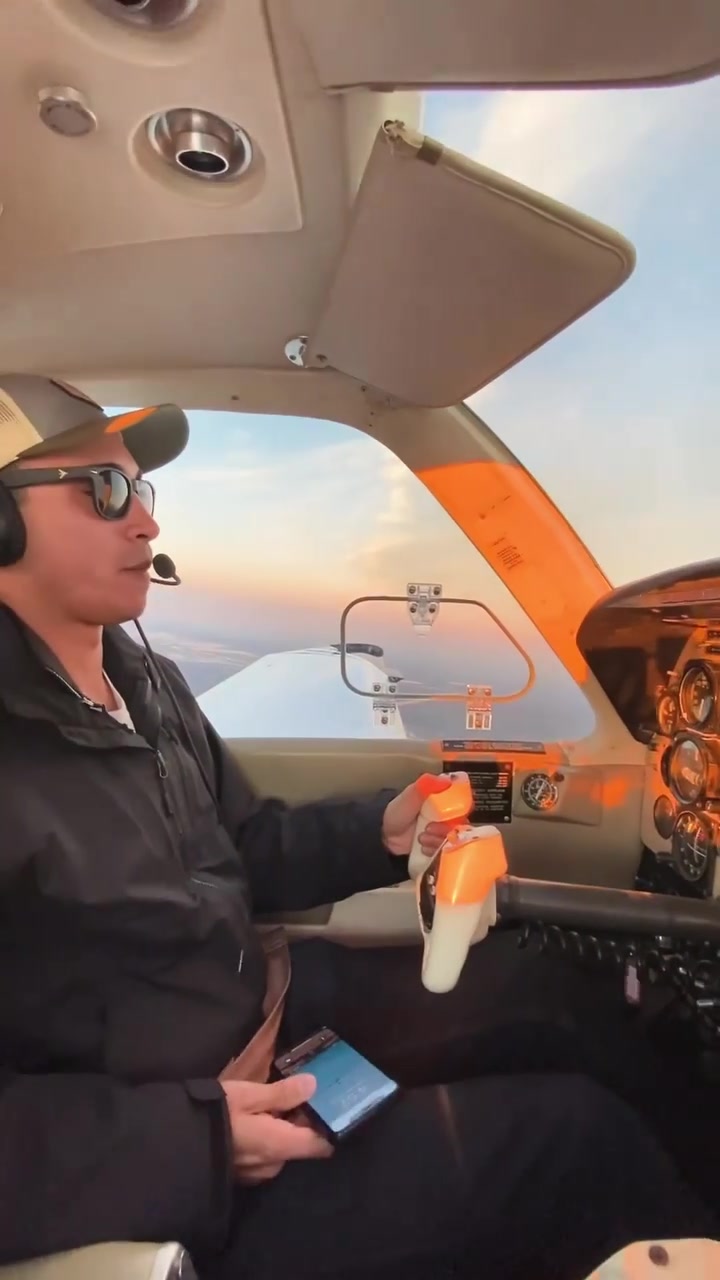
Sitting in a small airplane cockpit, a flight enthusiast grips a controller, eyes scanning a screen filled with instruments and landscapes. This isn't a real flight—it’s a virtual experience through a sophisticated flight simulator. The simulator—immersive, interactive, and detailed—offers users a digital flight deck experience.
Cockpits on Your Screen
Flight simulators are advanced gaming software that recreate the experience of flying an aircraft, from the cockpit's view the pilot sees. They are used for both entertainment and professional training. Users interact with these simulators by entering commands into a controller resembling a yoke or joystick to mimic actions a pilot would do in real life. These systems also require on-screen interactions, like adjusting instrument panels, setting navigation waypoints, and configuring engine settings. The best simulators provide a high degree of realism, replicating everything from the feel of the controls to the behavior of the aircraft in different weather conditions. This makes them indispensable not just for aviation enthusiasts but also for professional pilots in training.
Practice Makes Perfect
Flight simulators have revolutionized the way pilots train, offering a safe and cost-effective alternative to real-life flight hours. With the ability to simulate various aircraft models, weather conditions, and emergency scenarios, simulators help pilots gain the necessary skills and experience. This technology has become crucial in the aviation industry, particularly in pilot training institutions worldwide. It enables learners to practice complex maneuvers and emergency procedures without the risk of real-world consequences.
The Hardware
Simulators vary widely in hardware complexity, from simple setups on a laptop to sophisticated rigs that replicate the exact cockpit of a commercial airliner. The controller is the foundation, often a-yoke, but sometimes a steering wheel for helicopters. The instruments panel includes everything — speed dials, altimeters to multicollimated navigation systems. High-end simulators also integrate force feedback systems that mimic the physical sensations of flight, such as turbulence or takeoff.
The Software
The software is also key—visuals that look real enough to make anyone motion-sick. High-end programs simulate every detail, from engine sounds to the feel of the controls. When the conditions are set correctly, pilots can experience anything from a clear sunny day to dense fog or a violent storm. The software also includes features for instructors to monitor performance, set up custom scenarios, or even intervene in an emergency. Software different between simulators can vary from $100 for a basic controller to tens of thousands for a pre-loaded program with real aircraft simulations.
Practice for Professionals
Real pilots rely on simulators for much more than entertainment. Some training programs require simulator hours to match real flights. Simulators can recreate any weather event, aircraft malfunction, or emergency scenario, allowing pilots to learn without the risk of real-world consequences. This makes simulators indispensable for both initial licensing and ongoing certification. Pilots use simulators for recurrent training; to stay current with types and models.
Learning at Home
This is not just for pros, though—anyone can try. Simulators make aviation accessible from the comfort of home, offering an immersive experience for enthusiasts and aspiring pilots. The complexity and detail allow learners to gain actual skills and practical knowledge, something that can be applied to real-life flight training later. The best part? No need to be an expert. You start with the basics and build upon that, allowing you to fly everything from small planes to a larger aircraft.
Keeping Simulators Real
Simulators are not just about the experience; they also help users learn and practice the same techniques and checklists used in real-world flying. Simulators must have real-world accuracy like that in an actual cockpit. The aircraft will react to the actions of the user, including takeoff, in-flight maneuvers, and landings. This high level of realism means users can gain real skills and experience. It doesn’t matter if you’re a hobbyist or a professional: simulators are designed to be as realistic as possible.
Your Own Flight Deck
For those looking to dive into the world of flight simulation, there are several options for getting started. Beginners may find that even the most basic setups offer an immersive experience, while enthusiasts and professionals can invest in more advanced hardware and software.
- Budget Build: Yoke - start with a basic controller and a monitor.
- Middling Realism: Controllers - add dual monitors to mimic a more realistic cockpit view.
- Premium Setup: Full Cockpits - invest in high-end controllers, multiple monitors or a curved screen, real-world cockpit panels, and specialized software for the most immersive experience.
- Software Options: Simulator Programs – pick different simulation programs that range from free to purchase only versions that offer different aircraft models, weather conditions, and training options.
Frequently Fly
With the simulation constantly evolving, users can expect more immersive and realistic experiences. New advancements are promised that will make simulators more interactive and accessible for all. Simulators will continue to be essential in training the next generation of pilots.
Questions readers ask
What kind of hardware do I need to get started with a flight simulator?
To get started, you'll need a basic setup that includes a computer, a controller (like a yoke or joystick), and a display. For a more immersive experience, you can add an instrument panel, force feedback systems, and even a full cockpit replica. High-end setups can include everything from a steering wheel to multicollimated navigation systems. However, a simple setup on a laptop can also provide a satisfying experience.
Can flight simulators really help me prepare for real-world flying?
Absolutely. Flight simulators are used extensively in professional pilot training. They can simulate various aircraft, weather conditions, and emergency scenarios, allowing pilots to gain valuable experience and practice complex maneuvers without the risks associated with real-world flying.
How realistic are the visuals and controls in flight simulators?
The realism varies depending on the software and hardware you use. High-end simulators can replicate the feel of the controls, the behavior of the aircraft in different weather conditions, and even the physical sensations of flight, such as turbulence. The visuals can be so detailed that they might even make you feel motion sick, which is a testament to their realism.
Can I use a flight simulator to train for specific types of aircraft or emergencies?
Yes, flight simulators can be tailored to specific types of aircraft and can simulate a wide range of emergency scenarios. This makes them invaluable for both recreational users who want to experience flying different types of aircraft and for professional pilots who need to prepare for specific situations.
Are there any limitations to what flight simulators can simulate?
While flight simulators are highly advanced, they do have some limitations. For example, they can't fully replicate the physical sensations of flying, such as the force of takeoff or landing, although force feedback systems can mimic some of these sensations. Additionally, the realism of the experience depends on the quality of the software and hardware used.
Related deep dives
Similar reads based on topic and creator.




Recent articles
Fresh deep dives from the latest Reels we unpacked.


Comments
Be the first to comment.