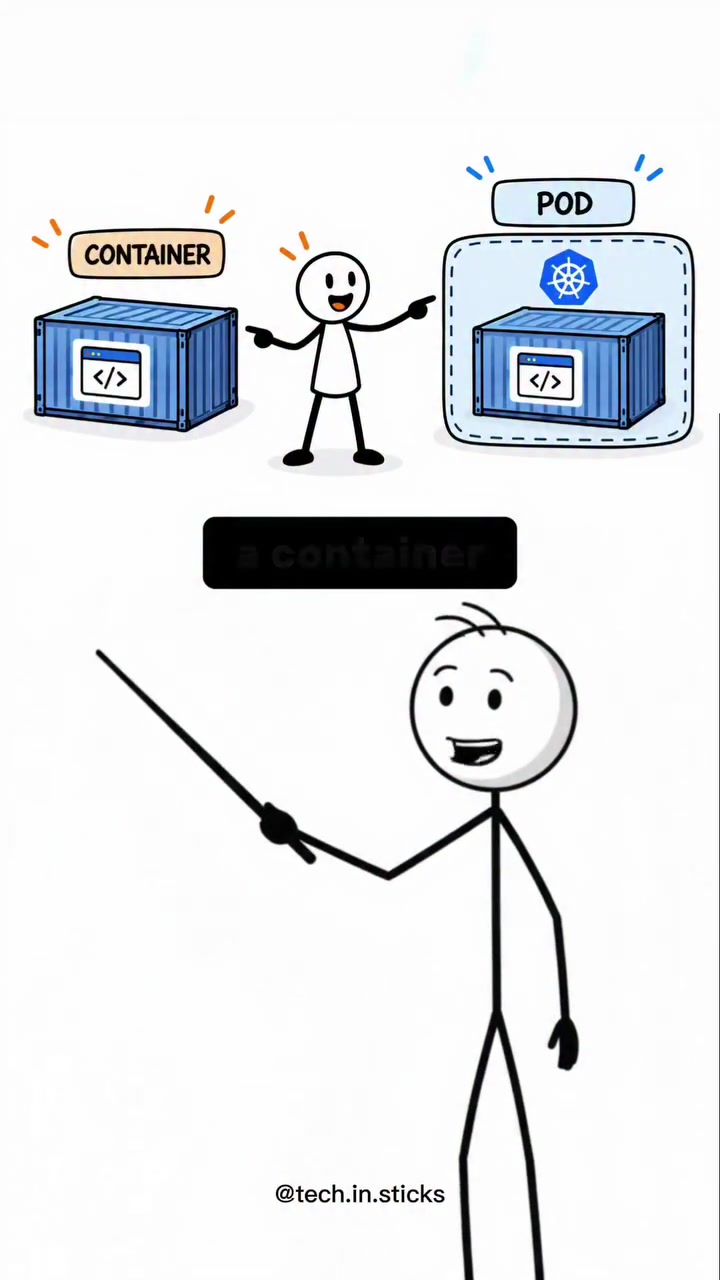
A container is a package containing an application and its dependencies. When configured, containers isolate applications, allowing them to access the same data. This core concept has become critical in modern software development, enabling more efficient and reliable deployment of applications. It’s a way of managing code and supporting infrastructure by isolating them in a single box, which can then be deployed and run anywhere.
The Isolation Advantage
Containers isolate code and dependencies into a single, portable unit. Containerization is an approach to packaging applications in a way that makes them portable and easy to deploy . Containers help solve the common problem of "it works on my machine" by ensuring that the application runs consistently across different environments. This isolation allows developers to package up an application with all of its parts—code, runtime, system tools, libraries, and configuration files—into a single container. This container can then run on any infrastructure, regardless of the host's underlying operating system. This approach has become particularly popular with the rise of microservices architecture, where applications are broken down into smaller, independent services. Each service can be containerized and managed separately, allowing for more modular and scalable software development. The key advantage of containers is their portability. By encapsulating all necessary components, containers can run consistently across different environments, from a developer's laptop to a production server. This consistency reduces the "it works on my machine" issue, where code runs differently in different environments due to variations in dependencies and configurations. This is where the container's advantages are distinct from virtual machines. Containers share the host system's kernel while virtual machines require their own operating systems. This makes containers more lightweight and efficient, as they don't need to include a full operating system. Containers can start up faster and use fewer resources, making them ideal for environments where resources are at a premium.
In the Theatre of Software Delivery
In the evolving software delivery landscape, containers and pods have emerged as key players. This trend is driven by the need for greater efficiency, scalability, and consistency in software deployment. Containers and pods are part of a broader shift towards microservices and continuous delivery pipelines, where applications are broken down into smaller, more manageable pieces. Outside of dev, enterprises are leveraging containers to streamline their operations and reduce costs. For instance, applications can be quickly scaled up or down based on demand, and containers can be easily moved between different environments, making it easier to manage and deploy software across different platforms. Containers and pods have also become essential tools for managing complex, distributed applications, addressing the challenges of modern software architecture like microservices and serverless computing. They provide a consistent environment for running applications, making it easier to manage dependencies and configurations. This consistency is crucial for ensuring that applications run reliably and predictably, regardless of where they are deployed.
How pod orchestration enhances shared data access
A pod, in contrast, is a wrapper or an environment around one or more containers. While a container packages an application and its dependencies, a pod provides the shared environment that enables containers to communicate seamlessly. Containers inside the same pod share the same network and IP address, allowing them to communicate easily. Think of a house, where a container is a room, and the house's plumbing provides each room with water. In this setup, containers are each given their own access to the shared resources.
Inter-container communication
Let's break down this inter-container communication. Containers within a pod can share storage volumes. This means that when one container writes data to a shared storage volume, another container within the same pod can read it without any additional configuration. This capability is crucial for applications that require tight integration between different components. For example, a web server container and a database container can reside in the same pod, facilitating rapid data exchange. The web server can directly access the data stored by the database, enhancing performance and efficiency.
Shared network
Pods also introduce the concept of shared networking. When multiple containers are placed within the same pod, they share the same network namespace and IP address. This seamless networking allows containers to communicate with each other as if they were on the same local network. Net-shared networking simplifies the setup of complex applications that require frequent communication between their components. Also, pods provide a unified interface for managing containerized applications, streamlining the deployment and scaling processes.
Efficient shared storage
Within a pod, shared storage volumes offer a way to manage data efficiently. When containers within the same pod share a storage volume, they can access and modify the same data files. This is particularly useful in scenarios where data needs to be shared between different service components, such as between a web server and a database. Shared storage volumes ensure that data consistency is maintained, reducing the need for complex data synchronization mechanisms.
Kubernetes: The Orchestrator
Kubernetes, the technology running the show here, manages pods and containers, ensuring that they run reliably and efficiently. Kubernetes manages these resources, ensuring that applications are always available and scalable. Pods can be dynamically created and destroyed based on demand, allowing for efficient use of resources. Kubernetes also handles the complexity of managing containers, providing features like automatic scaling, load balancing, and self-healing. For instance, Kubernetes can automatically restart containers that fail, ensuring that applications remain available even in the face of failures. It can also scale the number of containers up or down based on demand, ensuring that resources are used efficiently. Kubernetes provides a robust framework for managing containerized applications, making it easier to deploy, scale, and manage complex systems.
Choosing the right approach for your application
Get started with containers by understanding their capabilities and limitations. If your application is simple and doesn't require complex inter-container communication, a single container might suffice. If your application has multiple components that need to work closely together, consider using a pod. Kubernetes can help manage these containers and pods, providing features like automatic scaling, load balancing, and self-healing. One way to start is by containerizing a simple microservice, a small, self-contained application component, using Docker, one of the most widely used containerization platforms. Then, explore deploying this container to a cloud platform like Amazon Web Services, Microsoft Azure, or Google Cloud Platform, which offer container orchestration services. Ensure that your application is well-documented and tested in different environments to verify its performance and reliability.
- Start small: Begin by containerizing a single, small application. This will help you understand the basics of containerization without overwhelming complexity.
- Use Docker: Docker is a popular and user-friendly tool for creating and managing containers. Familiarize yourself with basic Docker commands and workflow.
- Experiment with Kubernetes: This powerful orchestration tool can help you manage multiple containers and pods. Start with a simple setup and gradually add more features as you gain confidence.
- Leverage Cloud Services: Platforms like AWS, Azure, and Google Cloud offer managed Kubernetes services, making it easier to deploy and manage containerized applications at scale.
Questions readers ask
What exactly is a container in software development?
A container in software development is a package that includes an application and all its dependencies, such as code, runtime, system tools, libraries, and configuration files. This packaging ensures that the application runs consistently across different environments, solving the common issue of 'it works on my machine' by isolating the application and its dependencies into a single, portable unit.
How do containers differ from virtual machines?
Containers share the host system's kernel, making them more lightweight and efficient compared to virtual machines, which require their own operating systems. This shared kernel allows containers to start up faster and use fewer resources, making them ideal for environments where resources are limited. Additionally, containers are more portable and can run consistently across different environments, from a developer's laptop to a production server.
Can containers be used in microservices architecture?
Yes, containers are particularly well-suited for microservices architecture. In this approach, applications are broken down into smaller, independent services, each of which can be containerized and managed separately. This allows for more modular and scalable software development, as each service can be deployed and scaled independently.
What is the significance of the isolation provided by containers?
The isolation provided by containers is crucial because it ensures that applications run consistently across different environments. By packaging all necessary components—code, runtime, system tools, libraries, and configuration files—into a single container, developers can avoid the 'it works on my machine' problem. This isolation also enhances security by preventing different applications from interfering with each other.
How do containers facilitate continuous delivery pipelines?
Containers facilitate continuous delivery pipelines by providing a consistent environment for running applications. This consistency allows for seamless integration and deployment across different stages of the pipeline, from development to testing to production. Containers can be quickly scaled up or down based on demand, making it easier to manage and deploy software across different platforms.
Are there any downsides to using containers?
While containers offer many advantages, there are some potential downsides to consider. Containers can be more complex to manage and secure compared to traditional deployment methods. Additionally, because containers share the host system's kernel, a vulnerability in the kernel could potentially affect all containers running on that host. However, these challenges are often outweighed by the benefits of containerization in terms of portability, efficiency, and scalability.
What are pods in the context of containers?
Pods are a concept that builds on containers, often used in orchestration tools like Kubernetes. A pod is a group of one or more containers that are always co-located and co-scheduled, sharing the same network and storage resources. Pods are used to manage complex, distributed applications, providing a higher level of abstraction and control over containerized services.
Related deep dives
Similar reads based on topic and creator.




Recent articles
Fresh deep dives from the latest Reels we unpacked.



Comments
Be the first to comment.