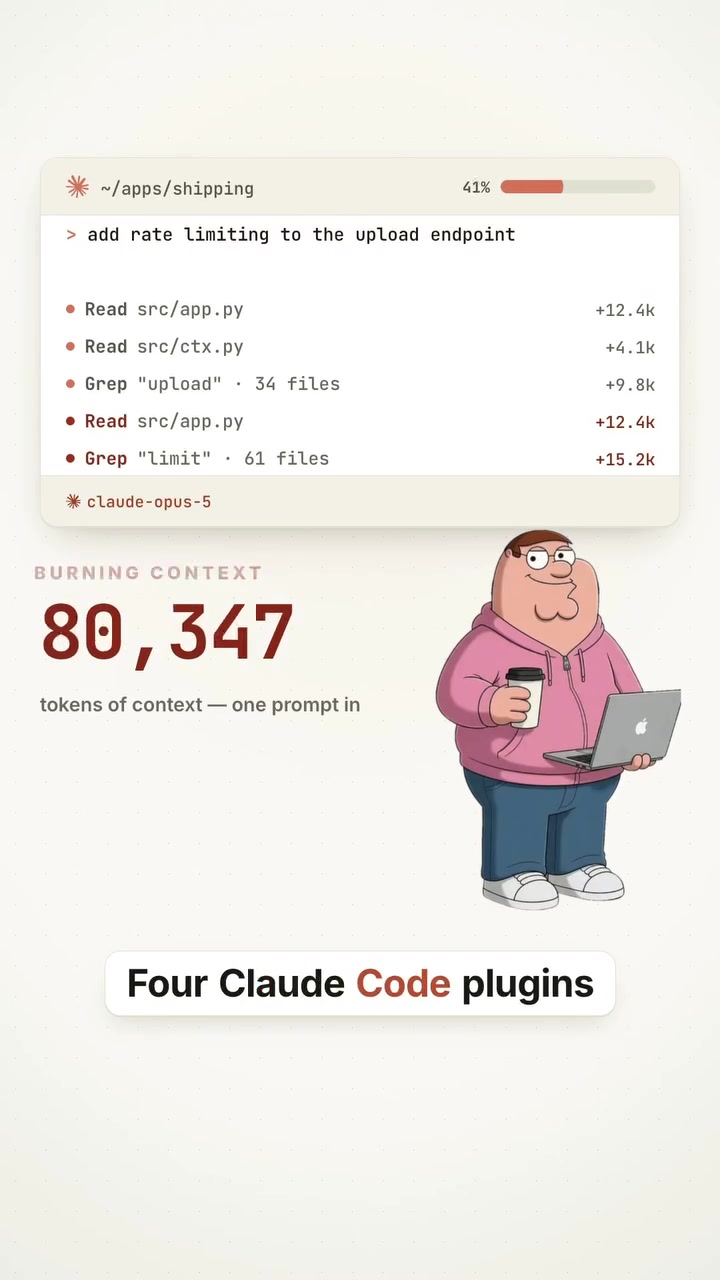
Four plugins for "Vibe Coding" can boost the productivity of Claude, the AI code assistant. Claude’s efficiency is often hampered by the fact that it burns through context as it processes files, hits usage limits, and lacks a structured approach to coding tasks.
What are the Claude Code Plugins?
The four plugins aim to fix specific issues that users often face when using Claude for coding tasks. These issues include context burnout, repeated file reading, hitting usage limits, and lack of structured approach to tasks. Here’s what each of the four plugins does: Graphify: this plugin transforms the entire codebase into a knowledge graph. This graph is built locally using a tool called tree-sitter, which doesn't rely on LLM calls — making it fast and cost-effective. Graphify helps the agent understand how different files, functions, and dependencies are interconnected, reducing the need to re-read the same code multiple times. It saves time and reduces the amount of context the model needs to process. Agent Skills: Claude often approaches coding tasks without a clear plan. Agent Skills gives the agent a specific workflow — such as planning, implementation, testing, reviewing, and shipping — for every stage of software development. By switching between specialized workflows, Claude can behave more like a seasoned engineer, rather than improvising. Agent Skills make sure that each task has its own skill and output. Ponytail: This plugin runs at the beginning of a session and focuses on making sure that Claude only sends relevant information to the model. It makes Claude justify each line of code before writing it, which results in about 54% less code on average, saving both time and cost. Ponytail optimizes the information sent to the model, reducing the amount of unnecessary context and tokens. OmniRoute: One of the main limitations of using an AI coding assistant such as Claude is running out of usage limits in the middle of a session. OmniRoute solves this problem by connecting the user’s workflow to a larger pool of AI providers and models. It allows you to switch to an alternative model if the current one has run out of usage limits, ensuring that the workflow remains uninterrupted. The four plugins — Graphify, Agent Skills, Ponytail, and OmniRoute — collectively transform Claude’s process from a single AI-driven coding assistant into a more dynamic engineering system. The best Claudia Code setup doesn’t just rely on the one model for all tasks but distributes it across multiple tools.
Claude Code Plugins Create a Flexible Engineering System
AI coding assistants like Claude are becoming increasingly popular among developers. The idea is to use AI to automate repetitive coding tasks, making the development process more efficient and faster. Claude has transformed the way developers approach coding by acting as an AI-driven coding assistant. These AI-driven coding assistants are designed to automate repetitive tasks, generate code, and debug errors, saving developers time and increasing efficiency. But these tools are not without their limitations. One of the primary challenges is context management. As the codebase grows, the AI needs to process more information, leading to context burnout. This is where the four plugins come in, as they address context management and help structure the coding process.
How Graphify Boosts Code Understanding
Graphify is the most foundational plugin in the toolkit. Every codebase has multiple components, including files, functions, and dependencies. Graphify turns the repository into a knowledge graph, mapping out all those relationships. Knowing how a function in a specific file interacts with hundreds of other files can save a huge amount of time. Claude can easily navigate the repo, understanding the relationships between files, functions, dependencies, and different parts of the app much faster. As a result, it reduces the amount of context wasted re-reading the same parts of the code. Graphify is particularly useful for larger codebases, where managing context and understanding relationships between different parts of the app can be tricky. By creating a knowledge graph, Graphify provides a blueprint for Claude to follow, making the coding process more efficient. This graph is built locally with tree-sitter, ensuring that it doesn’t rely on LLM calls and is thus cost-effective and fast.
How Agent Skills Structure the Coding Process
Agent Skills introduces a structured approach to coding, making sure Claude behaves more like an experienced engineer. Instead of diving straight into coding, the agent follows a clear plan. Agent Skills give Claude a structured workflow for every stage of software development. This includes planning, implementation, testing, reviewing, and shipping. Switching between these skills ensures that each stage of the development process has its own focus, outputs, and goals. Agents switch from one skill to another, creating a more organized and efficient workflow. By introducing these dedicated workflows, Agent Skills transforms a chaotic coding process into a structured, phased approach.
How Ponytail Optimizes Token Usage
Ponytail is designed to reduce the amount of context and tokens sent to the model, making the coding process more efficient. When using an AI coding assistant like Claude, it’s important to manage the amount of context and tokens sent to the model. The more information the model has to process, the higher the costs and the slower the process. Ponytail optimizes what gets sent to the model, ensuring that the agent only sends the information that matters. This reduces the amount of unnecessary context and tokens, saving time and costs. In addition to optimizing information, Ponytail makes the agent justify each line of code before writing it. This results in approximately 54% less code on average, making the coding process faster and more efficient.
OmniRoute Provides Flexibility in Usage Limits
At some point in a coding session, developers may hit usage limits. This can be frustrating, as it can halt the workflow and slow down the development process. OmniRoute solves this problem by connecting your workflow to a larger pool of AI providers and models. By using OmniRoute, developers can switch between different models if the current one has run out of usage limits. This ensures that the workflow remains uninterrupted, even if one model hits its limits. OmniRoute provides flexibility and ensures that the coding process can continue smoothly, regardless of usage limits.
Adding these plugins to your workflow
Claude is an effective AI coding assistant, but its productivity can be significantly enhanced with a few key plugins. To set these up, follow these steps:
- Graphify: The first step is to install Graphify. This plugin turns your repository into a knowledge graph, saving time and reducing the amount of context the model needs to process. You can find the installation instructions at the GitHub repository, github.com/Graphify-Labs/graphify.
- Agent Skills: Agent Skills introduce a structured approach to coding. Install this plugin using the following command:
npm install @graphify-labs/agent-skills. This command sets up the necessary workflows for planning, implementation, testing, reviewing, and shipping. - Ponytail: Before using the plugin, install Ponytail using the following command:
git clone https://github.com/DietrichGebert/ponytail. Ponytail reduces the amount of context and tokens sent to the model, making the process more efficient. It also makes the agent justify each line of code before writing it, resulting in approximately 54% less code on average. - OmniRoute: OmniRoute connects the workflow to a larger pool of AI providers and models. This ensures that the coding process can continue even if one model hits its usage limits. To install OmniRoute, follow the instructions on its GitHub repository, github.com/diegosouzapw/OmniRoute.
Claude Code Plugins = Engineering System, Not Just an Assistant
Once you use these plugins, Claude Code stops being a single AI writing code and becomes an engineering system. It’s a network of AI models, each handling different aspects of the coding process. Claude might handle the complex architecture decisions, while another model handles straightforward implementation. Specialized skills control how the work gets done, and a different system maintains knowledge of the codebase. This way, developers can focus on the more creative and strategic aspects of their work.
Questions readers ask
What is the main problem these plugins are designed to solve?
The plugins address several key issues that developers face when using AI code assistants like Claude. These include context burnout, where the AI has to repeatedly process the same code, hitting usage limits, and lacking a structured approach to coding tasks. The plugins aim to make the coding process more efficient by tackling these specific pain points.
How does the Graphify plugin work and what benefits does it provide?
Graphify transforms the entire codebase into a knowledge graph using a tool called tree-sitter, which operates locally and doesn't rely on LLM calls. This helps Claude understand the interconnectedness of files, functions, and dependencies, reducing the need to re-read the same code multiple times. As a result, it saves time and reduces the amount of context the model needs to process, making the coding process more efficient and cost-effective.
What does the Agent Skills plugin do to improve Claude's coding process?
Agent Skills provides a structured workflow for Claude, guiding it through stages like planning, implementation, testing, reviewing, and shipping. This structured approach makes Claude behave more like a seasoned engineer, ensuring that each task has its own skill and output, and reducing the need for improvisation.
How does the Ponytail plugin optimize the information sent to the model?
Ponytail ensures that only relevant information is sent to the model by making Claude justify each line of code before writing it. This results in about 54% less code on average, saving both time and cost. By optimizing the information sent to the model, Ponytail reduces the amount of unnecessary context and tokens, making the coding process more efficient.
What is the OmniRoute plugin designed to solve and how does it work?
OmniRoute addresses the issue of running out of usage limits during a coding session. It connects the user’s workflow to a larger pool of AI providers and models, allowing you to switch to an alternative model if the current one has run out of usage limits. This ensures that the workflow remains uninterrupted, providing a seamless coding experience.
Related deep dives
Similar reads based on topic and creator.



Recent articles
Fresh deep dives from the latest Reels we unpacked.




Comments
Be the first to comment.