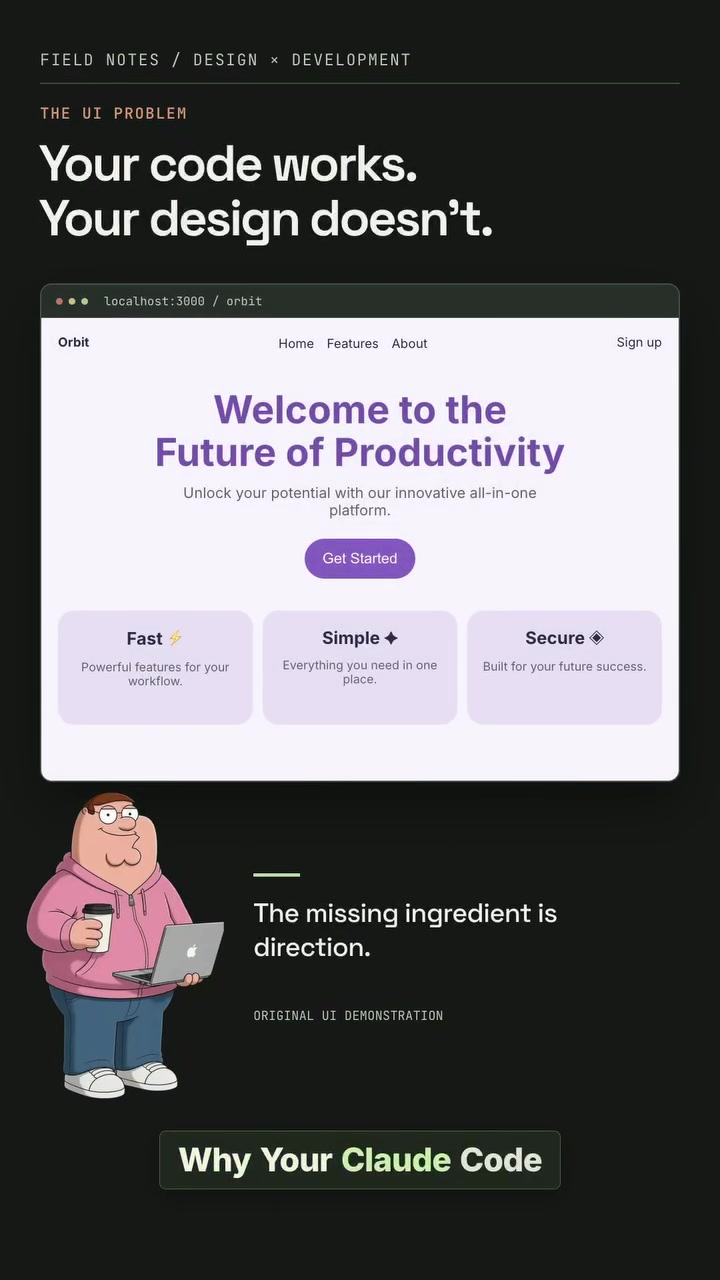
The Problem With AI-Generated UI and How Orbit Fixes it
Designing user interfaces (UI) and user experiences (UX) that look sleek and professional can be challenging, especially when relying on AI-generated code. Claude, a popular AI coding tool, excels at writing functional front-end code, but often struggles with aesthetics, resulting in interfaces that, while functional, look outdated or generic. The issue isn't with Claude's coding abilities. Instead, it lies in the vagueness of the instructions given. Telling an AI to "make it look premium" leaves it to guess at layout, spacing, typography, and hierarchy, leading to interfaces that look like they came straight out of a 2012 bootstrap template. This is the vibe-coded look, and it happens because the AI lacks clear direction and guidelines. Worse, detailed and helpful UI/UX design tools are expensive, and a lot of the resources may go unused. For architects, it's about tools and skills that fill these gaps, from the right feedback loops to keeping the design guidelines consistent. That’s where Orbit comes in, a software platform designed to streamline and enhance the UI/UX design process, making it more intuitive and effective. Introducing a robust design workflow can transform the way AI-generated interfaces are created, ensuring they not only function well but also look polished and professional.
The Rise of Design-Centric AI Tools
The demand for high-quality, design-forward interfaces has never been higher. As more businesses move online, the need for visually appealing and user-friendly websites and apps has become paramount. However, the design skills gap remains a significant challenge. Many developers lack the expertise to create interfaces that are both functional and aesthetically pleasing. This is where design-centric AI tools, like Orbit, come into play. These tools aim to bridge the gap by providing developers with the resources and guidelines needed to create professional-looking interfaces.
How Orbit Enhances the Design Process
AI models like Claude can write CSS and other front-end code, but they struggle with design tasks like layout, spacing, and typography. This is where strong references, a clear design system, and audit tools come in. The design process that Orchid promotes is built on five key steps, each designed to improve the final product:
Leveraging Playwright and Image-to-Code for Visual Feedback
First, Playwright CLI is used to give the coding agent "eyes." This tool allows Claude to open a browser, click through the page, take screenshots, and inspect the built interface. Instead of relying on a designer's guesswork, Playwright verifies that the modal isn't cut off, the button isn't misplaced, and the design isn't broken on mobile. It ensures the interface is not only functional but also visually coherent. In addition, image-to-code tools translate visual structures into code, replacing vague instructions with concrete visual references. This means instead of saying, "make it premium," you can show the AI a landing page with the desired visual direction and have it recreate that structure in code. This approach replaces vague taste instructions with something visual, making the design process more straightforward and effective.
Building with a Design System
The next step is to give Claude an actual design system. This includes colors, spacing scale, typography, border radius, and button variance. By providing a consistent visual language, every page starts to look like it belongs to the same product. Instead of letting the AI invent a new shade of blue or a new border radius on every page, you give it a set of guidelines to follow. This can be done using an existing component system like Shad CNUI or by creating your own design system. A consistent design system ensures that the interface looks cohesive and professional, no matter which page the user is on.
Navigating the Design Audit
After the UI is built, the agent audits it against design principles. This goes beyond just checking if it looks good; it involves verifying contrast, spacing, hierarchy, responsive behavior, accessibility, button states, form labels, and interaction patterns. The difference between an amateur interface and a polished one often comes down to hundreds of tiny decisions like these. This audit process ensures that the interface is not only visually appealing but also functional and accessible to all users. Taste skills or curated design references provide the agent with examples of what good design looks like, guiding the choices throughout the process. This ensures that the final product is not only functional but also visually appealing and user-friendly.
Evaluating design outcomes
The final step in the workflow is to verify the design in the browser. This involves using Playwright CLI to open the page, click through flows, and capture screenshots. This feedback loop ensures that the design is not only visually appealing but also functional and user-friendly. By giving the agent evidence it can use to fix problems, you ensure that the final product is polished and professional. This iterative process of building, auditing, and verifying ensures that the final product is not only functional but also visually appealing and user-friendly.
Practical Steps to Enhance Your UI/UX Design
- Strong references: Show the agent what good looks like. A screenshot communicates more than a pile of adjectives. This provides a clear visual direction for the AI to follow. Along the way, ensure that you create guidelines for your design system and maintain them.
- Design system: Set the colors, spacing, typography, radius, and components so every page feels like the same product. This ensures consistency across the entire interface.
- Build from reference: Use image-to-code to translate visual structure into an interface, then adapt it to your content. This replaces vague taste instructions with something visual.
- Audit the details: Check contrast, responsiveness, accessibility, form labels, and interaction states. Polish comes from lots of small decisions.
- Verify in the browser: Use Playwright CLI to open the page, click through flows, and capture screenshots. Give the agent evidence it can use to fix problems. Judge UI/UX design by its impact and not its complexity. These steps will give your design direction, and allow you to improve the overall look and feel of your interface. While these tools and skills are essential, the key to success is in the implementation. By following these steps and using the right tools, you can create interfaces that are not only functional but also visually appealing and user-friendly.
Questions readers ask
What exactly is Orbit and how does it differ from other AI design tools?
Orbit is a software platform designed to streamline and enhance the UI/UX design process, specifically to address the limitations of AI-generated interfaces. Unlike other AI design tools, Orbit focuses on providing clear design guidelines, robust feedback loops, and consistent design systems to ensure that AI-generated interfaces are not only functional but also visually polished and professional. It leverages tools like Playwright and image-to-code conversion to bridge the gap between functional code and aesthetic design.
How does Orbit improve on the limitations of AI tools like Claude?
Orbit enhances the design process by introducing a structured workflow that includes clear design references, a robust design system, and audit tools. It uses Playwright to provide visual feedback, ensuring that the interface is visually coherent and functional across different devices. Additionally, image-to-code tools allow developers to provide concrete visual references, replacing vague instructions with specific design goals. This approach helps in creating interfaces that are both functional and aesthetically pleasing.
Can I use Orbit if I'm not a professional designer?
Yes, Orbit is designed to be accessible to developers and non-designers alike. By providing clear design guidelines and tools for visual feedback, Orbit helps bridge the skills gap. Even if you lack professional design expertise, you can use Orbit to create polished, professional-looking interfaces by leveraging its structured workflow and concrete visual references.
Is Orbit available for use now, and if so, how can I access it?
The article doesn't specify the current availability of Orbit, so you might want to check the official website or contact the developers for the most up-to-date information. If it's available, you should be able to sign up or download it from their platform, likely with various pricing tiers or a free trial.
How does Orbit handle the issue of vague design instructions given to AI tools?
Orbit addresses the issue of vague design instructions by introducing image-to-code tools and Playwright for visual feedback. Instead of relying on ambiguous commands like 'make it premium,' you can provide concrete visual references. For example, you can show the AI a landing page with the desired visual direction, and it will recreate that structure in code. This ensures that the AI has clear, specific guidelines to follow, which leads to better design outcomes.
What are the five key steps in the design process promoted by Orbit?
The article mentions that the design process promoted by Orbit is built on five key steps, but it only details two: leveraging Playwright for visual feedback and using image-to-code tools for visual references. The other three steps are not specified, so you might need to refer to Orbit's official documentation or resources for a complete breakdown of their design process.
How does Orbit ensure consistent design guidelines across different projects or teams?
Orbit ensures consistent design guidelines by promoting a robust design system and providing tools for visual feedback. By using Playwright and image-to-code tools, Orbit helps maintain consistency in design across different projects or teams. These tools allow developers to verify that the design is functional and visually coherent, ensuring that the final product meets the desired aesthetic standards.
Related deep dives
Similar reads based on topic and creator.



Recent articles
Fresh deep dives from the latest Reels we unpacked.

Comments
Be the first to comment.