SteamOS - Transforming Your PC into a Gaming Powerhouse
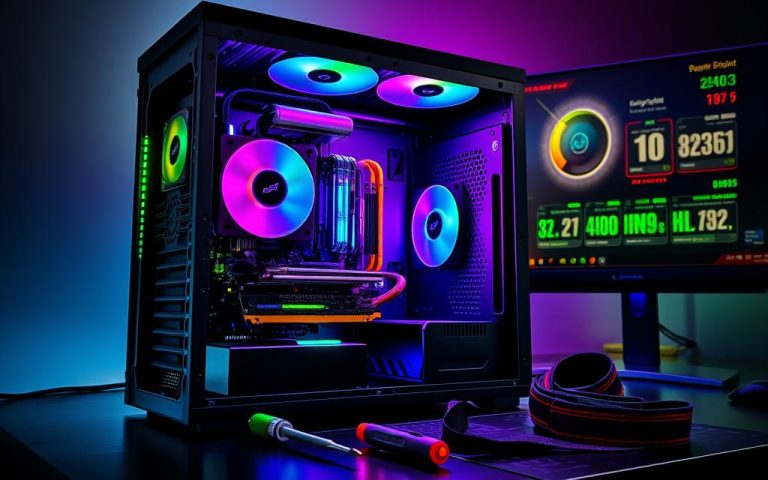
Imagine sinking into your favorite couch, controller in hand, ready to dive into your favorite PC games – but without the hassle of navigating a cluttered desktop. With SteamOS, Valve's Linux-based operating system, that dream is now a reality. As Steam hits over 30 million daily active users, the demand for a seamless gaming experience has never been higher. SteamOS is designed to transform your PC into a gaming powerhouse, optimizing performance and simplifying your gaming setup. In this article, we'll explore how SteamOS is revolutionizing the way we game on PC, starting with its impressive features and capabilities.
The Rise of SteamOS: A New Era for Gaming PCs
You know the struggle of dealing with bloatware and slow performance on your gaming PC. Well, say goodbye to those issues with SteamOS! Developed by Valve, the same folks behind the popular Steam platform, SteamOS is a Linux-based operating system specifically designed to optimize your gaming experience. It's like a breath of fresh air for your rig. With SteamOS, you're getting an OS that's been fine-tuned for gaming. It's all about delivering high-performance capabilities and seamless gameplay. There's no unnecessary software to slow you down, just a lean, mean gaming machine. According to Pierre-Loup Griffais, a prominent figure in the SteamOS development team, "We've optimized the entire software stack to ensure that games run smoothly and efficiently." That's music to any gamer's ears! One of the biggest advantages of SteamOS is its access to the massive Steam library, boasting over 50,000 games. You're talking about a treasure trove of titles, from AAA blockbusters to indie gems. Whether you're into action-packed shooters or strategic RPGs, there's something for everyone. The SteamOS interface is designed to make finding and playing your favorite games a breeze. You can easily browse the store, manage your library, and launch games with just a few clicks. The numbers back up the hype, too. With SteamOS, you can expect faster boot times, quicker loading screens, and improved overall performance. That's right; this OS is built to squeeze every last bit of power out of your hardware. With millions of Steam users already enjoying their gaming experience, it's clear that SteamOS is a game-changer. So, are you ready to transform your PC into a gaming powerhouse? Stay tuned as we dive deeper into the world of SteamOS and explore its features, benefits, and potential.
Key Features of SteamOS

You know how Linux is known for being super customizable? That's exactly what makes SteamOS so powerful. See, SteamOS is built on top of Arch Linux, which means you're getting a solid foundation with open-source base components. This allows for a high degree of flexibility and community-driven development - just like how the Linux community rocks!
The Star of the Show: Proprietary Steam Client
The real magic happens with the proprietary Steam client, though. It's like the heartbeat of SteamOS - pumping life into your gaming experience. With access to Valve's vast library of titles and features like Big Picture Mode, you're in for a treat. Imagine playing games like Dota 2 or Counter-Strike on your big screen TV, controller in hand, and it's easy to see why people love SteamOS.
One of the coolest things about SteamOS is how it optimizes performance. For example, many games see significant frame rate boosts thanks to optimizations in the OS. Case in point: Portal 2 sees about a 15% performance boost on SteamOS compared to Windows in some tests. That's huge for gamers looking to squeeze out every bit of power.
- Open-source base components for flexibility and community support
- Proprietary Steam client for seamless gaming experience
- Arch Linux-based distribution for robust performance
With these features, SteamOS is turning PCs into legit gaming powerhouses. What do you think? Ready to turn your rig into a gaming beast?
Installing SteamOS on Your PC
So, you're ready to transform your PC into a gaming powerhouse with SteamOS? Let's get started then! You've got your PC, you've got your steam account, now you just need to get SteamOS on there. Easy peasy, right? Well, kinda. You're gonna wanna make sure you've got the right hardware, 'cause SteamOS isn't super flexible... yet.
Here's the deal: head over to Valve's official website and grab the SteamOS recovery image. It's like getting a ticket to the coolest gaming party in town – don't show up without it! This image is specifically designed to get you up and running with SteamOS, so you don't wanna mess with any other versions or builds. Just go with the official one, trust me, it's worth it. And hey, if you're wondering about hardware, check out the Steam Deck's specs for reference – that's like the gold standard for SteamOS compatibility.
The Installation Process
Now, once you've got the image, follow Valve's step-by-step instructions to the T. They're gonna walk you through creating a bootable drive, configuring your BIOS, and getting SteamOS installed. It's pretty straightforward, but don't rush it – you don't wanna end up with a bricked PC, right? Take your time, and you'll be gaming in no time.
- Make sure your PC meets the minimum requirements: 64-bit CPU, 4GB RAM, and a GPU that can handle Vulkan (most modern GPUs do)
- Check for BIOS updates before installing – you don't wanna run into weird issues
- Be prepared for a fresh install – SteamOS isn't exactly the most flexible OS, so plan on dedicating a drive to it
One more thing: be aware that installing SteamOS might void your warranty or cause other issues, so make sure you're cool with that before diving in. But honestly, if you're looking to get into the SteamOS ecosystem, it's totally worth it – the gaming experience is on another level!
Benefits of SteamOS for Gamers

So, you're probably wondering what makes SteamOS so special for gamers like you. Well, let's dive in and explore the benefits that'll take your gaming experience to the next level.
First off, SteamOS provides a console-like gaming experience on your PC. That's right, you get the best of both worlds – the flexibility of a PC and the ease of use of a console. With SteamOS, you can boot up your PC and jump straight into your games, just like you would on a console. No more messing around with settings or drivers.
No driver nightmares or compatibility issues – that's music to any gamer's ears. With SteamOS, Valve has taken care of all the technical stuff, so you don't have to. You can focus on what really matters – gaming. Plus, with Steam's massive library of games, you'll never run out of options.
But here's the best part: SteamOS gives you the flexibility of a PC with the gaming ease of a console. You can upgrade your hardware, customize your settings, and even run other operating systems alongside SteamOS. It's the perfect solution for gamers who want the best of both worlds.
For example, imagine being able to play your favorite PC games on your big screen TV, with the same ease as playing on a console. That's what SteamOS makes possible. And with the rise of living room gaming, SteamOS is perfectly positioned to take advantage of this trend.
The Future of SteamOS: What's Next?
You're probably wondering what's next for SteamOS, right? Valve's got big plans. With the success of the Steam Deck, there's potential for Steam Machines to make a comeback, bringing AAA gaming to living rooms everywhere. Imagine kicking back on your couch with a controller, playing the latest titles on your TV – that's the kind of experience Valve's aiming for.
Expanding the Ecosystem
One exciting area is the push for Windows-to-Android game emulation. This could open up a massive library of games to SteamOS users. The Antionline team has been working on Proton, a compatibility layer that lets Windows games run on Linux – and it's getting impressive results. Games like The Witcher 3 and Overwatch are playable with minimal performance hit, which is a big deal for gamers.
Community-driven development is another key part of SteamOS's future. Valve's embraced the open-source community, with projects like Proton and the Steam Audio SDK getting contributions from developers worldwide. This collaborative approach not only improves the OS but also ensures it's tailored to gamers' needs. With over 30,000 games available on Steam, the platform's potential is huge.
What's Driving Adoption?
- Growing library of optimized games
- Improved hardware support
- Increasing popularity of handheld gaming PCs
The SteamOS community's enthusiasm is infectious. As more developers see the potential, we're likely to see exclusive titles and features that make SteamOS a go-to gaming platform. It's an exciting time to be a gamer, and SteamOS is leading the charge.
Getting Started with SteamOS
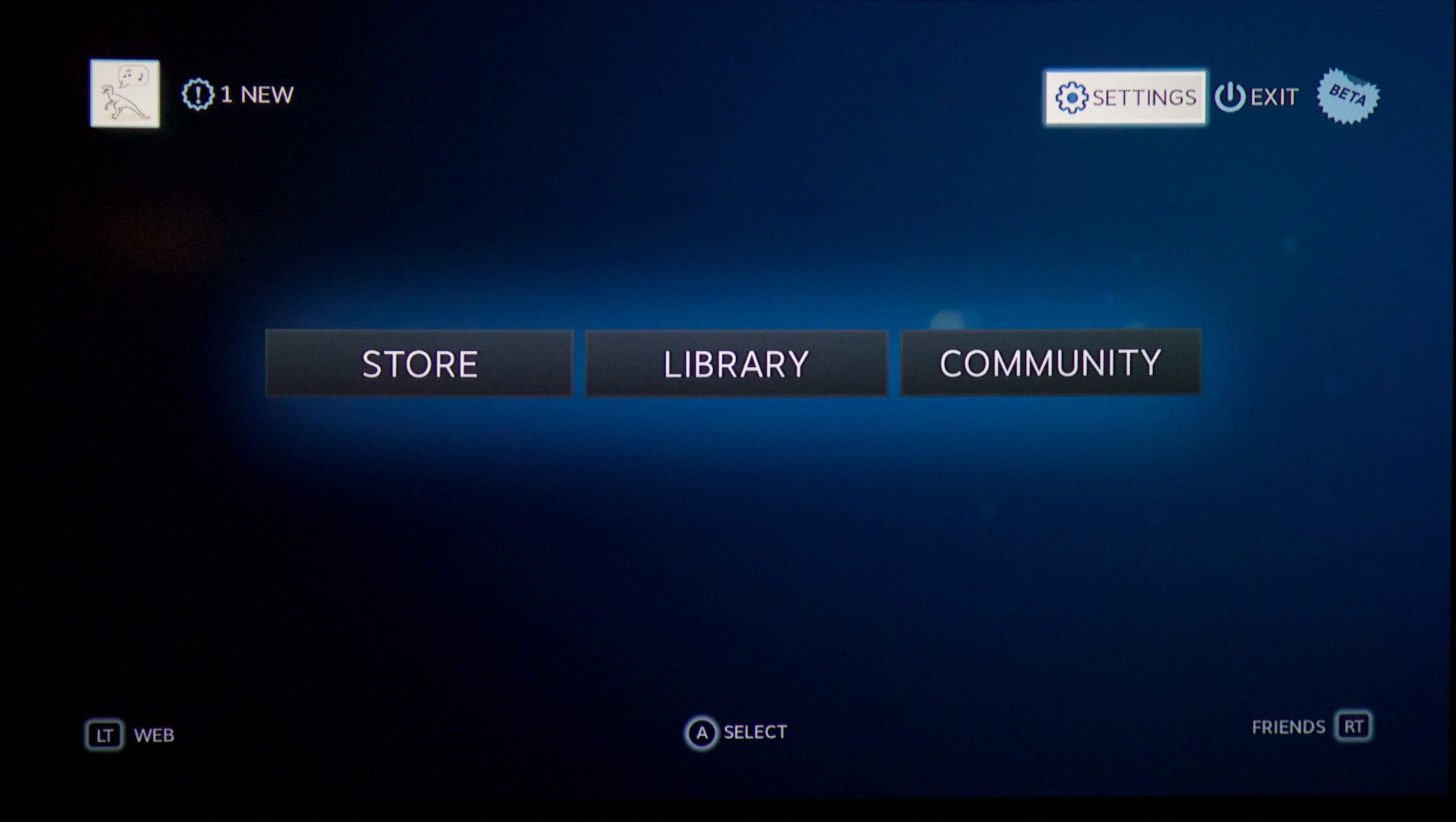
You've decided to take the plunge and transform your PC into a gaming powerhouse with SteamOS. Congratulations! Getting started is easier than you think. You can begin by downloading the SteamOS recovery image from the official Steam website.
The Installation Process
Once you've downloaded the image, follow the installation guides and tutorials provided by Valve. They're pretty straightforward, and you'll be up and running in no time. For example, you can check out the official SteamOS installation guide, which walks you through creating a bootable USB drive and installing the OS on your machine. You'll need a decent PC with a 64-bit processor, at least 4GB of RAM, and a compatible graphics card - most modern GPUs from Nvidia and AMD are supported.
Some popular installation guides include the SteamOS installation guide on the Valve website and the Steam Community's guide on installing SteamOS on a dedicated partition. These resources will help you troubleshoot common issues and get your system running smoothly.
Join the Community
As you get started, you'll likely have questions or want to share your experience with others. That's where the SteamOS community comes in - it's a vibrant space with thousands of users and developers sharing tips, fixes, and feedback. Head over to the Steam Community forums and introduce yourself! With over 100,000 members, you're bound to find helpful folks like shmu26 and Ayunami2000 who are always willing to lend a hand.
- Download the SteamOS recovery image from the official Steam website
- Follow installation guides and tutorials from Valve and the Steam Community
- Join the SteamOS community forums for support, feedback, and discussions
SteamOS: A Game-Changer for PC Gamers
You know how PC gaming's always been about power and customization? SteamOS is like the ultimate expression of that. It's free, it's from Valve, and it's gonna change how you game.
With SteamOS, you're looking at a whole new way to experience your favorite titles. Imagine booting straight into Big Picture Mode, where your living room TV becomes a gaming powerhouse. The interface is slick, optimized for couch gaming, and works seamlessly with your Steam library. No more messing around with settings or compatibility – just jump in and play.
The Future of PC Gaming's Here
SteamOS isn't just another OS; it's a game-changer for PC gamers. With access to the massive Steam library and optimized performance, you're getting console-like ease with PC power. The Steam Deck's success has shown us what's possible, and now SteamOS is bringing that experience to your desktop.
You're part of something big here. The shift to SteamOS could mean more developers optimizing games for Linux, more focus on the living room experience, and a push for better hardware compatibility across the board. It's an exciting time to be a gamer.
So what's stopping you? Grab SteamOS, breathe new life into that old gaming rig, and experience the future of PC gaming today.









Comments ()