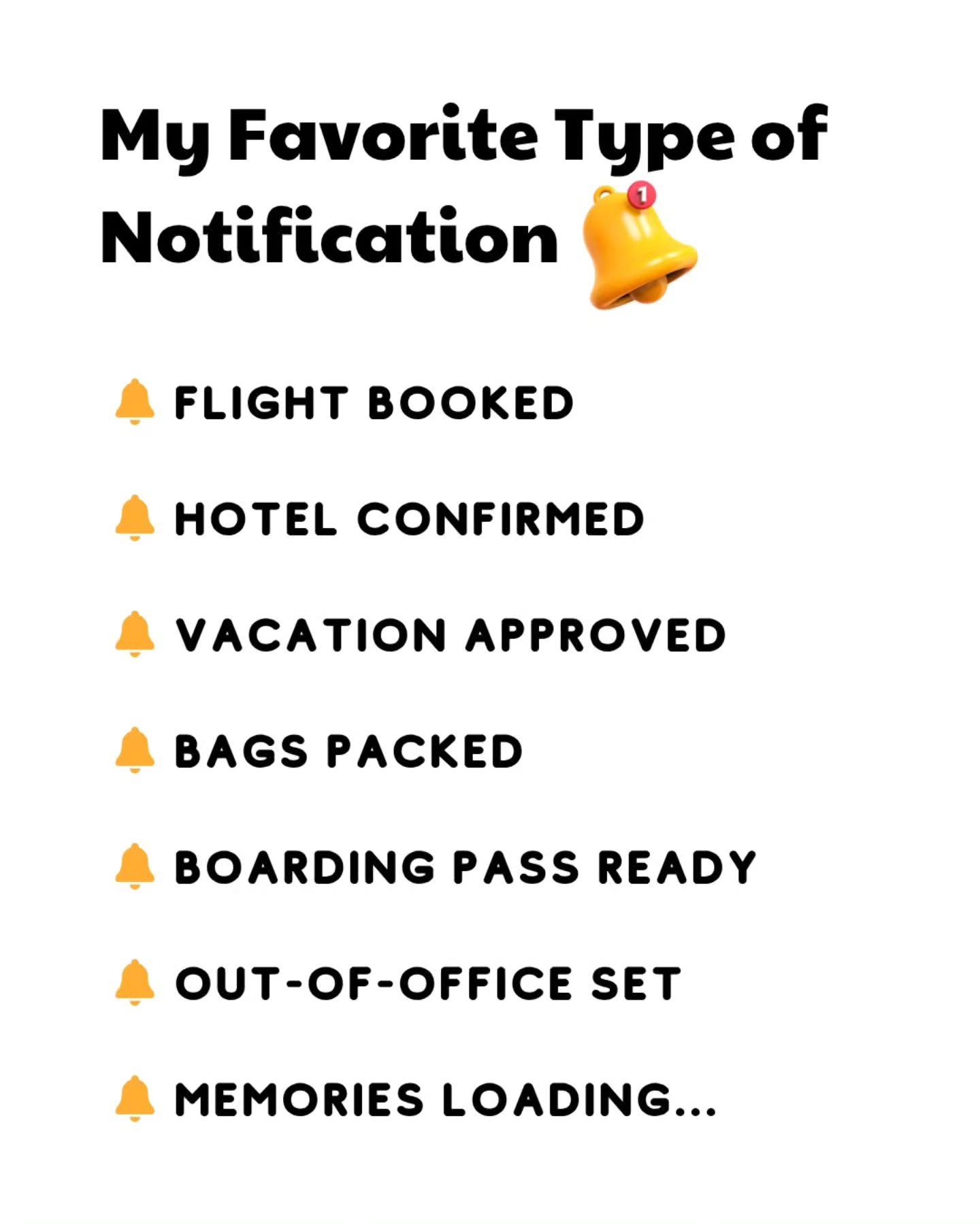
Vacation Notifications
Vacation planning is an exciting but often stressful process. Keeping track of all the details can be overwhelming, but with the right notifications, you can stay organized and enjoy your trip. Vacation notifications help manage every aspect of your journey, from flights to accommodations, ensuring a smooth and stress-free experience.
Why These Notifications Matter
Notifications remind you of critical details, keeping you on track and allowing you to focus on enjoying your vacation. They are essential for several reasons:
- Peace of Mind: Knowing that you have all the vital information at your fingertips reduces stress and uncertainty.
- Organization: Notifications help you manage your travel itinerary, ensuring that you don't miss any important steps or deadlines.
- Enhanced Experience: With everything in order, you can fully enjoy your vacation and create lasting memories.
Main Discussion
Types of Vacation Notifications
When planning a vacation, you'll receive various notifications, each serving a specific purpose. These can be categorized as follows:
Flight and Travel Arrangements
Flight bookings and travel arrangements are among the most important notifications. They include:
- Flight Booked: Confirms your flight reservation, including the departure and arrival times, flight number, and gate information.
- Boarding Pass Ready: Notifies you that your boarding pass is available, allowing you to check in and proceed to the gate without hassle.
These notifications help you stay on track and arrive at the airport with plenty of time to spare, ensuring a smooth travel experience.
Accommodation Confirmations
Hotel and other accommodation bookings are equally crucial. Common notifications include:
- Hotel Confirmed: Verifies your hotel reservation, including check-in and check-out times, room details, and any special requests.
Having these notifications ensures that you have a place to stay and that your accommodations meet your expectations.
Work and Out-of-Office Settings
Managing work while on vacation is essential for a stress-free trip. Important notifications include:
- Vacation Approved: Confirms that your vacation has been approved, allowing you to set your mind at ease and look forward to some well-deserved time off.
- Out-of-Office Set: Indicates that your out-of-office reply has been activated, ensuring that your colleagues and clients know you are unavailable during this period.
Setting these notifications frees you from work-related worries and allows you to fully immerse yourself in your vacation.
Additional Reminders
In addition to essential travel and work notifications, other reminders can enhance your vacation experience:
- Bags Packed Ready: Reminds you to pack your bags and prepare for your trip, ensuring that you have everything you need.
- Memories Loading...: This playful notification signifies the anticipation of creating lasting memories, adding a touch of excitement to your vacation preparations.
Practical Tips
To make the most of vacation notifications, follow these practical tips:
-
Set Up Notifications Early: Ensure that all notifications are set up well in advance of your departure. This allows you to make any necessary adjustments and avoid last-minute stress.
-
Use a Travel App: Utilize a comprehensive travel app that consolidates all your notifications in one place. This keeps everything organized and easily accessible.
-
Customize Alerts: Tailor your notifications to your preferences. For example, you might want to receive flight updates via text message but hotel confirmations via email.
-
Check Regularly: Regularly check your notifications to stay updated on any changes or important information. This helps you stay on top of everything and mitigate any potential issues.
-
Review Out-of-Office Settings: Double-check that your out-of-office settings are correctly configured. Include essential contact information and specify when you will be available again.
Important Takeaways
Vacation notifications play a crucial role in ensuring a smooth and enjoyable travel experience. By managing your travel arrangements, accommodations, and work-related settings efficiently, you can focus on creating lasting memories. Key takeaways include:
- Always set up notifications early to avoid last-minute stress.
- Use a comprehensive travel app to keep everything organized.
- Customize your alerts to suit your preferences and ensure you receive important information promptly.
- Regularly check your notifications and review your out-of-office settings.
Conclusion
Vacation notifications are an invaluable part of planning and executing a successful trip. By staying organized and informed, you can reduce stress and maximize your enjoyment. Whether it's confirming your flight, booking your hotel, or setting your out-of-office reply, these notifications ensure that every aspect of your journey is well-managed. So, next time you embark on a vacation, make the most of these helpful tools and enjoy a worry-free experience.
Questions readers ask
How do vacation notifications help with travel planning?
Vacation notifications assist in travel planning by providing timely updates and reminders about your bookings, schedules, and important details. This helps you stay organized and reduces the stress of keeping track of everything manually. They ensure you are always in the right place at the right time, enhancing your overall travel experience.
What types of travel alerts should I set up for a smooth vacation?
To ensure a smooth vacation, set up alerts for flight updates, including gate changes and delays, as well as hotel notifications for check-in and check-out times. Additionally, set reminders for picking up your boarding pass and travel confirmation notifications to stay informed about any changes.
How can I use travel reminders to prepare for my voyage?
Travel reminders can be set to notify you about packing lists, travel document deadlines, and local weather updates. This travel preparation ensures you are ready and know what to expect, thus enhancing your overall experience.
How do I set up travel updates and alerts on my phone?
Most airlines, hotels, and travel booking platforms offer the option to set up travel updates and alerts on your phone. You can typically enable these notifications during the booking process or by logging into your account and adjusting your notification preferences. Some platforms also offer dedicated apps for easy access.
Why are out of office alerts important for vacation notifications?
Out of office alerts inform your colleagues, clients, or contacts that you will be unavailable due to your vacation. This helps manage expectations and ensures that your work is covered while you are away, allowing you to fully enjoy your trip without worry.
What is the benefit of receiving a boarding pass ready notification?
A boarding pass ready notification allows you to have your boarding pass ready at your fingertips before you even arrive at the airport. This can save you time, reduce stress, and help you manage any unexpected changes or delays.
How do travel tips notifications enhance my vacation experience?
Travel tips notifications provide valuable insights and suggestions tailored to your destination, including local attractions, dining options, and safety tips. These travel tips help you make the most of your time and ensure that you have a memorable and enjoyable vacation experience.
Recent articles
Fresh deep dives from the latest Reels we unpacked.




Comments
Be the first to comment.