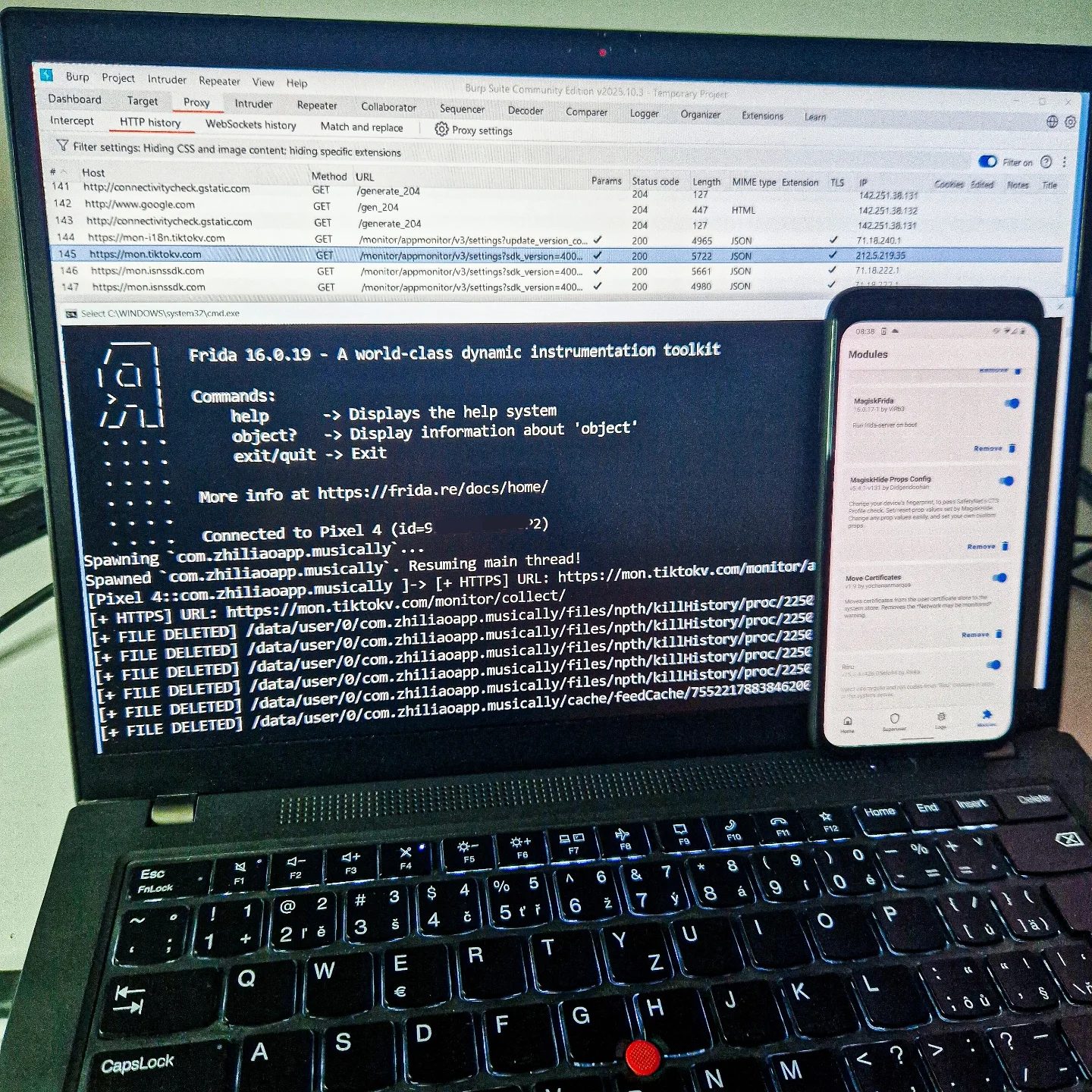
Building an Android Bug Bounty Lab
Setting up an Android Bug Bounty lab involves configuring a variety of tools and environments to effectively test and identify vulnerabilities in Android applications. This guide walks through the essential components and steps to build a robust lab, focusing on tools like emulators, real Android devices, proxies, Magisk, Burp, and Frida.
Context / Why this Matters
Building a well-equipped Android Bug Bounty lab is crucial for cybersecurity professionals, ethical hackers, and anyone interested in mobile application security. By setting up an environment that mimics real-world conditions, you can identify and address vulnerabilities more effectively, contributing to the overall security of Android applications.
Main Discussion
Understanding the Key Components
-
Emulators and Real Devices
- Emulators: Android emulators are virtual environments that simulate Android devices. Tools like Android Studio's built-in emulator can be useful for initial testing. However, emulators may not always provide a complete representation of real-world device behavior.
- Real Devices: Testing on actual Android devices is essential for identifying hardware-specific vulnerabilities and ensuring that your findings are relevant to real users. Devices from different manufacturers and with varying specifications can provide a more comprehensive testing environment.
-
Proxies
- Proxies act as intermediaries between your testing device and the internet, allowing you to intercept and analyze network traffic. Tools like Burp Suite are commonly used for this purpose. They enable you to capture and modify HTTP/HTTPS traffic, which is crucial for identifying security flaws in network communication.
-
Magisk
- Magisk is a systemless rooting solution for Android devices. It allows you to gain root access without modifying the system partition, making it easier to install and manage various security tools. Magisk also includes features like MagiskHide, which can help you bypass safety checks and maintain a clean testing environment.
-
Burp Suite
- Burp Suite is a comprehensive web vulnerability scanner that includes a proxy, spider, scanner, and repeater. It is widely used for intercepting, inspecting, and modifying web traffic, making it an indispensable tool for identifying vulnerabilities in web-based applications.
-
Frida
- Frida is a powerful dynamic instrumentation toolkit that allows you to inject scripts into native applications. It supports multiple languages, including JavaScript, Python, and Swift, and can be used to monitor and manipulate application behavior in real-time. Frida is particularly useful for testing Android applications, as it can interact with both Java and native code.
Setting Up the Lab
Configuring Emulators
To set up an emulator, you'll need to:
- Install Android Studio: Download and install Android Studio, which includes the Android Emulator.
- Create an Emulator: Use the AVD Manager in Android Studio to create a new virtual device. Choose the appropriate system image and hardware specifications.
- Configure Network Settings: Ensure that the emulator can access the internet and that it is configured to use your proxy settings.
Configuring Real Devices
- Rooting with Magisk: Follow the Magisk installation guide to root your device. This typically involves:
- Unlocking the bootloader.
- Flashing a custom recovery (e.g., TWRP).
- Installing Magisk via the recovery mode.
- Network Configuration: Connect your device to your proxy server to intercept network traffic. This can be done using tools like Burp Suite.
- Security Checks: Ensure that your device is secure and that you have the necessary permissions to perform testing.
Setting Up Proxies
- Install Burp Suite: Download and install Burp Suite on your computer.
- Configure Proxy Settings: Set up Burp Suite to intercept HTTPS traffic and configure your devices to use Burp as their proxy.
- For rooted devices, you can use tools like ProxyDroid to configure the proxy settings automatically.
- Test Interception: Ensure that your network traffic is being intercepted by Burp Suite by visiting a test website and checking the captured traffic in Burp.
Using Frida
- Install Frida: Follow the installation instructions on the Frida website.
- Connect to the Device: Use Frida's server to connect to your rooted device.
- Scripting: Write scripts to inject into the target application. Frida scripts can be written in various languages, but JavaScript is commonly used for its simplicity and powerful API.
Practical Tips
- Documentation: Keep detailed notes on your testing environment, including device configurations, proxy settings, and any issues you encounter. This documentation will be invaluable for troubleshooting and replicating your findings.
- Testing Environment: Regularly update your testing tools and devices to ensure that you are working with the latest software and security patches.
- Community Resources: Engage with the cybersecurity community for tips, tricks, and support. Platforms like GitHub, Reddit, and specialized forums can be great resources.
Important Takeaways
- Comprehensive Testing: A well-configured lab should include both emulators and real devices to cover a wide range of testing scenarios.
- Proxy Configuration: Properly configure your proxy settings to ensure that all network traffic is intercepted and analyzed.
- Dynamic Instrumentation: Tools like Frida are essential for dynamic analysis and can help you identify and exploit complex vulnerabilities.
- Root Access: Rooting your devices with Magisk provides the necessary permissions for running security tools and custom scripts.
Tools and Resources
Here are some essential resources and tools for setting up your Android Bug Bounty lab:
- Android Studio: For creating and managing emulators.
- Magisk: For rooting Android devices.
- Burp Suite: For intercepting and analyzing network traffic.
- Frida: For dynamic instrumentation and application analysis.
- YesWeHack: A platform for learning and participating in bug bounty programs.
Conclusion
Building a comprehensive Android Bug Bounty lab involves setting up emulators, real devices, proxies, Magisk, Burp, and Frida. Each of these components plays a crucial role in identifying and analyzing vulnerabilities in Android applications. By following the steps and tips outlined in this guide, you can create a robust testing environment that will help you uncover and address security issues effectively.
Questions readers ask
What is Frida and why is it important for Android bug bounty testing?
Frida is a dynamic instrumentation toolkit that allows security professionals to inject scripts into native apps on Android and iOS. It is important for Android bug bounty testing because it enables real-time analysis and modification of app behavior, helping to identify and exploit vulnerabilities effectively.
What are the key components needed to set up an Android Bug Bounty lab for Frida?
To set up an Android Bug Bounty lab for Frida, you will need an emulator or a real Android device, a proxy tool like Burp Suite, and rooting solutions such as Magisk. Additionally, you need to configure Frida to work seamlessly within this environment.
How do I configure an Android emulator for Frida?
To configure an Android emulator for Frida, you need to ensure that the emulator supports the necessary Android versions and architectures. Install Frida Server on the emulator and set up the necessary permissions and configurations to allow Frida to run scripts effectively.
What are the steps to root an Android device for Frida?
Rooting an Android device for Frida involves using tools like Magisk. First, unlock the bootloader of the device, then flash the Magisk zip file. Finally, verify root access and install the Frida Server on the rooted device to enable dynamic analysis.
How does Frida work with proxies like Burp Suite in an Android lab setup?
Frida can be integrated with proxies like Burp Suite to capture and analyze network traffic generated by Android applications. This setup allows for a more comprehensive analysis of app behavior, including how data is transmitted and received, which helps in identifying potential vulnerabilities.
What are some common challenges when setting up Frida for Android bug bounty testing?
Common challenges include compatibility issues with different Android versions, ensuring proper permissions for Frida to run on emulators or devices, and configuring the environment to support dynamic analysis effectively. Additionally, rooting devices and setting up proxies can be complex and may require troubleshooting.
How can Frida help in identifying Android app vulnerabilities?
Frida helps in identifying Android app vulnerabilities by allowing you to inject JavaScript or Python scripts into the application's runtime. This enables you to interact with the app's internal workings, modify its behavior, and observe how it responds to various inputs, making it easier to find security flaws.
Related deep dives
Similar reads based on topic and creator.




Recent articles
Fresh deep dives from the latest Reels we unpacked.




Comments
Be the first to comment.